

20 Smoke Video Overlays
20 Smoke Footage with SuperImpose Feature for After Effects, Premiere, Photoshop, Final Cut, and Sony Vegas | 2084 MB | Comes with Preview | ZXP & MOV & MP4 & JPG Format
In this section, you will see 20 smoke footage with the ability to superimpose for After Effects, Premiere, Photoshop, Final Cut, and Sony Vegas, which have been posted on the site in MOV, ZXP, MP4, and JPG formats.
General specifications of this complex:
– Compatible with After Effects and Premiere CS4 and above
– Compatible with Photoshop CS4 and above
– Compatible with Final Cut Pro and Sony Vegas v.4 and above
– Resolution: 1920×1080 Full HD-
No plugin required
– Includes preview video
– Includes help
file- Frame rate: 29.97 fps
– Duration: 9m = 540 sec
– Video codec: Mov/H.264
– Includes 2 categories: 10 Color Smoke Elements, 10 Black and White Smoke Elements
– Includes 20 Actual Filmed Elements
Related Stock Video
Cigarette Smoke
By Zavarykin
Cigarette Fumes Swirling Around
By Zavarykin
Cigarette Smoke Stream
By Zavarykin
Thick Fumes
By Lisevich

Smoke On Black Background
By SVZUL
Cigarette Smoke
By Lisevich
Thin Wispy Smoke
By Lisevich
Smoke Fills Bakcground
By Lisevich
White Smoke On Black Overlay
By Dreamaker
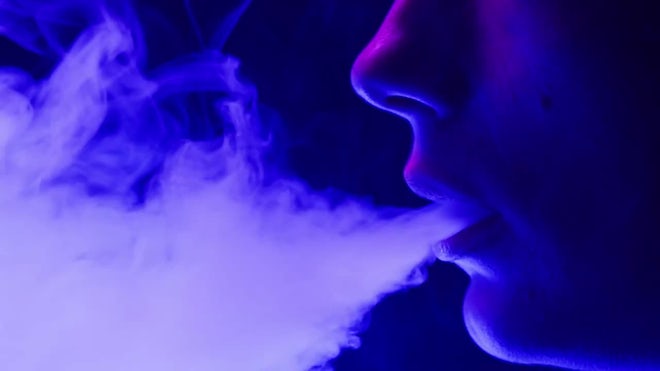
Young Woman Smoking Hookah Or Cigarette In Blue Neon Light
By Volv
Smoke Or Fog Swirling
By Zavarykin
Abstract Smoke On Black Chroma Key
By Volv

Fog On Green Background
By Volv
Thin Smoke
By Zavarykin
Swirling Smoke Cloud
By Lisevich
Fog Or Mist On Black
By Zavarykin
White Clouds On Black Background
By Zavarykin
Thin Smoke Or Fog
By Zavarykin
Fog On Black Background
By Volv
Smoke Plume Spreading
By Lisevich
Smoke Filling The Space
By Lisevich
White Clouds On Black
By Zavarykin
White Smoke On Black Background
By Dreamaker
Cloud Of Smoke
By Zavarykin
Smoking, Steam Clouds Of Vapour Close-up
By Volv
Smoke Swirling On Black Background
By SVZUL

Deep Fog
By Zavarykin
Burning, Smoke On Black
By Volv
Smoke And Mist 12-Pack
By ManManStudio
Smoke Covering Black Background
By Lisevich
White Clouds On Black
By Zavarykin
White Smoke
By Zavarykin
Smoke Exhalation
By Zavarykin
Swirling Smoke Crawling To The Side
By Zavarykin
Fumes On Black Background
By Lisevich
Grey Smoke Rising
By Zavarykin
Fog On Black Background
By Zavarykin
White Smoke
By Zavarykin
Thin Smoke On Black
By Zavarykin
Smoke Exhaling From Top And Dissolving
By Zavarykin
Smoke Falling From Top
By Zavarykin
Smoke Coming From Left Side
By Zavarykin
Smoke Texture On Black Background In Blue Neon Light
By Volv
Puff Of Smoke Swirls
By Lisevich
Trails Of Smoke
By Lisevich
Rising Smoke
By Lisevich

High Density Smoke
By Zavarykin
White Vapor Plume
By Lisevich
White Clouds Moving Fast
By Zavarykin
Billowing Smoke
By Lisevich
Grey And White Smoke
By Zavarykin
Thick Cloud Of Smoke
By Lisevich
Smoke Rising
By Zavarykin
Smoke Crawling And Rising
By Zavarykin
Thick White Smoke
By Lisevich
Grey Smoke
By Zavarykin
Thin Fumes
By Zavarykin
Cloudy Smoke
By Lisevich
Close-Up Of Smoke Rising
By SVZUL
Smoke
By francescosgura
Motion Graphics
Amazing clips and animations to use and help you create your own unique projects.
What are Motion Graphics and why would you use them?
Motion graphics is animation, but with text as a major component. Essentially, it’s animated graphic design.
Ever since motion graphics first entered the scene, there’s been a debate about the line between them and full animation.
Internet, TV, Cinema, mobile apps, video games… all of them become alive through Motion Graphics. Every text, every graphic you see moving in any of those platforms and any media, is conceived by the Motion Designer work. As technology grows, we will see a lot more space for Motion Designers to work.
- Motion graphics make your videos more exciting. Move over boring presets! Getting high-quality motion graphics means adding energy and creativity to your projects. Beaming animations are sure to make your videos more unique and enjoyable.
- They also help tell the story. Need a cool way to add a caption? You can incorporate a lower-third animation into your video. These assets provide you with a better way to “set the scene in the clip, and therefore improve the overall experience.
- Motion graphics provide professional-level transitions that help your videos stand out. Long gone are the days of a simple fade out!
- And lastly, motion graphics set the mood for your videos. There’s no better way to create emotive videos than to set the mood with the right animations. An example? You can add glitch effects for tech-savvy projects, or incorporate vibrant transitions for an upbeat feel.
➡️ ➡️ For more Motion Graphics 😀 😀
System Requirement For adobe after effects
Reviews
There are no reviews yet.