
Halation Effect Plugin Final Cut Pro
Halation Effect Plugin for Final Cut Pro – The Ultimate Cinematic Film Glow & Highlight Bloom Toolkit
Download the Halation Effect Plugin for Final Cut Pro (macOS), a premium, professional-grade video effect designed to instantly transform sterile, digital footage into breathtaking, analog film masterpieces. In traditional film photography, “halation” occurs when bright light passes through the film emulsion, hits the camera’s film gate or backing, and reflects back into the image, creating a soft, reddish-orange glow around the highlights. This plugin replicates that exact optical phenomenon natively inside Final Cut Pro, giving your video the authentic, organic, and highly sought-after “cinematic film” look without the need for complex node-based compositing or external software.
Key Features of the Halation Effect Plugin:
- Authentic Highlight Extraction: The plugin uses advanced luminance thresholding to intelligently isolate only the brightest parts of your image (like neon signs, window reflections, and practical lights), ensuring the glow only appears where it naturally would on real film.
- Signature Film Color Tinting: Real halation isn’t just white; it has a distinct color shift. The plugin automatically applies the signature warm red, orange, or magenta edge-glow characteristic of classic film stocks like CineStill 800T or Kodak Vision3.
- Customizable Bloom & Radius: Fine-tune the physical look of the glow. Adjust the Radius (how far the light bleeds), Intensity (how bright the glow is), and Softness (the falloff of the light) to match the specific lens and film stock you are emulating.
- One-Click Cinematic Presets: Instantly apply meticulously tuned looks. Includes presets for Heavy Nighttime Neon, Soft Daylight Bloom, Vintage 16mm Grime, and Anamorphic Streak Halation.
- Real-Time Apple Silicon Performance: Built natively for Metal and optimized for Apple Silicon (M1/M2/M3/M4) chips. The effect processes in real-time on the timeline, meaning zero rendering wait times while you edit and grade.
- Edge Preservation & Masking: Advanced edge-detection algorithms ensure the glow wraps naturally around the physical edges of your light sources, preventing the “muddy” or “washed out” look of basic Gaussian blur overlays.
- Seamless FCP Integration: Designed to work flawlessly alongside Final Cut Pro’s native Color Board, Color Wheels, and LUTs. Apply your base grade first, then slap the Halation plugin on top for the final optical polish.
- Halation + Grain Combo Mode: Includes a built-in, high-quality film grain generator that reacts to the halation glow, ensuring the light bloom feels physically textured rather than digitally smooth.
Perfect For:
- Indie Filmmakers & Directors shooting on digital cinema cameras (Sony FX3, RED, Blackmagic) who want the organic, romantic feel of 35mm film.
- Music Video Directors creating vibrant, neon-drenched, or moody visuals where practical lights need to bloom beautifully.
- Wedding & Event Videographers adding a dreamy, nostalgic, and high-end cinematic finish to client highlight reels.
- Commercial Colorists matching the look of digital footage to archived film scans, or adding premium “film emulation” polish to high-end brand commercials.
- Content Creators & YouTubers elevating the production value of their cinematic vlogs, short films, and video essays.
- Analog Enthusiasts who shoot on actual film but need a digital plugin to match their VFX or B-roll footage to their scanned negatives.
System Requirements:
- Software: Final Cut Pro 10.6 or newer (macOS).
- OS: macOS 12.0 (Monterey) or newer. Fully optimized for macOS Sonoma and Sequoia.
- Hardware: Apple Silicon (M1/M2/M3/M4) or Intel Core i7+ with Metal-capable GPU.
- RAM: 8GB minimum (16GB+ recommended for 4K/8K timeline playback).
- Format: Native FxPlug / Motion Template integration.
Installation / How to Use:
- Download the Halation Effect Plugin
.dmgor.zipinstaller. - Run the installer, which will automatically place the
.fxplugfile into your/Library/Plug-Ins/FxPlug/or/Movies/Motion/Templates/directory. - Restart Final Cut Pro.
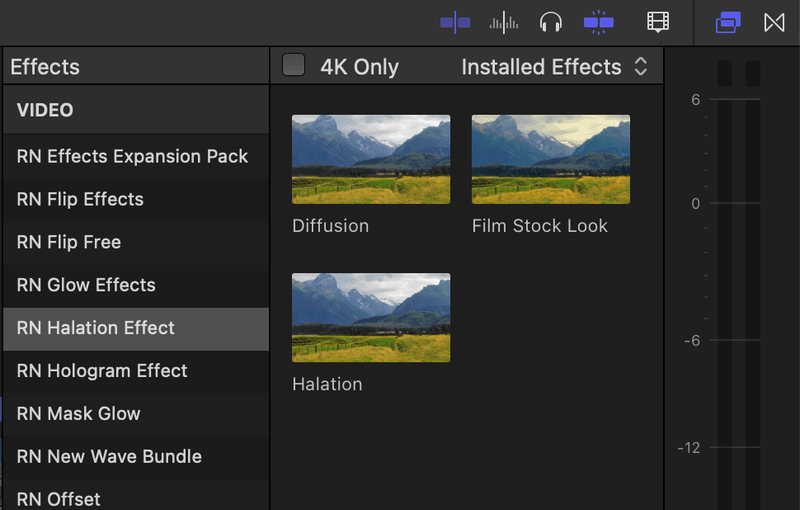
- Open the Effects Browser (Command + 5) and search for “Halation” or find it under the “Custom” or “Film” category.
- Drag and Drop the effect directly onto your clip or adjustment layer in the timeline.
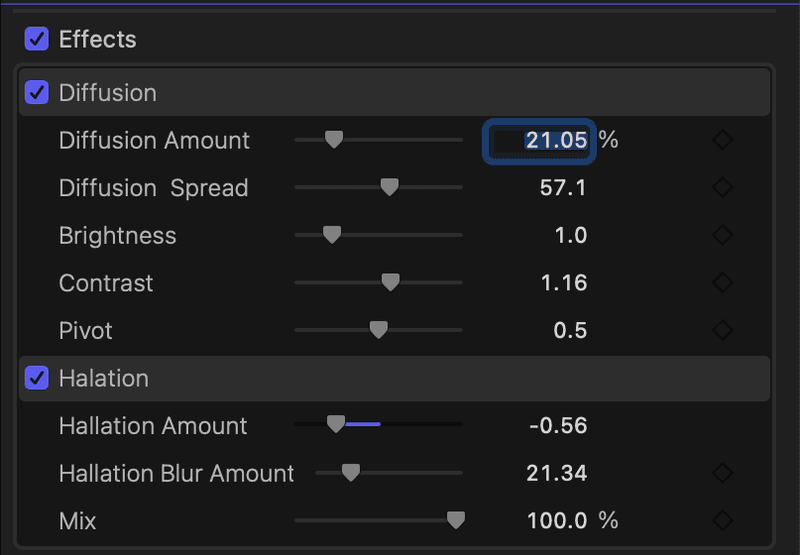
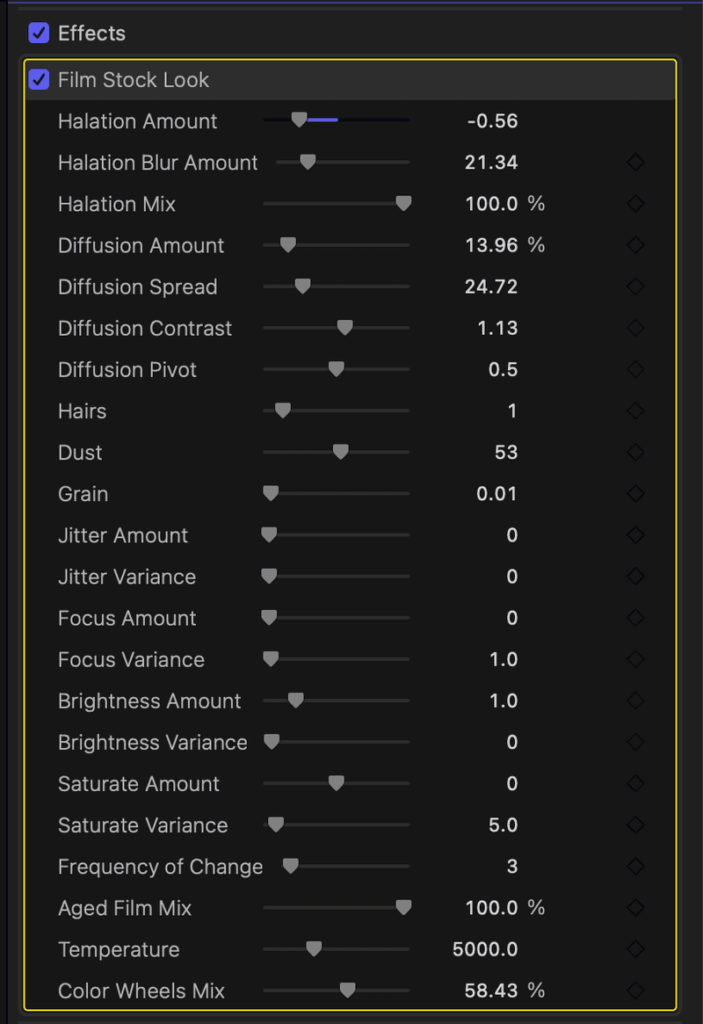
- Open the Video Inspector to tweak the Threshold, Radius, and Color Tint to perfection.
- Pro-Tip: Place the Halation effect above your LUTs and Color Board adjustments in the effects stack so it reacts to your final contrast and highlight levels.
What’s Included in the Plugin?
- The Core Halation Engine: The real-time, GPU-accelerated highlight extraction and bloom generator.
- The Film Stock Library: 25+ presets calibrated to mimic specific physical film emulsions (e.g., CineStill 800T Tungsten, Kodak 5219 Vision3, Fuji Eterna, expired 16mm).
- The Neon & Night Module: Specialized presets optimized for low-light, high-contrast scenes with bright practical lights and neon signage.
- Custom Film Grain Overlay: A procedurally generated, non-repeating film grain engine that pairs perfectly with the glow.
- User Manual & Video Tutorials: Step-by-step guides on how to integrate the plugin into a professional color grading pipeline.
Note:
The Halation Effect Plugin for Final Cut Pro is built on a simple truth: digital sensors clip highlights harshly, but film lets them bloom. When you shoot a bright neon sign or a window with a digital camera, the edge of the light is sharp and digital. When you shoot it on film, the light bleeds, wraps, and glows with a warm, organic energy. This plugin bridges that gap natively inside your NLE. By replicating the exact optical physics of light reflecting through film emulsion, it instantly removes the “video look” from your footage, replacing it with the soulful, romantic, and expensive aesthetic of analog cinema. Whether you are grading a moody nighttime thriller or a dreamy wedding film, this plugin gives you the ultimate cinematic finish.
Halation Effect Plugin – Final Cut Pro
This plugin pack includes 3 different effects and 2 color grading LUTs:
– Halation Effect
– Diffusion Effect
– Film Look Effect
To install, save the downloaded folder in your Motion Templates – Effects folder. Or watch the tutorial below for instructions.
Heres a TUTORIAL on how to INSTALL plugins to FCPX
https://www.youtube.com/watch?v=EUugTZYnyGI
System Requirements:
– Final Cut Pro 10.4.4 or above
Reviews
There are no reviews yet.