
Creature Kitbash for Blender
Creature Kitbash for Blender – The Ultimate Anatomical, Monster & Fantasy Beast 3D Asset Kit
Versions: v1.0
File Size: 315 MB
Download Creature Kitbash for Blender, a premium, meticulously sculpted 3D asset library designed to revolutionize your character and creature design workflow. Creating believable monsters, aliens, and fantasy beasts requires an obsessive attention to biological details—scales, horns, teeth, claws, and muscle fibers. Modeling these micro-details from scratch is a massive time sink. This Blender-native kitbash pack eliminates that bottleneck by providing hundreds of highly detailed, modular anatomical components. Whether you are designing a terrifying horror monster, a majestic fantasy dragon, or an otherworldly sci-fi alien, this pack gives you the exact biological “Lego bricks” you need to rapidly assemble breathtaking, unique creatures.
Key Features of the Creature Kitbash for Blender:
- Modular Biological Anatomy: A massive library of interlocking and stackable biological parts. Seamlessly blend different types of scales, stack overlapping armor plates, or attach varied horn and spike shapes to create entirely new, never-before-seen species.
- 100% Blender-Native & Asset Browser Ready: Built from the ground up for Blender. All assets are pre-marked for Blender’s native Asset Browser, allowing you to drag and drop scales, teeth, and eyes directly onto your mesh with zero friction.
- Procedural Geometry Node Scatter Tools: Don’t place scales one by one. The pack includes custom Geometry Node setups that allow you to “paint” or scatter thousands of scales, spikes, or hair follicles onto any base mesh automatically, with random rotation and scale variation.
- Hyper-Realistic Sculpted Micro-Details: Every piece features extreme close-up fidelity. Expect realistic pore structures, sharp keratin ridges, wet mucous membranes, and deep, shadow-catching wrinkles that hold up beautifully in 4K renders.
- Cycles-Optimized SSS Materials: Creature skin needs to look alive. The master materials are pre-configured for Blender’s Cycles render engine, featuring advanced Subsurface Scattering (SSS), multi-layered roughness, and anisotropic highlights for wet or oily skin.
- Versatile Aesthetic Range: The assets are designed to be highly adaptable. Use the clean, sharp variants for sci-fi aliens, the rugged, scarred variants for post-apocalyptic beasts, or the majestic, flowing variants for high-fantasy dragons.
- Eevee Real-Time Previews: Materials are fully compatible with Eevee, allowing you to see stunning, real-time previews of your creature’s skin, eyes, and slime in the viewport before committing to a final Cycles render.
Perfect For:
- Creature & Character Artists rapidly prototyping and detailing monsters, aliens, and fantasy beasts without getting bogged down in micro-sculpting.
- Concept Artists quickly blocking out complex creature silhouettes and textures in 3D before moving to 2D paint-overs.
- Indie Game Developers populating their games with unique, high-fidelity fauna, bosses, and enemies using optimized, Blender-ready assets.
- VFX & Horror Artists designing grotesque mutations, demonic entities, and deep-sea leviathans requiring unsettling, hyper-detailed biological textures.
- 3D Illustrators & Generalists needing a fast, reliable way to add organic, biological elements to their scenes without being a dedicated creature specialist.
Included Formats & System Requirements:
- Native Format:
.blend(Blender 3.6+ compatible, fully tested on Blender 4.0, 4.1, 4.2, 4.3, and 4.4). - Export Formats: FBX, OBJ (for use in Maya, ZBrush, Unreal Engine, etc.).
- Texture Formats: 4K (4096 x 4096) and 8K (8192 x 8192) PNG/TGA files.
- Render Engines: Materials optimized for Blender Cycles (primary) and Eevee. Exportable to Unreal Engine 5 and Unity via FBX.
- Hardware: Standard Blender workstation recommended (16GB+ RAM, GPU with 6GB+ VRAM for smooth viewport playback and fast Cycles rendering of SSS materials).
Installation / How to Use:
- Extract the Archive: Unzip the Creature Kitbash file to your designated Blender asset library folder.
- Open in Blender: Open the master
Creature_Kitbash_Master.blendfile. - Use the Asset Browser: Ensure the folder is linked in your Blender Preferences > File Paths > Asset Libraries. Open the Asset Browser in your workspace, and you can now drag and drop any scale, horn, or eye directly into your scene.
- Appending to Your Project: Alternatively, use File > Append to bring specific Collections or Objects from the kitbash file into your own creature project.
- Using the Geometry Nodes: Select your creature’s base mesh, go to the Modifiers tab, and add the included “Scale Scatter” or “Spike Scatter” Geometry Node modifier. Use the vertex group weights to control exactly where the scales grow (e.g., heavy on the back, sparse on the belly).
- Material Setup: Assign the Master Materials. For the “Flesh” and “Skin” materials, ensure your Cycles render settings have enough light bounces (at least 4-8) to allow the Subsurface Scattering to calculate correctly and give the skin a translucent, lifelike glow.
What’s Included in the Pack?
- The Scales & Scutes Module (40+ Assets): Overlapping reptile scales, rough crocodilian scutes, smooth fish scales, and armored turtle-like shell segments. Includes flat, curved, and keeled variations.
- The Horns, Spikes & Claws Module (35+ Assets): Sweeping ram horns, jagged demon spikes, sharp raptor claws, and heavy rhino-like keratin plates.
- The Mouth & Dentition Module (25+ Assets): Razor-sharp shark teeth, jagged monster fangs, crushing molars, gums, tongues, and modular jaw hinges.
- The Eyes & Vision Module (15+ Assets): Reptilian slit irises, compound insect eyes, glowing alien pupils, and milky, blind cave-creature variants. All feature highly detailed, layered SSS cornea materials.
- The Tentacles & Appendages Module (20+ Assets): Suction-cupped tentacles, segmented insectoid legs, chitinous pincers, and muscular, prehensile tails.
- The Wrinkles & Folds Module (15+ Assets): Heavy elephant-like skin folds, drooping jowls, and stretched membrane textures to add age and weight to your creatures.
- The Master Material Library: 20+ Blender Shader Node setups including Translucent SSS Skin, Wet Chitin, Dry Bone, Slime/Mucus, and Iridescent Scales.
- Bonus: Geometry Node Scatter Rigs: 5 pre-built, highly customizable node setups for scattering scales, spikes, and quills across any base mesh.
Note:
Creature Kitbash for Blender is built on the philosophy that the most terrifying and beautiful monsters are just familiar biological elements combined in unfamiliar ways. A dragon is just a bat with snake scales and crocodile armor. An alien is just an insect with mammalian skin and cephalopod eyes. By providing a massive, high-fidelity library of these biological “building blocks,” this kit empowers you to focus on the design, silhouette, and personality of your creature rather than the tedious, repetitive sculpting of individual scales and teeth. Because it is deeply integrated into Blender’s ecosystem—utilizing the Asset Browser and Geometry Nodes—it fits seamlessly into your native workflow. Unleash your imagination and start building the beasts of your dreams.
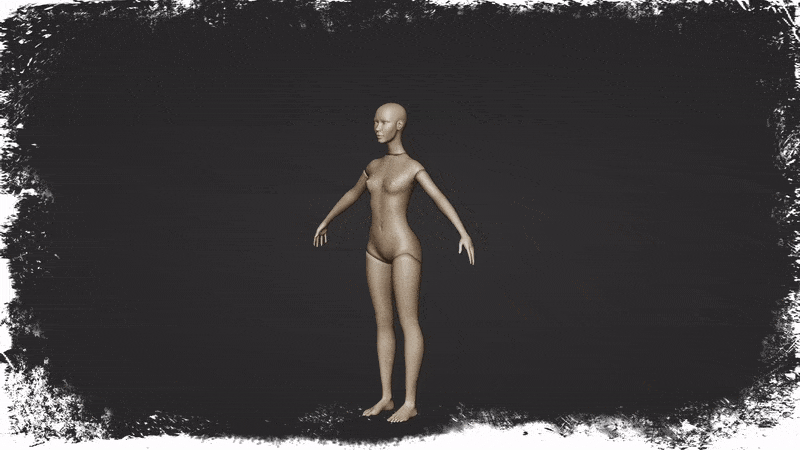
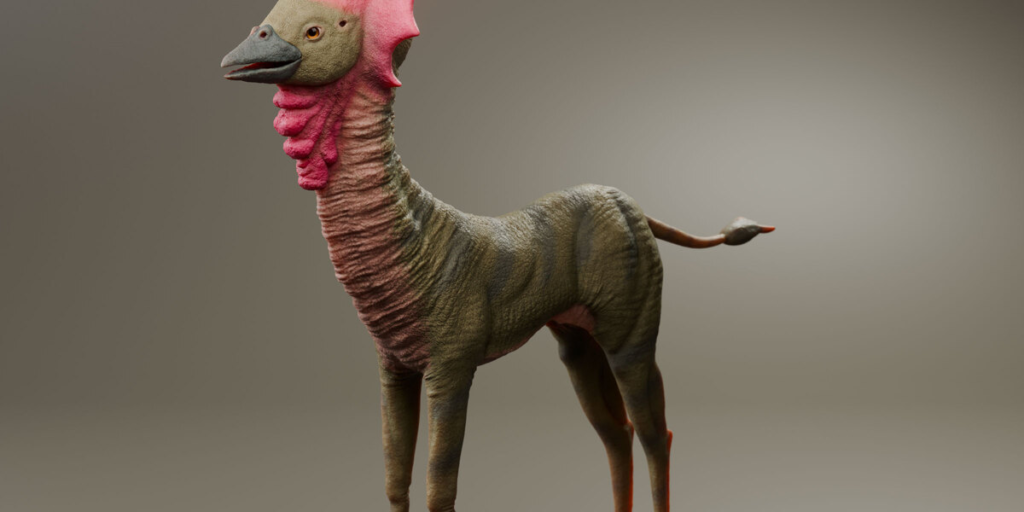
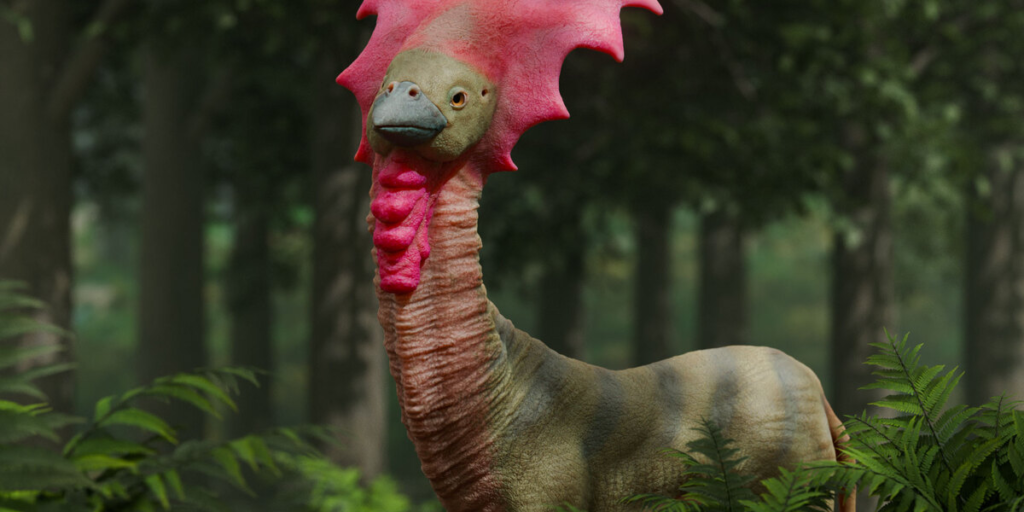
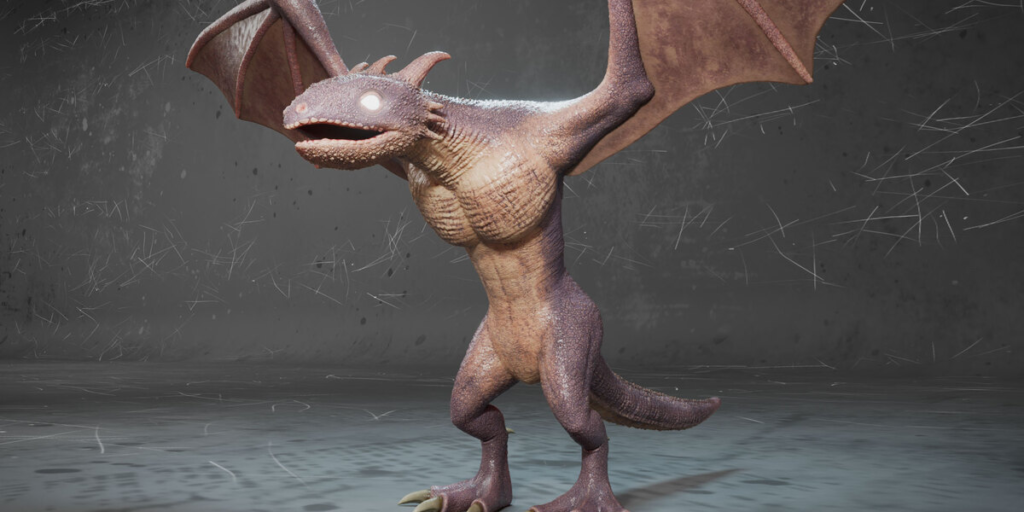
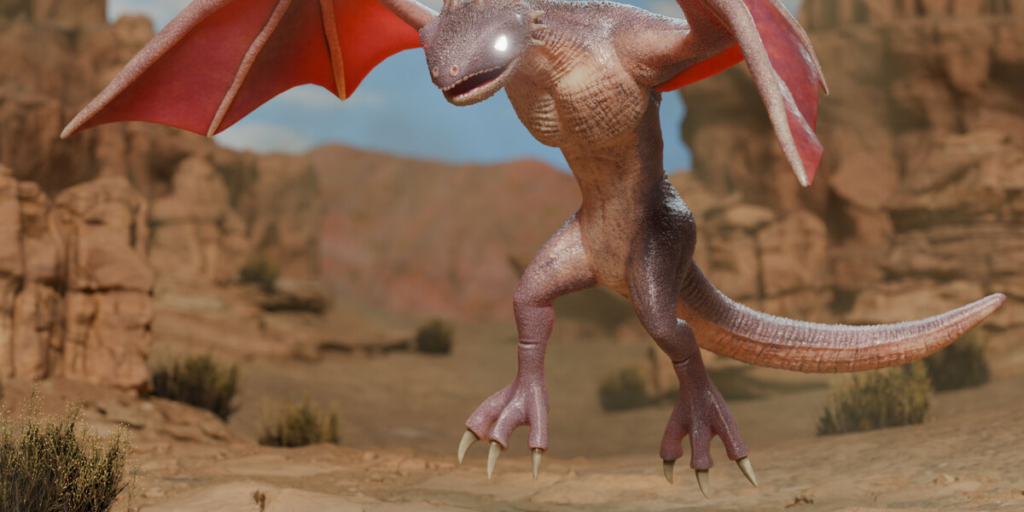
Create unique Creatures in minutes – not hours!
Tired of sculpting every creature from scratch? Creature Kitbash is your shortcut to fast, high-quality creature creation in Blender.
Utilize a professional workflow to effortlessly combine body parts, saving you hours of sculpting while unlocking unlimited creative possibilities.
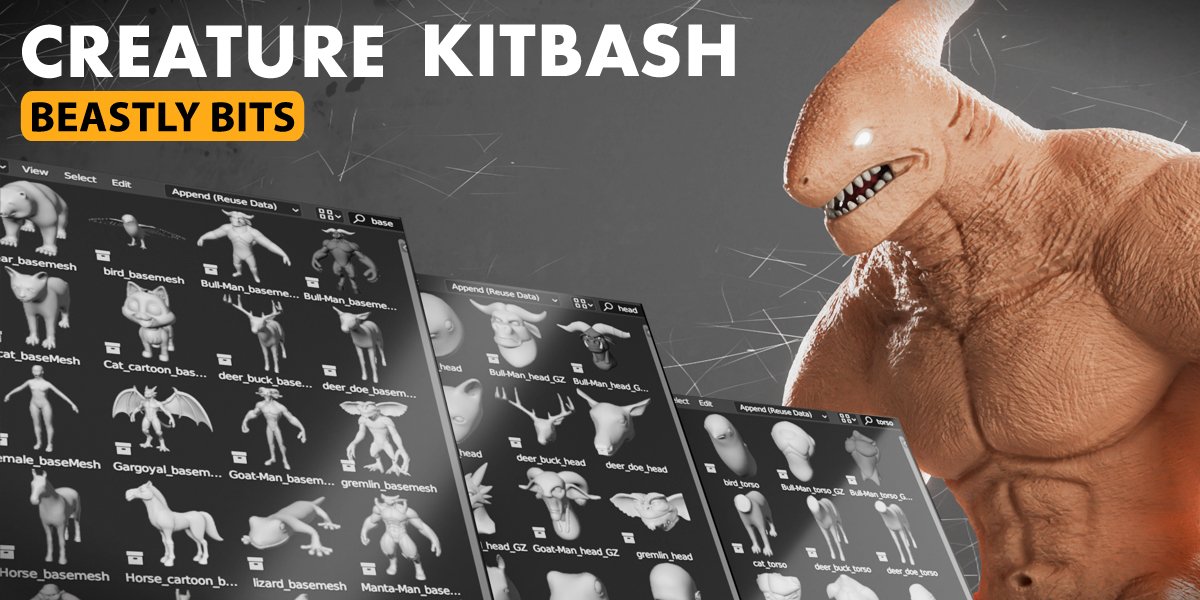
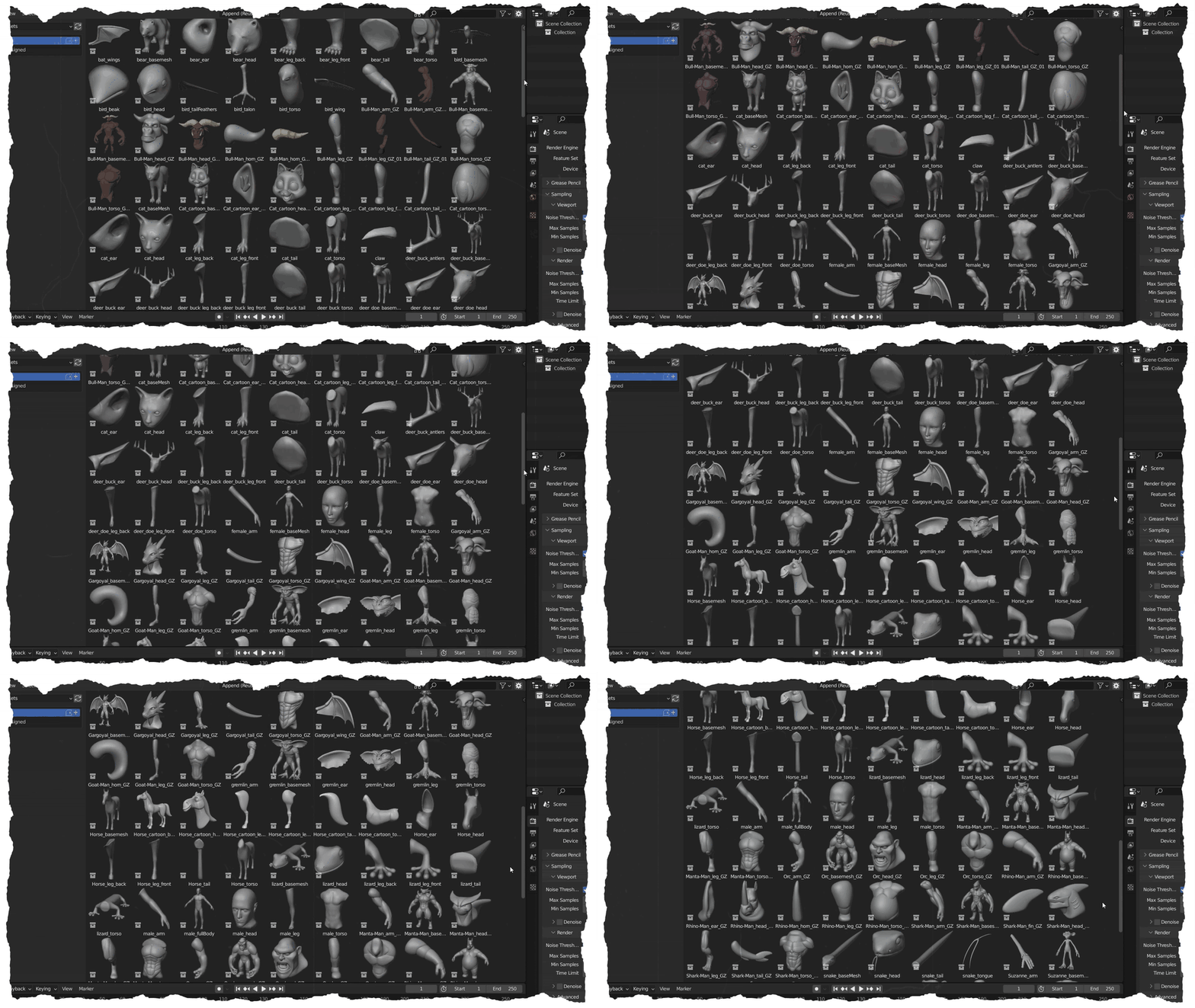
The Beastly Bits pack includes over 220 beastly assets inspired by mammals, reptiles, and humanoid forms.
Mix and match to create all the weird and wonderful creatures of your dreams – or nightmares!
Work like a pro
Sculpting creatures is difficult and time consuming. Thanks to YouTube, most people think you’re supposed to start from a sphere and sculpt a creature entirely from scratch. In reality, professionals rarely do this. It simply takes too much time and client’s aren’t willing to wait that long. Or pay that much!
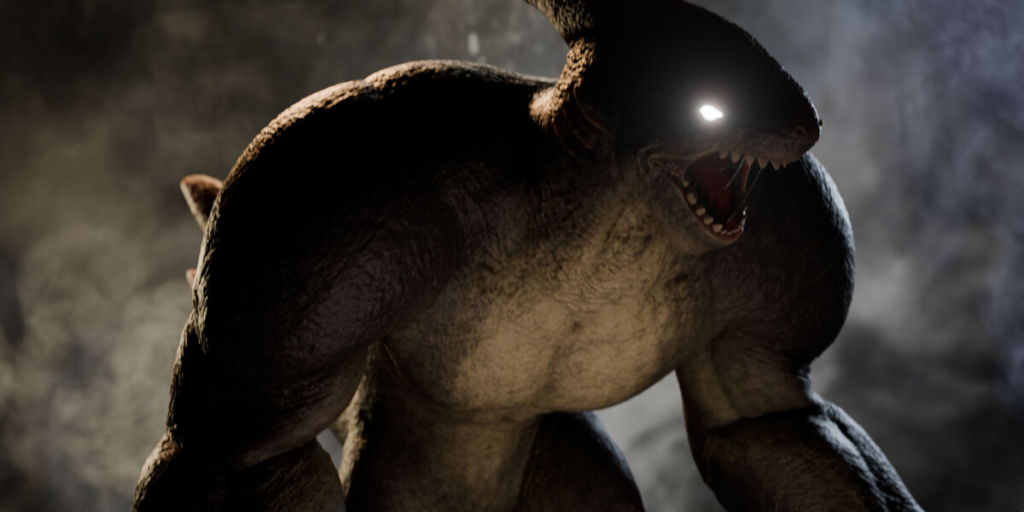
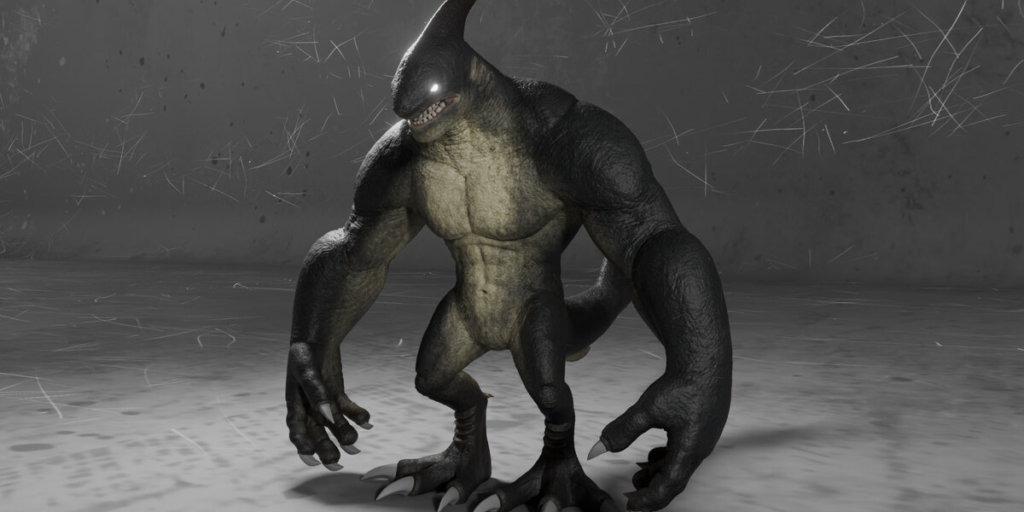
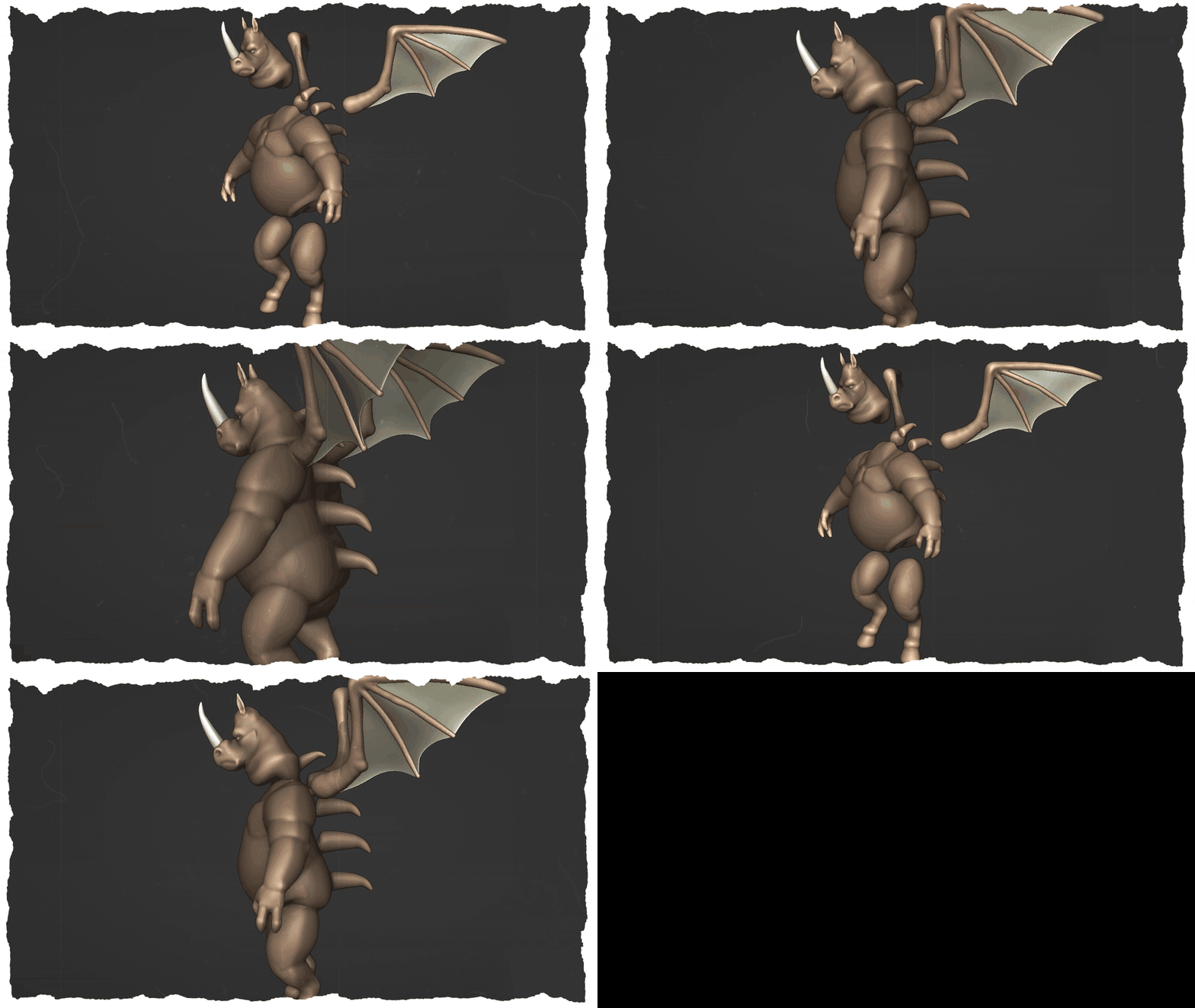
Most studios have a secret library of assets they use to ‘kitbash’ new creatures, effectively skipping the process of making a basemesh and allowing them to get to the detailing (and more fun) stage of sculpting that much faster. Like this big guy, who was sculpted in under a day.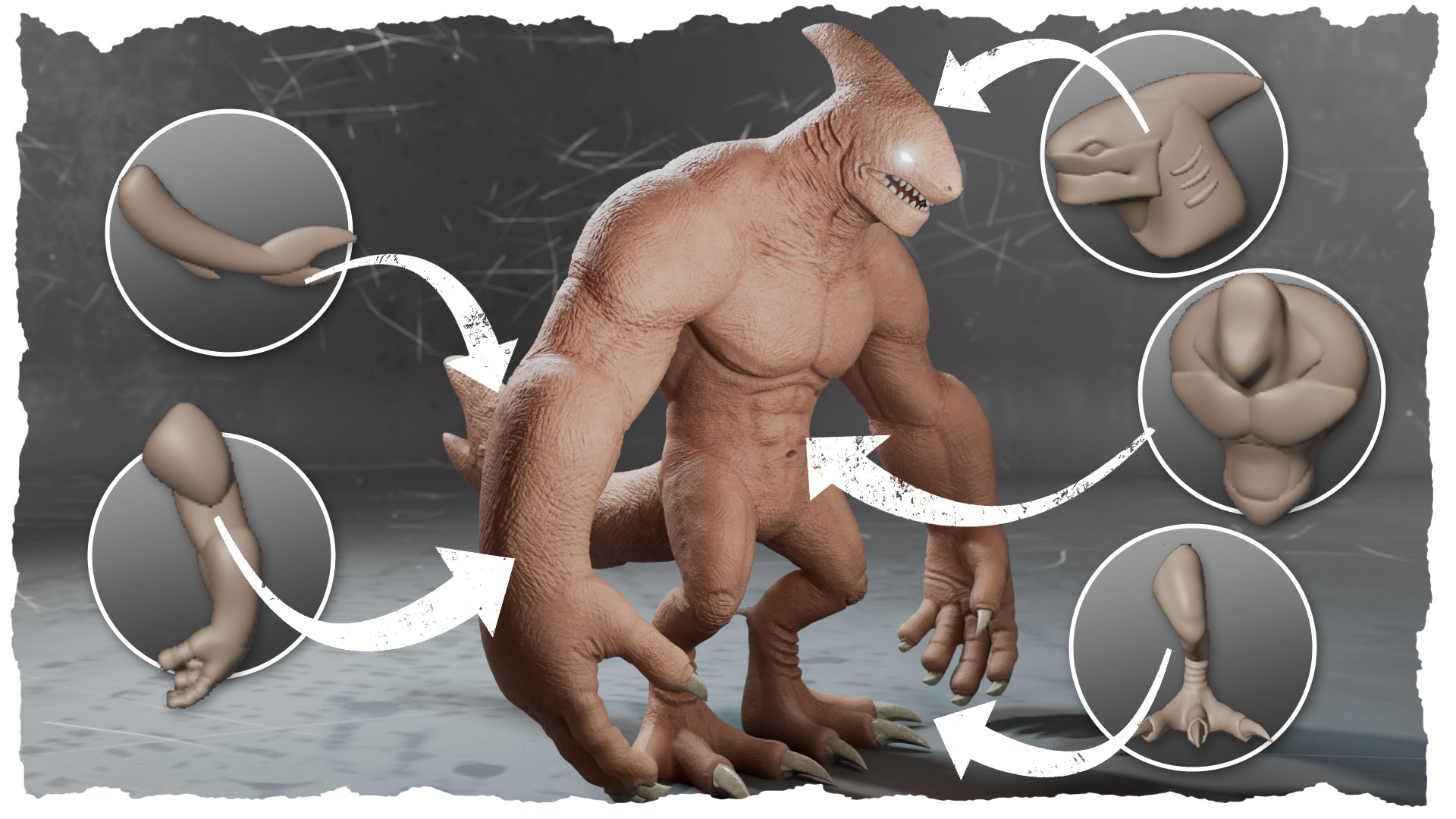
I spent over a year collecting, modelling and preparing one of these ‘secret’ libraries, so now you can have access to the same types of assets and workflows used by professionals.
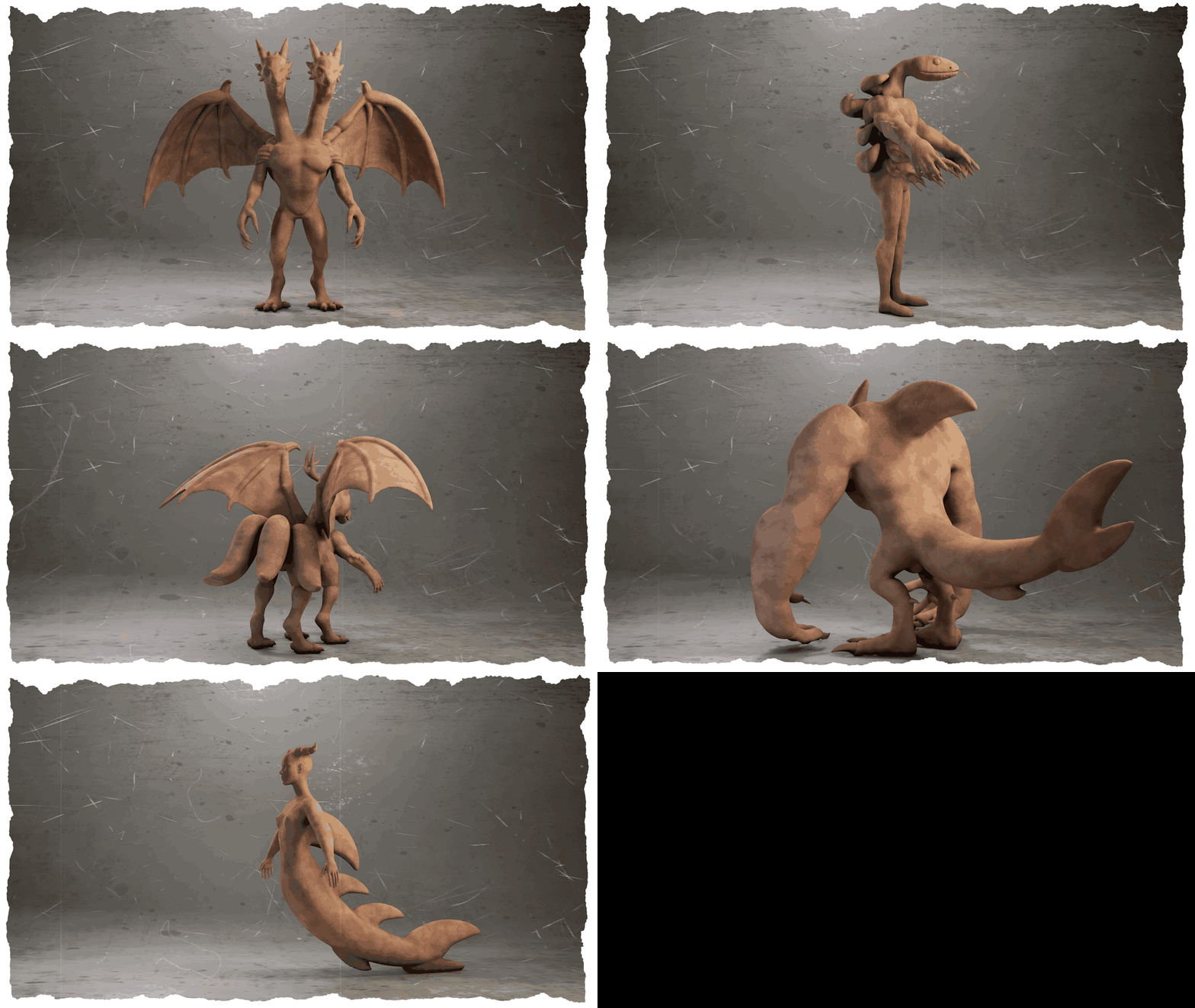
All of these assets can be ‘kitbashed’ or combined into an infinite number of creatures, limited only by your imagination. Creating creatures like these can be achieved in minutes, not days.
Why use Creature Kitbash?
- Save Time & Effort – No more sculpting the same basic forms over and over.
- Expand Your Creative Possibilities – Instantly generate unique creatures with easy to mix-and-match parts.
- Boost Your Workflow – Spend less time making base meshes and more time refining your designs.
- Perfect for Beginners & Pros – Whether you’re new to Blender or a seasoned artist, this toolkit speeds up your process.
Create creatures – fast!
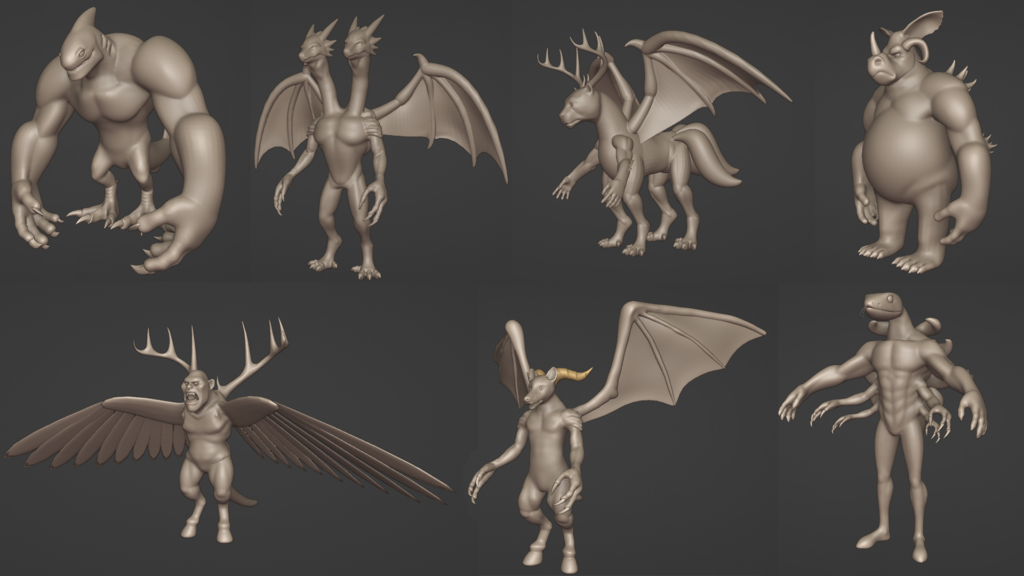
All of these creatures were created in a single day.
What’s Included?
✔ 224+ Creature Parts – A huge selection of heads, torsos, limbs, claws, wings, and more.
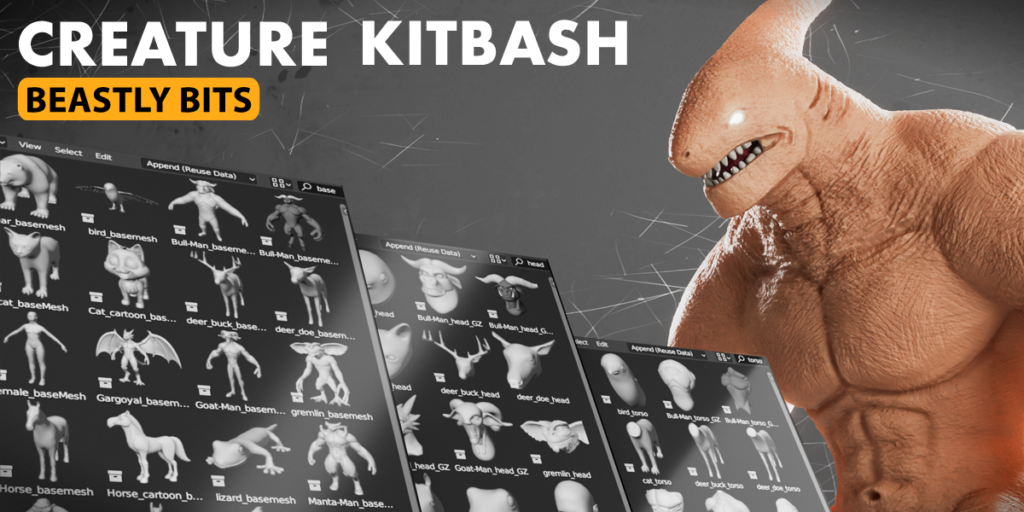
✔ Instant Asset Manager Integration – Use the Asset Manager to add creatures parts directly into Blender.
✔ Mirroring & Placement Tools – Quickly position and align pieces for seamless designs.
✔Combine creature parts with a single click – Use the boolean or remesh tools to create a single mesh, ready for detailed sculpting.
✔ Future Updates – More parts coming soon!
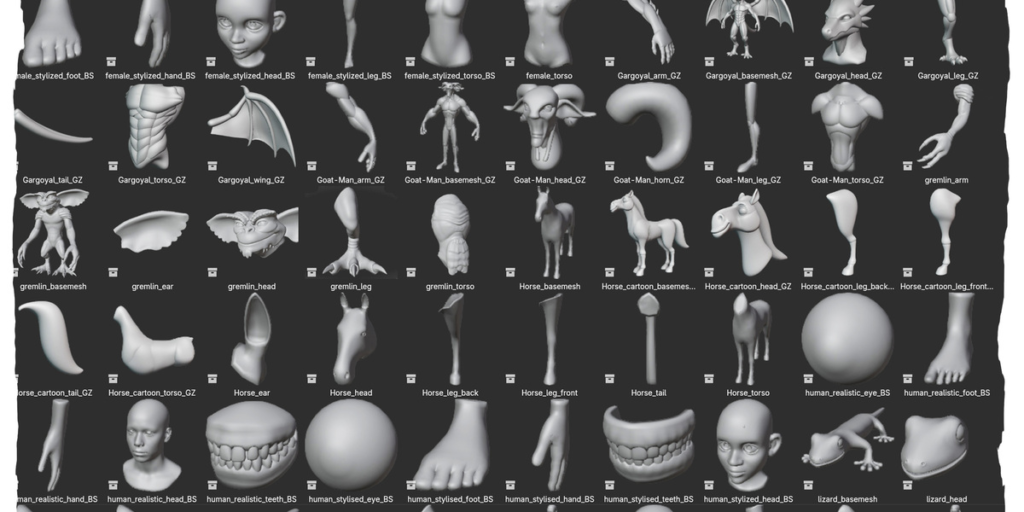
Here’s a small sample of what’s included in the Beastly Bits pack.
Supercharge your 3D creation workflow with premium selection of Blender Add-ons. Whether you are modeling intricate characters, sculpting realistic environments, or animating cinematic sequences, the right add-on can transform how you work inside Blender. Our curated collection includes powerful tools for UV unwrapping, procedural texture generation, rigging automation, rendering optimization, and more—each rigorously tested for compatibility with the latest Blender versions. Eliminate tedious manual processes and unlock advanced functionality that lets you focus on what matters most: bringing your creative vision to life. Explore our full range of professional Blender plugins today and take your 3D projects to the next level.
➡️ ➡️ For more Blender Plugins 😀 😀
Reviews
There are no reviews yet.