
Act: Game Asset Creation Toolset 2025.2.1
act game asset toolset
Act: Game Asset Creation Toolset 2025.2.1 for Blender – Complete Game Development Workflow Solution
Download Act: Game Asset Creation Toolset 2025.2.1 for Blender on Windows, Mac, and Linux, a comprehensive add-on suite designed specifically for game developers creating optimized, engine-ready assets. This all-in-one toolkit streamlines the entire game asset pipeline—from modeling and UV mapping to texture baking and export optimization—making it essential for any game development workflow .
What’s Included in the Toolset:
- Asset Optimizer: Intelligent polygon reduction, LOD generation, and mesh optimization tools for creating efficient game-ready models
- UV Master: Advanced UV unwrapping, packing, and optimization tools that maximize texture space while maintaining quality for real-time rendering
- Texture Baker: Bake high-poly details to low-poly models with normal maps, AO maps, curvature maps, ID maps, and texture atlases
- Collision Mesh Generator: Create optimized collision meshes for game engines with one-click generation and customizable settings
- LOD Manager: Automatic Level of Detail generation with customizable reduction percentages, preview windows, and batch processing
- Export Suite: One-click export to Unity, Unreal Engine, Godot, and other game engines with optimized settings presets
- Texture Atlas Creator: Combine multiple textures into single atlases for improved rendering performance and draw call reduction
- Polygon Counter: Real-time polygon count display with optimization targets and warnings for exceeding limits
- Asset Validator: Automated checks for common game asset issues—inverted normals, non-manifold geometry, missing UVs, and more
- Material Baker: Convert complex Blender materials to optimized game-ready textures with customizable output resolutions
- Vertex Color Tools: Paint and optimize vertex colors for performance-critical assets
- Animation Optimizer: Clean up and optimize animation data for game engine import
Key Features:
- Complete Game Asset Pipeline: All tools needed to create optimized, engine-ready assets in one integrated suite
- Unity & Unreal Ready: Export presets for both major game engines with optimized settings
- Batch Processing: Process multiple assets simultaneously for efficient pipeline workflows
- Non-Destructive Workflow: All operations can be adjusted without losing original high-poly data
- Real-Time Preview: See optimization results instantly in Blender’s viewport
- Customizable Presets: Save and load your preferred settings for consistent output across projects
- 2025.2.1 Updates: Enhanced LOD generation, improved texture baking, and expanded compatibility with Blender 4.2+
Perfect For:
- Game developers creating optimized assets for Unity and Unreal Engine
- Technical artists managing asset optimization pipelines
- Indie developers needing professional game asset tools
- 3D artists transitioning from film to real-time workflows
- Studios looking to streamline game asset production
System Requirements:
- Blender 3.6, 4.0, 4.1, 4.2, 4.3
- Windows 10/11 (64-bit), macOS, or Linux
- 4GB RAM minimum (8GB+ recommended)
- 200MB available disk space
Installation:
- Download the add-on zip file
- In Blender, go to Edit > Preferences > Add-ons
- Click “Install” and select the downloaded zip file
- Enable the add-on by checking the box next to “Act: Game Asset Creation Toolset”
- Access tools via the dedicated Act panel in the 3D viewport sidebar
Note: Act: Game Asset Creation Toolset is the most comprehensive game development add-on for Blender, providing all the essential tools needed to create optimized, engine-ready assets . From LOD generation and texture baking to UV optimization and engine export, this toolkit streamlines every step of the game asset pipeline . Perfect for both indie developers and professional studios working with Unity, Unreal Engine, and other real-time applications . Version 2025.2.1 includes full compatibility with Blender 4.2 and above .
ACT is Many Tools for Game Asset Creation (Batch Export FBXs/GLTF for Unity/UE/Godot, Origin Aligment Tool, Renaming, UV Tools, Low-Poly Art workflow tools, etc.) for Blender.
ACT contains next tools:
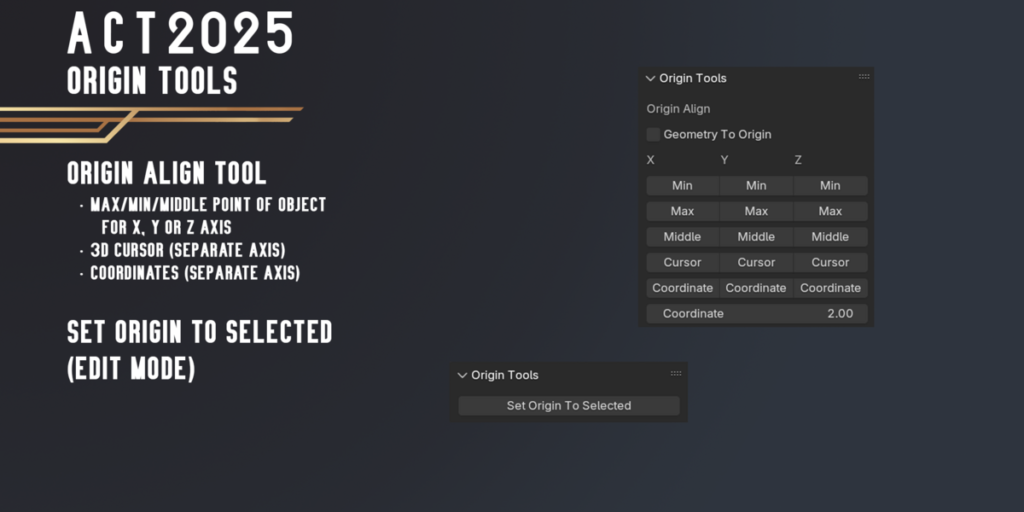
Origin Tools
- Align Origin To Max/Min/Middle point of object for X, Y or Z axis
- Align Origin To 3D Cursor(Separate Axis) or Selection (In Edit Mode)
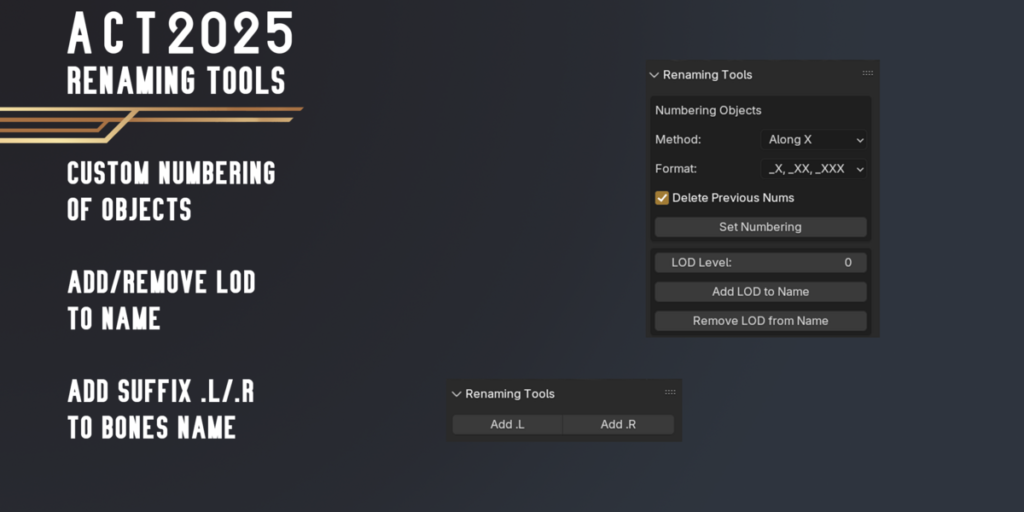
Renaming Tools
- Custom Objects Numbering by Axis/Outliner order
- Add/Remove LOD to Name
- Add .L or .R suffix to Bones
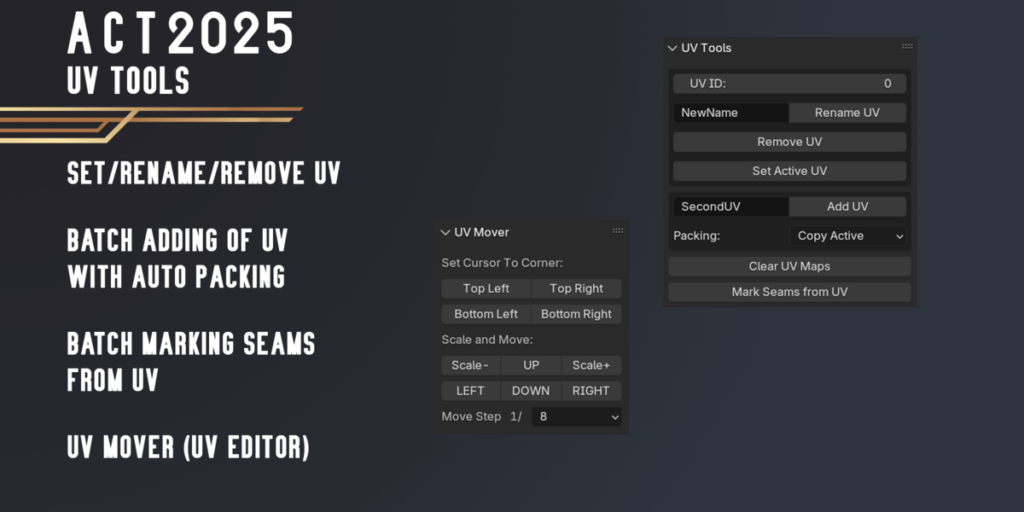
UV Tools
- Batch Renaming UV by Index (example, Lightmap – second uv channel)
- Batch Add UV with custom name (copy UV from active, smart projection or lightmap uv)
- Batch Remove UV by Index
- BatchAssign Seams from UV
- Set Active UV Layer for Selected Objects in 3D View and Image/UV Editor by UV Index
- Tool for easier Atlas Packing (Scale and Move UV with Steps)
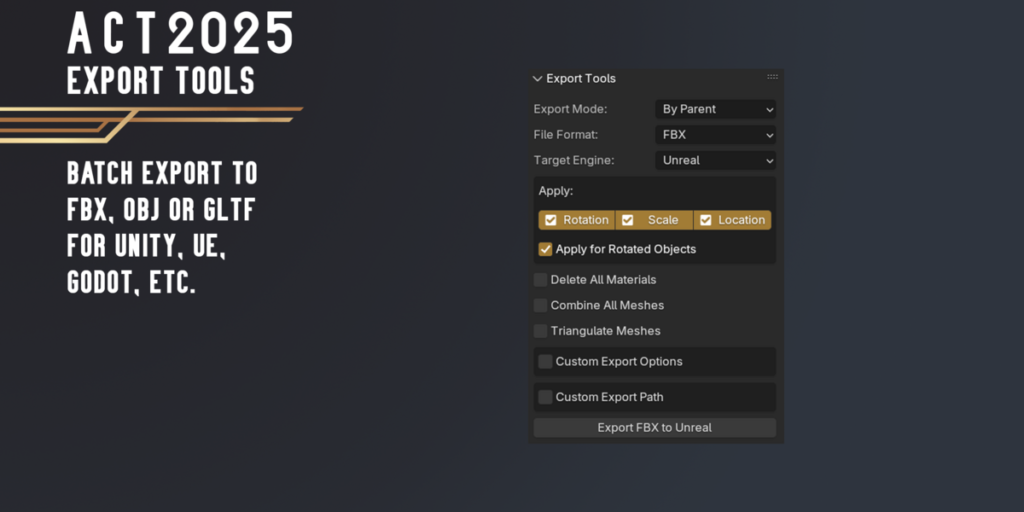
Export Tools
Batch Export Selected Objects for Unity, UE or Godot. Available some modes:
- Export All Selected Object into One file
- Export Each Object into Individual file
- Batch Objects by Parent
- Batch Objects by Collection
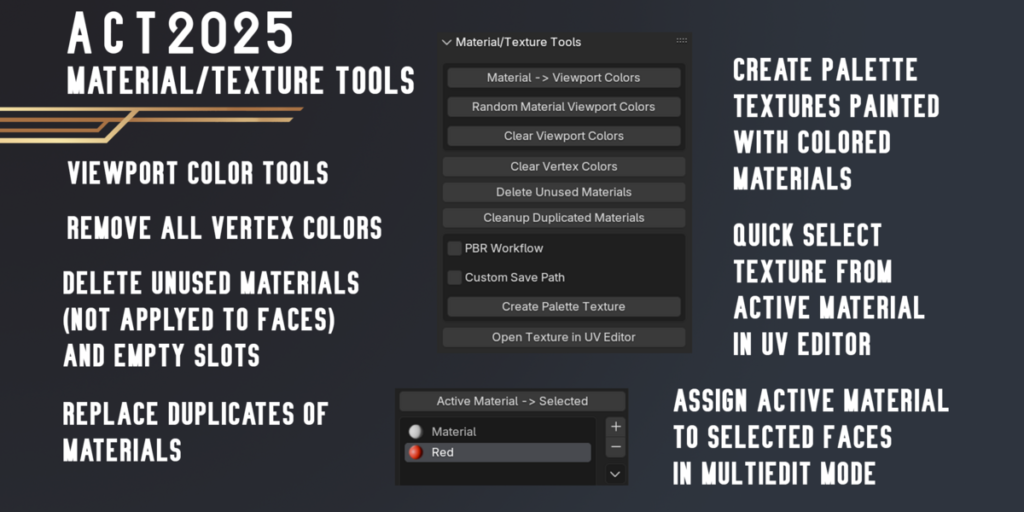
Material/Texture Tools
- Material -> Viewport Colors
- Random Material Viewport Colors
- Clear Viewport Colors
- Clear Vertex Colors
- Delete Unused Materials from Objects
- Cleanup Duplicated Materials
- Create Palette Texture (from colorful materials. For Low-Poly Art or Cartoon Pipeline)
- Open Texture from selelcted material in UV Editor (Object/Edit/UV Editor Mode)
- Assign Active Material To Selected Faces (in MultiEdit Mode)
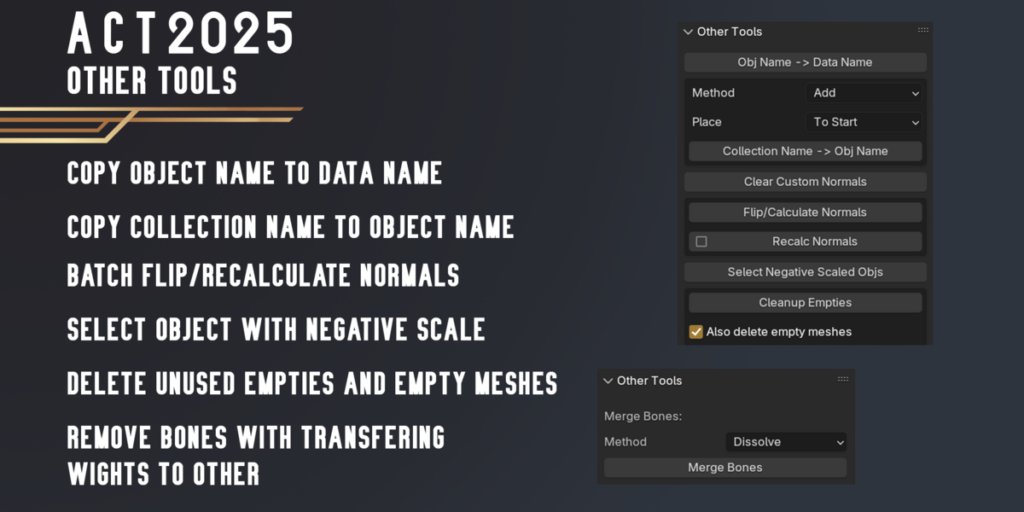
Other Tools
- Obj Name -> Data Name
- Collection Name -> Obj Name
- Clear Custom Normals
- Flip/Calculate Normals
- Select Objects with Negative Scale
- Cleanup Empties
- Merge Bones (Armature Edit Mode)
Geometry Tools
- Dissolve Checker Loops
- Collapse Checker Edges
Watch Features Overview (Youtube Playlist)
Supercharge your 3D creation workflow with premium selection of Blender Add-ons. Whether you are modeling intricate characters, sculpting realistic environments, or animating cinematic sequences, the right add-on can transform how you work inside Blender. Our curated collection includes powerful tools for UV unwrapping, procedural texture generation, rigging automation, rendering optimization, and more—each rigorously tested for compatibility with the latest Blender versions. Eliminate tedious manual processes and unlock advanced functionality that lets you focus on what matters most: bringing your creative vision to life. Explore our full range of professional Blender plugins today and take your 3D projects to the next level.
➡️ ➡️ For more Blender Plugins 😀 😀
Reviews
There are no reviews yet.