
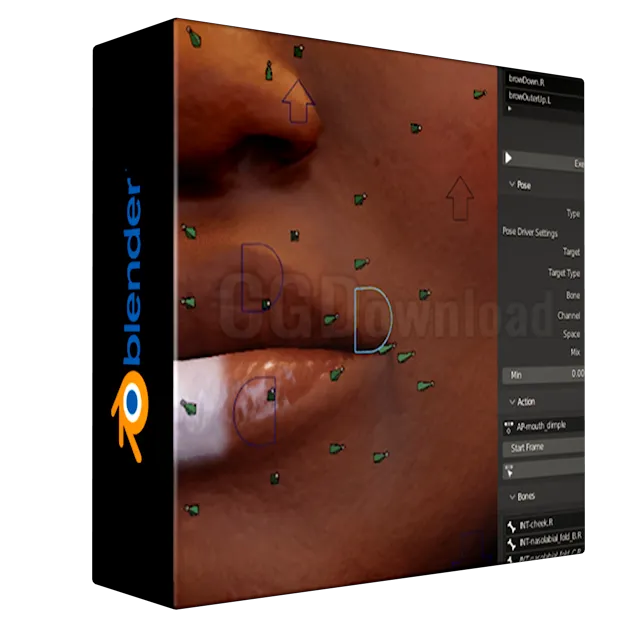
ActionPoser main for Blender
action poser script
ActionPoser for Blender – Professional Action-Driven Rigging & Pose Management Tool
Download ActionPoser for Blender on Windows, Mac, and Linux, a powerful rigging add-on that streamlines action-based setups by allowing you to control action constraints using bone transforms or custom properties. Perfect for character animators and riggers who need precise, non-linear animation control without complex driver setups .
Versions: v1.0
File Size: 4.8 MB
What is ActionPoser?
ActionPoser is a Blender rigging add-on that revolutionizes how you manage character poses and animations. Instead of manually keyframing every limb movement, you can drive entire action sequences using a single bone rotation or custom property. This makes it ideal for creating complex character behaviors, pose libraries, and modular animation systems .
Key Features of ActionPoser:
- Action-Driven Rigging: Drive action constraints using bone transforms or custom properties—rotate a bone and trigger full animation sequences automatically
- Pose List Management: Dedicated panel for viewing, organizing, and managing all poses in your rig. Hover over any button to see its function
- Execute & Purge Controls: Use “Execute” to rebuild all poses after making changes, or “Purge” to remove all existing poses and start fresh
- Flexible Driver Options: Choose between bone-driven or property-driven activation. For property drivers, paste any single-value data path and set Min/Max ranges for precise pose activation
- Action Timeline Control: Set start and end frames for each action, with playback automatically mapped to your driver’s min/max values
- Edit Mode Workflow: Press “Edit Action” to reset the armature state and work on actions without interference—press again to restore your setup
- Bone Selection Tools: Define exactly which bones are included in each pose for granular control over character deformation
- Intuitive Interface: Clean, user-friendly UI that makes complex rigging accessible to animators of all skill levels
Perfect For:
- Character animators creating complex, modular animation systems
- Riggers building action-driven characters with pose libraries
- Game developers needing efficient animation setups for characters
- Anyone wanting to create nonlinear animation controls for characters
- Artists looking to streamline their rigging workflow
System Requirements:
- Blender 4.x (tested with Blender 4.0, 4.1, 4.2, 4.3)
- Windows 10/11 (64-bit), macOS, or Linux
- 4GB RAM minimum (8GB+ recommended)
- 10MB available disk space
Installation:
- Download the add-on zip file
- In Blender, go to Edit > Preferences > Add-ons
- Click “Install” and select the downloaded zip file
- Enable the add-on by checking the box next to “ActionPoser”
Note: ActionPoser was developed by Armin Halac (Arminando) to streamline action-based rigging workflows in Blender . The add-on is particularly useful for creating pose libraries, complex character animations, and non-linear animation controls where simple bone rotations trigger full action sequences . When using property drivers, ensure you’re using a single-value property (no vectors) for proper functionality .
ctionPoser
Action driven rigging
Action (animation clip) driven transformations can power your rig’s faces, correctives, complex motions and similar.
ActionPoser makes the creation of such setups easy and enjoyable.
- Intuitive and fast interface
- Non destructive workflow
- Rigify/GameRig compatible
- Reusable between rigs
- FREE! and open source
Guides and Tutorials
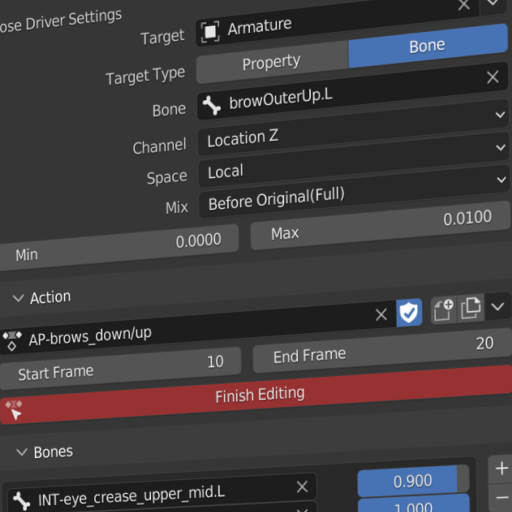
Introduction
Learn the basic concepts and grab a demo file
Supercharge your 3D creation workflow with premium selection of Blender Add-ons. Whether you are modeling intricate characters, sculpting realistic environments, or animating cinematic sequences, the right add-on can transform how you work inside Blender. Our curated collection includes powerful tools for UV unwrapping, procedural texture generation, rigging automation, rendering optimization, and more—each rigorously tested for compatibility with the latest Blender versions. Eliminate tedious manual processes and unlock advanced functionality that lets you focus on what matters most: bringing your creative vision to life. Explore our full range of professional Blender plugins today and take your 3D projects to the next level.
➡️ ➡️ For more Blender Plugins 😀 😀
Reviews
There are no reviews yet.