
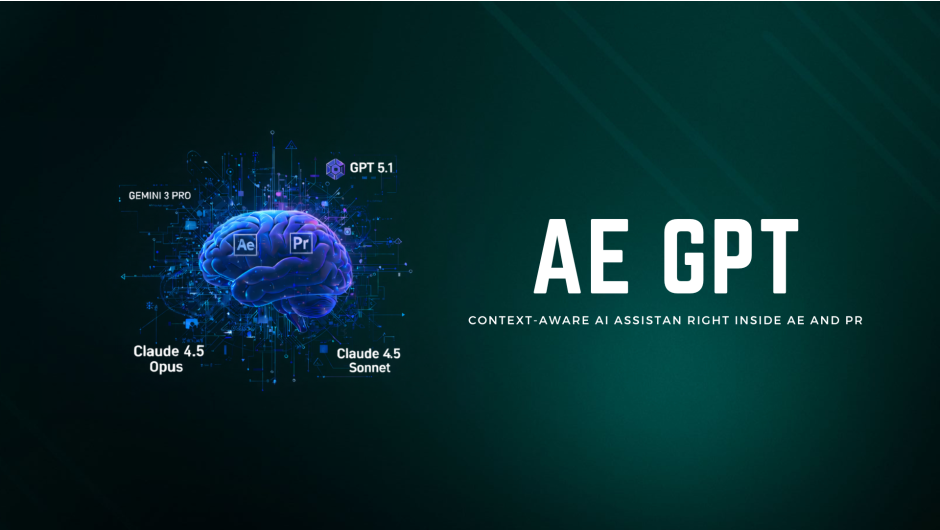
AE GPT v1.0.1
Download AE GPT v1.0.1, a revolutionary AI-powered assistant script for Adobe After Effects that enables you to write expressions, fix errors, and automate tasks using natural language . This intelligent tool brings the power of ChatGPT, Claude, and Gemini directly into your motion graphics workflow, making complex scripting accessible to users of all skill levels .
AE GPT is the smart AI assistant for After Effects. Instantly write expressions, fix errors, and automate tasks with natural language. Supports ChatGPT, Gemini, and Claude models via API to let you focus on creativity, not code. NEW: Premiere Pro support, faster performance and more models!
Key Features of AE GPT v1.0.1:
- Natural Language to Expression: Simply describe what you want in plain English, and the AI generates the corresponding expression code
- Expression Error Fixer: Automatically analyzes your expressions, identifies syntax errors, and provides corrected, working solutions
- Project Context Awareness: Understands your composition, layers, and effects to provide contextually relevant suggestions and code
- Multiple AI Model Support: Works with leading AI providers including OpenAI (GPT), Google (Gemini), and Anthropic (Claude)
- Creative Brainstorming: Get instant suggestions for effects, animations, and motion techniques tailored to your project
- Time-Saving Automation: Generate scripts to automate repetitive tasks and streamline your workflow
- Interactive Learning: Receive explanations along with solutions, helping you improve your expression skills while you work
- Secure API Key Storage: Your API keys are stored locally on your machine for privacy and security
- Clean Interface: Dark theme chat interface with syntax highlighting and one-click expression application
Perfect For:
- Motion graphics artists wanting to write complex expressions without coding expertise
- Animators needing quick fixes for expression errors
- Editors seeking to automate repetitive tasks in their workflow
- Designers wanting to learn expressions through interactive AI assistance
- Creative professionals looking to experiment with new animation techniques
System Requirements:
- Adobe After Effects 2021 through 2025
- Windows 10/11 (64-bit) or macOS (Intel and Apple Silicon)
- Internet connection for cloud AI services
- API key from OpenAI, Google AI Studio, or Anthropic (required for operation)
- 4GB RAM minimum (8GB+ recommended)
- 50MB available disk space
Note: v1.0.1 is an earlier version; users may want to check for v1.1.0 which adds Premiere Pro support, multi-model selection, and enhanced performance .

Your AI-Powered Creative Partner
AE GPT brings the power of AI directly into Adobe After Effects & Premiere Pro. Write expressions with plain English, automate repetitive tasks, and unlock creative possibilities — all powered by ChatGPT, Claude, or Gemini.
After EffectsPremiere ProWindowsmacOS
NEW IN v1.1
Major Update: Now Even More Powerful
🎬
Premiere Pro Support
Finally! AE GPT now works seamlessly in Premiere Pro. Get AI assistance for your editing workflow, organize clips, and automate tasks with natural language.
🧠
Multi-Model Intelligence
Choose your AI: GPT-5.1, Gemini 3, or Claude 4.5 Opus for ultimate flexibility.
⚡
Context-Aware Analysis
AE GPT automatically analyzes your active composition or sequence, providing smarter responses based on your layers, effects, and timeline structure.
🔧
Enhanced Expression Engine
Improved expression generation with better error handling, one-click application, and automatic syntax fixing for smoother motion workflows.
See AE GPT In Action
Powerful Features
🚀
Instant Access

Launch from Window → Extensions and start chatting with AI immediately. No complex setup, no leaving your creative environment.
🤖
Multiple AI Models

Switch between ChatGPT, Gemini, and Claude on the fly. Each AI has unique strengths — use GPT for expressions, Claude for creative ideas, Gemini for analysis.
🔧
Expression Fixer

Got an expression error? Just ask AE GPT to fix it. The AI understands the context and generates corrected expressions you can apply with one click.
💡
Creative Brainstorming

Stuck on a design? Describe what you want and get instant suggestions for effects, animations, color schemes, and motion techniques tailored to your project.
How It Works
1
Configure Your AI
Enter your API key for OpenAI, Google, or Anthropic. Choose your preferred model and customize response settings in seconds.
2
Ask Anything
Type your question in natural language. “Create a wiggle expression for smooth camera shake” or “How do I make this text bounce?”
3
Apply & Create
Copy expressions directly to properties, get step-by-step tutorials, or receive creative suggestions based on your project context.
4
Iterate & Improve
Refine results with follow-up questions, experiment with different models, and build upon previous ideas for continuous creative flow.
Why Motion Designers Love AE GPT
⏱️
Save Hours of Research
Instead of searching forums and tutorials, get instant answers tailored to your exact project requirements.
🎯
No Coding Required
Write expressions and scripts using plain English. The AI handles the syntax, you focus on the creativity.
🔄
Consistent Results
Get reliable, tested expressions that work across projects. No more copying broken code from outdated forum posts.
🎨
Unlock New Techniques
Discover effects and approaches you didn’t know existed. AI suggests creative solutions beyond your usual toolkit.
🔒
Your Data, Your Control
API keys are stored locally. Your project data stays on your machine — nothing is stored on external servers.
📈
Always Improving
Regular updates with new AI models, features, and improvements. Buy once, get updates for life.
Clean, Intuitive Interface
Chat Interface

Familiar chat experience with syntax highlighting and easy copy tools.
Expression Results

AI-generated code with explanations and one-click apply functionality.
Complete Feature List
AI & Models
- ✓ OpenAI GPT-5.1 + Others
- ✓ Google Gemini 3 Pro + Others
- ✓ Anthropic Claude 4.5 Opus + Others
Expression Tools
- ✓ Natural language to expression
- ✓ Context-aware code generation
- ✓ Syntax highlighting in chat
- ✓ Fast copy & apply workflow
Project Analysis
- ✓ Automatic comp/sequence detection
- ✓ Layer and effect property analysis
- ✓ Timeline structure understanding
- ✓ Smart context-aware suggestions
- ✓ Premiere Pro & AE integration
User Experience
- ✓ Dark theme matching Adobe UI
- ✓ Markdown formatting support
- ✓ Efficient keyboard shortcuts
- ✓ Secure local API key storage
Ready to Transform Your Workflow?
Join thousands of motion designers and video editors using AI to work smarter, not harder.
✓ Works with AE & Premiere Pro✓ Multiple AI Models✓ Free Lifetime Updates
Compatibility
After Effects
2026, 2025, 2024, 2023, 2022, 2021
Premiere Pro
2026, 2025, 2024, 2023, 2022, 2021
Elevate your motion graphics workflow with premium collection of After Effects plugins. Whether you are a seasoned professional or just starting your VFX journey, powerful tools designed to streamline complex tasks, unlock creative possibilities, and save you hours of rendering time. From stunning glitch effects and seamless transitions to advanced 3D extrusion and text animation tools, each plugin in our library is rigorously tested for compatibility with the latest versions of Adobe after Effects. Enhance your video production value today and download industry-leading plugins that help you create breathtaking visuals without the technical headaches. Browse our full range and find the perfect extension to supercharge your editing suite now.
➡️ ➡️ For more after effects Plugins 😀 😀
➡️ ➡️ System requirements AE
Reviews
There are no reviews yet.