
AfterCodecs for After Effects
aftercodecs encoding plugin
Autokroma AfterCodecs 1.10.10 x64 WIN – All-in-One ProRes / H.264 / H.265 / HAP Codec Exporter
Download Autokroma AfterCodecs 1.10.10 for Windows, a powerful encoding plugin that installs directly into After Effects, Premiere Pro, and Media Encoder, adding support for professional codecs like ProRes, H.264, H.265, and HAP—without requiring QuickTime or other external dependencies . Export higher quality videos with smaller file sizes and faster rendering speeds than Adobe’s native encoders.
Key Features of AfterCodecs 1.10.10:
- ProRes Support: Export Apple ProRes (HQ, 422, LT, Proxy, 4444, 4444 with alpha) directly from Adobe applications—no QuickTime required
- H.264 / H.265 Optimization: Significantly faster H.264/5 encoding with better quality and smaller file sizes than Adobe’s built-in encoders. Includes advanced settings like Max Render, 2-pass VBR, hardware encoding (NVENC/QSV/AMF), and ProRes Log transfer characteristics
- HAP Codec Export: Create HAP, HAP Alpha, and HAP Q codecs for real-time playback in VJ applications like MadMapper, Resolume, and Quartz Composer
- Alpha Channel Support: Maintain transparency in ProRes 4444 and HAP Alpha exports for professional compositing workflows
- MP3 Audio Encoding: Export MP3 audio directly—Adobe Media Encoder removed this feature years ago, but AfterCodecs brings it back
- Customizable Bitrate: Full control over bitrate settings for optimal quality/file size balance
- Faster Than AME: Often 2-3x faster than Adobe Media Encoder’s H.264/5 exports with better quality
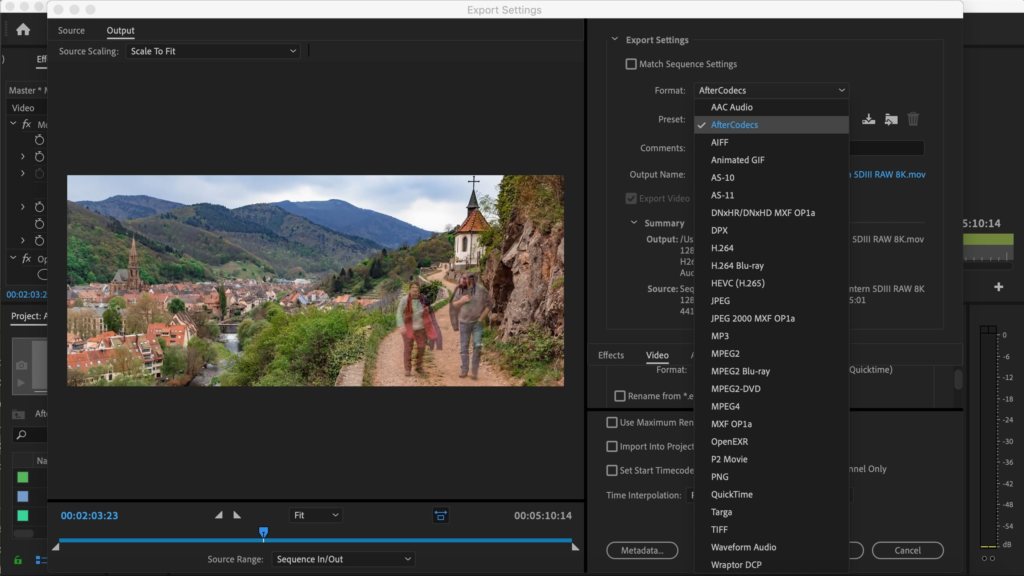
- Seamless Integration: Adds new export options directly to AE Render Queue, Premiere Export, and Media Encoder
- v1.10.10 Update: Compatibility improvements and bug fixes for latest Adobe versions
Perfect For:
- Video editors needing ProRes export without QuickTime installation
- Motion graphics artists requiring alpha channel exports for compositing
- VJs and live performance creators using HAP codec for real-time playback
- Anyone wanting faster, higher-quality H.264/5 exports than Adobe’s native options
- Professionals who need MP3 audio encoding in their export workflow
System Requirements:
- Adobe After Effects 2019-2025
- Adobe Premiere Pro 2019-2025
- Adobe Media Encoder 2019-2025
- Windows 10/11 (64-bit)
- 4GB RAM minimum (8GB+ recommended)
- 50MB available disk space
Installation:
Run the installer and select your Adobe applications. AfterCodecs automatically adds new export options to your render settings.
Note: AfterCodecs 1.10.10 is part of the Autokroma suite, which also includes BRAW Studio, PlumePack, and Influx . It’s available for $39.99 for a single user license .
After Effects, Premiere Pro and Adobe Media Encoder native exporters bringing you ProRes / H264 / H265 / HAP codecs for excellent quality and lightweight videos, on Windows and macOS, no Quicktime needed anymore! Batch export thousands of videos with our MultiRender feature
Main Features
Filling the codec gap
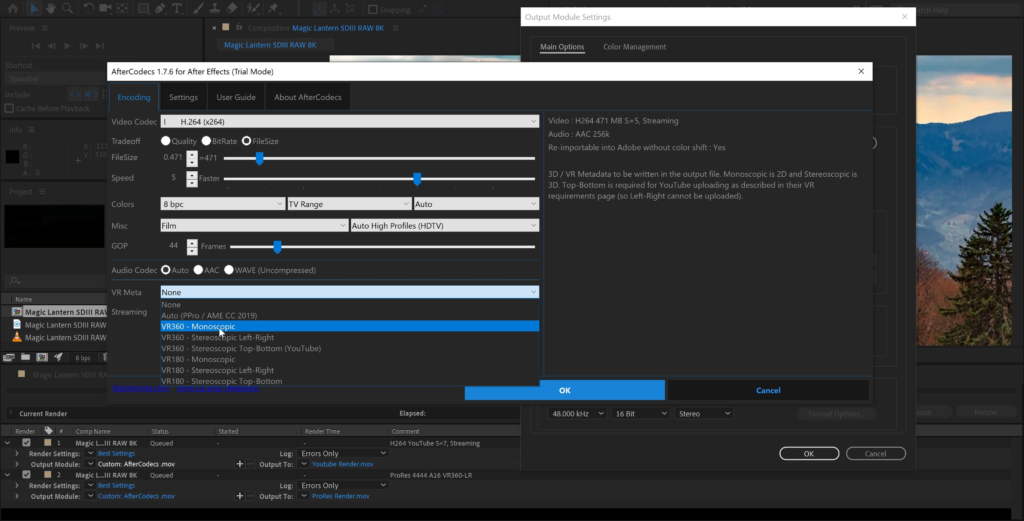
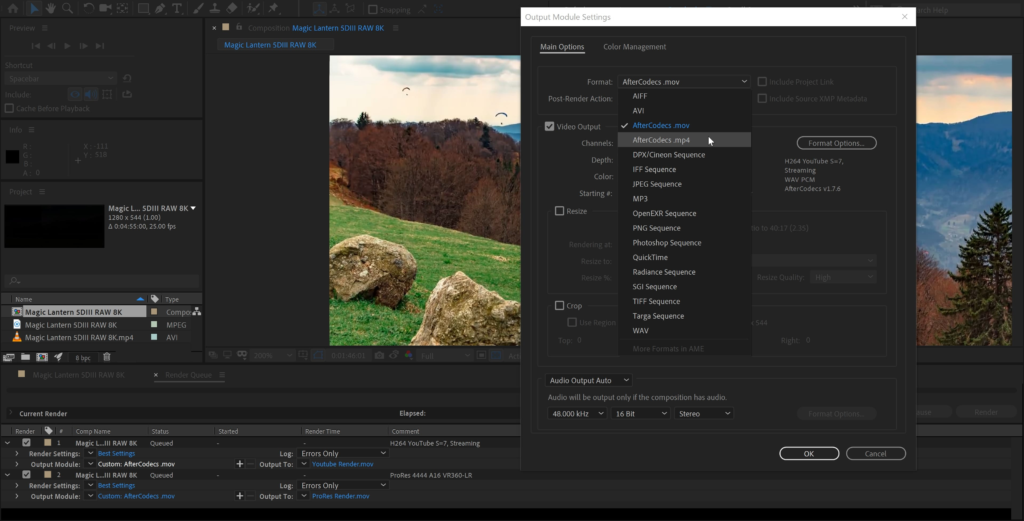
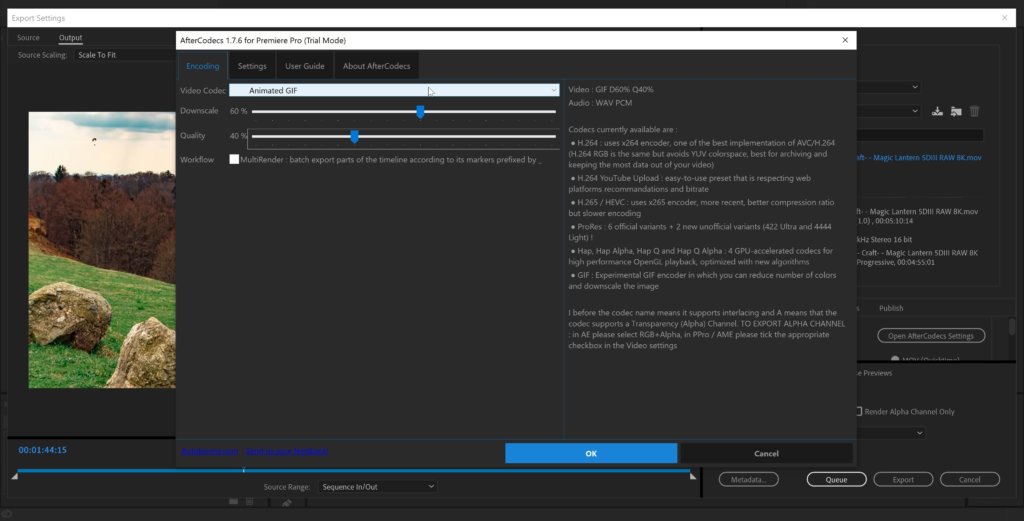
AfterCodecs brings you with consistency all the codecs & features you need, without Quicktime and in .MP4 and .MOV:
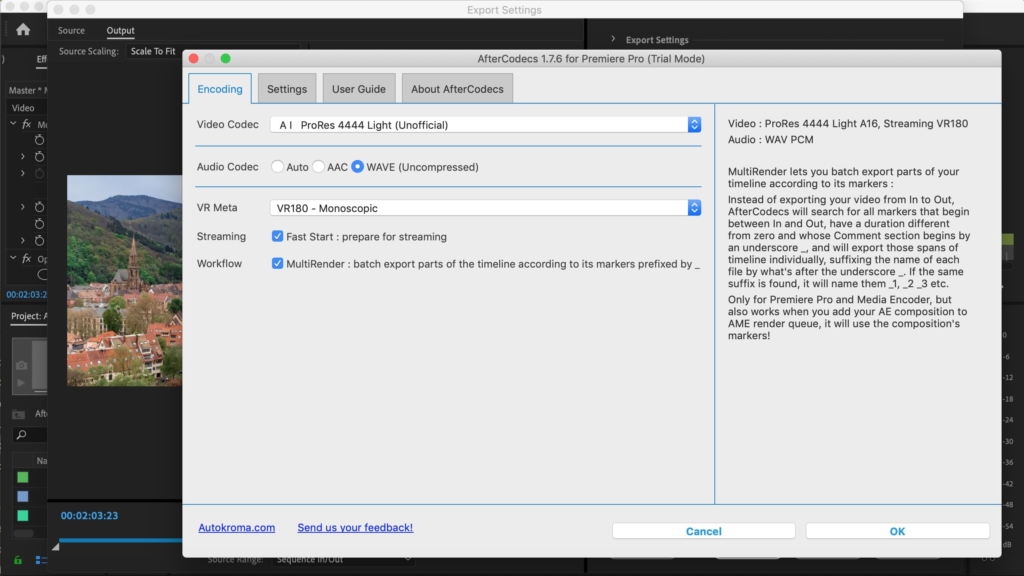
- ProRes 422 / 4444 / XQ : yes even on Windows and older versions of Adobe. Included a new ProRes 4444 Light unofficial profile to get both Alpha channel and lower file size
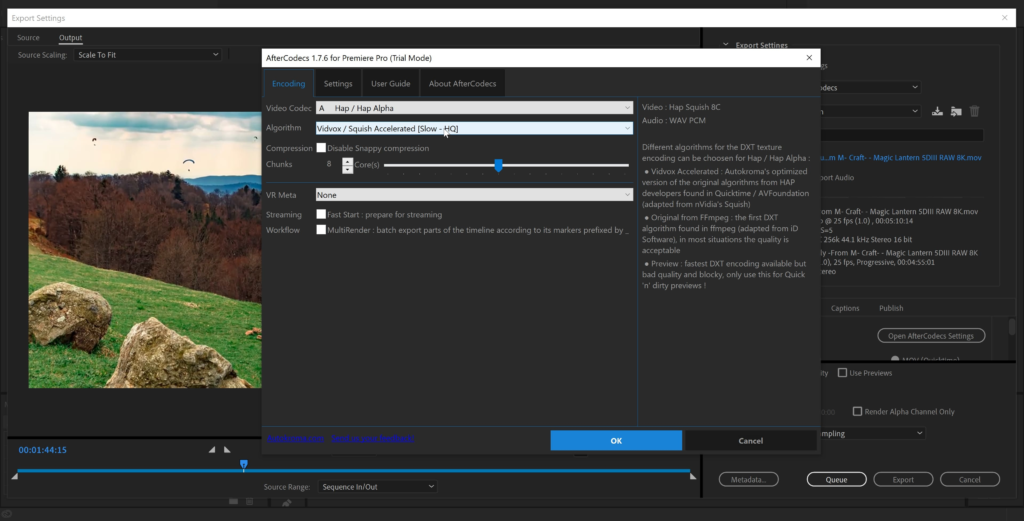
- All 4 HAP codecs from Vidvox but with faster algorithms and without resolution restrictions
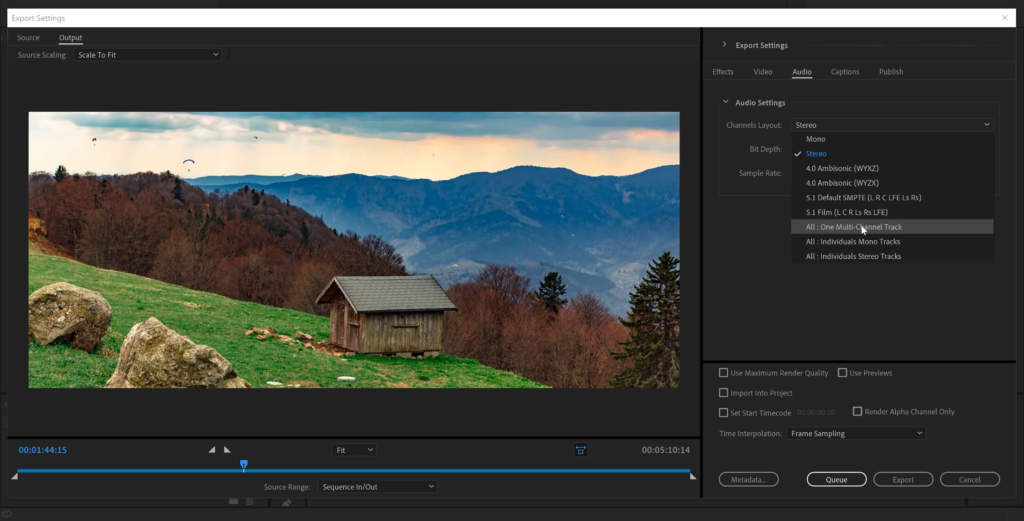
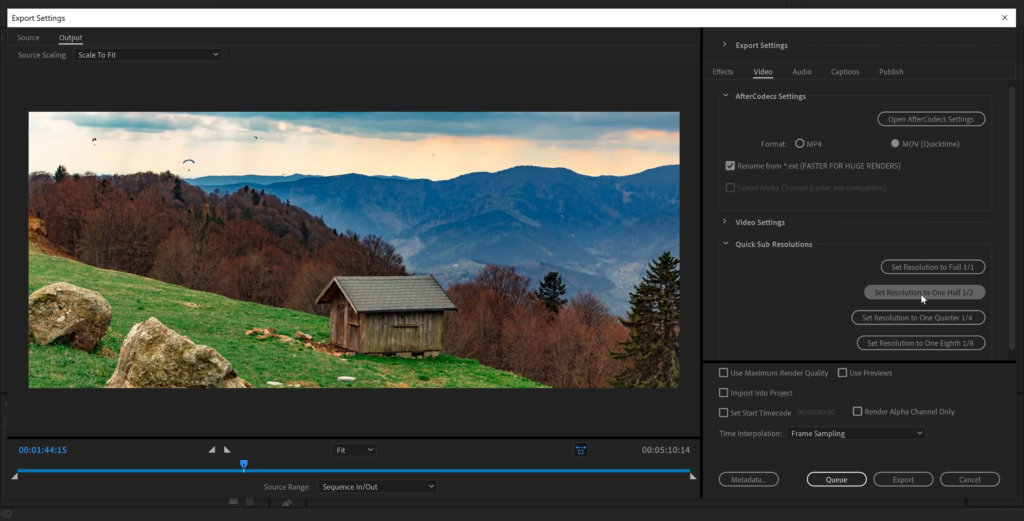
- Special Premiere Pro & Media Encoder features : MultiRenders Markers, Export all Audio tracks separately, Quick sub resolutions buttons, Custom Framerate etc.
H264 / H265 : the best and fastest compression
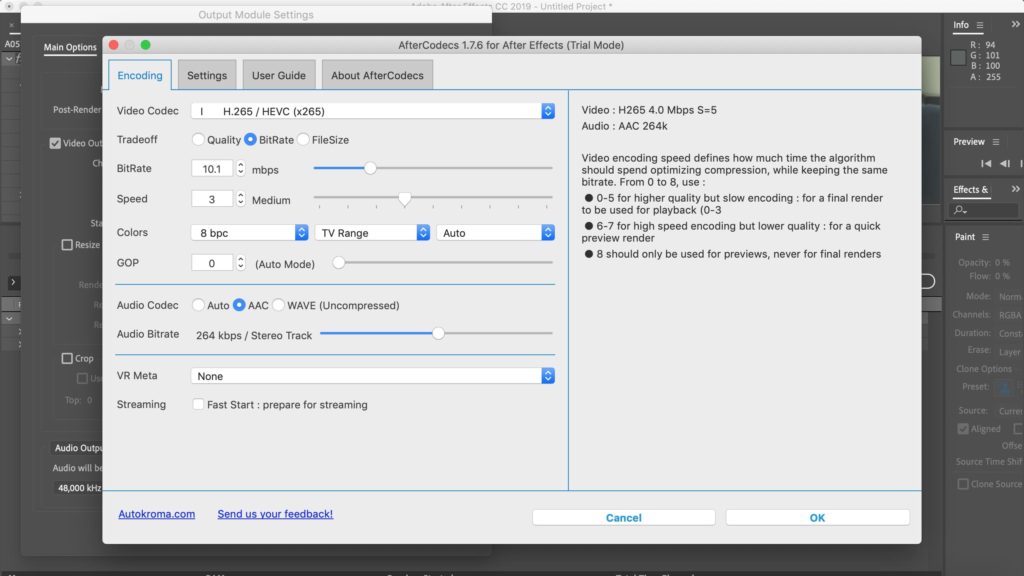
- Choose the efficiency you need: fast encoding for your previews or low file size for final delivery. Low bitrate videos are of better quality than before and you can render in 8K!
- A fast, easy-to-use (one param to select), YouTube Upload profile that respects YouTube upload recommendation
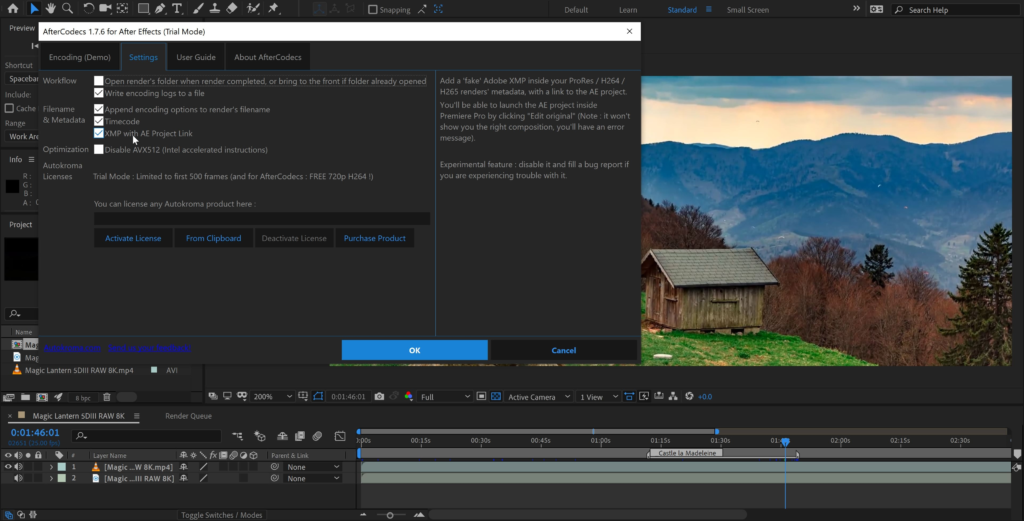
- Save time directly in After Effects render queue without having to use the command line and without using Adobe Media Encoder
- Advanced features : FileSize targeting, 10 bpc, Full Range, YUV 4:2:2 / 4:4:4, Tuning profiles etc.
Optimize your workflow !
AfterCodecs is regularly updated with new codecs, features or speed improvements, see our Changelog. Our latest feature are MultiRender Markers to batch export in Premiere Pro and displaying a progress bar in your taskbar icon in After Effects when rendering !
More information about each license and features :
Technical specifications
Requirements :
- One license is for the same user on up to two computers not used at the same time
- macOS Apple Silicon (M1 etc.) and Intel : 12 (Monterey) to 26 (Tahoe)
- Microsoft Windows 10 and 11
- Adobe 2017 to 2026 included
Codecs and containers :
- [MOV] ProRes: 6 official profiles (422 LT / Proxy / Normal / HQ / 4444 / XQ) and 2 unofficial profiles (422 Ultra / 4444 Light). ProRes 4444 Light / 4444 / XQ supports the Alpha Channel. If you need GPU encoding for this codec, contact us !
- [MOV] HAP optimized codecs: 4 codecs (Hap, Hap Alpha, Hap Q and Hap Q Alpha), you can choose disable Snappy compression and change the number of CPU chunks, and for Hap and Hap Alpha you can choose your compression algorithm (each have their own tradeoff between speed and quality). If you need GPU encoding for this codec, contact us !
- [MOV] [MP4] x264: best H264 / AVC implementation, outperforming both Adobe Media Encoder and QuickTime H264. A special Youtube Upload profile is provided, very easy to use!
- [MOV] [MP4] x265: files are ~25% lighter than x264 for the same quality, but slower encoding
- [MOV] [MP4] x264 RGB: same as x264 but avoids YUV colorspace, best for storing separate channels in one video like UV maps, alpha, 3D passes etc. (for power users!)
Known limitations :
- Dark Mode bug on macOS with wrong colors displayed, this will be fixed in AfterCodecs V2
- Don’t use the ProRes for broadcast. Always test your hardware and software. It’s not an official version of ProRes; for example ProRes 4444’s Alpha channel doesn’t seem to be accepted by Blackmagic Hyperdeck Studio Mini.
- For H264 and H265, dimensions of the video must be even (=> odd resolutions will fail), except if you choose YUV 4:4:4 for H264
- Interlacing: lower field first in H264 recognized as top field first by Adobe, you can safely use the top field first
AfterCodecs AE vs. Exporting with AME
AfterCodecs will create a smaller, better looking file directly in the After Effects render queue. What’s not to love?

How to install : unzip and use the included installer !
AfterCodecs for After Effects Tutorial
Elevate your motion graphics workflow with premium collection of After Effects plugins. Whether you are a seasoned professional or just starting your VFX journey, powerful tools designed to streamline complex tasks, unlock creative possibilities, and save you hours of rendering time. From stunning glitch effects and seamless transitions to advanced 3D extrusion and text animation tools, each plugin in our library is rigorously tested for compatibility with the latest versions of Adobe after Effects. Enhance your video production value today and download industry-leading plugins that help you create breathtaking visuals without the technical headaches. Browse our full range and find the perfect extension to supercharge your editing suite now.
➡️ ➡️ For more after effects Plugins 😀 😀
➡️ ➡️ System requirements AE
Reviews
There are no reviews yet.