
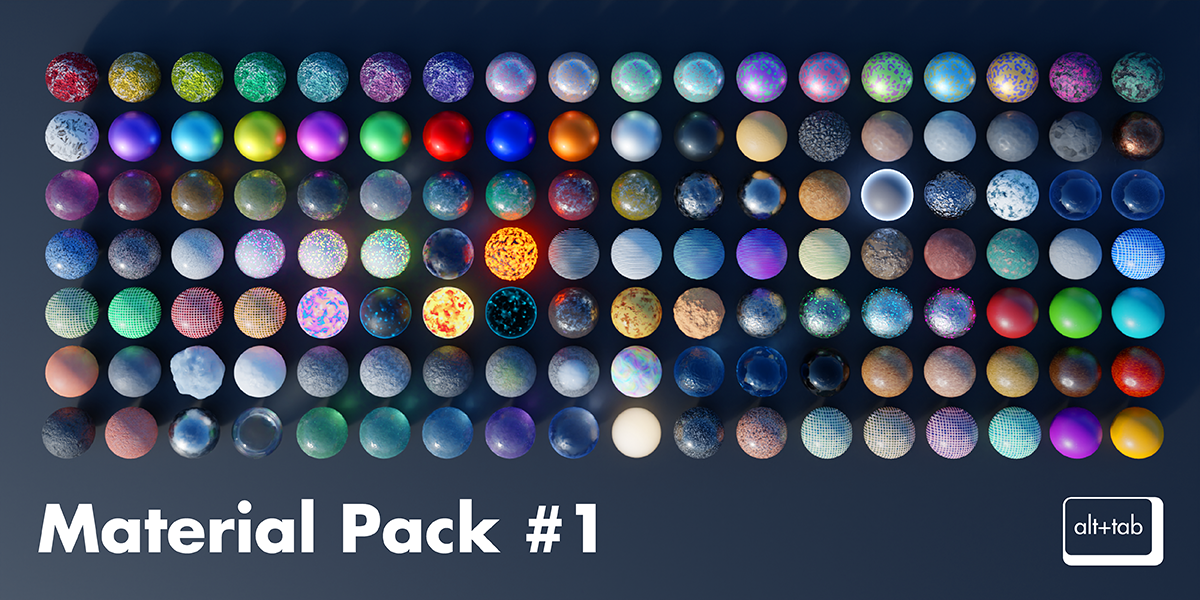
Alt Tab 128 Materials Pack
alt tab materials pack
Alt Tab 128 Materials Pack for Blender – Premium Procedural Material Collection
File Size: 100 MB
Download Alt Tab 128 Materials Pack for Blender on Windows, Mac, and Linux, a comprehensive collection of 128 high-quality procedural materials designed to elevate your 3D projects. This extensive library provides a vast range of realistic and stylized surfaces that are fully adjustable, non-destructive, and optimized for both Eevee and Cycles render engines .
What’s Included in the 128 Materials Pack:
- Metals (15 Materials): Brushed aluminum, polished steel, copper, brass, gold, chrome, weathered metals, oxidized copper, and more with realistic reflections
- Fabrics & Textiles (12 Materials): Woven cloth, velvet, denim, leather, canvas, felt, and textile materials with adjustable weave patterns
- Woods (10 Materials): Oak, mahogany, pine, walnut, cherry, maple, bamboo, and aged wood with customizable grain patterns
- Stone & Concrete (10 Materials): Polished marble, rough stone, concrete, brick, slate, granite, and masonry with adjustable wear
- Plastics & Rubber (10 Materials): Glossy plastics, matte finishes, rubber, silicone, carbon fiber, and industrial materials
- Glass & Translucents (8 Materials): Clear glass, frosted glass, stained glass, crystal, ice, and translucent materials with realistic refraction
- Organic & Skin (8 Materials): Human skin, leather, wax, resin, and organic surfaces with subsurface scattering
- Stylized & Toon (10 Materials): Cel-shading, toon outlines, painterly textures, manga screentones, and artistic materials
- Decorative & Patterns (10 Materials): Ceramics, porcelain, tiles, geometric patterns, and decorative surfaces
- Special Effects (8 Materials): Glow effects, emission surfaces, holographic, iridescent, and specialty materials
- Environment & Nature (12 Materials): Grass, soil, sand, snow, water, lava, and natural terrain materials
- Industrial & Sci-Fi (15 Materials): Paneling, grids, circuit boards, metal plating, and futuristic surfaces
Key Features:
- 128 Professional Materials: Extensive library covering every surface type imaginable
- 100% Procedural: Node-based materials with no texture maps—fully adjustable and resolution independent
- Eevee & Cycles Optimized: Materials work seamlessly in both real-time and path-traced render engines
- Real-Time Preview: See material changes instantly in Blender’s viewport
- Easy Customization: Intuitive parameter controls for color, roughness, scale, and material properties
- Non-Destructive: Every parameter can be adjusted, animated, or modified without degrading quality
- Resolution Independent: Perfect quality at any scale—no pixelation or resolution limits
Perfect For:
- 3D artists needing a complete material library for any project
- Architectural visualization professionals requiring realistic surfaces
- Game developers creating assets with consistent material quality
- Product designers visualizing objects with accurate material properties
- Anyone wanting professional materials without complex texture setup
System Requirements:
- Blender 3.0, 3.1, 3.2, 3.3, 3.4, 3.5, 3.6, 4.0, 4.1, 4.2, 4.3
- Windows 10/11 (64-bit), macOS, or Linux
- 4GB RAM minimum (8GB+ recommended)
- 1GB available disk space
Installation:
- Extract the downloaded files to your preferred assets folder
- In Blender, use File > Append to import individual materials, or open the included .blend files to browse the library
- Apply materials directly to your models and adjust parameters to match your creative vision
Note: The Alt Tab 128 Materials Pack is the most comprehensive procedural material collection available for Blender . With 128 professional materials covering every surface type, you’ll have the perfect material for any project—all fully adjustable and optimized for both Eevee and Cycles render engines . Perfect for architectural visualization, game development, product design, and creative 3D art .
What is this?
Alt Tab 128 Materials is a simple and versatile pack of procedural materials designed for lightweight projects and scenes.
How to use?
Quick and easy asset browser installation and usage.
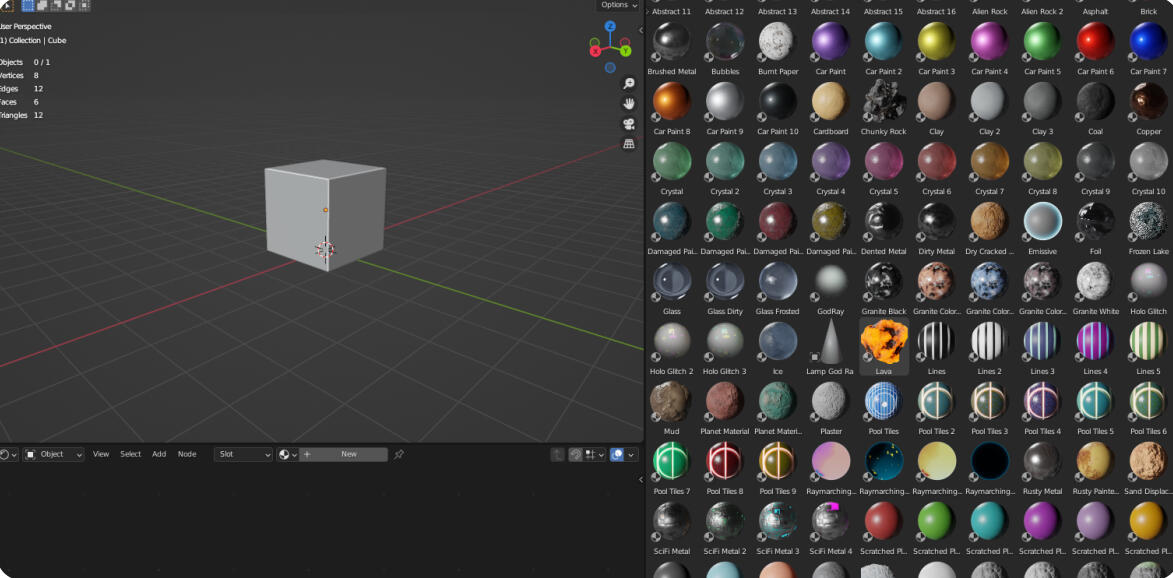
What you get?
A total of 128 Procedural materials with clean node setups!
- 17 Abstract materials
- 18 Rock/stone/hard surface materials
- 10 Car paints
- 15 Metals
- 14 Glass/Crystal materials
- 8 Plastic materials
- 9 Tile Materials
- 4 Raymarching materials
- 5 Wood materials
- 3 Water materials
- 6 Terrain shaders
- 5 Line materials
- 2 Snow materials
- 3 Holo materials
- 1 Master emissive material
- 3 Clay materials
- 2 Godray/volumetric materials
- + (Misc. materials (skin, lava, bubbles etc.)
Terrain Shaders!
Terrain shaders work on taking height data of your geometry and distributing different materials on the height values of your object. This way you quickly get realistic looking terrain by just applying one material!
Car Paints
Simple but good looking car paint materials.
& More
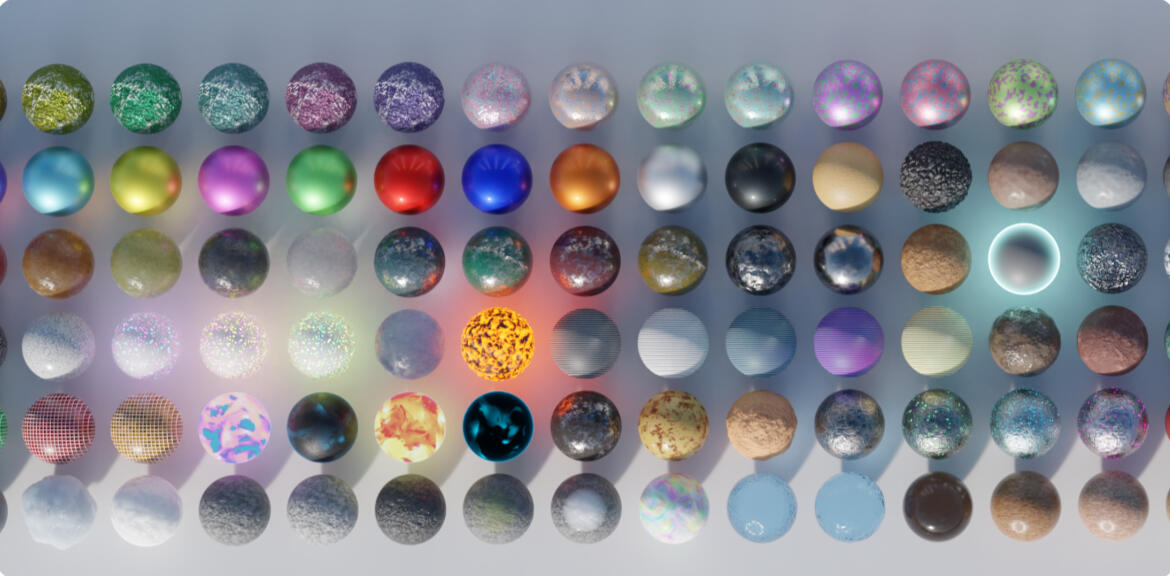
Organization
Every materials shader tree has been neatly organized and color labeled for easier understanding of the material nodes to make tweaking the values easier for anyone – experienced or novice!Inexperienced users – just tweak the values in the green boxes
Experienced users – Nodes are nicely spaced out so you see what affects what
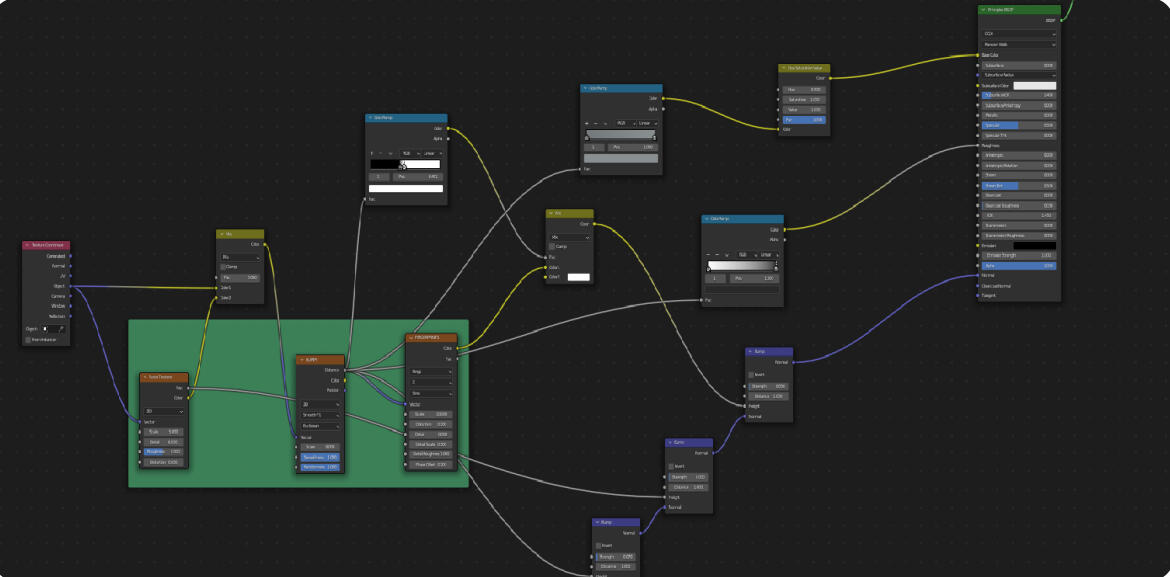
& More
Organization
Every materials shader tree has been neatly organized and color labeled for easier understanding of the material nodes to make tweaking the values easier for anyone – experienced or novice!Inexperienced users – just tweak the values in the green boxes
Experienced users – Nodes are nicely spaced out so you see what affects what
Supercharge your 3D creation workflow with premium selection of Blender Add-ons. Whether you are modeling intricate characters, sculpting realistic environments, or animating cinematic sequences, the right add-on can transform how you work inside Blender. Our curated collection includes powerful tools for UV unwrapping, procedural texture generation, rigging automation, rendering optimization, and more—each rigorously tested for compatibility with the latest Blender versions. Eliminate tedious manual processes and unlock advanced functionality that lets you focus on what matters most: bringing your creative vision to life. Explore our full range of professional Blender plugins today and take your 3D projects to the next level.
➡️ ➡️ For more Blender Plugins 😀 😀
Reviews
There are no reviews yet.