
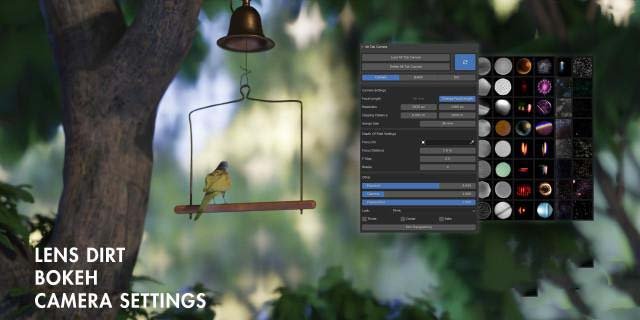
Alt Tab Camera for Blender
alt tab camera addon
Alt Tab Camera V1.1.1 for Blender – Professional Camera & Cinematography Toolkit
Download Alt Tab Camera V1.1.1 for Blender on Windows, Mac, and Linux, a powerful camera add-on that transforms how you work with cameras in Blender. This comprehensive toolkit provides advanced camera controls, dynamic composition tools, and cinematic features that make professional camera work accessible to artists of all skill levels .
Key Features of Alt Tab Camera V1.1.1:
- Advanced Camera Controls: Intuitive interface for controlling camera position, rotation, focal length, depth of field, and motion blur with real-time feedback
- Camera Rig System: Professional camera rigs including dolly, crane, handheld, and steadycam setups with adjustable parameters
- Composition Guides: Overlay grids including rule of thirds, golden ratio, center cross, and custom guides for perfect framing
- Focus Pulling: Automated focus transitions with customizable timing and easing—pull focus between objects with a single click
- Camera Animation Tools: Keyframe camera moves with intelligent interpolation, path following, and automatic easing
- Multi-Camera Management: Organize and switch between multiple cameras in your scene with dedicated management tools
- Render Presets: Save and load camera and render settings for consistent output across scenes
- Real-Time Preview: See camera adjustments update instantly in the viewport for precise composition
- v1.1.1 Updates: Performance improvements, enhanced depth of field controls, and expanded compatibility with Blender 4.0+
Perfect For:
- 3D artists creating cinematic animations and renders
- Filmmakers and animators needing professional camera controls
- Architectural visualization artists framing walkthroughs and flythroughs
- Game developers setting up cinematic cutscenes
- Anyone wanting professional camera tools without complex manual setups
System Requirements:
- Blender 3.0, 3.1, 3.2, 3.3, 3.4, 3.5, 3.6, 4.0, 4.1, 4.2, 4.3
- Windows 10/11 (64-bit), macOS, or Linux
- 4GB RAM minimum (8GB+ recommended)
- 20MB available disk space
Installation:
- Download the add-on zip file
- In Blender, go to Edit > Preferences > Add-ons
- Click “Install” and select the downloaded zip file
- Enable the add-on by checking the box next to “Alt Tab Camera”
Note: Alt Tab Camera brings professional cinematography tools directly into Blender, making complex camera setups accessible to artists of all skill levels . The intuitive interface and real-time feedback help you achieve perfect compositions without endless manual adjustments . Perfect for animations, architectural visualization, and any project requiring precise camera control . Version 1.1.1 includes full compatibility with Blender 4.0 and above .
Supercharge your 3D creation workflow with premium selection of Blender Add-ons. Whether you are modeling intricate characters, sculpting realistic environments, or animating cinematic sequences, the right add-on can transform how you work inside Blender. Our curated collection includes powerful tools for UV unwrapping, procedural texture generation, rigging automation, rendering optimization, and more—each rigorously tested for compatibility with the latest Blender versions. Eliminate tedious manual processes and unlock advanced functionality that lets you focus on what matters most: bringing your creative vision to life. Explore our full range of professional Blender plugins today and take your 3D projects to the next level.
➡️ ➡️ For more Blender Plugins 😀 😀
Reviews
There are no reviews yet.