
Asset Bridge for Blender
asset bridge addon
Asset Bridge v2.2.3 for Blender – Professional Asset Management & Library System
Versions: v2.2.3
File Size: 53 MB
Download Asset Bridge v2.2.3 for Blender on Windows, Mac, and Linux, a powerful asset management add-on that revolutionizes how you organize, access, and use your 3D assets. Create custom libraries, browse assets visually, and drag-and-drop models, materials, and textures directly into your scenes—making Blender’s asset workflow faster and more intuitive than ever .
Key Features of Asset Bridge v2.2.3:
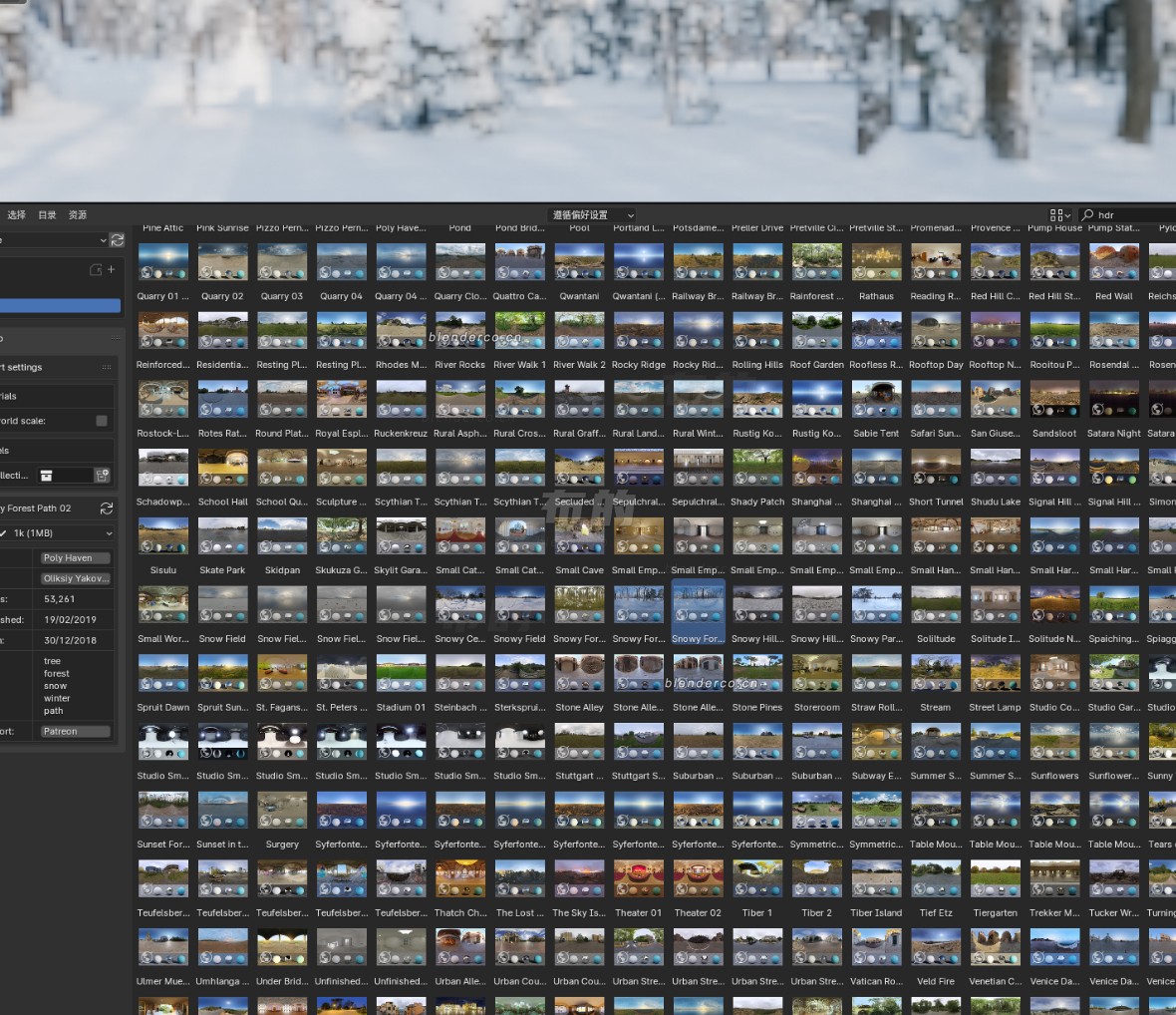
- Visual Asset Library: Browse your asset collections with thumbnail previews for models, materials, textures, HDRI environments, and brushes—see what you’re importing before you add it to your scene
- Custom Categories: Organize assets into custom categories and subcategories for efficient workflow—create libraries for characters, props, environments, materials, and more
- Drag-and-Drop Import: Simply drag assets from the Asset Bridge panel directly into your viewport or scene—models appear at cursor location with proper scale and orientation
- Material Preview: Visual material browser with real-time previews showing how materials look on standard test models
- HDRI Library: Browse and apply HDRI environments with one click—instantly change your scene lighting and reflections
- Smart Import: Automatic handling of asset dependencies—materials, textures, and linked objects import together correctly
- Library Synchronization: Sync your asset libraries across multiple machines or share with team members using shared network locations
- Asset Tagging: Add custom tags to assets for powerful search and filtering capabilities
- Batch Operations: Import multiple assets simultaneously with organized naming and placement
- v2.2.3 Updates: Enhanced thumbnail generation, improved performance, and expanded compatibility with Blender 4.0+
Perfect For:
- 3D artists building personal asset libraries for efficient workflow
- Studios managing shared asset collections across team projects
- Game developers organizing character, prop, and environment libraries
- Architectural visualization professionals accessing material and model libraries
- Anyone tired of hunting through folders for assets
System Requirements:
- Blender 3.0, 3.1, 3.2, 3.3, 3.4, 3.5, 3.6, 4.0, 4.1, 4.2, 4.3
- Windows 10/11 (64-bit), macOS, or Linux
- 4GB RAM minimum (8GB+ recommended)
- 50MB available disk space (plus space for asset libraries)
Installation:
- Download the add-on zip file
- In Blender, go to Edit > Preferences > Add-ons
- Click “Install” and select the downloaded zip file
- Enable the add-on by checking the box next to “Asset Bridge”
- Configure your asset library paths in the add-on preferences
Note: Asset Bridge transforms Blender’s asset management by providing a visual, intuitive interface for browsing and importing your 3D assets . The drag-and-drop workflow and thumbnail previews dramatically speed up scene building, while the customizable categories and tagging system keep your libraries organized . Perfect for individual artists and studios alike . Version 2.2.3 includes full compatibility with Blender 4.0 and above .
Drag and drop the asset plug-in used directly 
Screenshot after installation

Supercharge your 3D creation workflow with premium selection of Blender Add-ons. Whether you are modeling intricate characters, sculpting realistic environments, or animating cinematic sequences, the right add-on can transform how you work inside Blender. Our curated collection includes powerful tools for UV unwrapping, procedural texture generation, rigging automation, rendering optimization, and more—each rigorously tested for compatibility with the latest Blender versions. Eliminate tedious manual processes and unlock advanced functionality that lets you focus on what matters most: bringing your creative vision to life. Explore our full range of professional Blender plugins today and take your 3D projects to the next level.
➡️ ➡️ For more Blender Plugins 😀 😀
Reviews
There are no reviews yet.