
Asset Management for Blender
asset management addon
Asset Management for Blender – Complete Asset Library & Organization System
Download Asset Management for Blender on Windows, Mac, and Linux, a powerful add-on that brings professional asset management capabilities to your Blender workflow. Organize, catalog, and access your entire 3D asset library with visual previews, smart tagging, and drag-and-drop functionality—making asset reuse faster and more intuitive than ever .
Key Features of Asset Management:
- Centralized Asset Library: Build a unified library of all your models, materials, textures, HDRI environments, and brushes—all accessible from a single panel
- Visual Thumbnail Browser: Browse assets with high-quality thumbnail previews that automatically generate from your files, making it easy to find exactly what you need
- Smart Tagging System: Organize assets with custom tags and filters—search by category, style, material type, or any custom criteria you define
- Drag-and-Drop Import: Simply drag assets from the browser directly into your 3D viewport—models appear at cursor location with proper scale, materials, and orientation
- Automatic Preview Generation: Assets are automatically scanned and thumbnail previews generated based on your preferences—customize preview angles and quality
- Folder Watch System: Monitor designated folders for new assets—additions are automatically cataloged and previews generated
- Material & Texture Library: Browse and apply materials and textures with real-time previews on standard test objects
- HDRI Environment Browser: Quickly switch between HDRI environments with one-click application for instant lighting changes
- Asset Versioning: Track multiple versions of assets with version numbers and notes
- Export & Share: Export asset libraries for sharing with team members or backing up your collection
Perfect For:
- 3D artists building personal asset libraries for efficient project workflow
- Studios managing shared asset collections across team projects
- Freelancers organizing years of accumulated 3D assets
- Game developers cataloging character, prop, and environment libraries
- Anyone tired of hunting through folders to find assets
System Requirements:
- Blender 3.6, 4.0, 4.1, 4.2, 4.3
- Windows 10/11 (64-bit), macOS, or Linux
- 4GB RAM minimum (8GB+ recommended)
- 50MB available disk space (plus space for asset libraries)
Installation:
- Download the add-on zip file
- In Blender, go to Edit > Preferences > Add-ons
- Click “Install” and select the downloaded zip file
- Enable the add-on by checking the box next to “Asset Management”
- Configure your asset folder paths in the add-on preferences
Note: Asset Management transforms Blender’s native asset handling by providing a comprehensive, visual system for organizing and accessing your 3D library . The thumbnail previews and drag-and-drop workflow dramatically speed up scene building, while the tagging system ensures you can always find the right asset . Perfect for individual artists building their personal collections and studios managing shared libraries . Designed for Blender 3.6 and above .
Asset Management
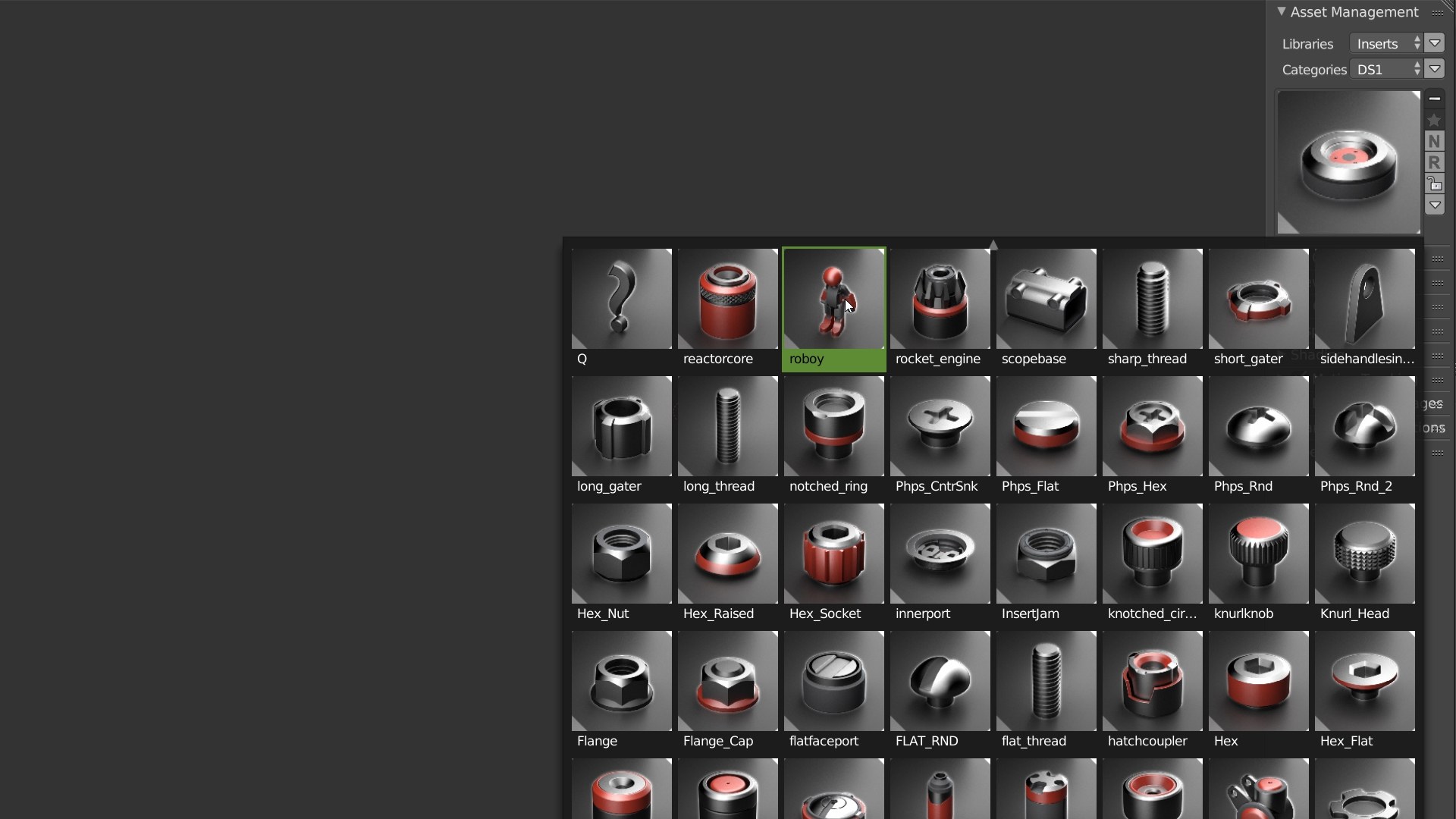
With the Asset Management, you can manage your libraries and add assets directly in Blender with automatic thumbnails creation.
All your Assets in one place!
ASSETS- SCENES – MATERIALS – HDRIs
The only Addon who creates thumbnails for you!
Thumbnail Generator
With the Thumbnail Generator, you can create different types of thumbnails: THUMBNAIL RENDER: The Addon generates the Thumbnail of your assets with the default scene. You can configure the shaders in the preferences and create a custom render. You can tweak everything, add an Ambient Occlusion(AO) shader, hide the floor, add a contour or use the shaders of your asset.

THUMBNAIL OpenGL RENDER: The thumbnail uses the OpenGL rendering with Matcaps, Ambient Occlusion(AO), DOF etc ! This is the fastest way to add an asset to your library with a custom camera angle. You can use all the settings of the viewport, it’s simple and you will like it 😉
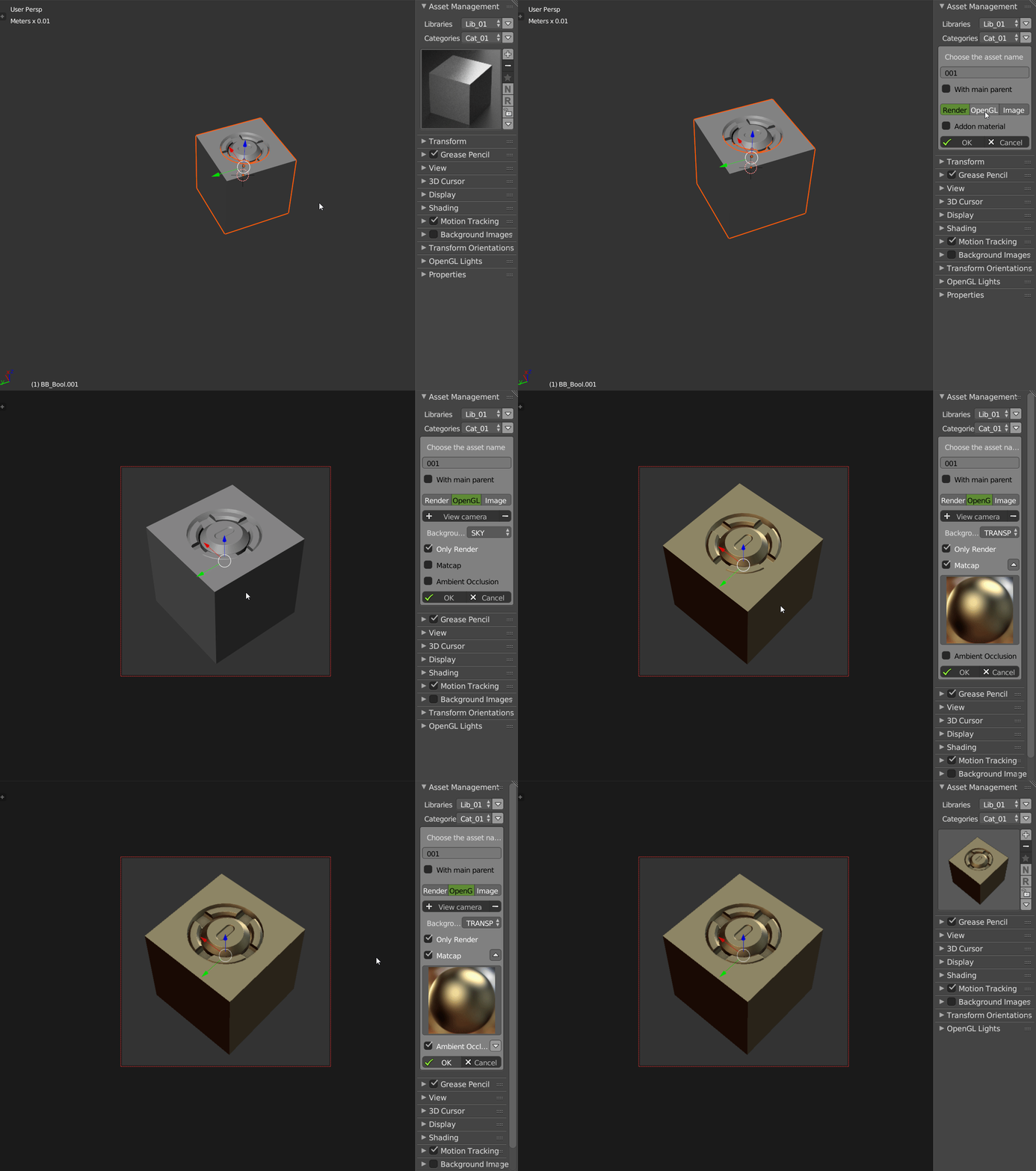
THUMBNAIL IMAGE: You can use a picture from your disk or use the Render Result.
Assets features
Linking: You can link objects or materials.
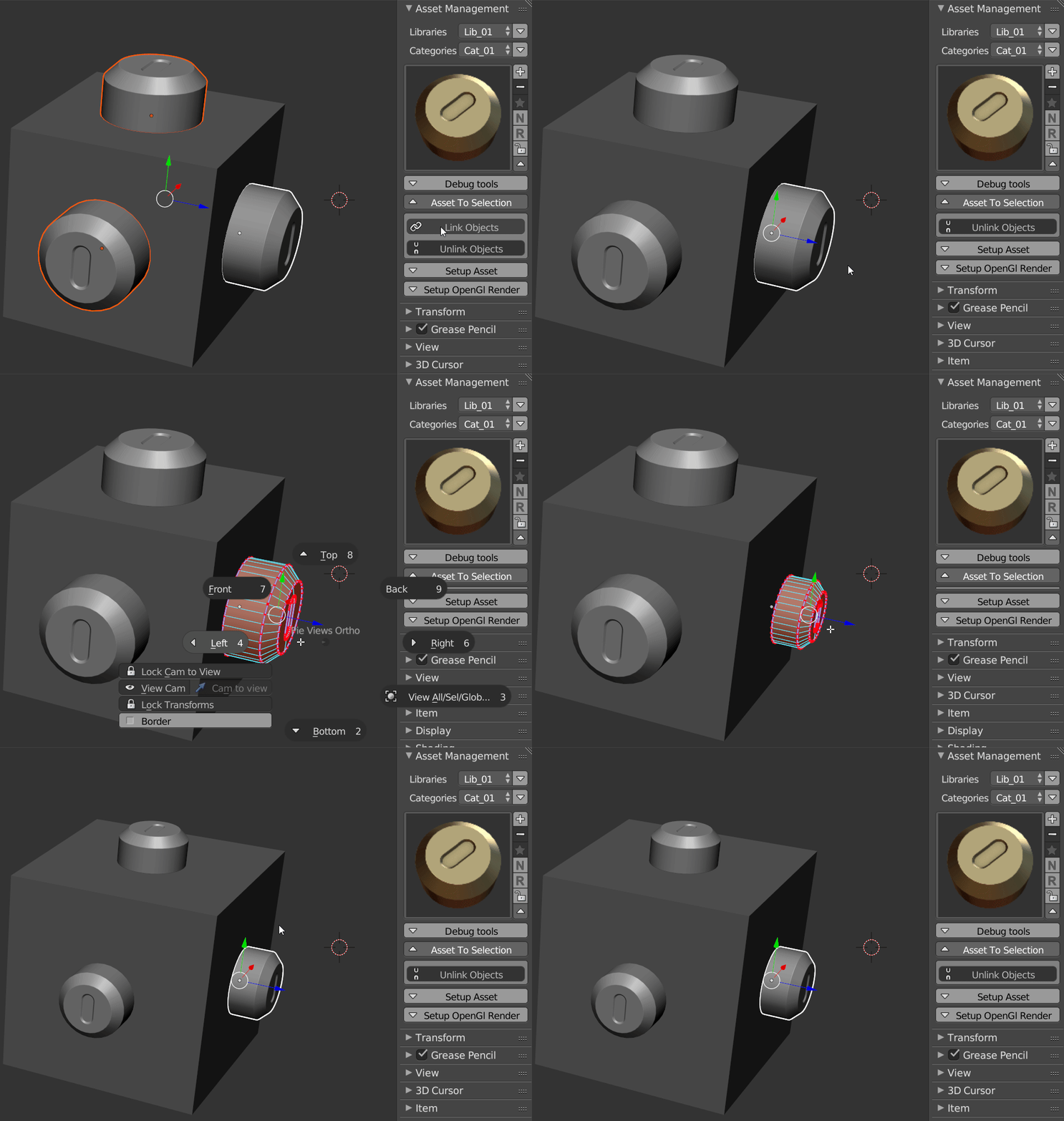
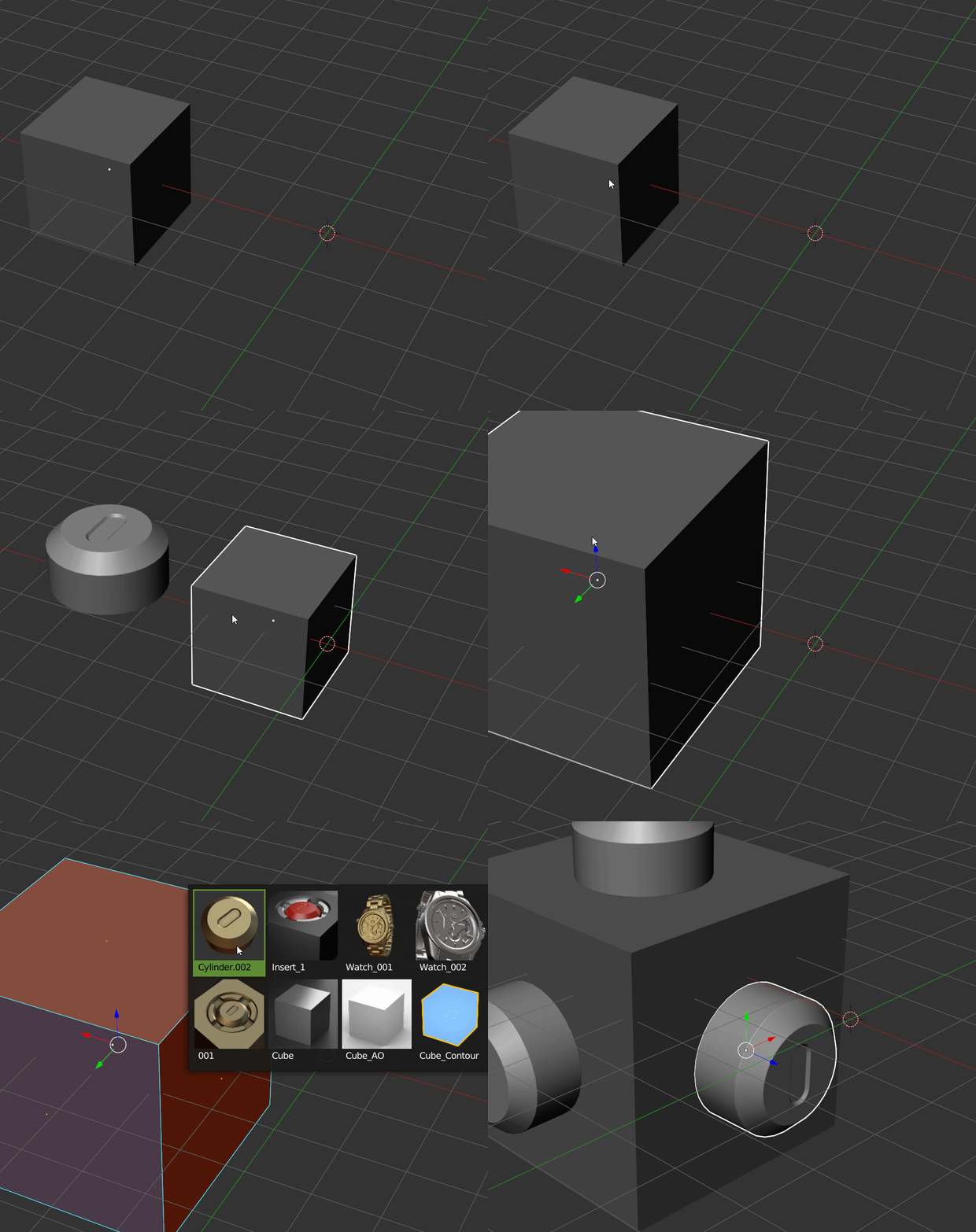
Smart Import: The Asset Management place the asset on the selection!
ASSET TO SELECTION:
Nothing Selected: Asset will be placed at the center of the scene.
Object(s) selected: Asset will be placed at the origin of the selected object(s).
Face(s) selected: Asset will be placed on faces and will use normal orientations of those faces.
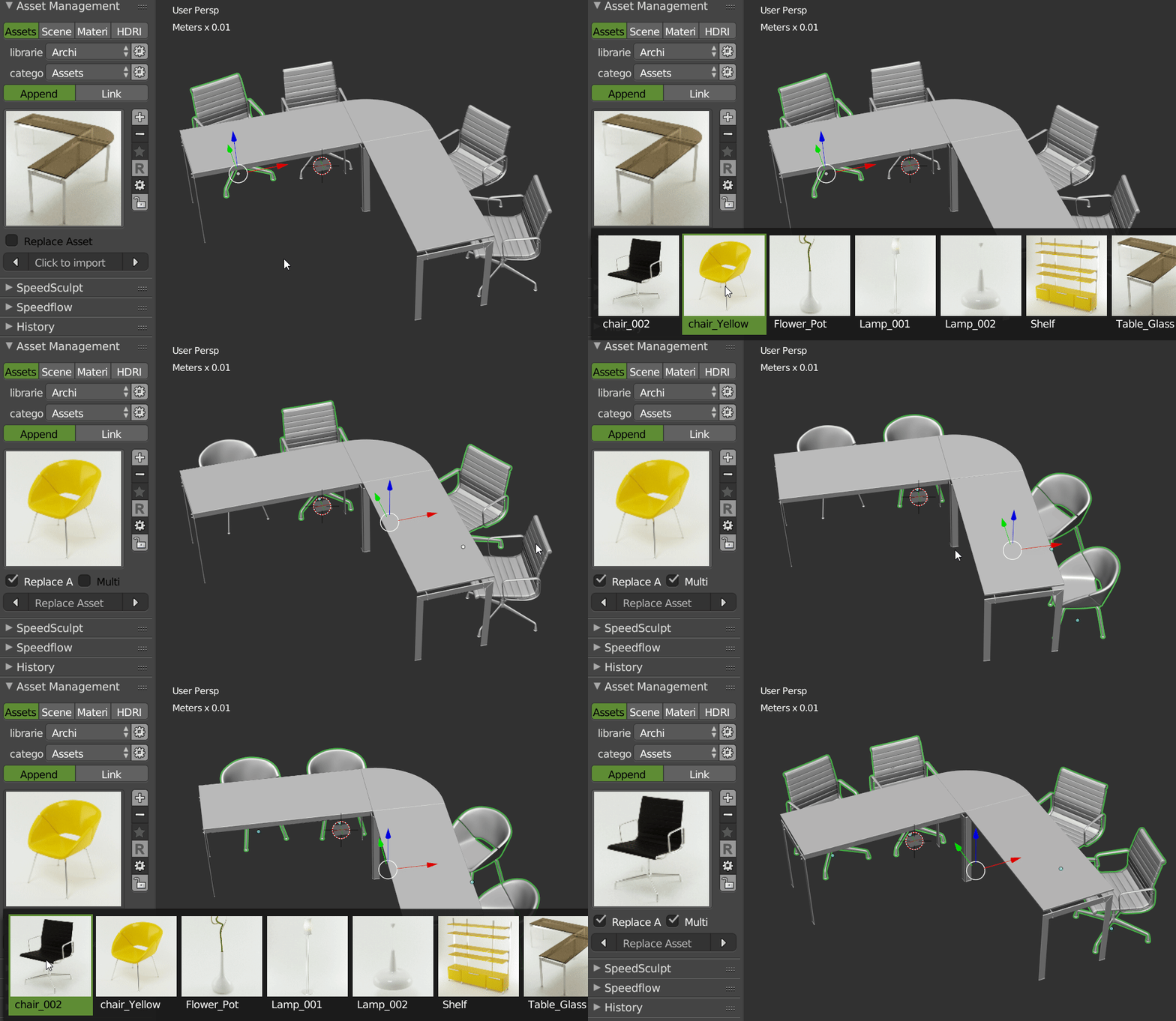
REPLACE ASSETS: You can replace one or several assets by another, you can do this for linked assets too. The addon jeeps the orientation of the previous asset.
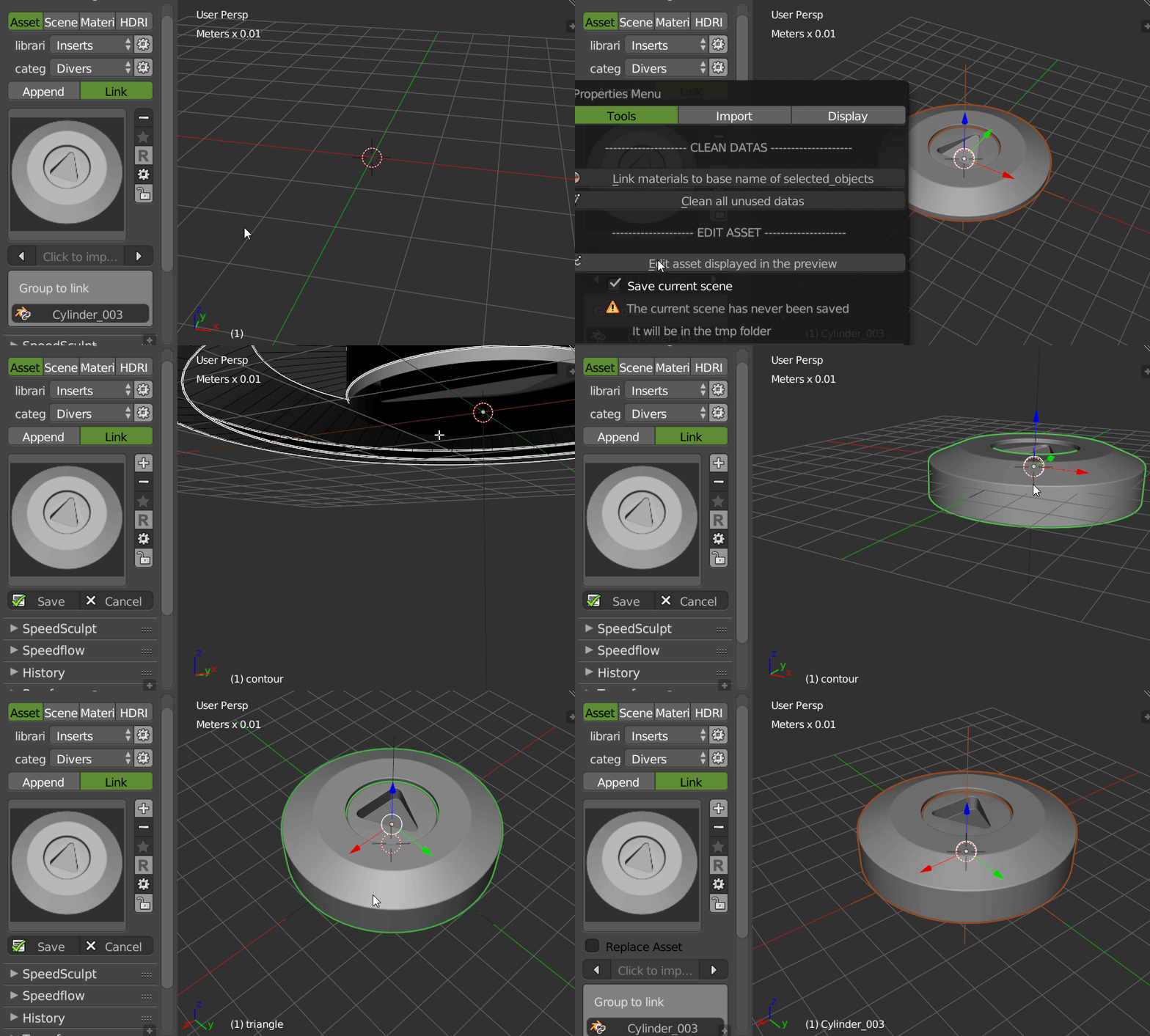
EDIT ASSETS: You can Edit an asset directly from the preview. That allows you to make a fast modification of your asset to have it exactly how it should be. The addon will save your current scene, open the asset scene and when you will save it, the addon will open your scene and your asset will be updated.
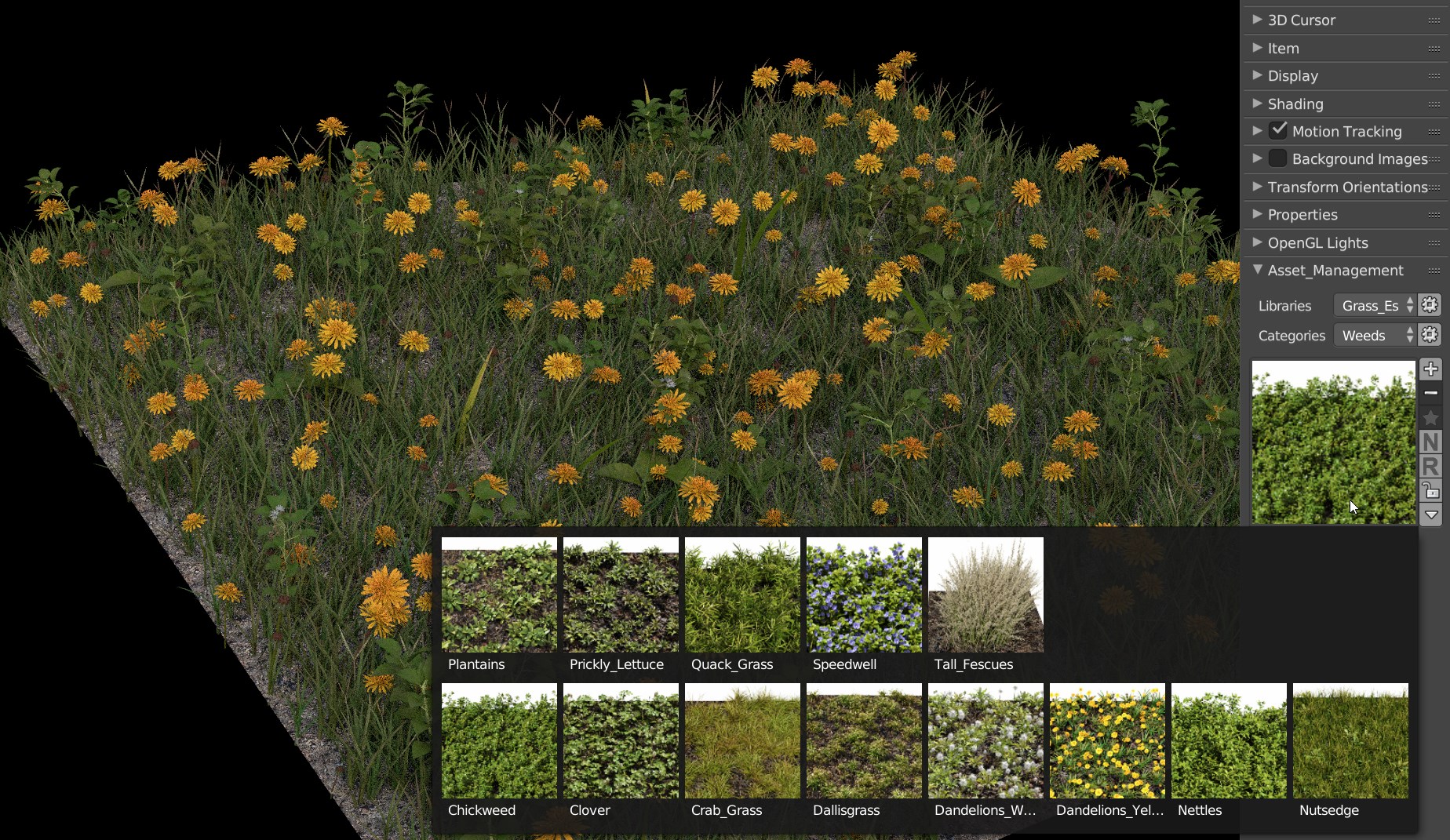
AND MUCH MORE : With the Asset Management you can : Choose to use existing materials or group to avoid .001, .002 etc Delete unused data Use active layer The addon saves automatically your scene in the temp when you add an asset to your library Popup to work in full Screen (CTRL + Double LMB) You can choose to put the addon in the panel T or N You can add different types of assets to your library.
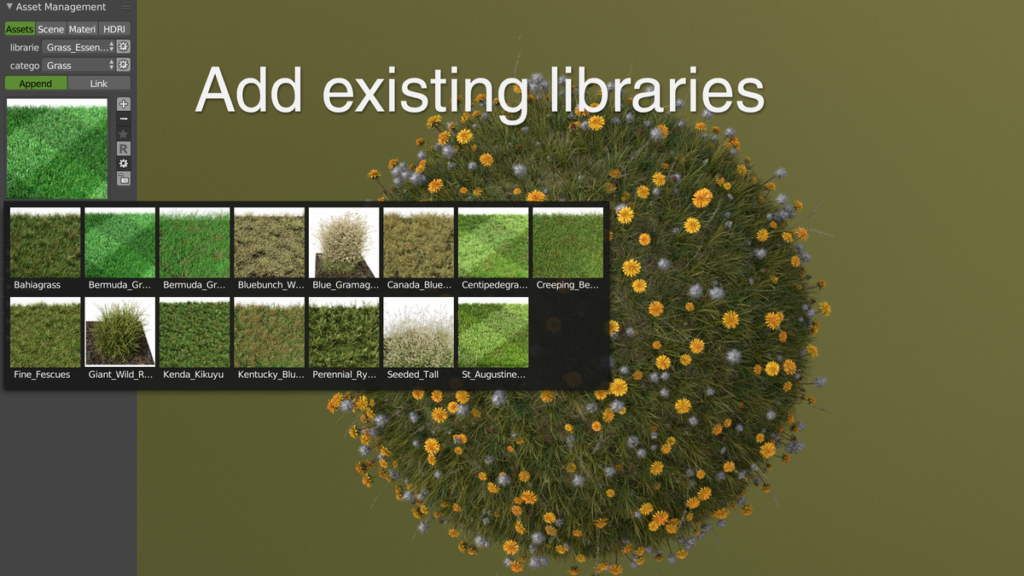
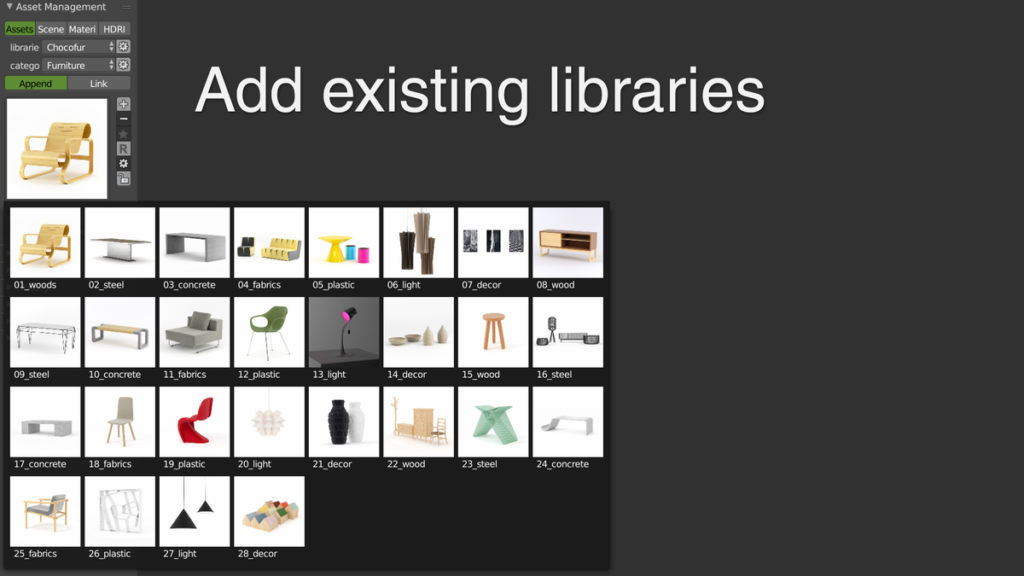
- Inserts
- Booleans Inserts for HardHops
- Rigged Characters
- Grass Essential Setups
- Furniture for Architecture Visualization
- Lights Setups
- Etc..
Scenes features
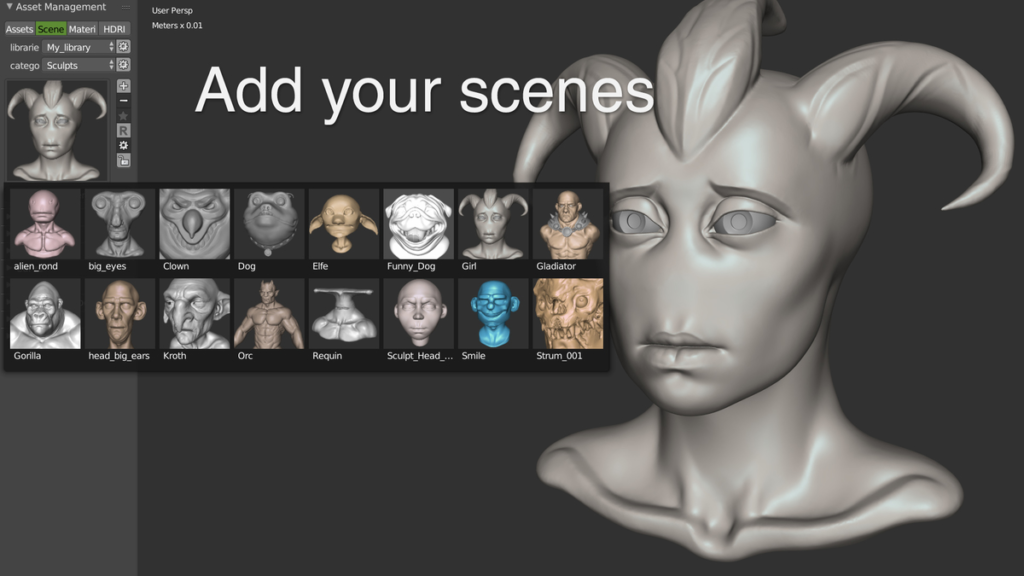
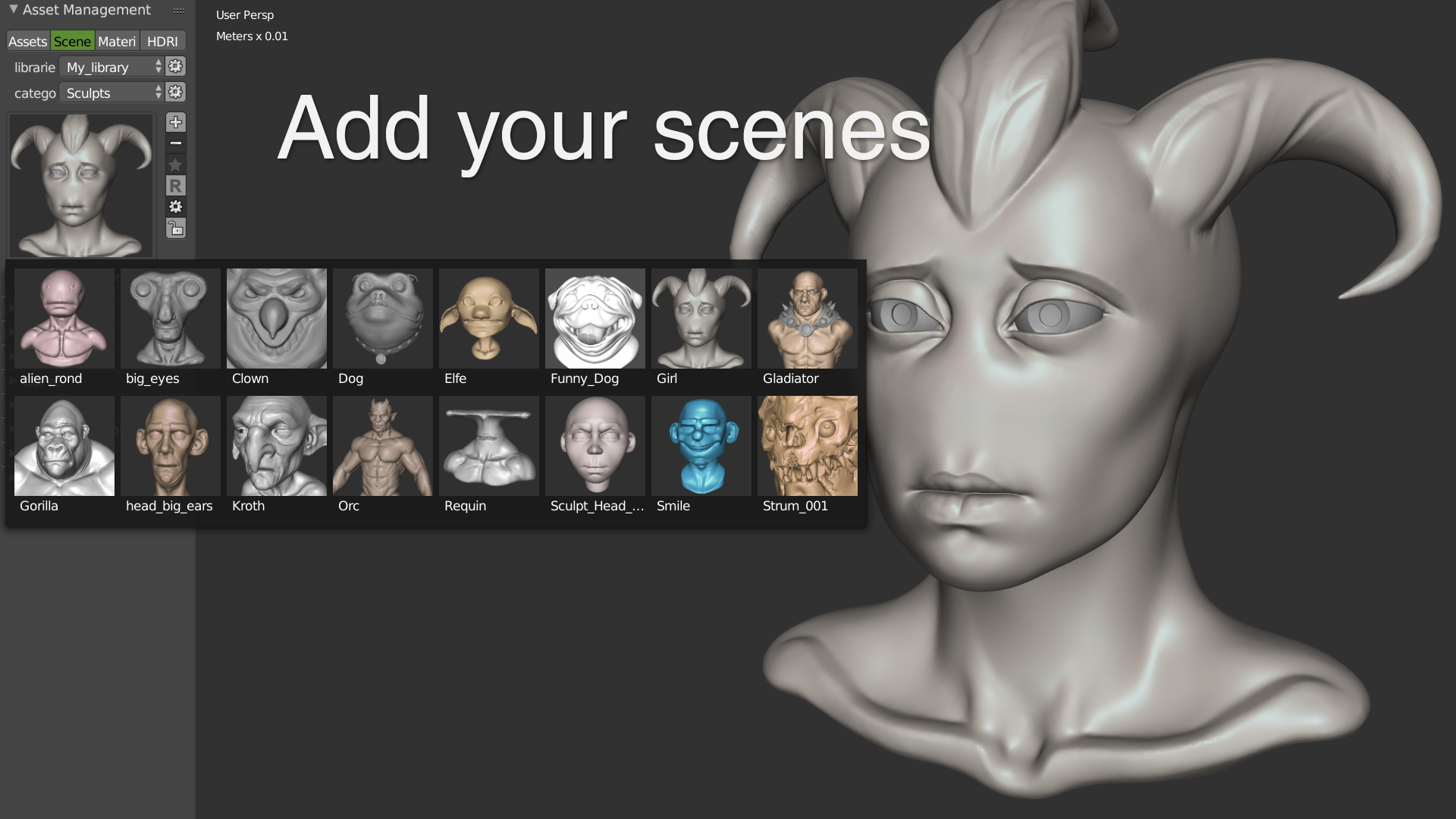
SAVE YOUR SCENES WITH CUSTOM THUMBNAILS You can save complete scenes in the Asset Management. You can create libraries, categories and add custom thumbnails. This is really simple and fast.
Materials features
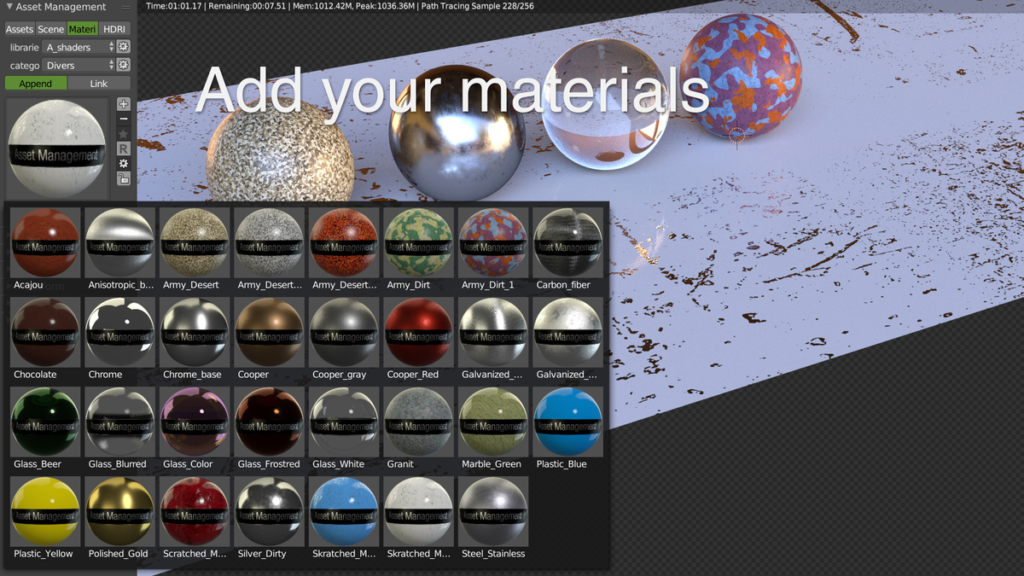
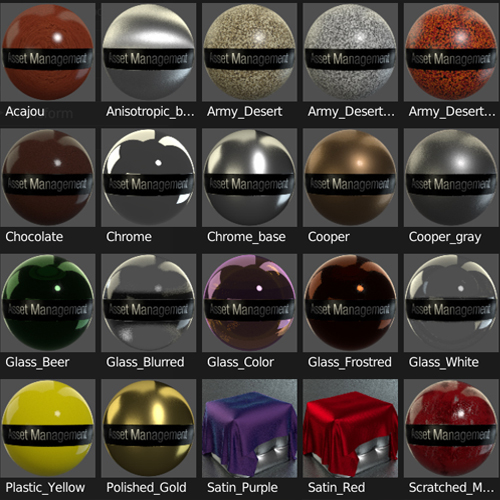
SAVE YOUR MATERIALS You can save your own materials in the Asset Management. You can create libraries, categories and manage your materials. You can link materials too.
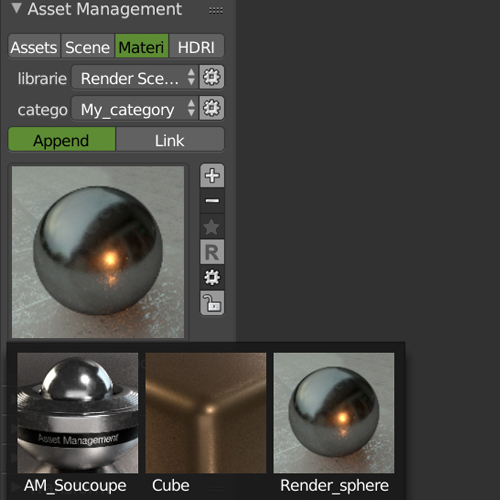
You can also add your own material render scene to customize your thumbnails!
HDRIs features
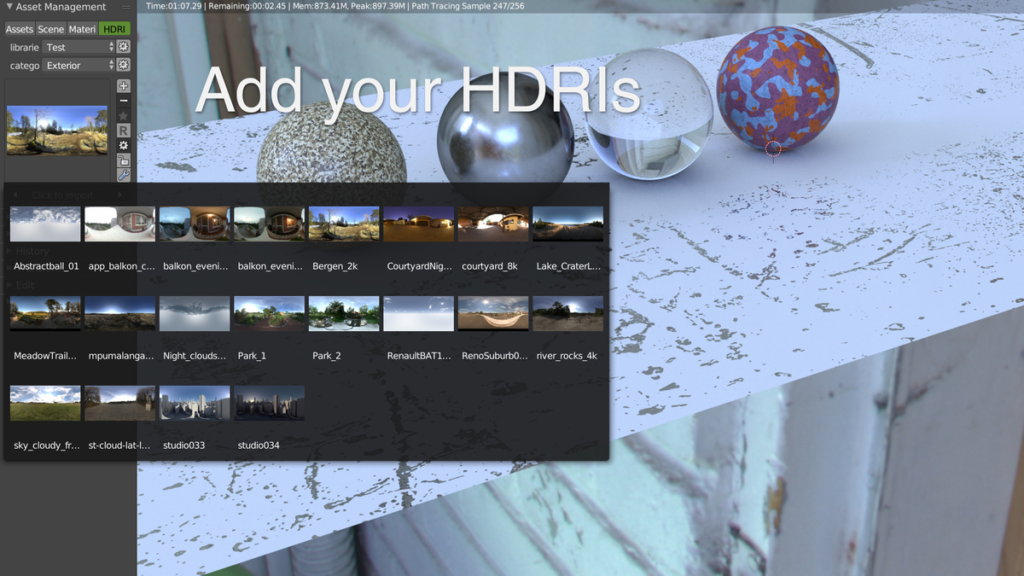
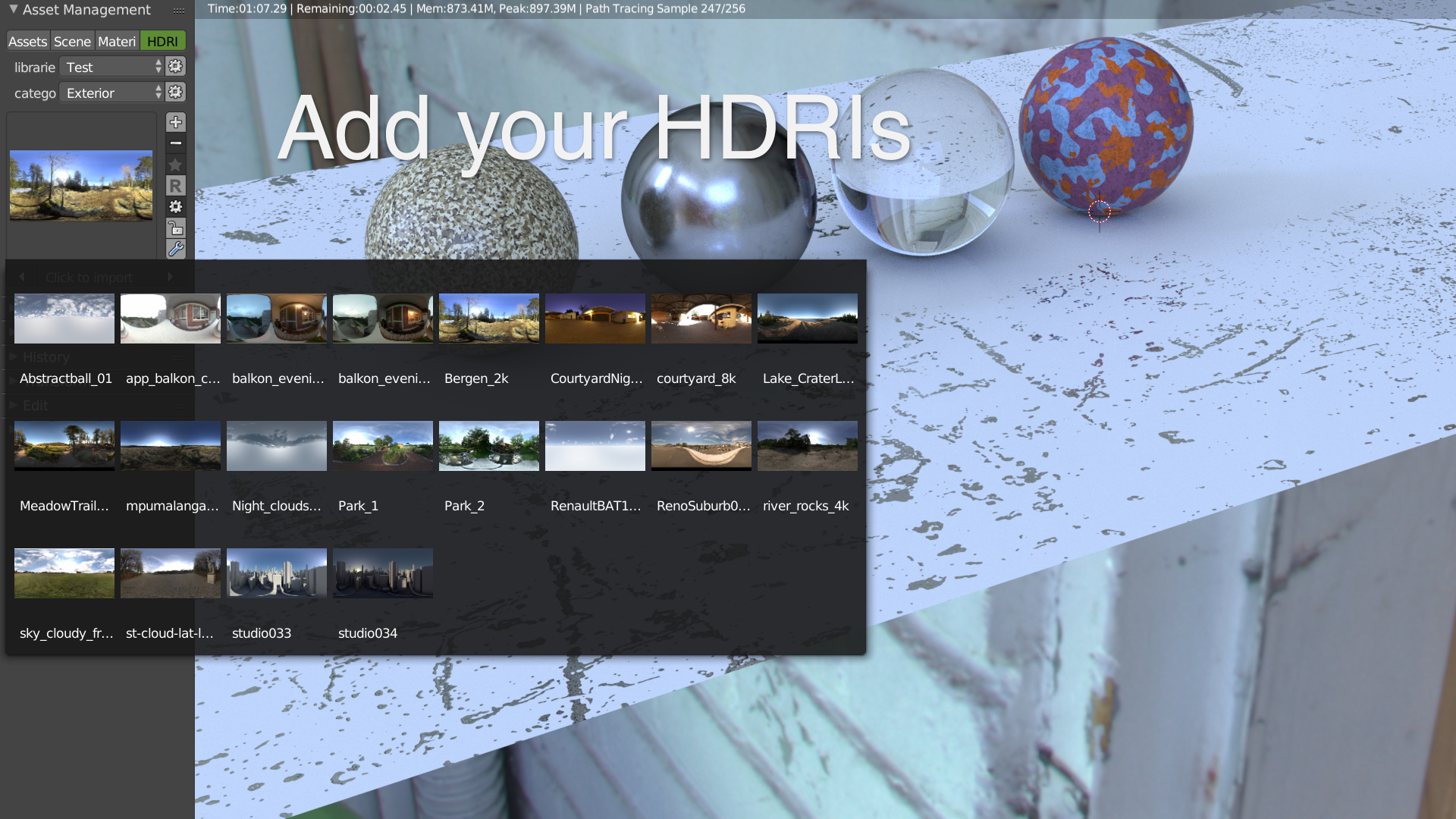
You can save your own HDRI’s maps in the Asset Management. You can create libraries, categories and manage your maps. You can add several maps at one time, you just have to select them and click ok! You can also edit your map directly in the 3d view :
- Rotate the map
- Hide it
- Blur it
- Change the gamma
- Change the power
- Change the saturation
- Etc.
Compatible with other addon’s like Hardops, Carver, Speedflow etc
The Asset Management can be used with all the other add-ons on Blender like Hardops. You can also use it with other render engines since the Asset Management makes an append from the library to your scene. This append keeps all the data attached to your objects, shaders, textures, particles etc. You can create your library easily and use it directly!
SPEEDFLOW AND CARVER COMPATIBILITY You can use Speedflow and Carver to make your assets and you can use those assets directly with Carver. Links :
HARDOPS COMPATIBILITY You can have the preview of the Asset Management directly in Hardops. You just have to enable the addon in the preferences. You will have it in the panel and the popup. Link :
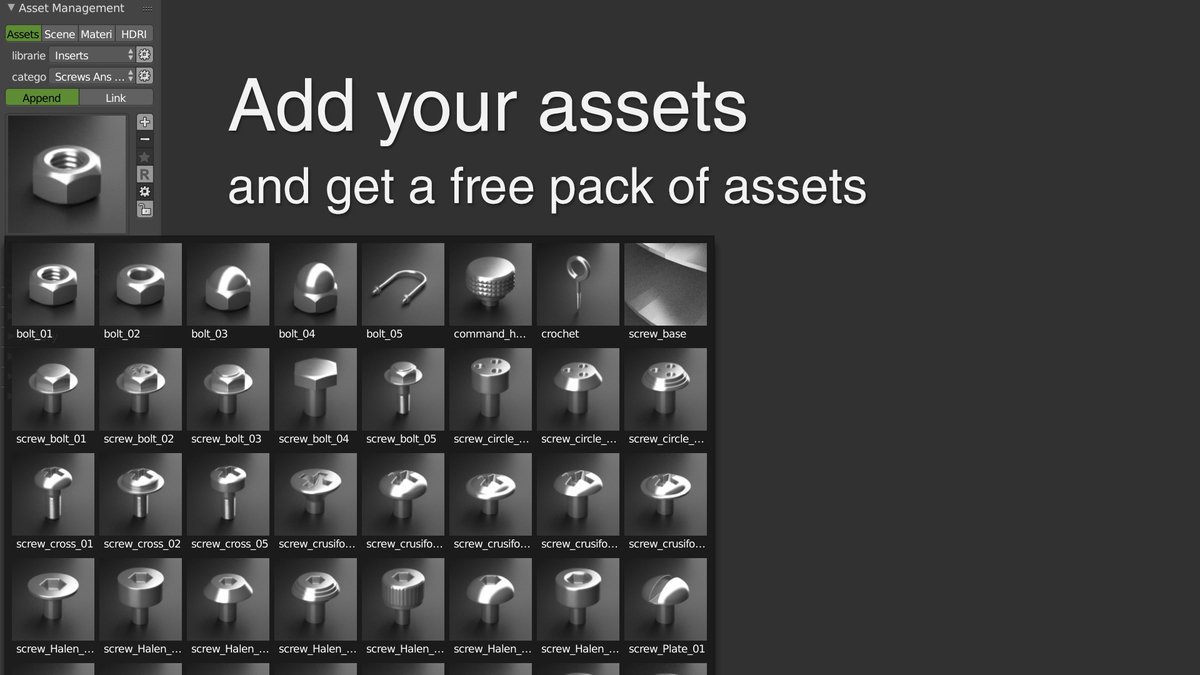
Screws & Bolts Free Pack!
With the Asset Management, we offer you a free pack of 43 Assets, Screws & Bolts! To install this pack, look at this video.
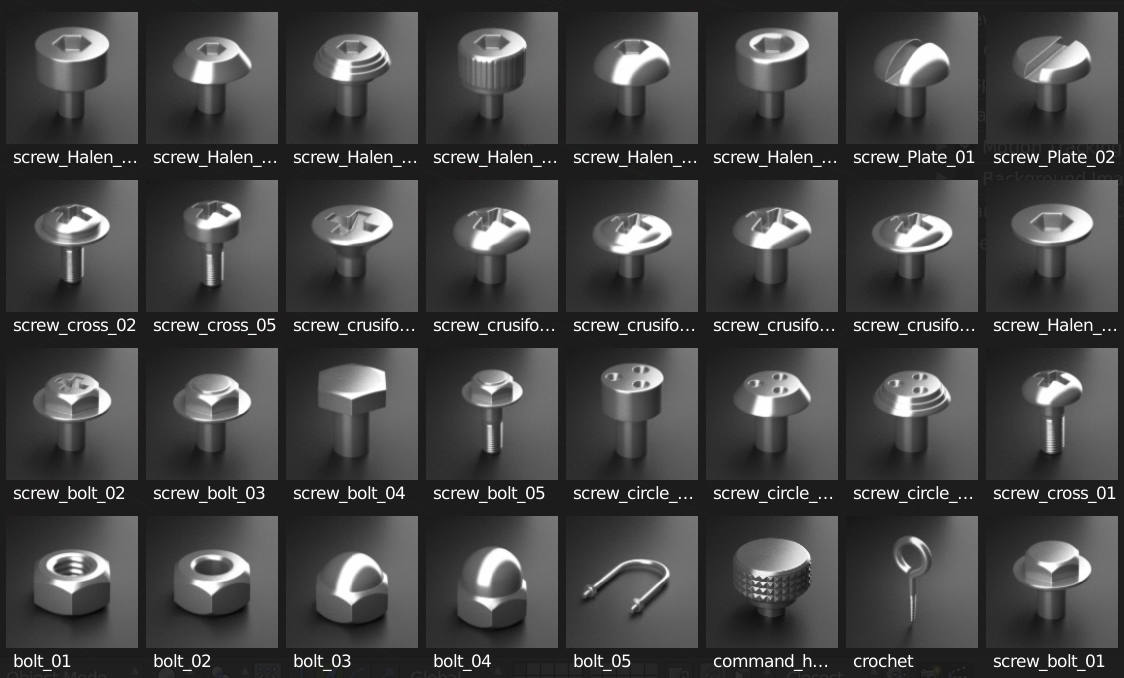
https://www.youtube.com/watch?v=TLwpyYBy8qI You can use this pack with HardOps or in your normal modeling workflow, it’s really efficient.
Note:
For Blender version 4.4 and higher, please download the “asset_management_4_v2_7_9” version of the addon.
Supercharge your 3D creation workflow with premium selection of Blender Add-ons. Whether you are modeling intricate characters, sculpting realistic environments, or animating cinematic sequences, the right add-on can transform how you work inside Blender. Our curated collection includes powerful tools for UV unwrapping, procedural texture generation, rigging automation, rendering optimization, and more—each rigorously tested for compatibility with the latest Blender versions. Eliminate tedious manual processes and unlock advanced functionality that lets you focus on what matters most: bringing your creative vision to life. Explore our full range of professional Blender plugins today and take your 3D projects to the next level.
➡️ ➡️ For more Blender Plugins 😀 😀
Reviews
There are no reviews yet.