
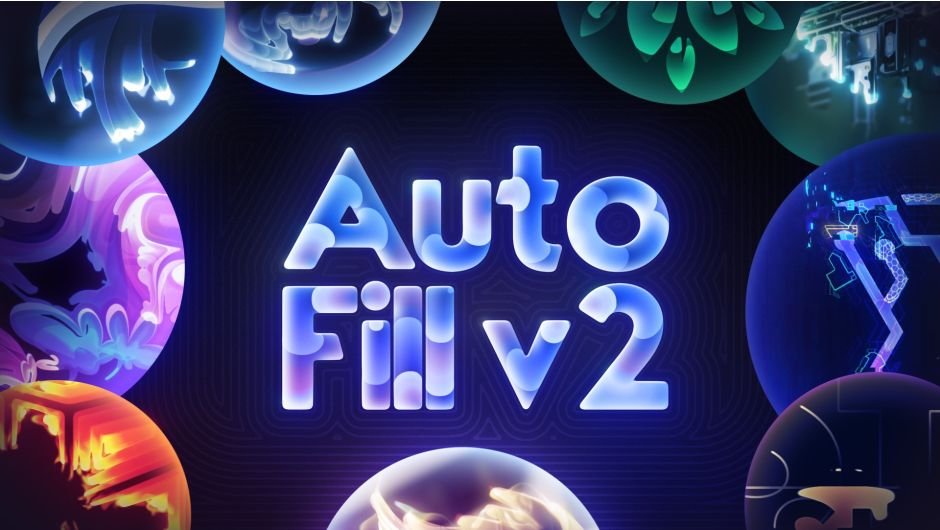
Download AutoFill v2.0.2 for Windows, a revolutionary After Effects plugin that fluidly fills the bounds of your layer to save you hours of tedious masking and keyframing . This powerful tool automatically generates smooth, organic growth animations for logos, text, icons, illustrations, and any layer with transparency—transforming static elements into dynamic reveals with just a few clicks .
AutoFill fluidly fills the bounds of your layer to save you hours of tedious masking & keyframing. Now with state-of-the-art compute caching and MFR native compatibility.
Key Features of AutoFill v2.0.2:
- Multi-Frame Rendering (MFR) Native: Complete rebuild from the ground up with native MFR compatibility and state-of-the-art compute caching for massive performance gains and instant, rock-solid previews without re-simulation
- GPU Accelerated: Optimized for fast rendering with GPU acceleration and native Apple Silicon support
- Style Builder: Create complex, multi-layered styles by compositing, retiming, blending, blurring, and displacing up to 5 layers within a single AutoFill instance—choose from 30 built-in presets for one-click results
- AutoFill Bridges: Generate invisible bridges with native AE masks to connect disconnected elements, eliminating “border leaking” and the need for separate growth points on each section
- Enhanced Speed Maps: Three new speed map modes including Shape Based Flow (reacts to layer contours), Turbulent Noise (adds natural variance), and ability to combine all modes for unique, organic results
- RGBA Gradient Controls: Intuitive gradient editor with 3 unique age modes (Age, Trail, Fit) for creating and seamlessly looping complex animated gradients
- 50+ Enhanced Project Presets: Updated project file presets leveraging v2’s new features for immediate, professional results
- Built-in Quality Settings: Super-sampling, adaptive resolution, and smart anti-aliasing for pristine output
- CPU & GPU Pipelines: Flexible rendering options for render farms and CPU fallback
Perfect For:
- Motion graphics artists creating dynamic logo reveals and brand animations
- Editors animating handwriting, calligraphy, and graffiti titles
- VFX artists developing plant growth, illustration reveals, and organic transitions
- Content creators building photo slideshows with fluid, reactive transitions
- Anyone needing automated, high-quality growth animations without manual keyframing
System Requirements:
- Adobe After Effects 2025, 2024, 2023, 2022, 2021
- Windows 10/11 (64-bit)
- 4GB RAM minimum (8GB+ recommended)
- 100MB available disk space
- Supports Multi-Frame Rendering (MFR) for efficient multi-core rendering
- Note: English version of After Effects recommended for optimal performance; avoid Chinese-language versions due to potential expression errors
Version 2.0.2 Update (Dec 15, 2022) :
- Fixed cache error when upstream vector layers were continuously rasterized
- Fixed crash causing Adobe Media Encoder to fail on launch
Animate Any Layer. Instantly.
Save hours of work with AutoFill 2’s revolutionary automatic animations. Experience blazing-fast renders and full control over your animations; all in a keyframeless user-friendly environment.
One Plugin, Any Task
The single solution for diverse creative challenges. Logo-Reveals, Auto-Growth, Animated Drawings, Write-on Animations, Highlight & Emphasise, VJ Loops, Animated Gradients & more.
50+ Ready to Use Scenes
Tap into our collection of 50 ready-made scenes, each crafted for maximum impact. Swap in your content, choose your theme and let the premade designs “from color to camerawork” do the rest.
30 Inbuilt Presets
Discover 30 versatile built-in presets; seamlessly integrated for one-click use within your projects. Enhance your workflow with a vast array of diverse animation styles.
view entire gallery
Motion Without Keyframes
Automatic animations for your logos, titles, illustrations, icons, handwriting and more.
33 fps
Default AutoFill V2 Settings – 1000-1000px Logo.png MacBook Pro (2021) – Faster than realtime
Re-engineered from the ground up to take advantage of the latest performance features in After Effects:
- Supports AE’s Multi-Frame Rendering (MFR) for efficient distributed rendering across multiple cores/threads
- New caching system; smooth previews without resimulating
- Rock solid stability
- GPU Accelerated & Apple Silicon Native

Automate without Compromise
The Power of Complete Control
Introducing the all new
Style Builder
The Style Builder is your shortcut to producing complex, multi-layered styles
Composite, retime, blend, blur, displace and set unique fill types for up to 5 layers within a single instance of AutoFill
OR choose one of our 30 ready made presets in a single click
Shape Based Flow
Introducing our new image-based reactive Speed Map. Combine any number of other Speed Map Modes for realistic, organic results.
Shape Based Flow (Alpha Channel): Utilizes alpha channel borders to reactively draw contoured lines inside the shape
Shape Based Flow (RGB Channels): Utilizing edge detection in RGB images for accurately mapping growth speed to the image’s content
Turbulent Noise: Adds natural variance and realism to your speed maps
Combine All Option: Don’t be limited to just one mode, composite together
Intuitive UI for Multi-Point RGBA
Animated Gradients
Effortlessly generate energy waves, flows, pulsations and other creative effects. Recolor and combine with different blending modes.
Retime & seamlessly loop gradients with 3 unique age modes: Age, Trail and Fit. Remix together with the new Repeater Pipeline.
Fill multiple segments from a single Growth Point
AutoFill Bridges
Draw invisible bridges between disconnected elements with native Ae masks that travel with your layer
Forget “border leaking” or having to set growth points for each individual section

Extensive Knowledgebase
Know more, do more. We’ve prepared video tutorials and a comprehensive wiki so you can quickly access just the info you need
Explore the Possibilities
Suggested use-cases for AutoFill 2

Animated Handwriting
AutoFill works on any font in any language. AutoFill your graffiti titles, calligraphy brushes, hand-drawn letters and elegant scripts with intricate details.

Growing Plants
Animating individual branches / flowers is tedious. AutoFill simplifies it enabling you to depict the growth of flora effortlessly.

Illustration Reveals
Easily animate elaborate illustrations. Whether it’s AI imagery from MidJourney, DALLE, Stable Diffusion or an architectural design, gain full control over each element’s growth speed. Our new Speed Map tool can use RGB data to create image-reactive speed maps on non-transparent images.

Photo Transitions
With the new Speed Map tool you can create fluid, creative photo slideshows. Create portrait reveals with flows reacting to facial features or initiate growth from specific focal points on your image.

Logo Reveals
Dynamic logo intros and brand animations in just a few seconds. Ideal for transforming static icons or emblems into compelling animated logo designs. Perfect for brand logo animations or looping icons for the web / socials.

Maps, Blueprints & Infographics
New “Auto-Growth Points” automates complex tasks like drawing and revealing layers that once required endless keyframing. Instantly animate engaging infographics and flowing map paths with smooth fills.
Compatibility
After Effects
2026, 2025, 2024, 2023, 2022, 2021
Elevate your motion graphics workflow with premium collection of After Effects plugins. Whether you are a seasoned professional or just starting your VFX journey, powerful tools designed to streamline complex tasks, unlock creative possibilities, and save you hours of rendering time. From stunning glitch effects and seamless transitions to advanced 3D extrusion and text animation tools, each plugin in our library is rigorously tested for compatibility with the latest versions of Adobe after Effects. Enhance your video production value today and download industry-leading plugins that help you create breathtaking visuals without the technical headaches. Browse our full range and find the perfect extension to supercharge your editing suite now.
➡️ ➡️ For more after effects Plugins 😀 😀
➡️ ➡️ System requirements AE
Reviews
There are no reviews yet.