
Autokroma Influx v1.6.0
Download Autokroma Influx v1.6.0 for Windows, a powerful all-in-one native video and audio importer plugin for Adobe After Effects, Premiere Pro, Media Encoder, and Audition. This essential tool allows you to directly import a vast range of unsupported file formats and codecs, eliminating the need for time-consuming external transcoding .
All-in-one native Importer plugin for Adobe (Premiere Pro, After Effects and Media Encoder). Wide range of formats and codecs supported.
Key Features of Autokroma Influx v1.6.0:
- Extensive Format Support: Import .MKV (including OBS recordings), .WebM, .FLV, .AVI, .OGV, .BIK, and more. Supports video codecs like FFV1, VP8, VP9, AV1, Canopus HQ, as well as common codecs such as H.264 and H.265 .
- Audio Codec Support: Decode and import audio formats like .FLAC, .OPUS, .OGG Vorbis, .MKA, and .WMA directly .
- Flexible Import Control: Choose between letting Adobe try to import files first or force Influx to take over. You can also suffix a file with
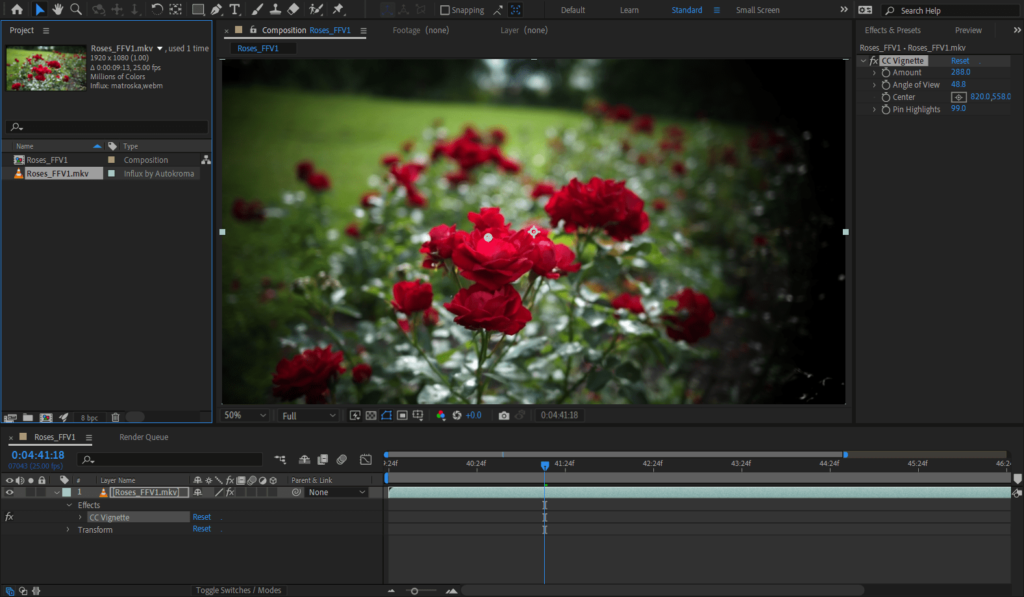
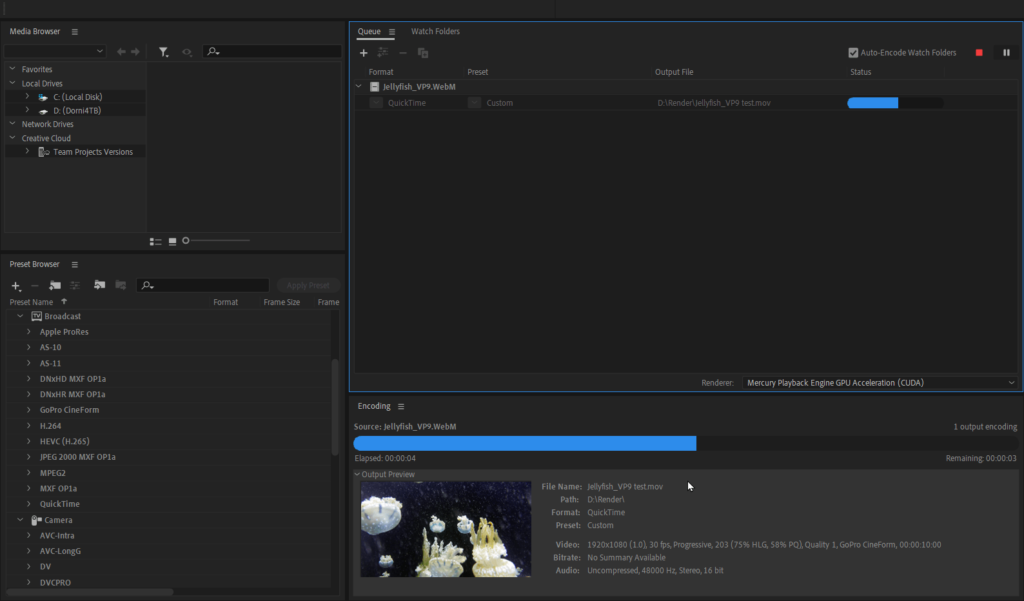
.influxto guarantee it’s imported by Influx . - Seamless Adobe Integration: Works natively within your Adobe workflow. Edit imported footage directly in Premiere Pro and After Effects, and export projects via Media Encoder without compatibility issues .
- v1.6.0 Fixes for AE 2025+: This version resolves critical bugs in After Effects 2025 and later that prevented the import of PNG, JPG, TIF, and GIF image sequences and caused errors with Content-Aware Fill. These formats are now handled by Adobe’s native importers for stability .
Perfect For:
- Video editors who need to work with MKV, WebM, and FLV files without converting them first.
- Motion graphics artists using After Effects who require direct access to footage with codecs like FFV1 or FLAC audio.
- Anyone frustrated by Adobe’s native format limitations who wants to streamline their post-production pipeline.
System Requirements:
- Adobe After Effects 2019-2026
- Adobe Premiere Pro 2019-2026
- Adobe Media Encoder 2019-2026
- Adobe Audition 2020-2026
- Windows 10/11 (64-bit) or macOS (Intel/Apple Silicon)
- File Size: 11.6 MB
Main Features
Native import directly inside Adobe CC Video
- No need to go through an external transcoding software anymore ! Saves you time, disk space and hassle
- Import and edit in Premiere Pro
- Process your footage directly in After Effects
- Export your PrPro and AEfx projects in Media Encoder, as well as transcode your files directly from AME
- Edit your audio directly in Adobe Audition in new containers, audio and video codecs, without re encoding or remuxing
Wide range of new formats and codecs supported :
- Formats : Matroska .MKV (eg files recorded through OBS Studio) / .WebM, Microsoft .AVI, Quicktime .MOV, .360 GoPro, Windows Media .WMV (also works on macOS), Flash .FLV, Bink .BIK, DVD-Video .VOB, Motion-JPEG .MJPG, .OGV .3GP .Y4M
- Video codecs : AV1, Vidvox Hap / Hap Q with Alpha or not, FFV1 for Archiving, VP9, VP8, Canopus HQ, all commons codecs such as H264 / H265 / HEVC and image formats such as .QOI .JPG .PNG .TIFF
- Audio codecs : .FLAC, .OPUS, .OGG Vorbis, .DTS DTS-HD Master Audio, .AC3 Dolby AC-3, .AIFF, .MKA, .WMA Windows Media, .SPX Speex
Constantly updated !
Enjoy the exact same set of features and results on both macOS and Windows and all Adobe versions supported (2019 to 2024), easy switch your projects between multiple OS and avoid worrying about compatibility and Adobe updates breaking your projects.
We’re here to fix your issues and update Influx.
Contact us for any feedback and feature request !
If you’re interested in supporting MLV Magic Lantern RAW please read this article and this article for Blackmagic CinemaDNG and let us know by contacting us if those new codecs are important for you.
Technical specifications
Requirements :
- macOS Apple Silicon (M1 etc.) and Intel : 11 (Big Sur) to 26 (Tahoe)
- Microsoft Windows 10 and 11
- Adobe 2019 to 2026 included (Premiere Pro, Media Encoder, After Effects, Audition)
- One license is for the same user on up to two computers not used at the same time
Notes :
- Since a recent update 2025 v25.2, PrPro and AME now import H264 .MKV files : sometimes Adobe will fail to give the files to Influx and will produce errors or audio tracks missing instead, Influx won’t be called ! To work around this Adobe bug, either enable override the .mkv extension in the Settings popup to act on all files, or do the following below :
- Suffix your video files with .influx to import them with Influx instead of natively by Adobe, this way you will know for sure it’s not Adobe decoding the files. Could be useful for troubleshooting Adobe and working around its bugs. You can also select in the Settings what formats to override or let Influx decide on its own which files to let Adobe import.
- A file can contain multiple audio stream and each audio stream can have multiple channels, e.g. Stereo and 5.1). In Premiere Pro, if your first audio stream is shorter than your video track (e.g. a slow motion video), it will get silenced until the end of the video track length. If your first audio stream is longer than your video stream, it will get cut off at the end of the video track length.


Compatibility
After Effects
2026, 2025, 2024, 2023, 2022, 2021, 2020, CC 2019
Audition
2025, 2024, 2023, 2022, 2021, 2020
Media Encoder
2026, 2025, 2024, 2023, 2022, 2021, 2020, CC 2019
Premiere Pro
2026, 2025, 2024, 2023, 2022, 2021, 2020, CC 2019
Elevate your motion graphics workflow with premium collection of After Effects plugins. Whether you are a seasoned professional or just starting your VFX journey, powerful tools designed to streamline complex tasks, unlock creative possibilities, and save you hours of rendering time. From stunning glitch effects and seamless transitions to advanced 3D extrusion and text animation tools, each plugin in our library is rigorously tested for compatibility with the latest versions of Adobe after Effects. Enhance your video production value today and download industry-leading plugins that help you create breathtaking visuals without the technical headaches. Browse our full range and find the perfect extension to supercharge your editing suite now.
➡️ ➡️ For more after effects Plugins 😀 😀
➡️ ➡️ System requirements AE
Reviews
There are no reviews yet.