
Automated Video Editing for After Effects v1.12
Download Automated Video Editing for After Effects v1.12, a powerful script that automatically syncs video edits to music and streamlines your entire editing workflow. This intelligent tool eliminates hours of manual cutting by analyzing audio and applying customizable rules to create perfectly timed sequences in minutes .
Automated Video Editing automates the whole video editing process synced to music in After Effects.
Key Features of Automated Video Editing v1.12:
- Music-Sync Automation: Automatically edits video based on audio volume thresholds with adjustable sensitivity controls for perfect beat matching
- Smart Clip Management: Choose from random video segments, enable clip repetition, and set minimum/maximum shot durations for complete creative control
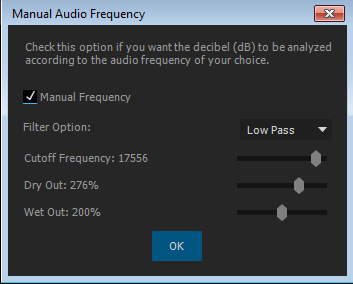
- Audio Frequency Control: Fine-tune editing decisions based on audio frequency analysis for more sophisticated music-reactive results
- Comprehensive Scaling Options: Scale layers to composition size with customizable options including letterboxing and cropping
- Built-in Color Correction: Apply automatic color correction and color styling to maintain visual consistency across all edited clips
- Title Animation Generator: Create and toggle professional title animations with integrated tools
- Time Remapping Control: Full control over time remapping for creative speed effects and transitions
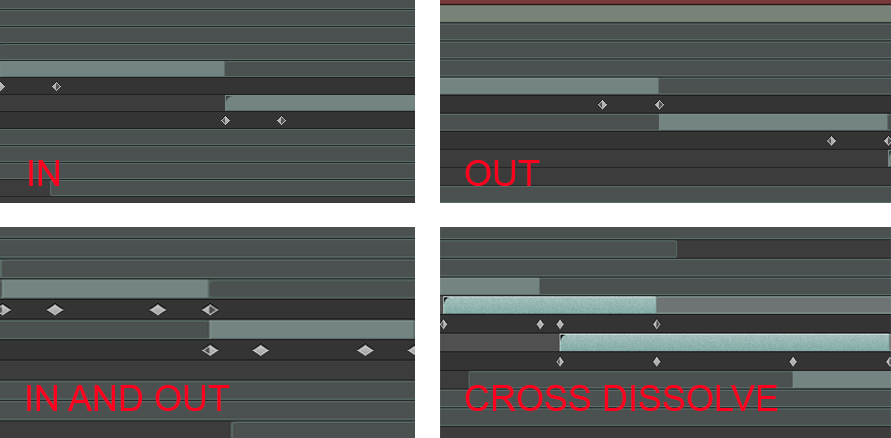
- Opacity Dissolve Control: Adjustable opacity dissolves with per-dissolve length control for smooth transitions
- Long-Format Support: Works seamlessly with extended video素材 including GoPro recordings and standard-length video files
- Post-Edit Flexibility: After automatic editing, easily adjust individual clip in/out points, replace layers, and add effects without disturbing the overall timeline
Simple 3-Step Workflow:
- Select composition size and frame rate, click “Create Composition” to generate two folders (music and video)
- Import your素材 (multiple videos, one audio file) and adjust UI settings
- Click “Execute” and let the script automatically edit your sequence based on your parameters
Perfect For:
- Music video editors needing quick, accurate beat-matching
- Content creators producing fast-paced montages and highlights
- Trailers and promotional video editors
- Anyone wanting to dramatically speed up their editing workflow
- GoPro users with大量素材 needing efficient processing
System Requirements:
- Adobe After Effects CS6 through 2023
- Windows or macOS
- 4GB RAM minimum (8GB+ recommended)
- 100MB available disk space
- Supports both Win/Mac platforms
Version 1.12 Includes:
- Audio threshold-based editing with sensitivity control
- Random video segment options
- Clip repetition controls
- Shot duration limits (min/max)
- Audio frequency analysis
- Time remapping and opacity dissolve controls
- Color correction and styling tools
- Title animation generator
What is it
Automated Video Editing allows you to automate the whole video editing process according to the music and other rules you apply.
Import a bunch of video clips and music, make some simple settings and get a fully edited video synced to the music that can be easily adjusted if necessary.
Save time on manual video editing: Promos, Parties, VJ Videos, Wedding and much more.
Features
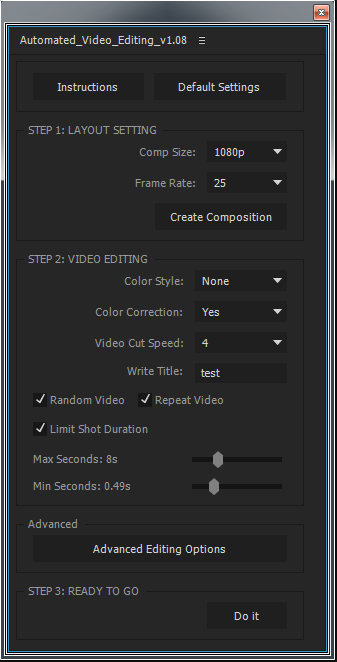
- Automatic Video Editing by volume threshold of the music (with sensitivity controller).
- Random Video footage option.
- Repeat Video option.
- Limit Shot Duration option (Minimum shot duration, Maximum shot duration).
- Comp Size & Frame Rate adjust.
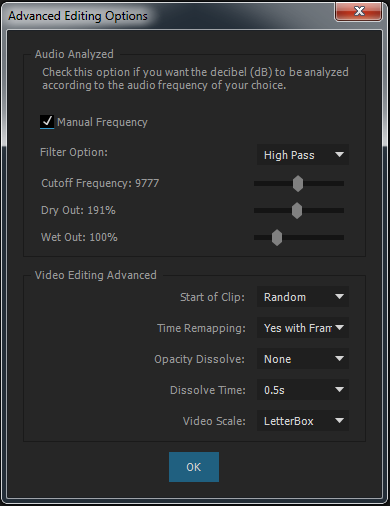
- Start of each clip (Random or Beginning).
- Time-Remapping Control.
- Opacity Dissolve Control (also include the length of each dissolve).
- Audio Frequency Control.
- Scale Option to all layers in the comp according to the comp size (LetterBox, Crop).
- Color Correction & Color Style.
- Support long-duration video footage (for example: GoPro footage) and regular short-duration video files.
- Title Animation Generator for opening and closing.

Workflow
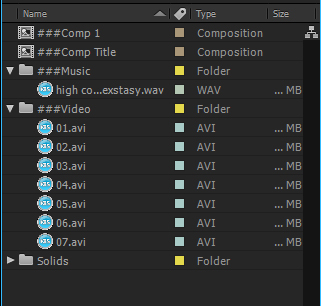
Choose comp size and frame rate, press on ‘Create Composition’, two comps and two folders will be created (one folder for music, one folder for videos). Import video files into the video folder and import 1 music file into the music folder.
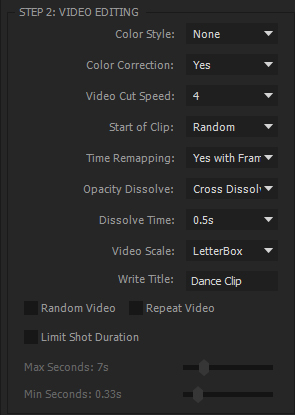
Tweak the video editing setting in the UI as you wish and press ‘Do It’. it will take a bit to finish the operation depending on the length of your edit, your computer speed and the settings you chose.
Once the automated edit is finished in and out points for each clip can be adjusted and effects added to create any effect including color correction. Individual layers can also be easily replaced in case you need to fix or change an individual shot.
Trial Version
The 1-week free trial version can be downloaded above and is limited to 10 video clips.


Elevate your motion graphics workflow with premium collection of After Effects plugins. Whether you are a seasoned professional or just starting your VFX journey, powerful tools designed to streamline complex tasks, unlock creative possibilities, and save you hours of rendering time. From stunning glitch effects and seamless transitions to advanced 3D extrusion and text animation tools, each plugin in our library is rigorously tested for compatibility with the latest versions of Adobe after Effects. Enhance your video production value today and download industry-leading plugins that help you create breathtaking visuals without the technical headaches. Browse our full range and find the perfect extension to supercharge your editing suite now.
➡️ ➡️ For more after effects Plugins 😀 😀
➡️ ➡️ System requirements AE
Reviews
There are no reviews yet.