

Background Removal Photoshop Action
Action Photoshop White Background Remover Images | 0.528 MB | Comes with Preview | ATN & BMP & JPG FORMAT
In this section, you can see the Photoshop action remover of the white background of the images, which has been placed on the site for download in ATN, BMP, and JPG formats. You can remove white backgrounds from your images automatically with the help of this high-precision Photoshop action.
File Info:
- Minimum Requirement : Ps CS3+
- Available Format: .ATN files
- License: Free for personal and commercial use
- File Size: 1.3 KB
- Download file type: Zip
- Author: mediamilitia
Installing Actions
After you have downloaded the file, unzip it and save it to a location that you prefer.
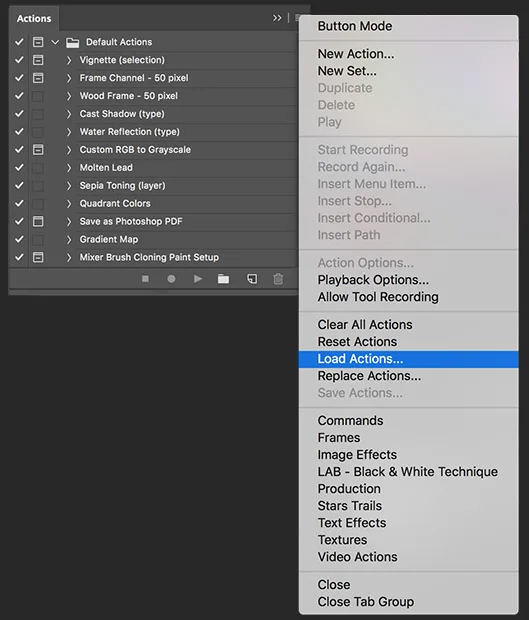
Inside of Photoshop open your Actions Panel by going to Window > Actions
Click on the Actions panel menu and click on the Load Actions menu item. Locate and select the action set file you downloaded, and then click on Load
How to Use
After you have loaded the action set file, open up the image that has a white background you want to remove.
Make sure the layer is named “Background” and that it is selected. The color mode must be set to RGB.
Change your Foreground color to the color you want the output to be
Now choose one of the sets below and click on the play button.
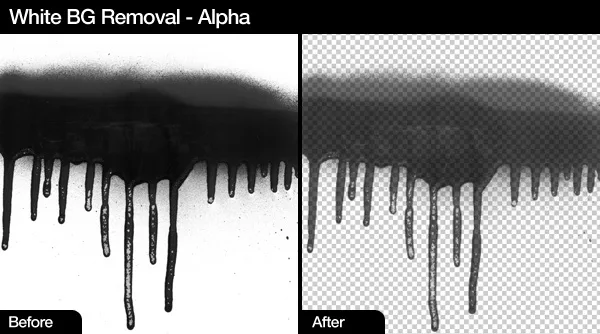
White BG Removal – Alpha: Great if you want to maintain the alpha look of the original file. I usually use this action set the most because you can easily duplicate the final layer a couple of times to make it darker, then merge the layers.
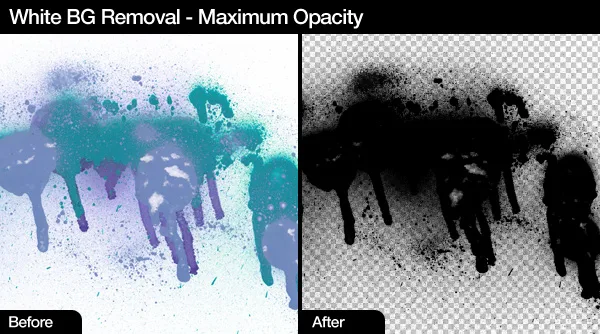
White BG Removal – Maximum Opacity: This is a great way to get a darker final image with a transparent background. After running, you can duplicate the layer a few more times to make it darker.
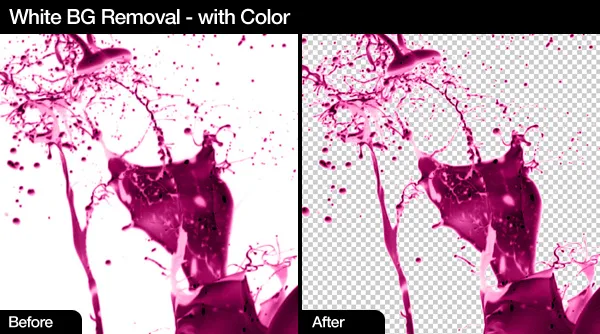
White BG Removal – with Color: I included this in the Action Set because maintaining color is something you might want, however, use it with a warning that it is not the best way to remove a white background while maintaining color.
Tips
For better results change the levels (CTRL + L) of your file before using one of the actions. You want to make the background.as white as possible.
If you have a black background you can inverse the layer (CTRL + I) and then run the appropriate action. After it run you can inverse the image again.
A Photoshop action is an incredible feature tool that allows you to record a series of steps
To achieve remarkable effects, and then play the sequence back to apply those effects on any image.
Because these actions are reusable you can improve your workflow by chopping countless hours off your design process.
you can transform your images into polished works of art while saving a lot of time and money.
Designed to save you time in the editing process for actions that you do repeatedly and create lots more elements that can be edited manually.
Exclusively designed for graphic designers & photographers .
we’ve cut out the hard work for you by putting the best collection of excellent Premium Photoshop actions!
Photoshop actions are perfect for both beginners and advanced Photoshop users
➡️ ➡️ For More Acions Photoshop 😀 😀
Reviews
There are no reviews yet.