
Backup It v1.0.0
Download Backup It v1.0.0, a handy Premiere Pro script that simplifies sequence backup and management. This essential tool allows you to create backups of any sequence or your active sequence with one click, automatically adding timestamps for easy version tracking and project organization.
Key Features of Backup It v1.0.0:
- One-Click Backup: Select any sequence in your project or backup the currently active sequence instantly
- Automatic Timestamping: Every backup automatically records the date and time it was created, visible in your project’s backup list for easy version tracking
- Project Management: Organized backup list helps you manage, distinguish, and restore different sequence versions
- Template Creation: Perfect for saving the current state of a sequence to use as a reusable template
Perfect For:
- Video editors needing to preserve sequence states before major changes
- Editors creating template sequences for recurring project types
- Anyone wanting quick, timestamped backups without manual file duplication
- Post-production teams needing organized version control
System Requirements:
- Adobe Premiere Pro 2020
- Windows or macOS
- 4GB RAM minimum (8GB+ recommended)
- 50MB available disk space
Note: This script is specifically for Premiere Pro (not After Effects). Supports both Windows and Mac systems.
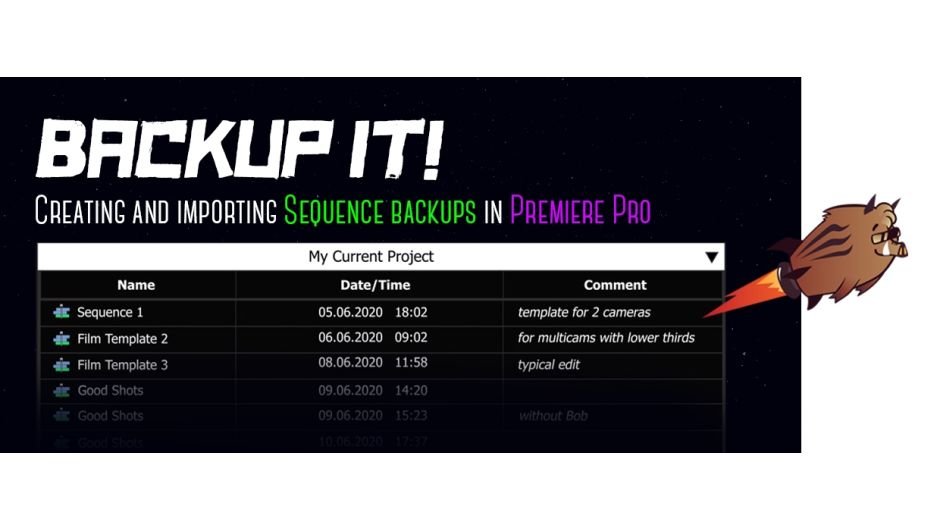
Create and import sequences backups in Premiere Pro.

Create backups of sequences
Select any sequence in the project or backup an active sequence in one click!
You will see the date and time when the copy was created in the backup list of your project.
Useful if you want to save the current state of the sequence or to create a template.

Write comments
Help your future self remember why you made this backup.
Import backups from other projects without opening them
Add saved sequences from other projects to the current project, along with all the nesting and footages. “Backup It!” saves your sequence as a project, so all effects and nested items are saved in the backups.
The main thing is to not move or rename the source files of the project on the disk (video, sound, pictures, etc.) because the extension saves the path to the source folder with the files.


Create templates for your routine tasks
Add the necessary sequences, effects, and items to your main sequence and backup it!
Now your template is always at hand.
Sort the columns as you like Click on the column names and sort by name, date or comment.
Change the date and time display format Choose your preferred display format

Elevate your motion graphics workflow with premium collection of After Effects plugins. Whether you are a seasoned professional or just starting your VFX journey, powerful tools designed to streamline complex tasks, unlock creative possibilities, and save you hours of rendering time. From stunning glitch effects and seamless transitions to advanced 3D extrusion and text animation tools, each plugin in our library is rigorously tested for compatibility with the latest versions of Adobe after Effects. Enhance your video production value today and download industry-leading plugins that help you create breathtaking visuals without the technical headaches. Browse our full range and find the perfect extension to supercharge your editing suite now.
➡️ ➡️ For more after effects Plugins 😀 😀
➡️ ➡️ System requirements AE
Reviews
There are no reviews yet.