
Bake Matcher for Blender
Bake Matcher v1.0.4 for Blender – The Ultimate UV & Texture Alignment Tool
Versions: v1.0.4
File Size: 26 KB
Download Bake Matcher v1.0.4 for Blender on Windows and Mac, a powerful addon that instantly aligns UV islands and texture spaces between high-poly and low-poly models to ensure perfect texture baking. With automatic island matching, pixel-perfect padding adjustment, and smart mirroring detection, Bake Matcher v1.0.4 transforms how you prepare assets for baking, eliminating common issues like skewed normals, stretched textures, and misaligned details without manual UV tweaking.
Key Features of Bake Matcher v1.0.4:
Automatic Island Matching: Instantly identifies corresponding UV islands between source and target meshes and aligns them with sub-pixel precision
Smart Mirroring Detection: Automatically detects and corrects mirrored UVs to prevent flipped normal map artifacts during baking
Pixel-Perfect Padding: Intelligently adjusts UV padding based on texture resolution to maximize texel density while preventing bleeding
Batch Processing: Match UVs for entire collections or multiple objects at once, ideal for character sets or large environment kits
Non-Destructive Workflow: Creates a temporary match layer that can be toggled or removed, keeping your original UV layout intact
Support for UDIMs: Fully compatible with UDIM workflows, ensuring seamless alignment across multiple texture tiles
Customizable Tolerance: Adjust matching sensitivity to handle complex topology or slightly different mesh resolutions
Improved Accuracy v1.0.4: Enhanced algorithm for curved surfaces, better handling of overlapping UVs, and faster processing for dense meshes
Cross-Platform Support: Works flawlessly on both Windows and Mac systems including Apple Silicon M1/M2/M3 chips
Perfect For:
Game artists transferring sculpted details from ZBrush or Mudbox to game-ready low-poly models
Character artists ensuring clean normal maps for faces, hands, and clothing
Hard surface modelers needing precise alignment for mechanical parts and panels
Anyone struggling with “baking errors” caused by slight UV mismatches
Studios looking to standardize their baking preparation pipeline
System Requirements:
Blender 3.6, 4.0, 4.1, 4.2, 4.3+ (Latest LTS recommended)
Windows 10/11 (64-bit) or macOS 10.15+
8GB RAM minimum (16GB+ recommended for high-resolution assets)
Both High-Poly and Low-Poly meshes must have completed UV unwrapping
Installation:
Open Blender and go to Edit > Preferences > Add-ons:
Click “Install…” and select the downloaded .zip file for Bake Matcher
Enable the checkbox next to “UV: Bake Matcher”
Access via the UV Editor Menu > Bake Matcher or the 3D Viewport Sidebar (N-panel) > Bake Matcher Tab
Note: Version 1.0.4 includes a new “Visual Preview” mode that highlights matched islands in real-time before applying changes, ensuring you have full control over the alignment process.
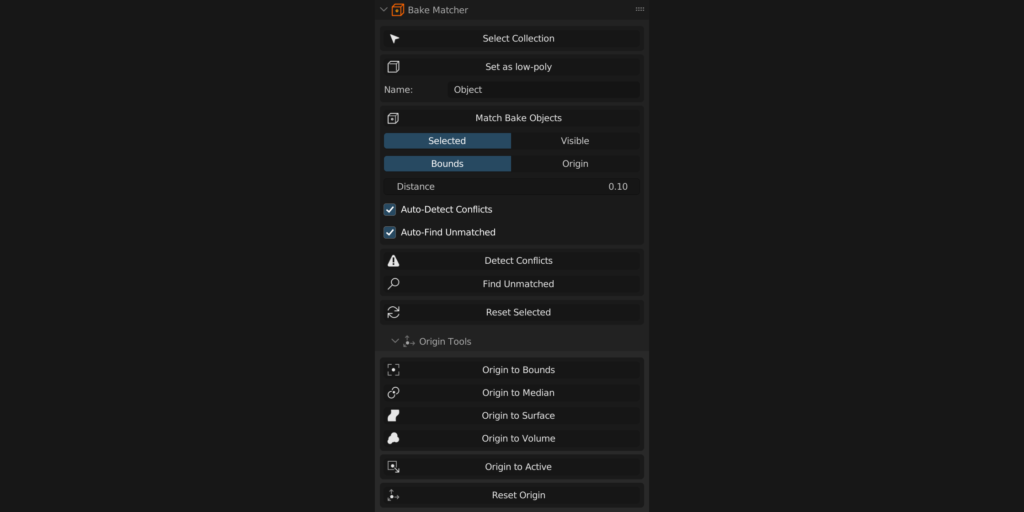
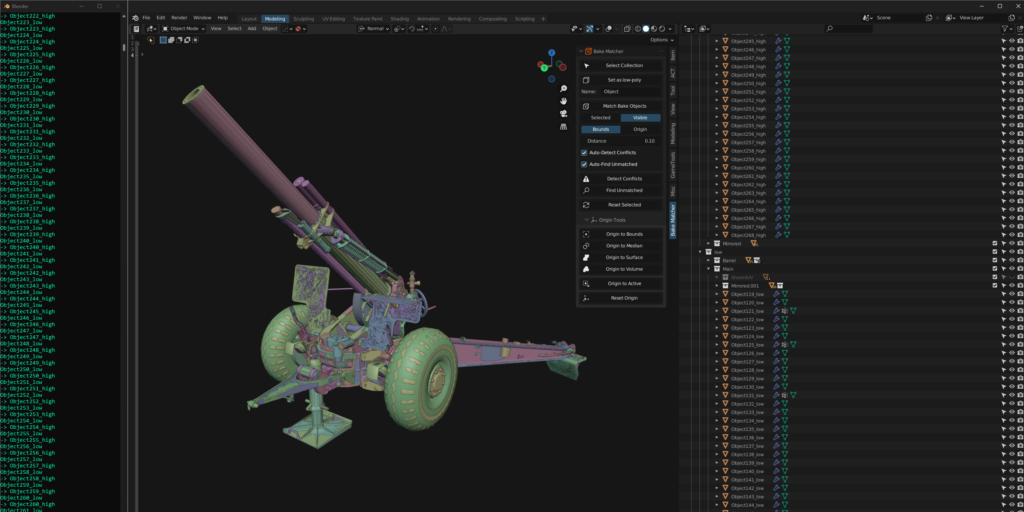
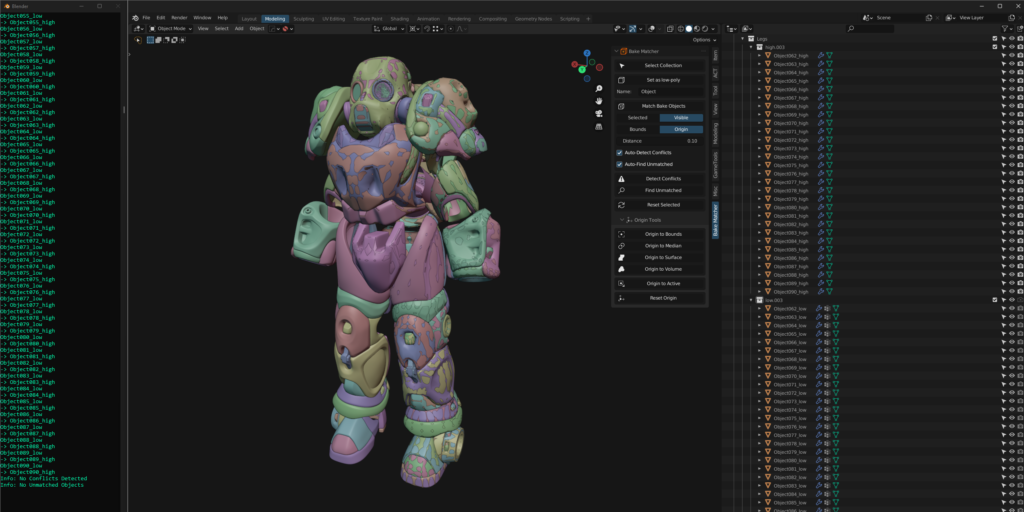
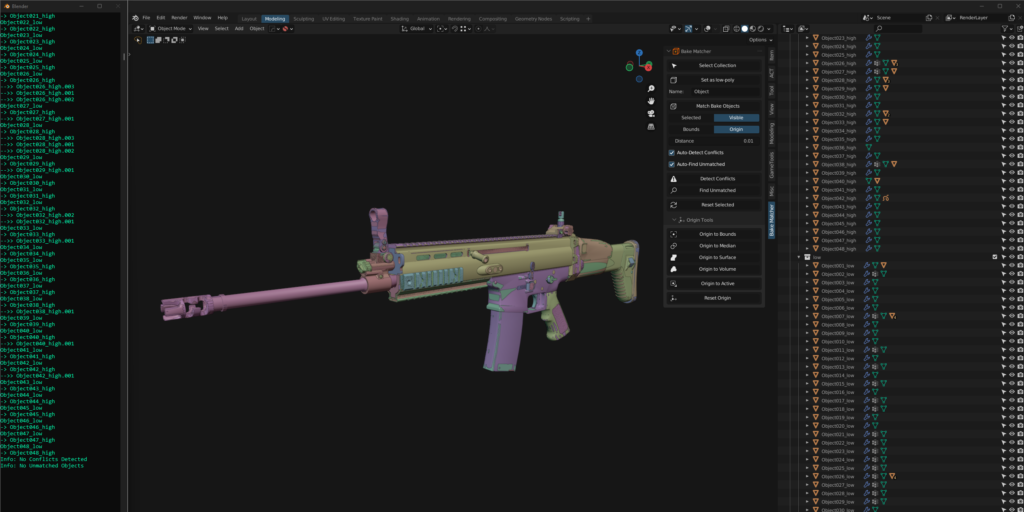
Bake Matcher is a Blender Add-on that automates the naming of objects to match when setting them up for baking.
It works by renaming low/high-poly objects into a standardized naming format and then automatically finds their corresponding bake objects in 3D space and renames them to match.
Keeping objects separated is important for preserving object data and modifiers, as well as baking by mesh name in texturing programs such as Substance Painter where each object is baked separately so that no bleed-over occurs.
Set as low/high-poly:
Renames selected objects into the specified standard naming format with automatic numbering and the “_low” or “_high” suffix.
The name field underneath this button will determine the base name of your objects (Default: “Object”) with numbering formatted as: “001_low”, “002_low”, “003_low”, etc… after it.
Match Bake Objects:
Finds and renames the remaining objects to match their counterparts with the “_high” or “_low” suffix.
Match Bake Objects has 2 methods for comparing low-poly and high-poly objects for matching, which are Bounds Mode and Origin Mode.
- Bounds Mode: Takes a bounding box calculation of the global mesh data for each object, and then compares each corner of the bounding box with other objects to match them.
- Origin Mode: Compares the origin point of each object with other objects to match them.
Each method has its pros and cons, so you will have to decide which is the right one to use for your needs or to best suit your project.
Bounds Mode is the most automated method and will require almost no manual work, whereas Origin Mode will require some manual work to setup and troubleshoot.
The benefit of Origin Mode is that it is much faster in many cases than Bounds Mode, as Bounds Mode relies on accessing mesh data, which can be quite slow depending on the number and complexity of models that you are processing.
Both of these methods rely on a Distance value that can be defined by the user that acts as a threshold value for the matching of objects. The default value of 0.10 works well at the default Blender scale, but if you work at a larger or smaller scale, you may need to adjust this value in order to avoid conflicts.
Match Bake Objects will also account for floaters/floating geometry, which must be parented to their base high-poly object in order to be matched with the correct low-poly object.
Bake Matcher comes with Troubleshooting tools for both before and after the matching process: Detect Conflicts and Find Unmatched.
By default Bake Matcher will automatically run each process before and after the matching process respectively, which is controlled by the “Auto-Detect Conflicts” and “Auto-Find Unmatched” checkboxes.
These can be turned off to speed up the process of subsequent matching if you have ran them previously and are sure that there are no conflicts or unmatched objects.
Detect Conflicts:
Detect Conflicts will automatically find conflicting low-poly or high-poly objects based on the current distance value and select them for the user to resolve.
You can resolve conflicting low-poly or high-poly objects by adjusting the Distance value or by adjusting the origin point positions for Origin Mode. This tool is intended to be used before Match Bake Objects, as it will avoid overlap in the matching process.
Find Unmatched:
Find Unmatched will find any low or high poly objects that haven’t been matched to a corresponding object and select them for the user to resolve.
Objects will fail to be matched if the distance value is not large enough or if origin points have not been properly configured for Origin Mode.
Reset Selected:
Reset Selected can be used to reset the name of selected objects back to the specified naming convention without the “_low” or “_high” suffix.
An additional Origin Tools section has been included in Bake Matcher to assist with setting up matching for Origin mode.
Origin Tools includes quick access buttons for several built-in algorithms to set the origin point to the center of your objects. These include Bounds, Median, Surface, and Volume.
For setting up objects for Origin Mode matching, it is best to start by using the “Origin to Bounds” option on all of your objects, and then using the other modes to attempt to resolve any unmatched objects after that.
If none of the additional algorithms can match together the unmatched objects, it is quickest to use “Origin to Active“, which will set the origin points of your selected objects to the origin point of the active object. This way you can set the origin point of your high poly object to your low poly object manually.
Supercharge your 3D creation workflow with premium selection of Blender Add-ons. Whether you are modeling intricate characters, sculpting realistic environments, or animating cinematic sequences, the right add-on can transform how you work inside Blender. Our curated collection includes powerful tools for UV unwrapping, procedural texture generation, rigging automation, rendering optimization, and more—each rigorously tested for compatibility with the latest Blender versions. Eliminate tedious manual processes and unlock advanced functionality that lets you focus on what matters most: bringing your creative vision to life. Explore our full range of professional Blender plugins today and take your 3D projects to the next level.
➡️ ➡️ For more Blender Plugins 😀 😀
Reviews
There are no reviews yet.