
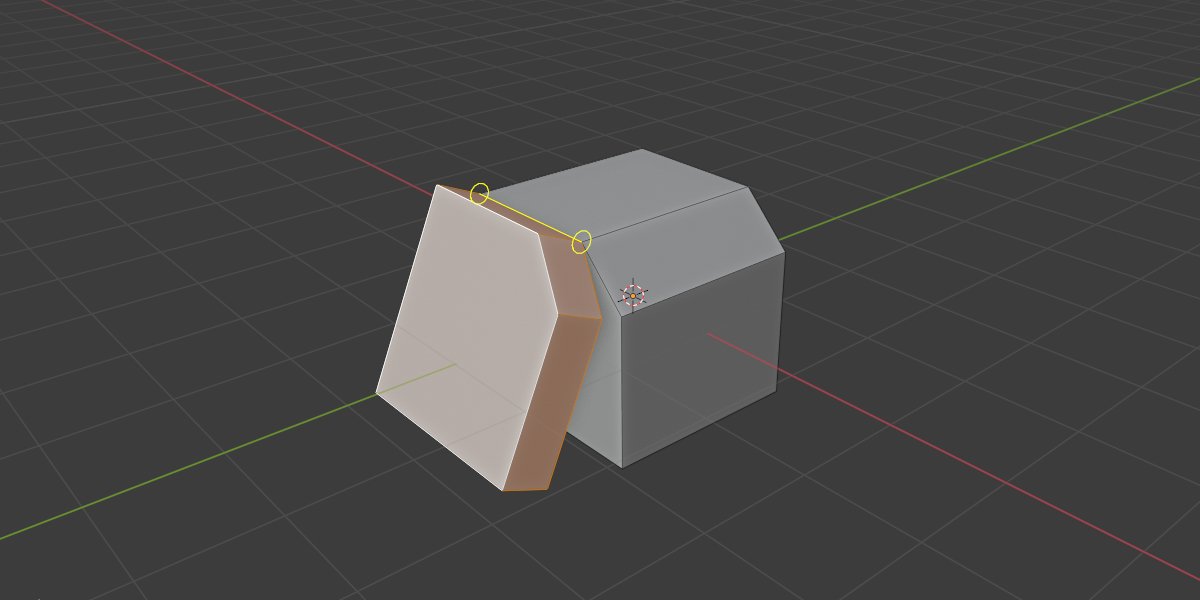
bend face for Blender
Bend Face v4.2.0 for Blender – The Ultimate Non-Destructive Mesh Deformation Tool
File Size: 3MB
Download Bend Face v4.2.0 for Blender on Windows and Mac, a powerful addon that allows you to bend, curve, and twist specific faces or entire mesh sections with intuitive controls and zero topology destruction. With real-time preview, adjustable falloff zones, and support for complex organic shapes, Bend Face v4.2.0 transforms how you model hard-surface details, character limbs, and architectural curves, eliminating the need for manual vertex pushing or complicated lattice modifiers.
Key Features of Bend Face v4.2.0:
Precise Face Selection Bending: Isolate specific faces or face loops and apply smooth curvature without affecting the rest of the mesh topology
Real-Time Interactive Handles: Manipulate bend angle, direction, and intensity directly in the 3D viewport using custom gizmos for instant visual feedback
Adjustable Falloff Zones: Control exactly how the deformation blends into surrounding geometry to prevent sharp creases or unnatural stretching
Multi-Axis Control: Bend along X, Y, or Z axes independently, or use custom orientation based on face normals for complex angles
Non-Destructive Workflow: All bends are applied as modifiers or editable operations, allowing you to tweak parameters or remove the effect entirely at any stage
Support for Complex Topology: Intelligently handles ngons, triangles, and dense meshes while maintaining clean edge flow and volume preservation
Batch Bending: Apply the same bend settings to multiple selected faces or objects simultaneously for consistent detailing
Improved Stability v4.2.0: Enhanced calculation engine for high-poly meshes, faster viewport updates, and better compatibility with subdivision surface modifiers
Cross-Platform Support: Works flawlessly on both Windows and Mac systems including Apple Silicon M1/M2/M3 chips
Perfect For:
Hard surface modelers creating curved panels, pipes, and mechanical details
Character artists adjusting limb poses or bending clothing folds without sculpting
Architectural visualization artists curving walls, roofs, and furniture elements
Anyone tired of manually moving vertices to create smooth curves
Designers needing quick iterations on bent forms without committing to final topology
System Requirements:
Blender 3.6, 4.0, 4.1, 4.2, 4.3+ (Latest LTS recommended)
Windows 10/11 (64-bit) or macOS 10.15+
8GB RAM minimum (16GB+ recommended for very high-poly models)
GPU acceleration supported for smoother interactive manipulation
Installation:
Open Blender and go to Edit > Preferences > Add-ons:
Click “Install…” and select the downloaded .zip file for Bend Face
Enable the checkbox next to “Mesh: Bend Face”
Access via the Mesh Menu > Bend Face or the 3D Viewport Sidebar (N-panel) > Bend Face Tab
Note: Version 4.2.0 introduces a new “Symmetry Mode” that automatically mirrors bends across selected axes, along with improved handling of UV coordinates to prevent texture stretching during deformation.
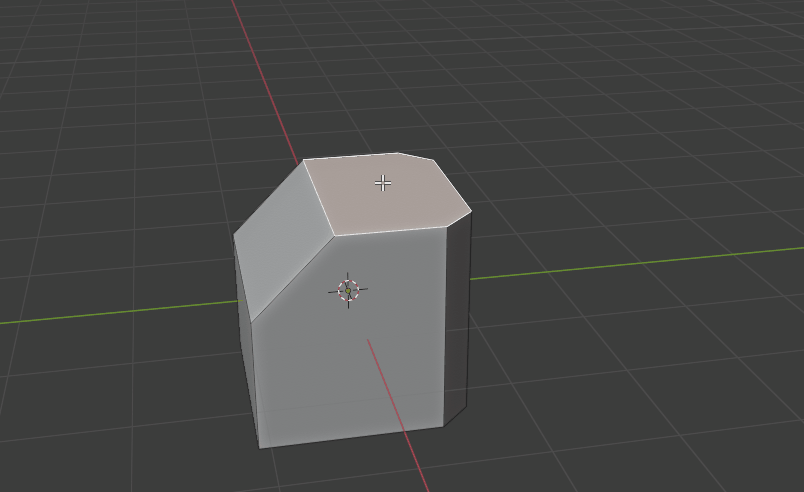
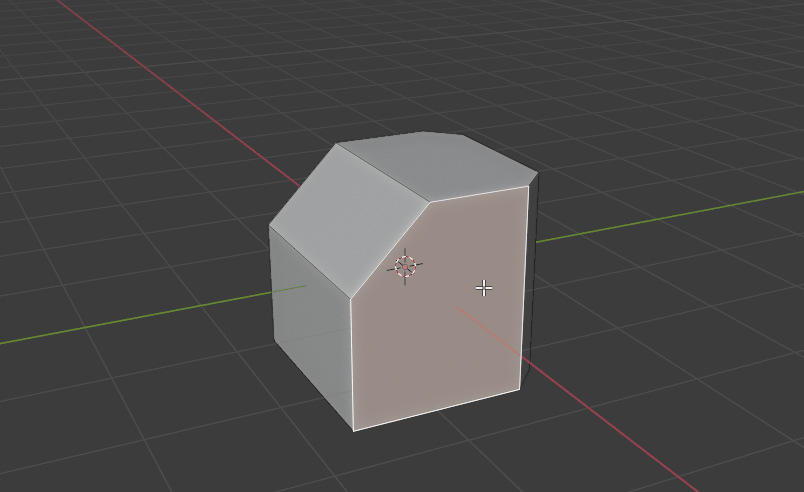
Bend Face is a simple tool for Rotating / Moving your faces.
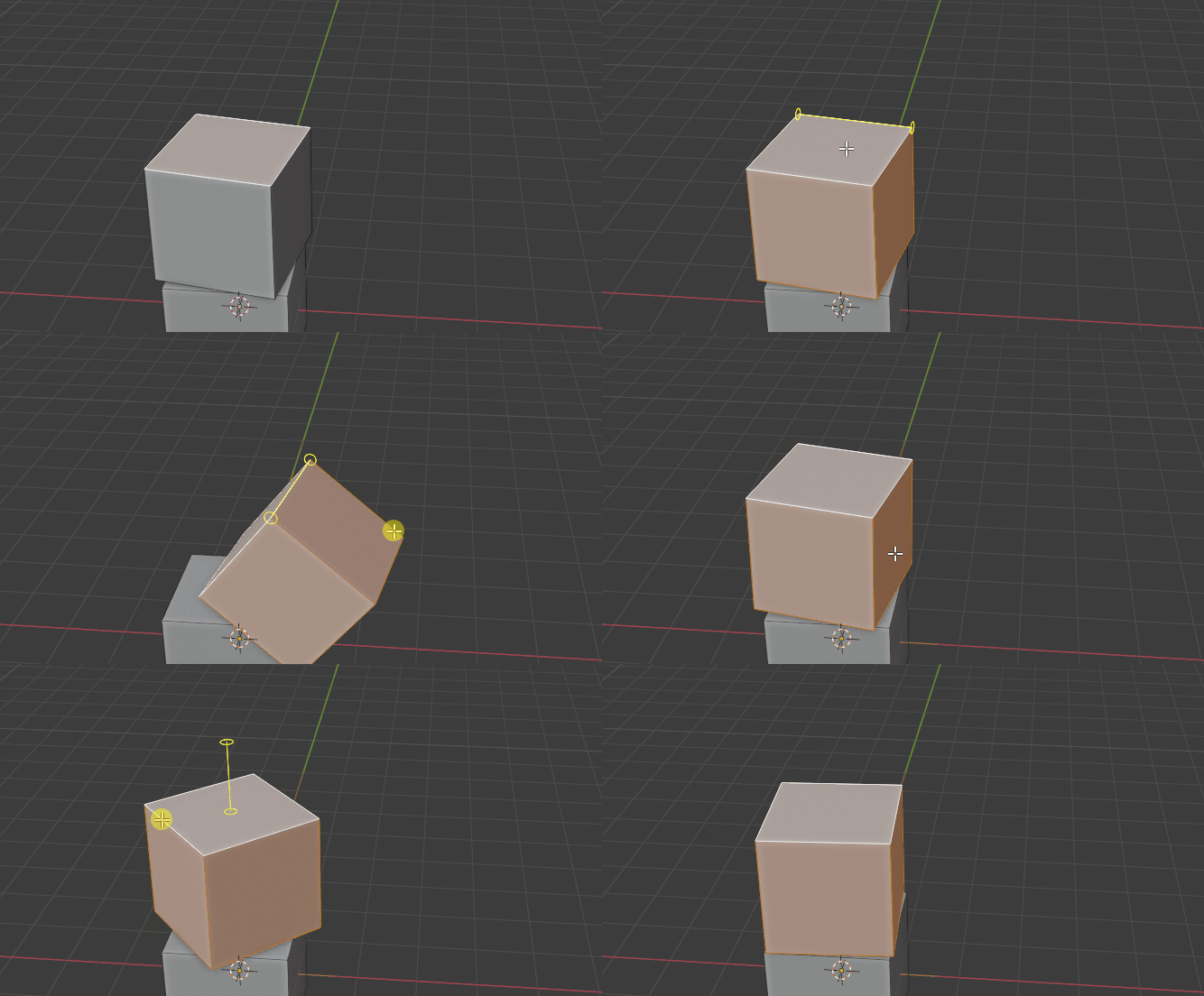
Note : This is version 4.0.0, a complete rewrite of the tool. If you are using the old version, please update it and re-read the documentation.
Basic Usage
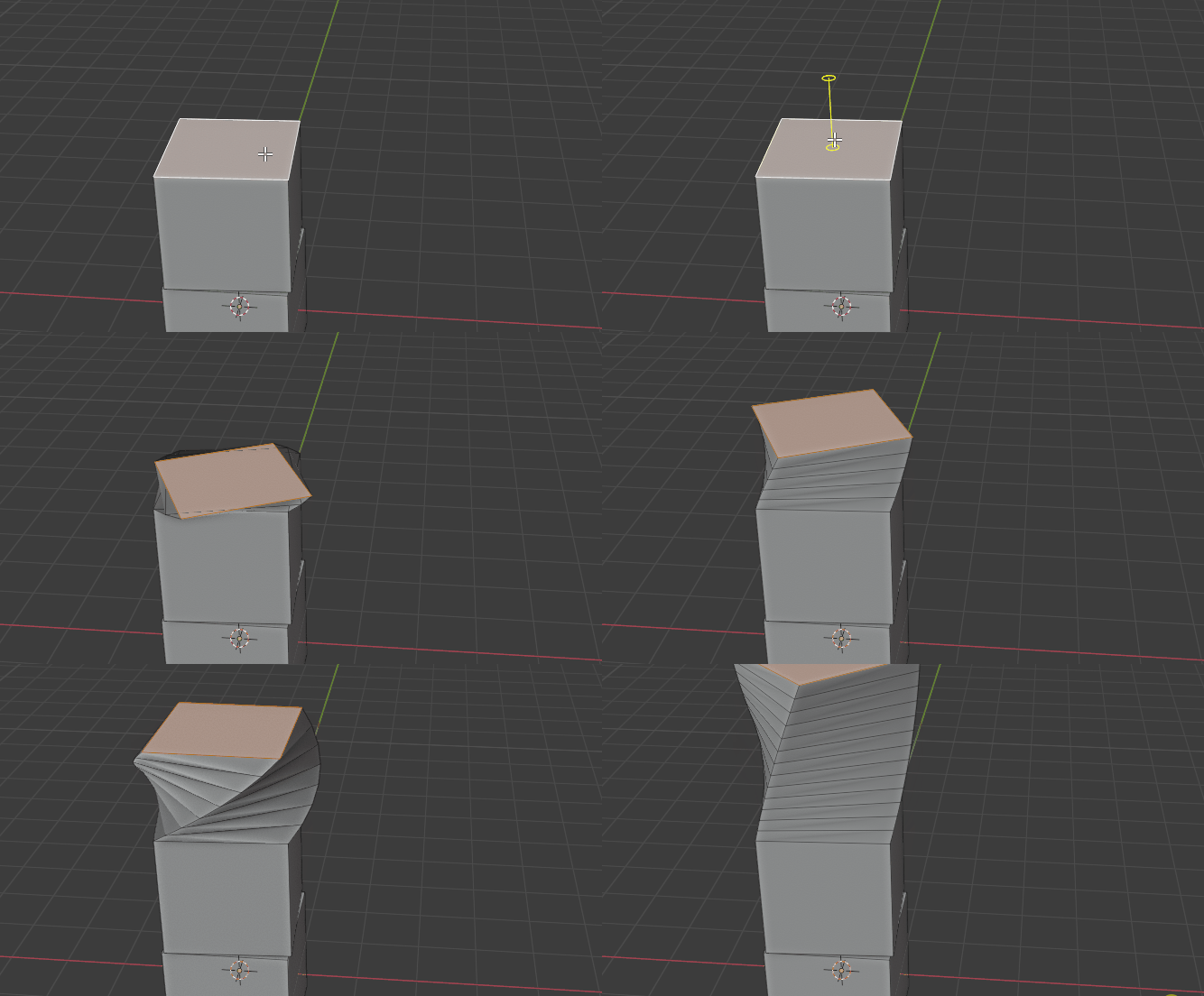
This tool allows you to rotate or move the selected face by any edge, or even using the face normal. It is super convenient and easy to use.
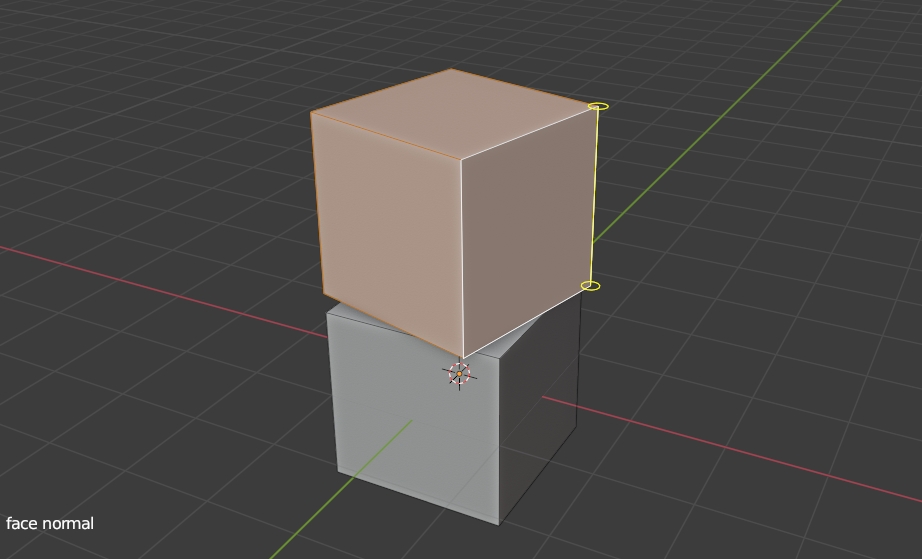
When you use the tool, it shows yellow lines for the closest edge.
You can drag with left mouse button, it will rotate the mesh.
Or you can drag by right-mouse button, it will move the faces along it.
After doing all the actions, you can press Q key or Esc key to exit.
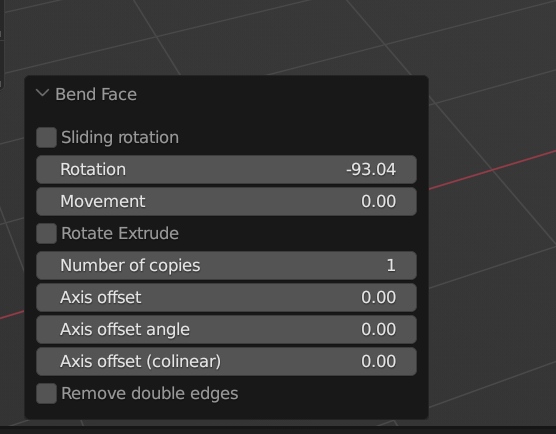
You can also input numbers directly for exact angle or distance in the Left-Bottom menu.
You can use the Left-Bottom menu to modify the last action. (Last Rotation or Moving performed by mouse)
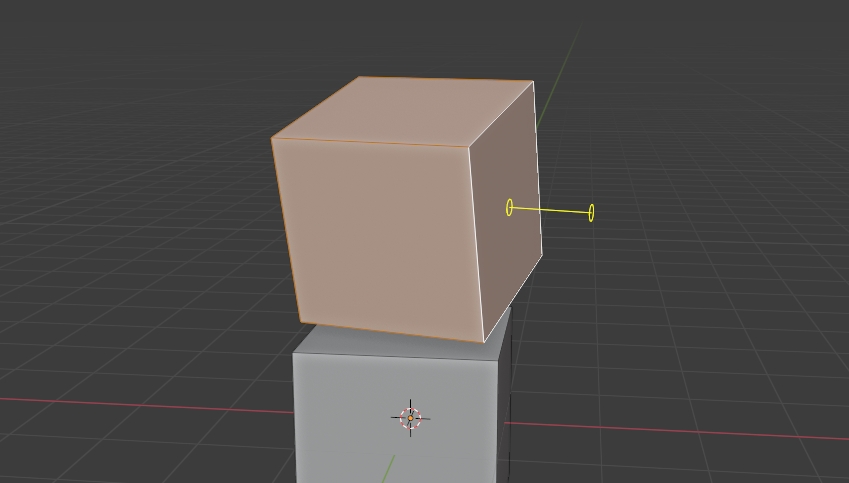
Face Normal Mode :
You can press F key to switch to Face Normal Mode. It will show yellow lines for face normal instead of edges. You can then rotate the faces by normal lines, or move along them.
Just press F key once to toggle the mode.
Rotate Extrude
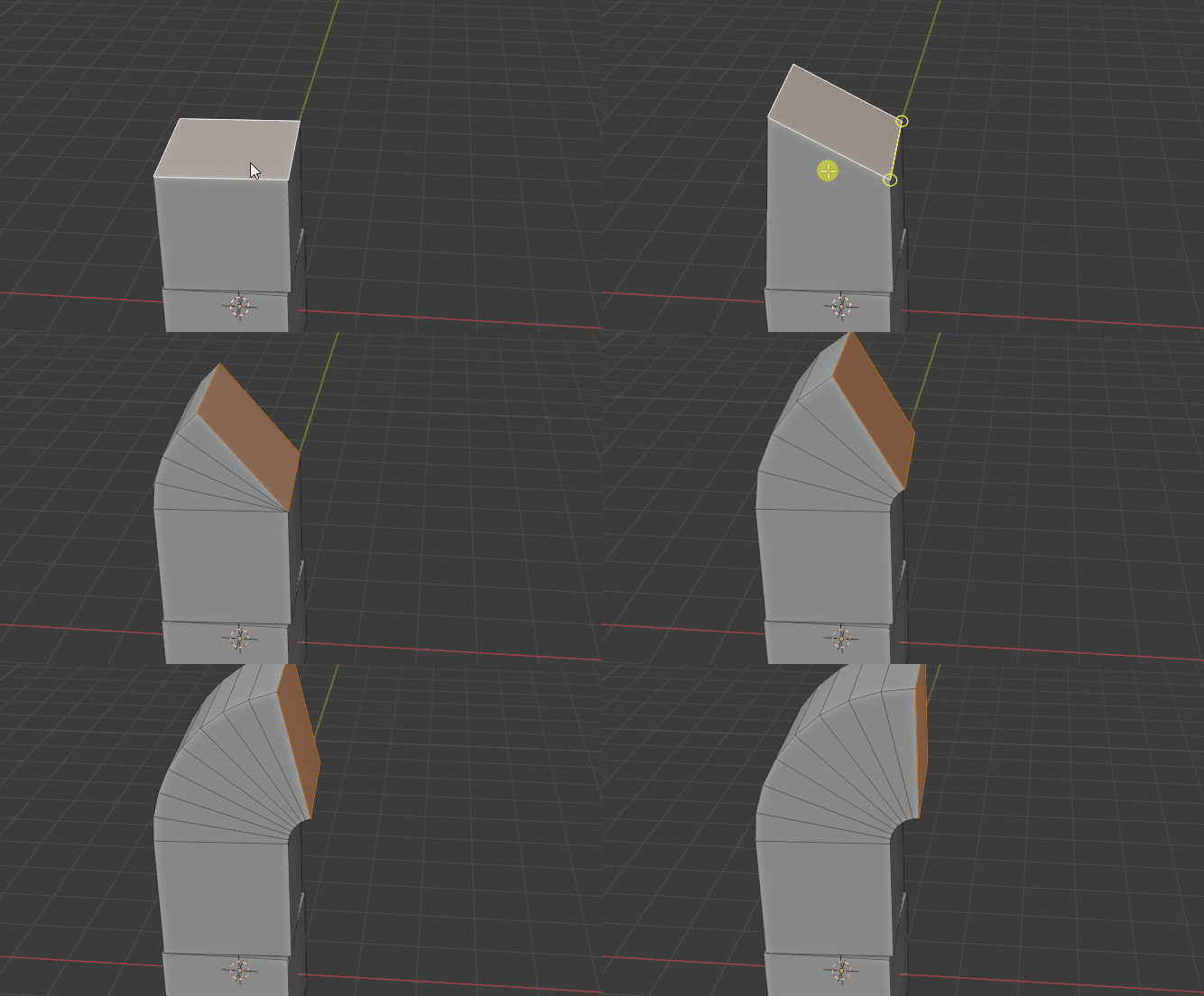
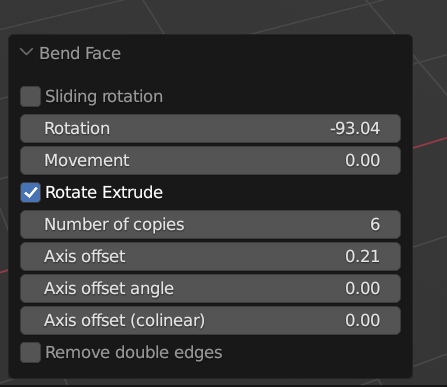
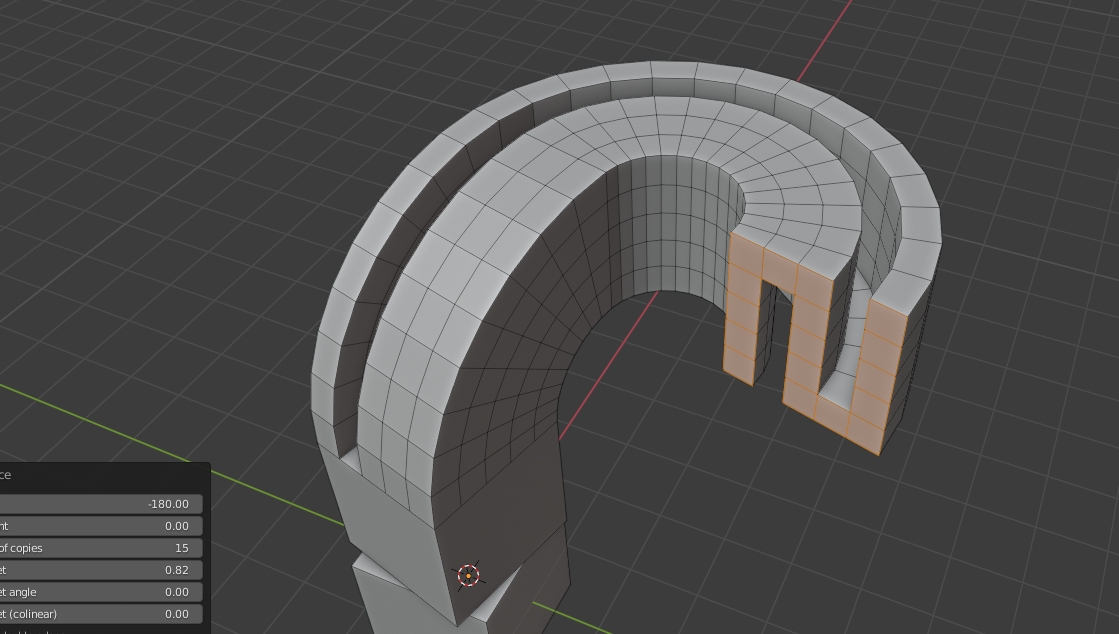
You can set a “Number of copies” to create edge-loops between the original face and the rotated / moved face. This powerful function allow you can created bended mesh easily.
* To enable this function, you have to check the option box “Rotate Extrude” at the Left-bottom menu, then increase the number of copies, like below :
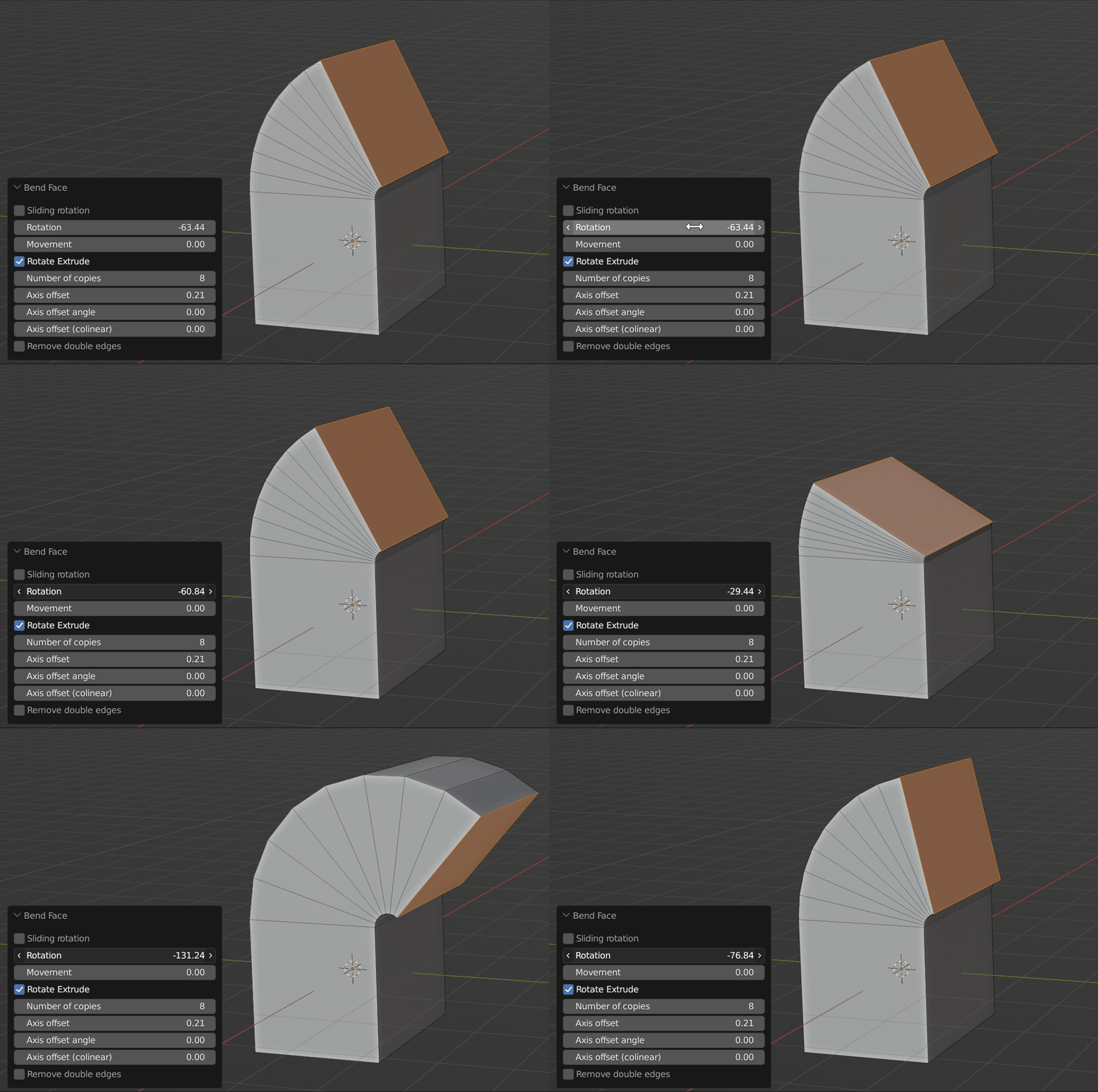
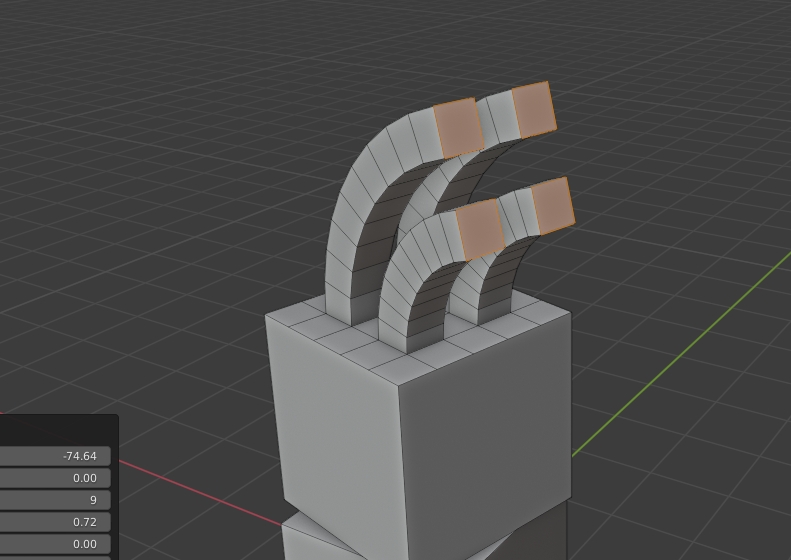
Also, you can use Face-normal mode together with edge-loops copies option, increasing the Axis Offset (co-linear) to create some cool bended face extrusion.
There is no limit on how the faces are selected. There are many possibilities for this feature !
Sliding Rotation (experimental)
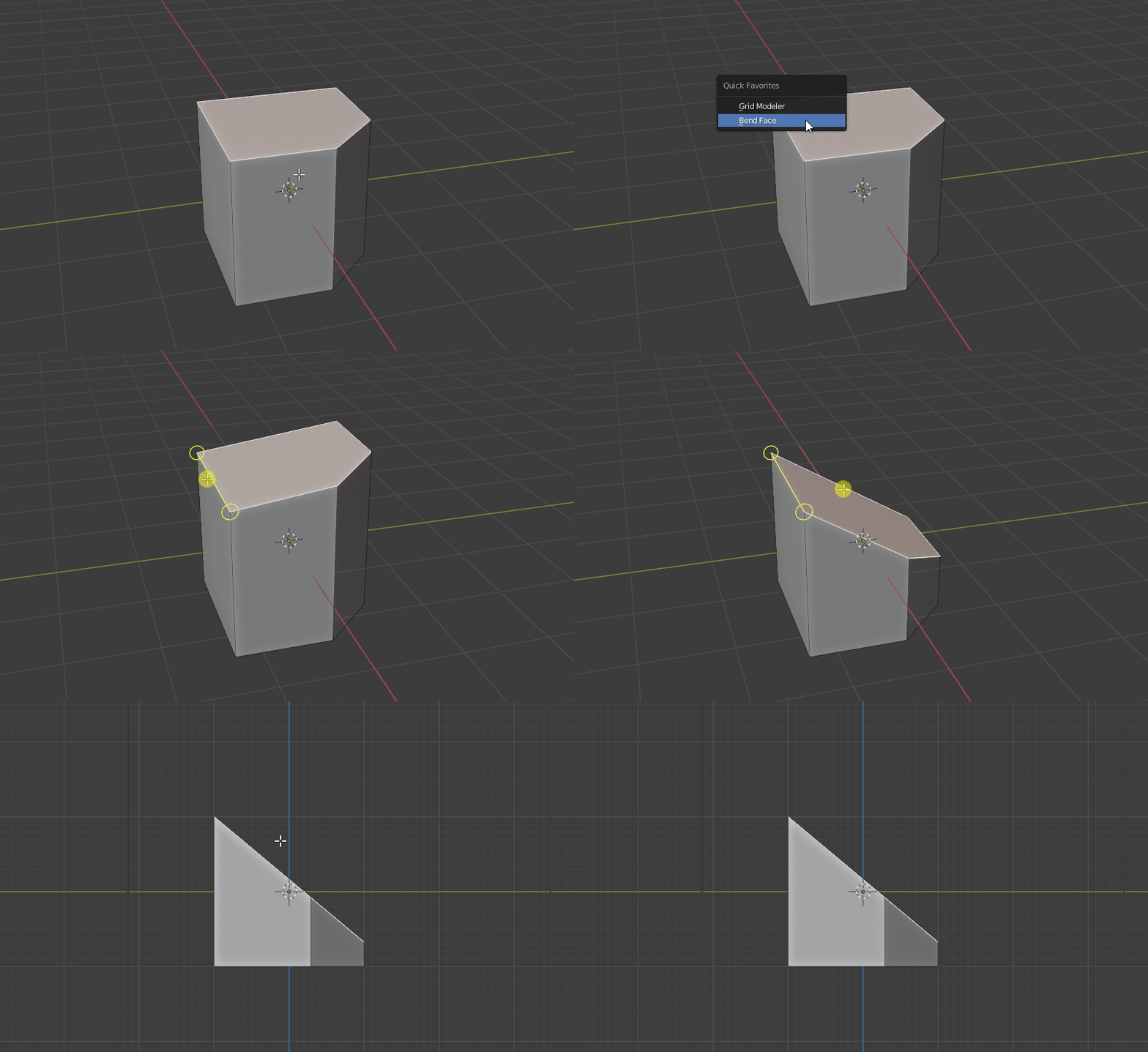
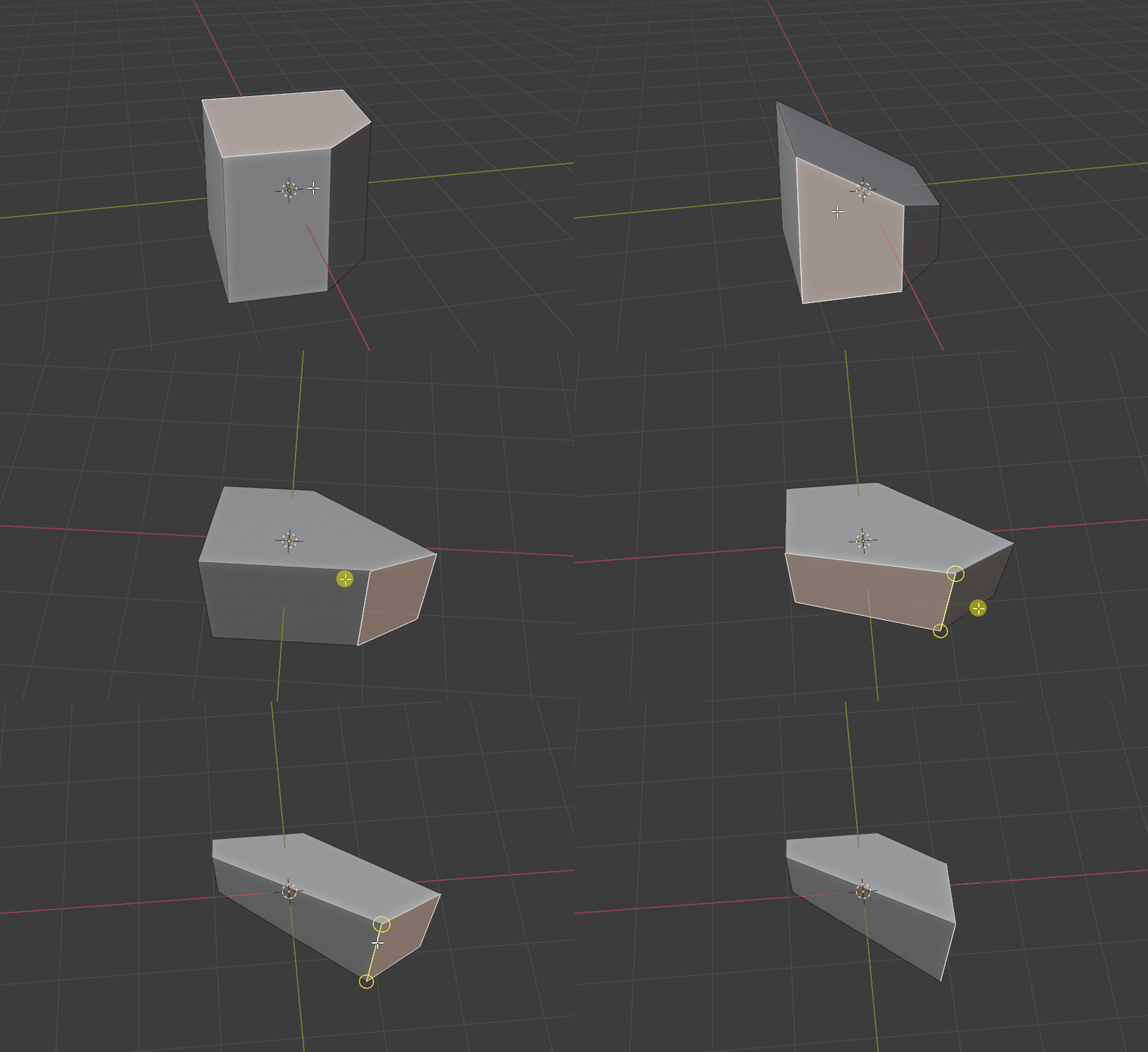
You can slide the vertices when you rotate. Just press S key to turn on Sliding mode. (when using this function, you can only have 1 face selected.)
Quick Rotation Hotkey
When you rotate face in continuous mode, you can set the rotation to pre-defined value quickly. Pressing the number keys 1,2,3,4 will set the value.
1 key = 30 degree
2 key = 60 degree
3 key = 45 degree
4 key = 90 degree
Pressing the same key again will set it to negative value.
Tutorial
- Now Bend Face does not automatically exit when you perform action. So you can keep doing different actions, then press Q key or Esc key to commit.
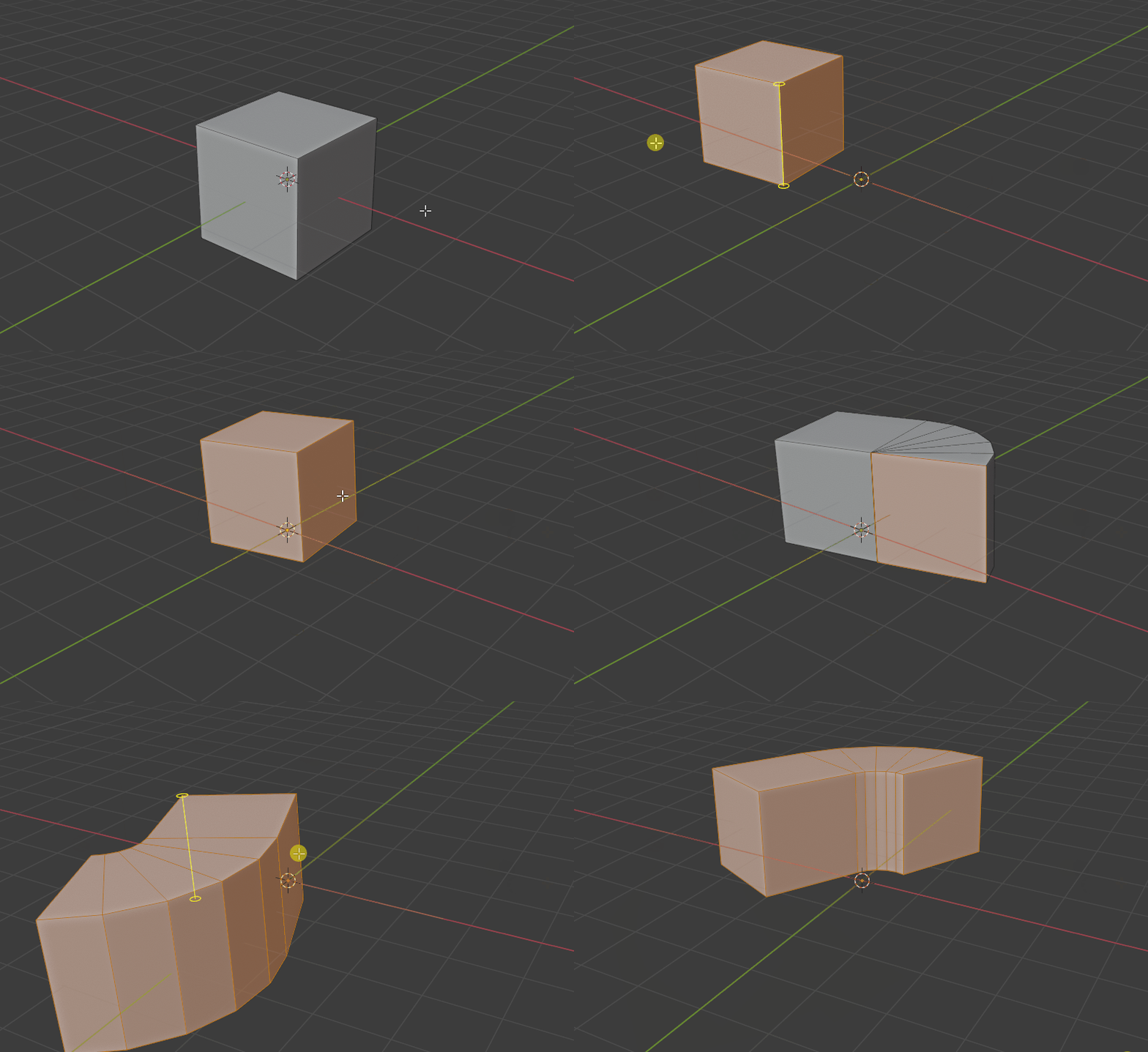
- To use rotate-extrude feature of Bend Face :
- Rotate the selected faces
- Press Q to commit immediately (without adding other actions)
- Change the Loop counts settings in the Left-Bottom panel
This update combined the design from old version and recent version.
It balance the usability and speed for doing multiple actions (without calling the tool multiple times).
Version 4.2.0
- This is a major bug fix update
- Now you can have “hole” in your faces selection. The empty selection in the inner area will not cause problems.
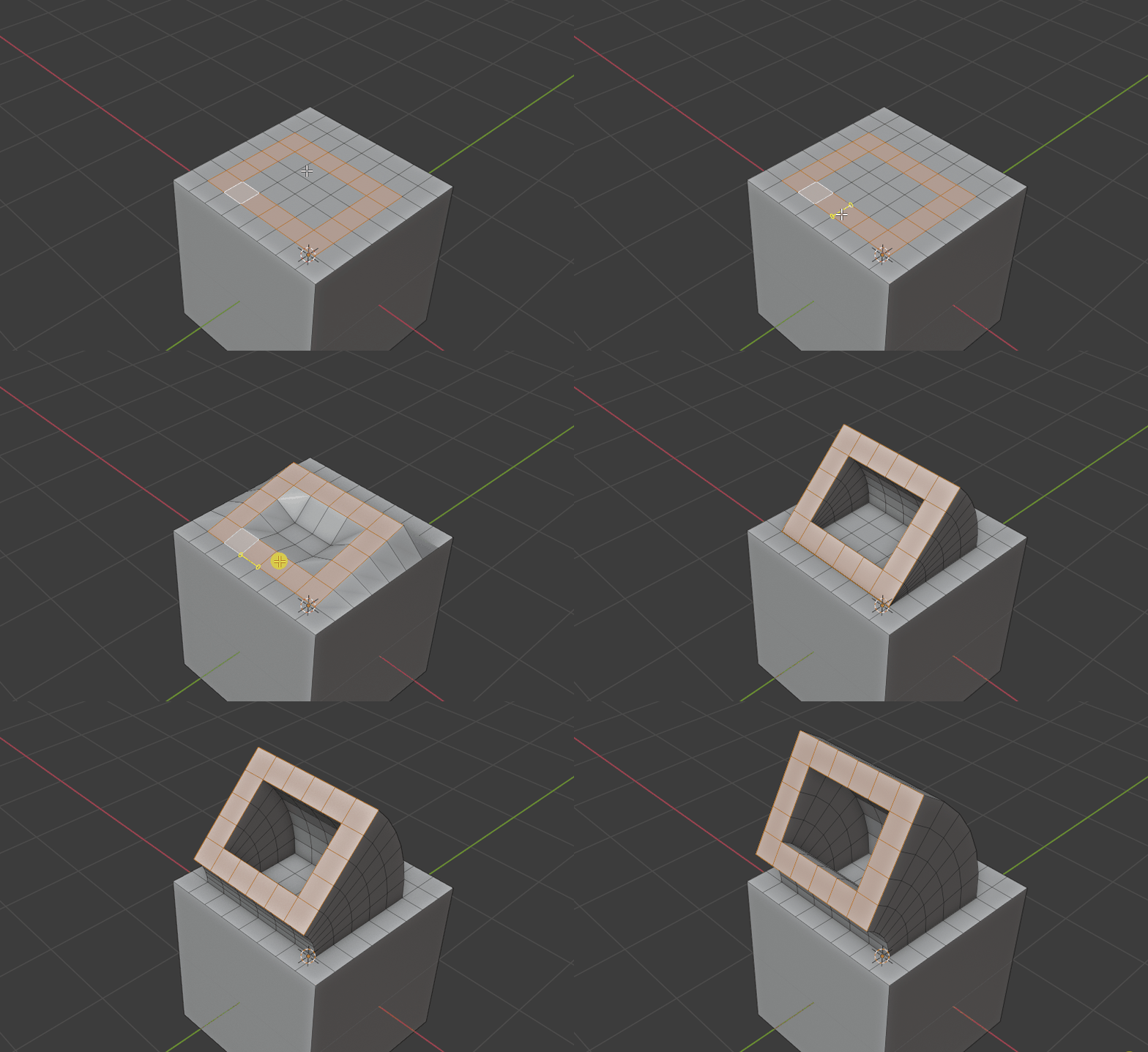
Version 4.1.0
- This is a major updateAdd a experimental “Sliding rotation” mode !In this mode the face vertices will slide along the existing edges.This is very useful for modeling and extremely convenient.Just press S key to turn it on!(Only support 1 selected face)
Version 4.0.1
- Fixed a bug for rotation-extrusion (leaving internal faces inside the mesh).
Version 4.0.0
This is a major update of the tool !
- Simplified the tool, added Left-Bottom menu for rotation angle or move input
- Now you can Rotate-Extrude easily !!
The new option “Number of copies” auto create connected edge-loops.This is a very power function for making tubes, bended cylinder, complex deform mesh with selected faces. - Also you can rotate/move whole selected mesh with copies too !
Version 3.1.2
- Fixed UI text size for Mac (macos is using ui-scale 2.0 in blender)
Version 3.1.1
- Fixed a bug causing problem for object moved in object mode
- Fixed a bug for face normal mode
Version 3.1.0
- Now you can enter numbers for rotation and movement !After dragging the yellow line for rotation or movement, you can press the number keys to input number, it will override the original action.When you finish, just click the left mouse button to confirm, or press Enter key.
- Now you can Undo the action by Ctrl + Z !Currently it only support 1 undo step.
Version 3.0.0
This is a major update !
- Upgraded with a clever “auto closest-edge” control !
Now you don’t need to click on the edge to drag, just drag anywhere near the edge and it works perfectly !
Now you can rotate and move the mesh super fast!
Version 2.1.4
- Now you can hold the Face Normal line by Shift key !When you are using Face Normal mode, you can keep the current yellow line by holding shift key. It is convenient when you hover your cursor to a very complex mesh.
Version 2.1.3
- Bug Fixes.
- Improved handling for large scale object (read viewport zoom information)
Version 2.1.0, 2.2.1, 2.1.2
- Improved the Face Normal mode (F key). Now you mouse your mouse to any face, then it will show the normal yellow line !Then you can drag the yellow line for rotation or moving faces.
Version 2.0.1
- Improved the line drawing
Version 2.0.0
- Complete rewrite for the tool.
- Added a new GUI for quick rotation or movement.
Version 1.0.0
- First release
Usage
- In Edit mode , select the faces you want to work on.
- Right click to open context menu, select Bend Face at the bottom of menu.
- Move your mouse cursor to an edge (the edge will become rotation axis / movement axis)
- You can drag by mouse button to rotate or move :
Left Mouse Button : using left mouse button to drag near yellow line, it will rotate the faces by the line.
Right Mouse Button : using right mouse button to drag near yellow line, it will move the faces along the line.
Note : when you drag the yellow lines, it measure left and right (horizontally). Please move the cursor horizontally.
- Holding Ctrl key : when you rotate or move by holding Ctrl key, it will snap to the 5 degree steps for rotation, or 0.25 steps for movement.
- F key : switch between Edges mode and Face normal mode.
- Esc key : Cancel any changes and exit the tool.
- Q key to confirm and save
5. Change the settings in the Left-Bottom Menu.
How to rotate and extrude with many cuts :
- Rotate the selected face
- press Q key to confirm
- Check the option box “Rotate Extrude”
- Increase the number of copies
Supported Version
blender 2.83 or above
Supercharge your 3D creation workflow with premium selection of Blender Add-ons. Whether you are modeling intricate characters, sculpting realistic environments, or animating cinematic sequences, the right add-on can transform how you work inside Blender. Our curated collection includes powerful tools for UV unwrapping, procedural texture generation, rigging automation, rendering optimization, and more—each rigorously tested for compatibility with the latest Blender versions. Eliminate tedious manual processes and unlock advanced functionality that lets you focus on what matters most: bringing your creative vision to life. Explore our full range of professional Blender plugins today and take your 3D projects to the next level.
➡️ ➡️ For more Blender Plugins 😀 😀
Reviews
There are no reviews yet.