
Braw Studio plugin for color and light adjustments of BRAW files in After Effects and Premier Pro
This section includes the Braw Studio version 2.5.0 plugin for After Effects and Premiere Pro that is available for download on the site. With the help of this plugin, you can import BRAW files captured with Black Magic cameras into the After Effects and Premiere Pro software and adjust their color and light.
Brand new Desktop Application, White Balance Picker, Premiere Pro Metadata Organizer Tool. Available in FREE and Premium Versions. After Effects, Premiere Pro and Media Encoder native Blackmagic RAW (.braw) importer, with advanced Premiere Pro features in our BRAW Studio Panel as well as customizable RAW Settings with our Layer Settings After Effects filter.
Braw Studio v2.5.0 Plugin For Premiere And After effect
Technical Specifications
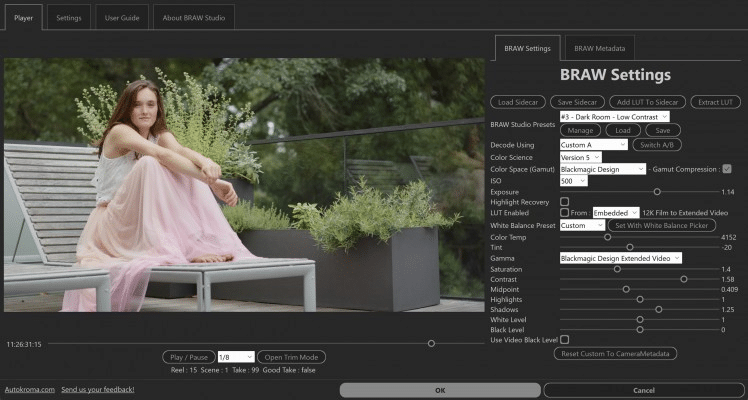
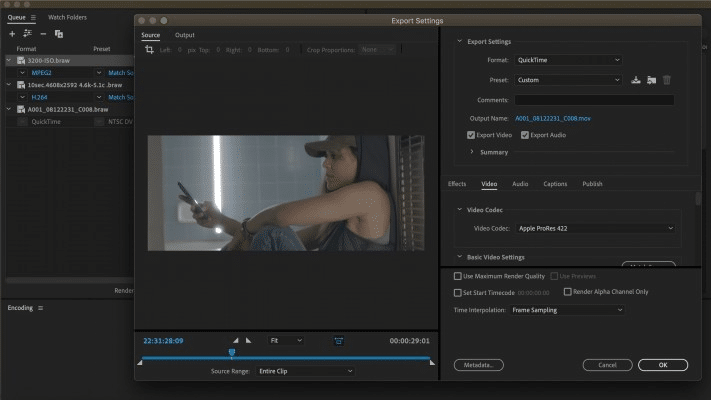
BRAW Studio is a stand-alone desktop software to play and grade BRAW files, and it also includes a suite of Adobe plugins (+ Premiere Pro Panel) adding a new .braw format to be imported into Adobe Premiere Pro, Media Encoder, After Effects, Audition. Its basic features are FREE (importer + Source Settings effect), but you have access to much more with a Premium license !
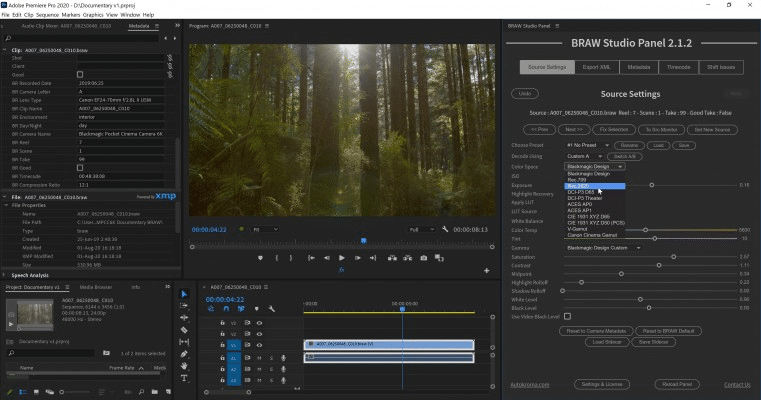
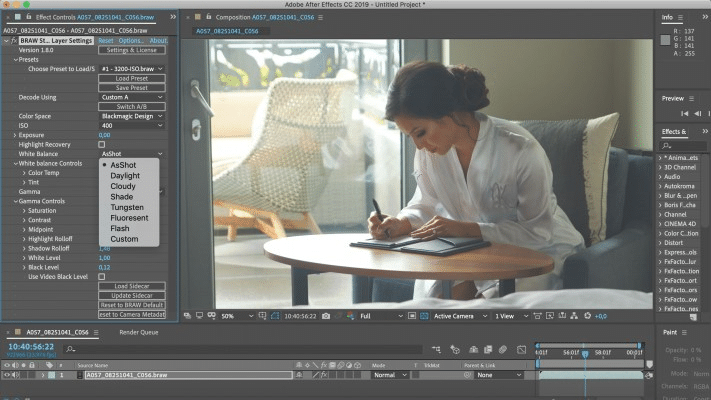
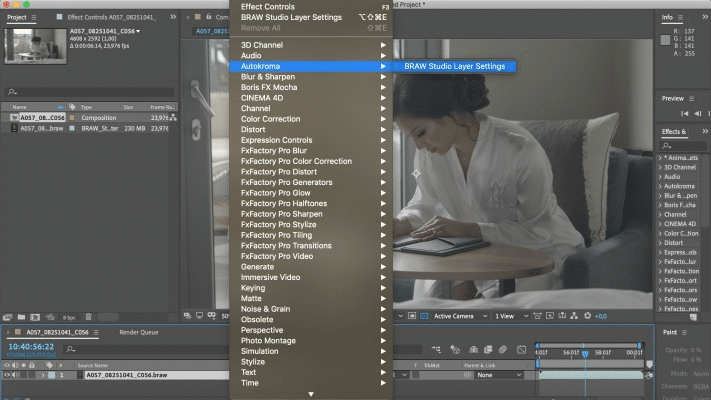
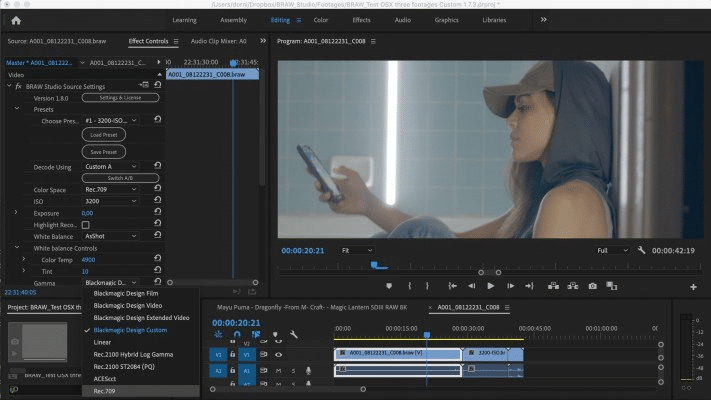
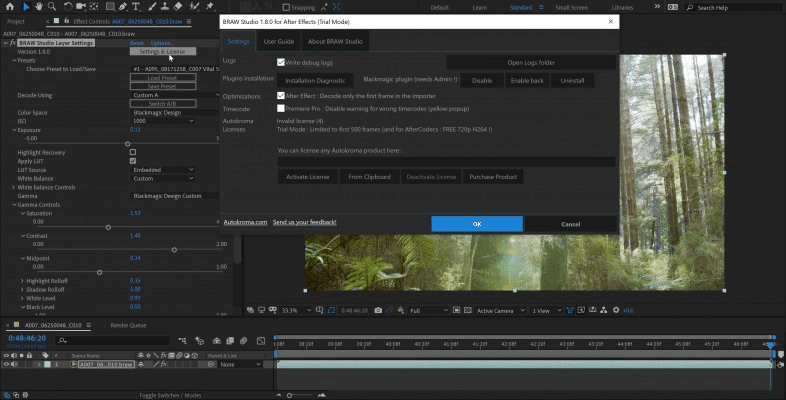
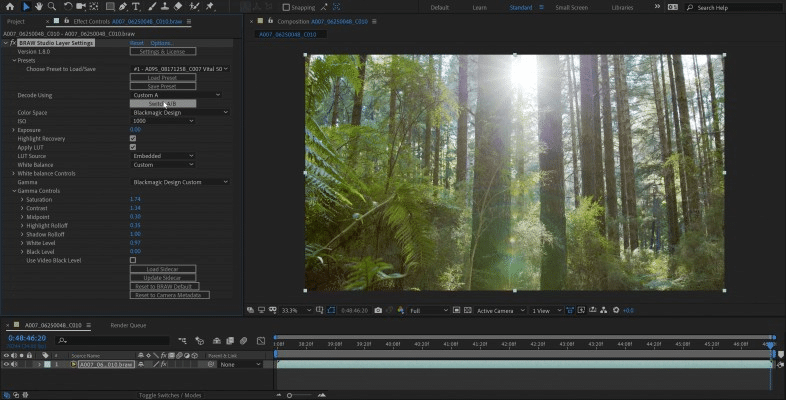
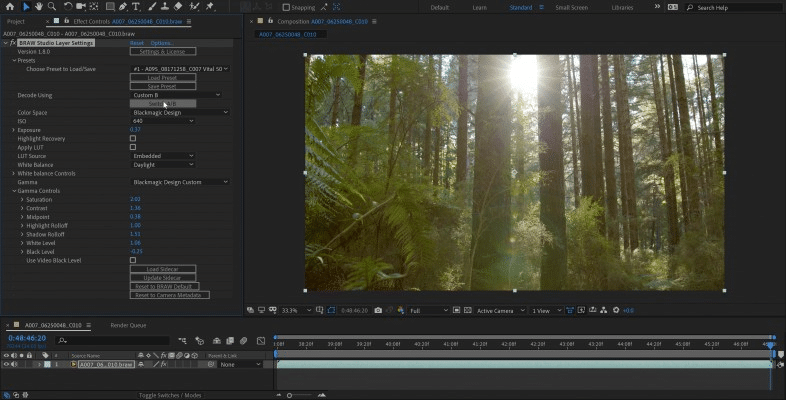
In Premiere Pro, you can access the Blackmagic RAW Params in our BRAW Studio Source Settings Panel (available in top menu : Window -> Extensions). This Panel also provides useful utilities and workflow features, for example batch applying parameters changes to many clips at once, extracting Embedded LUT, importing your footages metadata, a Toolbox tab etc. On After Effects you will be able to use the BRAW Studio Layer Settings effect to color grade your .BRAW which is impossible without BRAW Studio.
You also have access to our new Desktop Player and Color Grader application, letting you do everything you need with your .BRAW files without launching a video editing application such as DaVinci Resolve and Premiere Pro.
Requirements
- One license is for the same user on up to two computers not used at the same time
- Adobe Premiere Pro and Media Encoder from 13.0 (CC 2019) to 24.x (2024) included
- Adobe After Effects from 16.1 (CC 2019) to 24.x (2024) included
- macOS Intel and Apple Silicon : 12 (Monterey) to 14 (Sonoma)
- Microsoft Windows 10 and 11. CPU : at least SSE4.1 instructions set. Most CPUs before 2008 are not compatible (e.g. AMD Phenom II. AMD Phenom II X6 is not compatible !). Compatibility with Intel starts with Core 2 Penryn architecture in 2008. This is a limitation of the BRAW API
Known bugs
- Please note all those bugs are from Adobe and you will also experience them using Blackmagic’s PrPro plugin :
- You can’t use properly the PrPro Project Manager with .braw files but you can use PlumePack instead
- If you need to use
Replace Clipfeature in Premiere Pro to change one of your source by another, there could be conflicts afterward with the Source Settings (the ISO List could be wrong and the sidecar file will stay to its old path). However, after usingReplace Clip, you can save your project, close and restart Premiere Pro and everything will be fine. The same problem happens when copy pasting the Source Settings effect from a BRAW file to another on Premiere Pro 2022 onwards. If you want to copy BRAW Settings, please use BRAW Studio Panel : there is a Copy and Paste button inside and it can be applied to a multiple BRAW selection. - Do not save / apply presets on the Source Settings, please read our article about alternative methods
- Media Start timecode for 29.97fps NTSC footage is wrong. This also means you can’t export Final Cut Pro XML and import the timeline into DaVinci Resolve properly. Please follow our article to solve this issue
After effects templates
Amazing clips to use and help you create your own unique projects from AE templates or to improve the design of your existing broadcasts.
We have a wide range of templates for you to choose from. You can find PowerPoint Video Templates, Motion Graphics Templates, and After Effects Logo Templates, Scripts, Promos, news, fashion, sports, social media, titles…
After Effects Templates, Wedding Templates as well, After Effects Intro Templates, Transitions, Products Promos, Instagram stories, Scripts, Call Titles, Elements 3D, Corporate , and many more.
With After Effects project files, or templates, your work with motion graphics and visual effects will get a lot easier. In short, they are customizable After Effect files, neatly organized and labelled. You can easily change colors, text and other design elements without having to spend time on creating timelines and effects. It’s all there-you just need to customize it to fit your project.
What you waiting for? Hurry up and download the best after effects templates
➡️ ➡️ For more Ready Project Files Templates 😀 😀
➡️ ➡️ For more after effects plugins 😀 😀
System Requirement For adobe after effects
Reviews
There are no reviews yet.