

Chain And Sprockets v1.03 Script for Building Chain Simulation in After Effects
This section includes the Chain & Sprockets version 1.03 script for After Effects, which is available for download on the site. With this script, you can do the chain building simulation well. With the help of this script, we can easily make bicycle chains or any object that has chains.
Chain & Sprockets builds a 2 gear and a connecting chain rig with an effect allows you to animate and further customize the rig.
Simple To Use:
Open the script and you’ll find this interface, where you can set the configuration of the rig.
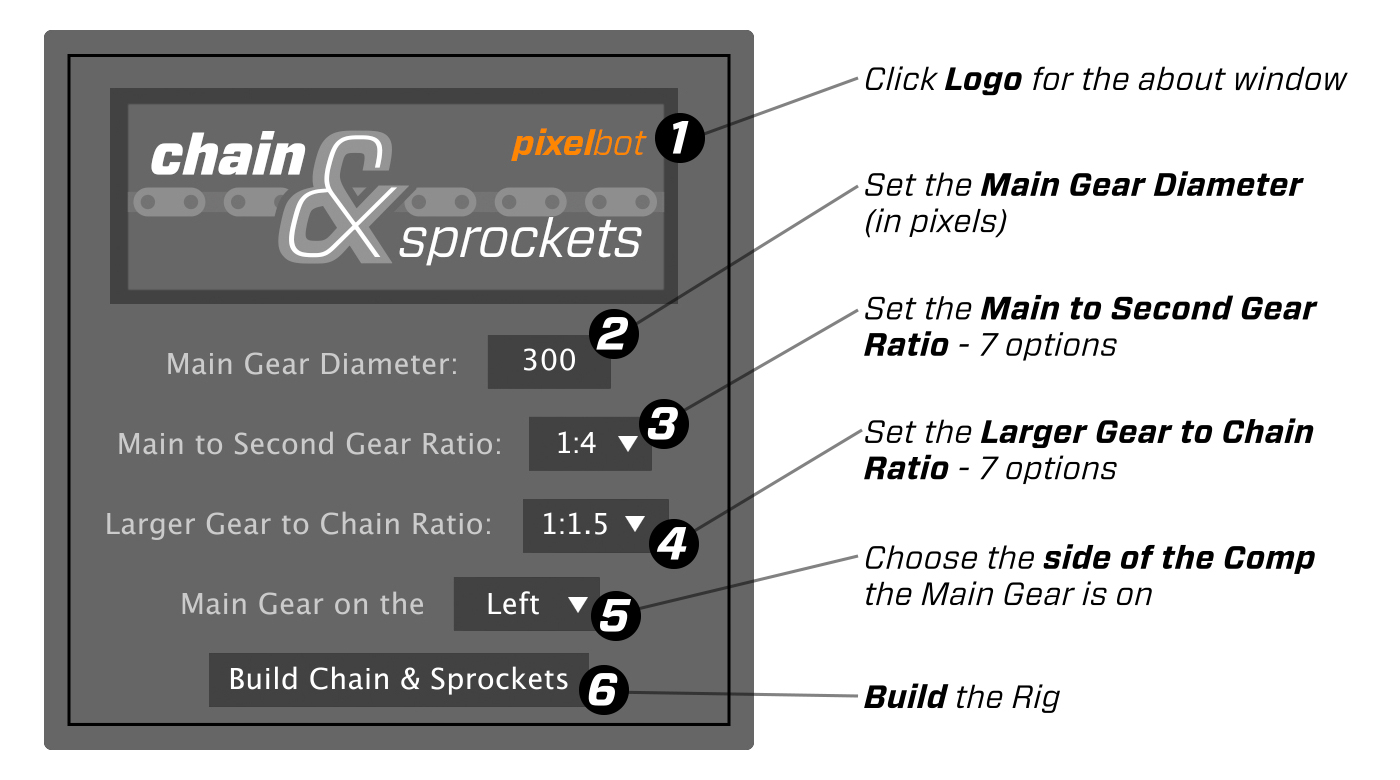
Trial version is limited to: Diameter of 300 pixels, Second Gear Ratio of 1:15, Chain Ratio of 1:2, and Main Gear on Left Side.
Gear Ratios and Minimum Gear Sizes:
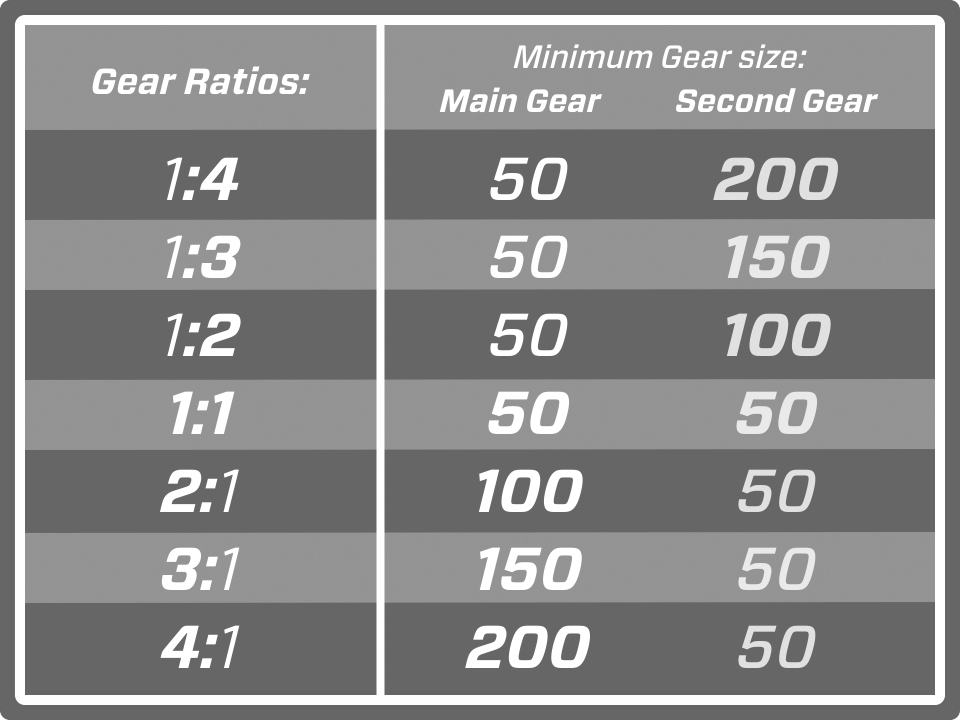
The Gear Ratio is the relationship of the Main Gear to the Second Gear and there are 7 Gear Ratios to choose from. For example 1:4 means the Second Gear will be 4 times larger than the Main Gear and 4:1 means that the Main Gear will be 4 times larger than the Second Gear. The minimum diameter of any gear is 50, and the script won’t allow any diameters that will create a gear that is smaller than that.
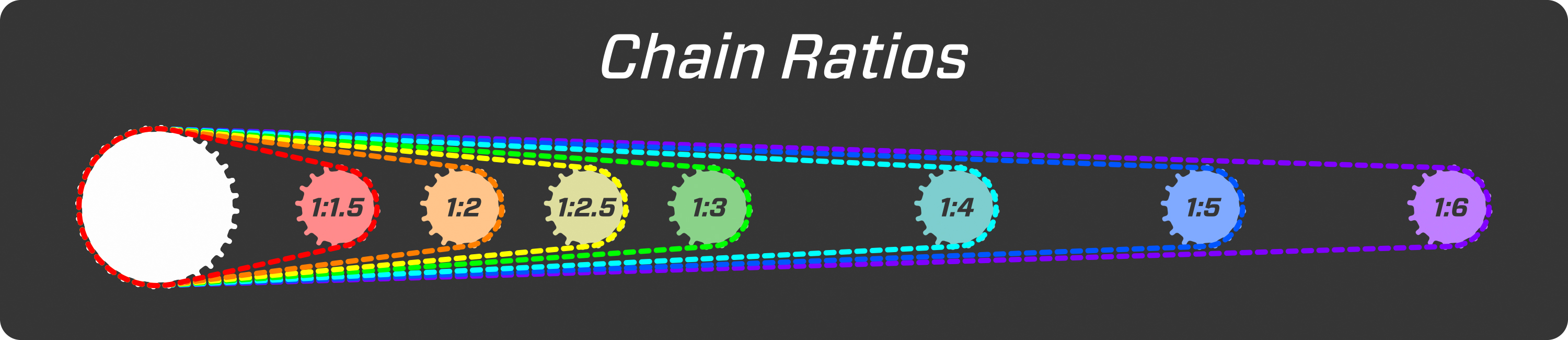
Chain Ratios:
The Chain Ratio is the relationship of the largest gear to the length of the chain and there 7 Chain Ratios to choose from. Note: for some gear ratios the largest gear is the Second Gear. This ratio determines the distance between the two gears. Also for the gear ratio of 1:1 the Chain Ratio of 1:1.5 isn’t available because the gears would overlap.
The Rig:
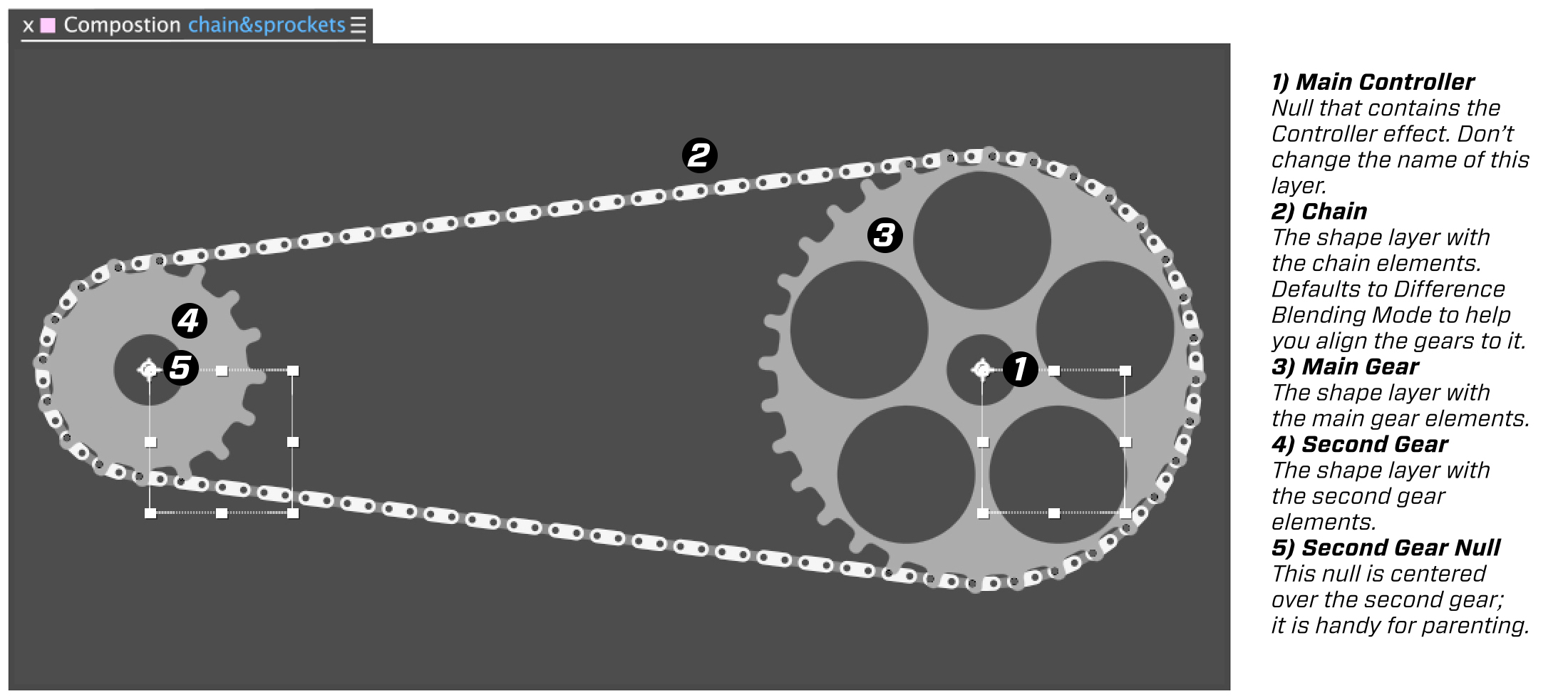
Once you build the rig you’ll find 5 new layer in your comp. 2 Nulls and 3 Shape Layers.
The Controller:
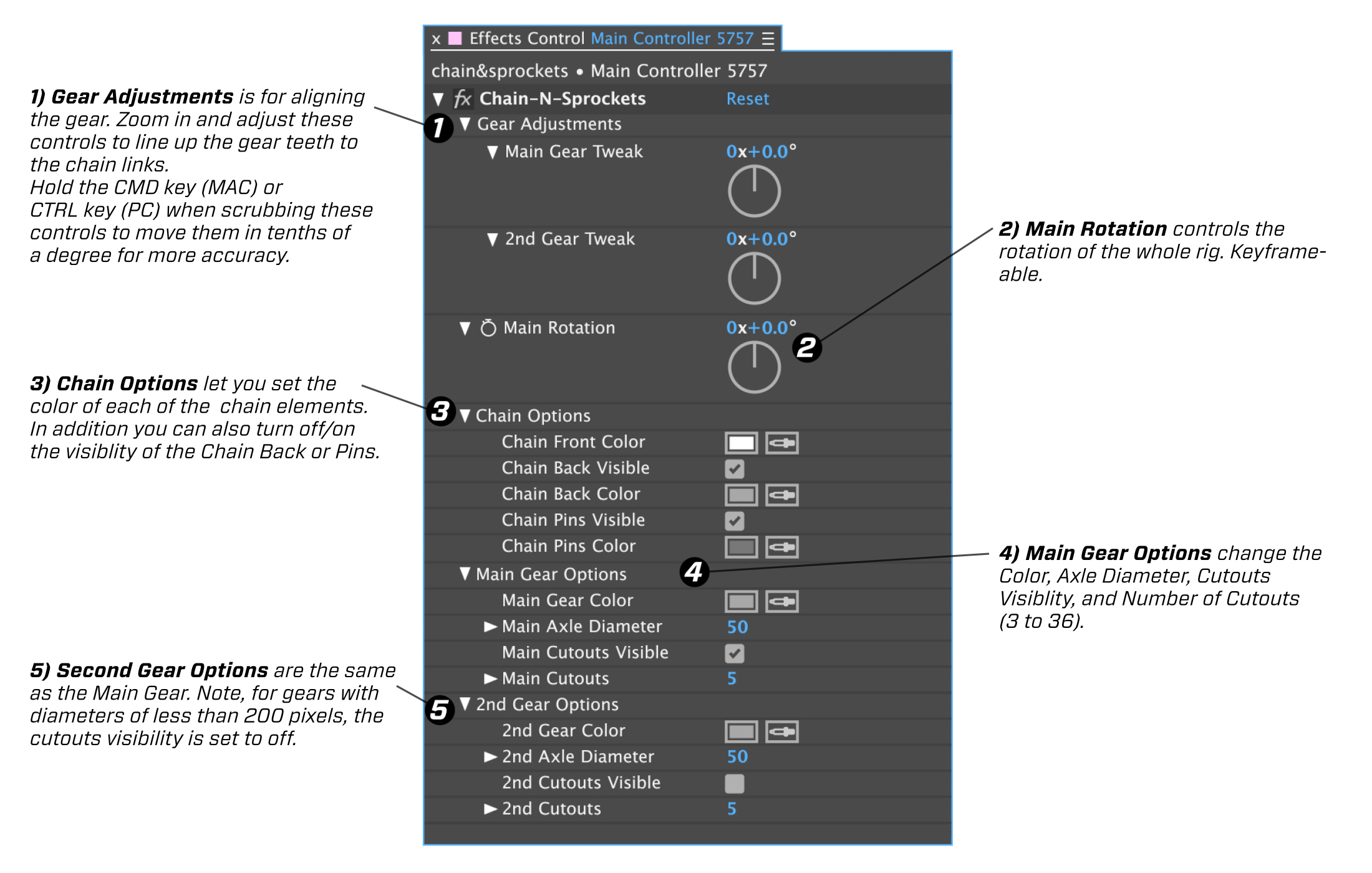
You’ll find the effect that controls the rig located on the Main Controller Null. It contains all the controls to customize and control the rig. Also, all the layers are parented to the Main Controller layer so just move, scale or rotate this null to adjust the whole rig. Since these are shape layers, they scale without any loss in resolution.
A Couple of Notes:
Version 1.03 (11/12/18) – expressions now compatible with the CC2019 Javascript expression engine.
The Chain defaults to Difference Blending Mode so that you can easily align the gears to the chain. Make sure to change the blending mode back to Normal, for use.
It is important not to change the name of the Main Controller Null, as it is connected to the rig’s expressions, and changing the name will break those connections. There is a unique 4 digit hexadecimal number at the end of the name and this allows multiple rigs to reside in a comp without any conflict.
Gears with diameters less than 200 pixels default to having their Cutouts Visibility set to off – you can turn them back on. Since they are dynamically linked to the axle diameter, they still may not be visible if the gear is too small, and the axle is too big.
You can parent one rig to another rig by holding the Shift key down while you parent the Main Controller of the child rig to the Second Gear Null of the parent rig. You’ll also need to link the Child’s Main Controller/Main Rotation Property to the Parent’s Main Controller/Main Rotation Property using an expression that looks something like this:
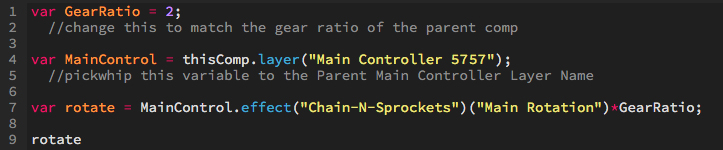
you can copy and paste this expression – changing the Main Controller name and the GearRatio variable to match your rig:
var GearRatio = 2; //change this to match the gear ratio of the parent comp
var MainControl = thisComp.layer(“Main Controller 5757”); //pickwhip this variable to the Parent Main Controller Layer Name
var rotate = MainControl.effect(“Chain-N-Sprockets”)(“Main Rotation”)*GearRatio;
rotate
After effects templates
Amazing clips to use and help you create your own unique projects from AE templates or to improve the design of your existing broadcasts.
We have a wide range of templates for you to choose from. You can find PowerPoint Video Templates, Motion Graphics Templates, and After Effects Logo Templates, Scripts, Promos, news, fashion, sports, social media, titles…
After Effects Templates, Wedding Templates as well, After Effects Intro Templates, Transitions, Products Promos, Instagram stories, Scripts, Call Titles, Elements 3D, Corporate , and many more.
With After Effects project files, or templates, your work with motion graphics and visual effects will get a lot easier. In short, they are customizable After Effect files, neatly organized and labelled. You can easily change colors, text and other design elements without having to spend time on creating timelines and effects. It’s all there-you just need to customize it to fit your project.
What you waiting for? Hurry up and download the best after effects templates
➡️ ➡️ For more Ready Project Files Templates 😀 😀
➡️ ➡️ For more after effects plugins 😀 😀
Reviews
There are no reviews yet.