
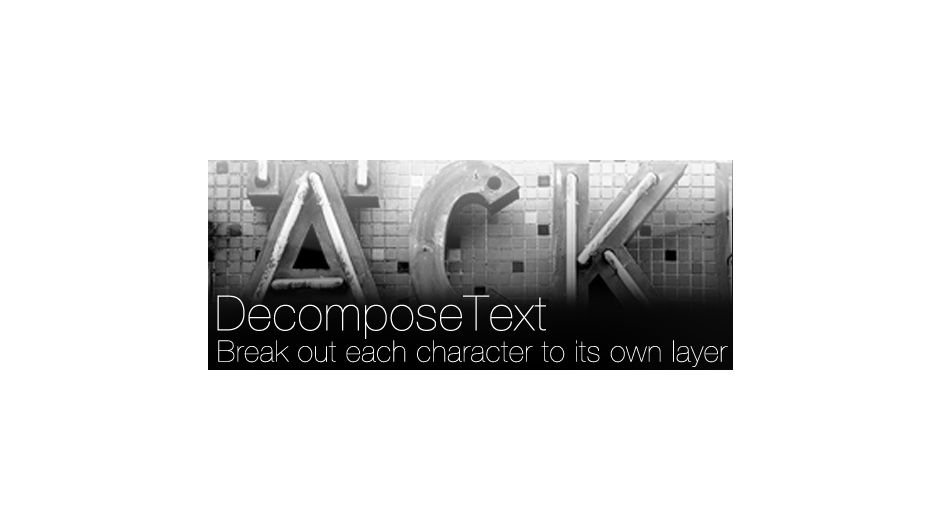
DecomposeText for After Effects
decompose text script
DecomposeText v3.1 for After Effects – Advanced Kinetic Typography & Text Animation Toolkit
Download DecomposeText v3.1 for After Effects on Windows and Mac, a powerful script that decomposes text layers into individual characters, words, or lines with precision positioning and complete editability. Perfect for kinetic typography, title sequences, and complex text animations where you need independent control over every element .
Key Features of DecomposeText v3.1:
- Multiple Decomposition Modes: Split text by characters, words, or lines—each element becomes an independent, fully editable text layer with original styling preserved
- Preserve Text Properties: Maintains font, size, color, tracking, and all character attributes when decomposing—no manual reformatting required
- Precise Positioning: Each decomposed element stays exactly where it was in the original text, preserving layout and spacing
- Animation-Ready Output: Perfect for creating independent animations per character, word, or line without complex text animators
- Selective Decomposition: Choose to decompose only selected text ranges for targeted control
- Batch Processing: Apply decomposition to multiple text layers simultaneously for efficient workflow
- Non-Destructive Workflow: Original text layer remains unchanged, with new decomposed layers created separately
- Cross-Platform Support: Works on both Windows and Mac systems
- Broad Compatibility: Supports After Effects 2025, 2024, 2023, 2022, 2021, 2020
Perfect For:
- Motion graphics artists creating kinetic typography with per-character animation
- Title sequence designers needing independent control over each word or letter
- Music video producers animating lyrics with expressive text effects
- Anyone who wants to animate text without After Effects’ native text animators
- Studios needing flexible text animation workflows for complex projects
System Requirements:
- Adobe After Effects 2025, 2024, 2023, 2022, 2021, 2020
- Windows 10/11 (64-bit) or macOS
- 4GB RAM minimum (8GB+ recommended)
- 10MB available disk space
- Enable “Allow Scripts to Write Files and Access Network” in Preferences > Scripting & Expressions
Installation:
Copy the script file to your After Effects ScriptUI Panels folder:
- Windows:
C:\Program Files\Adobe\Adobe After Effects [version]\Support Files\Scripts\ScriptUI Panels\ - Mac:
/Applications/Adobe After Effects [version]/Scripts/ScriptUI Panels/
Access via Window menu > DecomposeText
Note: Version 3.1 includes performance improvements and enhanced compatibility with recent After Effects versions . The script’s ability to create fully editable, independent text elements makes it essential for complex typography animation projects .
Breaks up text by character, word or line into separate layers.
Breaks up text into separate layers.
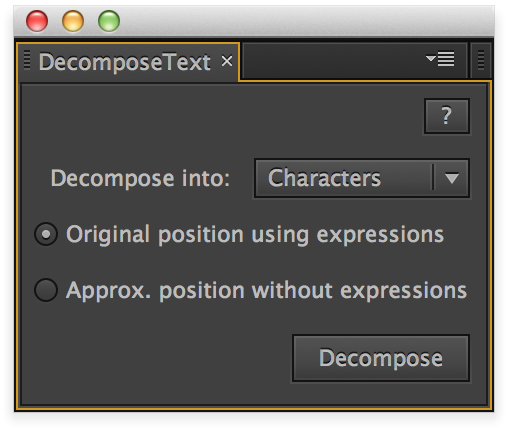
Based on user feedback v3 now has 2 modes:
- Keep original position using expressions (new layers have the same text as the original layer with some elements hidden)
- Approximated position without expressions (new layers are 1 char/word/line long)
Each mode has 3 choices:
- Split into characters
- Split into words
- Split into lines
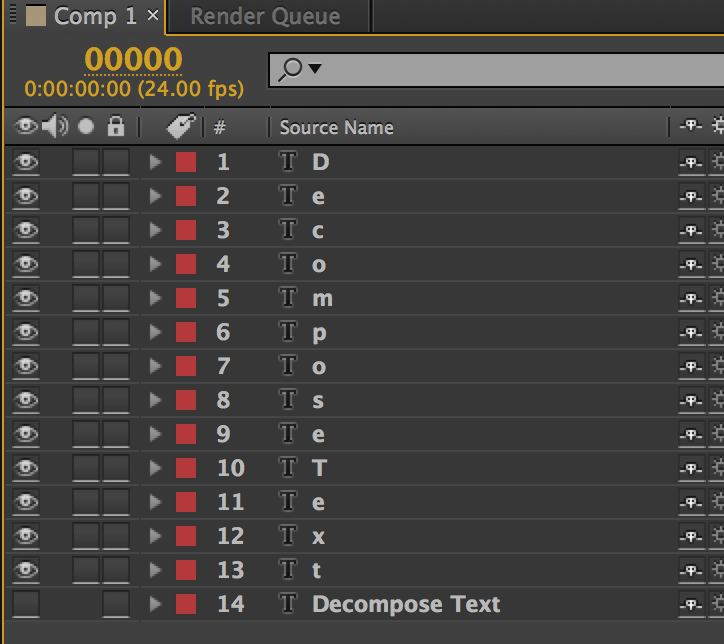
After completion you will have a layer for each character/word/line.
Elevate your motion graphics workflow with premium collection of After Effects plugins. Whether you are a seasoned professional or just starting your VFX journey, powerful tools designed to streamline complex tasks, unlock creative possibilities, and save you hours of rendering time. From stunning glitch effects and seamless transitions to advanced 3D extrusion and text animation tools, each plugin in our library is rigorously tested for compatibility with the latest versions of Adobe after Effects. Enhance your video production value today and download industry-leading plugins that help you create breathtaking visuals without the technical headaches. Browse our full range and find the perfect extension to supercharge your editing suite now.
➡️ ➡️ For more after effects Plugins 😀 😀
➡️ ➡️ System requirements AE
Reviews
There are no reviews yet.