
Dresser v1.0.10
Primary Keyphrase: layer styles manager
Description:
Download Dresser v1.0.10, a powerful After Effects script that revolutionizes how you work with Layer Styles by making them more than 2x faster to edit, apply, and save . This essential tool spares you countless clicks and tedious menu navigation, reducing Layer Styles workflow time by over 50% and making you actually want to use these wonderful but often-forgotten features .
Layer Styles the Easy Way! Dresser is the tool for editing applying and saving Layer Styles in After Effects.
It will help you save more than 50% of your time when working with Layer Styles, by reducing a ton of clicks.
And with it’s built-in Preset Browser it will make it easy for you to save and access your pre-made styles with customisable thumbnails.
Dresser provides complete control over all Layer Style types including Blending Options, Drop Shadow, Inner Shadow, Outer Glow, Inner Glow, Bevel and Emboss, Satin, Color Overlay, Gradient Overlay, Pattern Overlay, and Stroke . The intuitive panel keeps all Layer Style properties visible while you work, with powerful multi-layer support for adjusting, toggling, and removing styles across multiple layers simultaneously .
Version 1.0.10 Key Features:
- Complete Layer Style Control: Access and edit all 11 Layer Style types from a single, intuitive panel
- 50%+ Time Savings: Reduce clicks and menu navigation by more than half when working with Layer Styles
- Multi-Layer Support: Toggle, show, hide, apply, and remove Layer Styles across multiple layers at once—with Property Link support
- Preset Browser: Built-in library with customizable thumbnails for saving and accessing your pre-made styles
- 100+ Free Presets Included: Get started immediately with included presets for Gradients, Metals, Neomorphism, Neon, and more
- Visual Preset Management: Save single styles or combinations as presets with automatic thumbnail generation from your current comp frame
- Expression Removal: Remove Layer Style expressions from multiple layers with one click
- Universal Preset Compatibility: Use Dresser’s preset browser for all your After Effects presets (.ffx) as a more visual alternative to the native panel
Perfect For:
- Motion graphics artists who frequently use Layer Styles in their work
- Designers wanting to dramatically speed up their Layer Styles workflow
- Anyone tired of digging through menus to find and apply Layer Style properties
- Creators building style libraries for consistent branding across projects
- Users who want a more visual, intuitive way to manage presets
System Requirements:
- Adobe After Effects 2025, 2024, 2023, 2022
- Windows 10/11 (64-bit) or macOS
- 4GB RAM minimum (8GB+ recommended)
- 25MB available disk space
Note: All users can download the full presets library by signing up to the mailing list. Trial users get a smaller sample pack (9 presets) plus a fun WordArt presets pack . Version 1.0.9 (June 6, 2025) changed subscription flow and download page for better support .
Dresser is the tool for
editing, applying & saving
Layer Styles in After Effects.
More than 2x faster!
Dresser spares you a ton of clicks and twirling down menus, when working with Layer Styles in After Effects. Making it save more than 50% of your time!Wow! Add it to my cart!

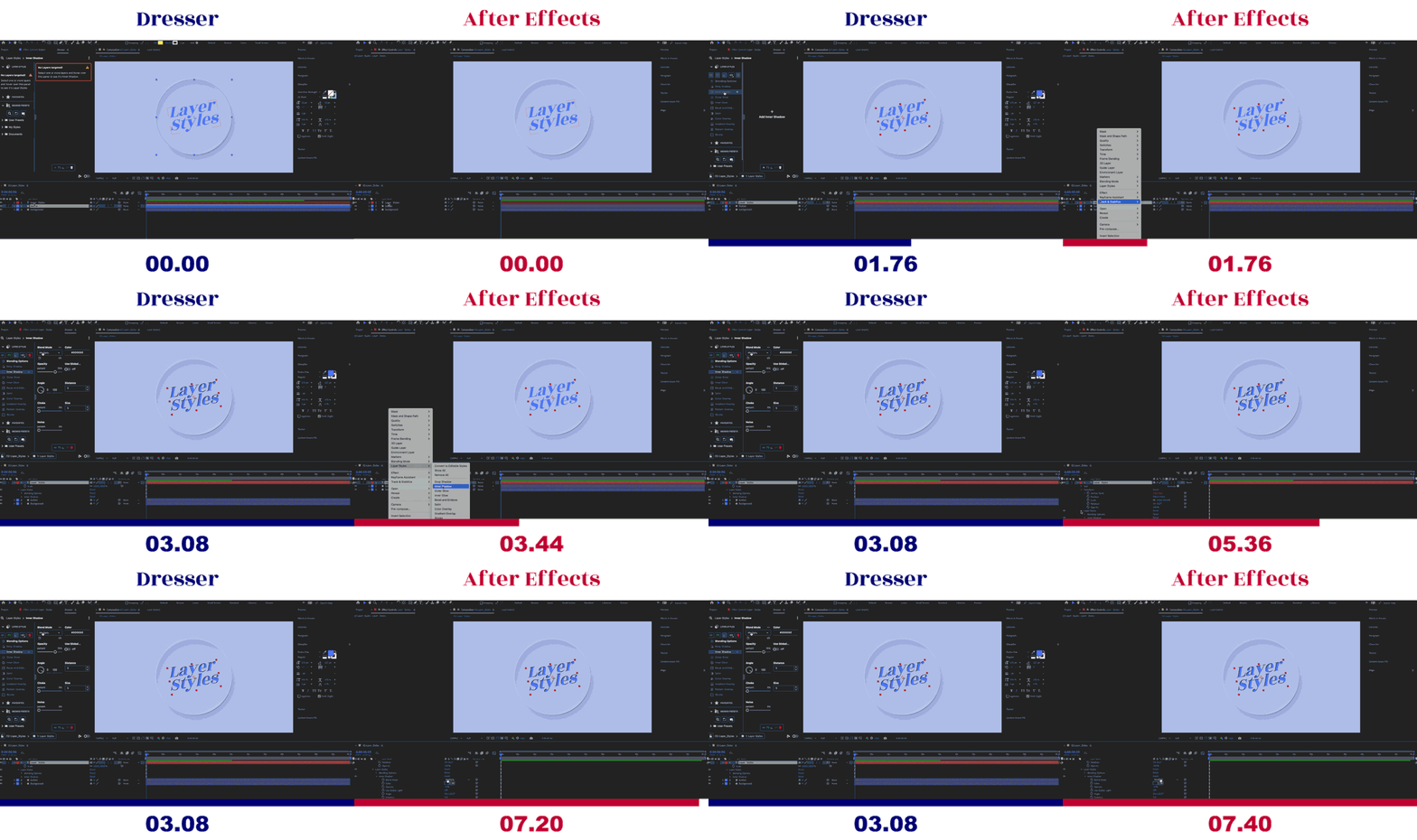

Start Using Layer Styles
Dresser will quickly become your Layers’ new personal stylist. It may actually make you want to use Layer Styles and its wonderful forgotten features!Hell yeah! Add it to my cart!
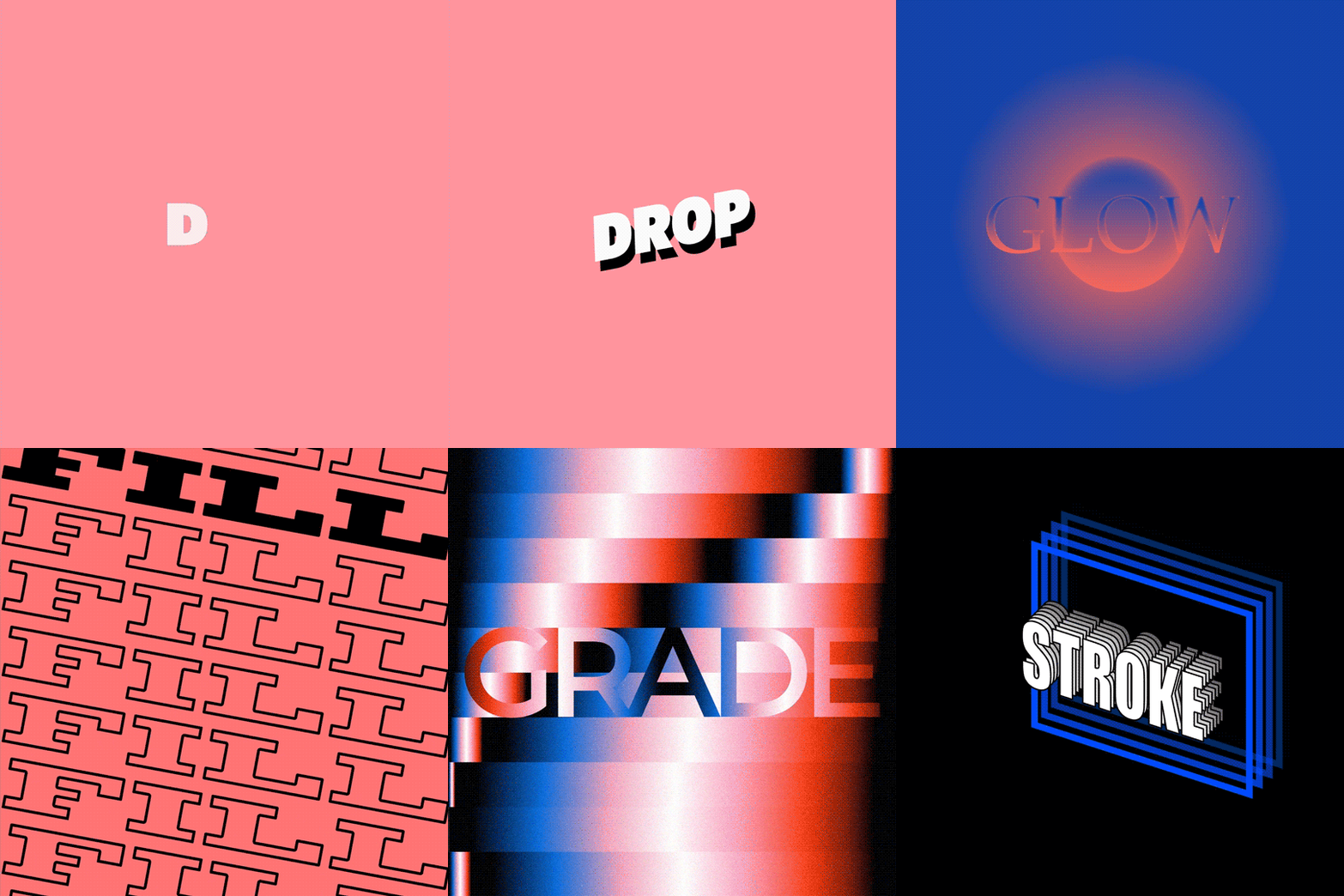
 Blending Options
 Drop Shadow
 Inner Shadow
 Outer Glow
 Inner Glow
 Bevel and Emboss
 Satin
Satin Color Overlay
 Gradient Overlay
 Pattern Overlay
 Stroke
Multiple Layer Support
But there’s more. The intuitive panel gives you some easy tools to quickly adjust, toggle and remove Layer Styles on multiple layers at once and keep your Layer Style properties in view while working with your layers.

 Toggle/Show/Hide Layer Style(s) Group (on multiple layers)
 Apply Layer Style(s) Group to all Targeted Layers (with Property Link)
 Remove Layer Style(s) Expressions (from multiple layers)
 Remove Layer Style(s) Group (from multiple layers)

Presets
On top of it all Dresser has its own built-in Presets Library with customisable thumbnails.
You can even use this for all your After Effects presets (.ffx) if you don’t like working with the native Effects & Presets panel. Or if you just want a more visual overview of your presets.

Happy with your Style?
 Save Layer Style(s) as a Preset
Save a single Layer Style or a combination of Layer Styles as a Preset from within the panel. Dresser will automatically create a thumbnail. Or you can create one yourself from the current frame of your active composition.
Free Layer Style Presets included!
To get you started there are 100+ free presets included with your license (e.g. Gradients, Metals, Neomorphism, Neon
All users can download the presets library by signing up to the mailing list. This helps me keep you in the loop when new presets, tutorials or updates are released. You can unsubscribe at any time. Trial users get a smaller sample pack (9 presets) + a fun WordArt Presets pack.


Walkthrough
Dresser is built to be as intuitive as possible. But there might be some new paradigms you want to get familiar with. Like targeting multiple layers and using keyboard shortcuts.
Watch the full walkthrough to get you started.
About Layer Styles
How To Install
Selecting Layers, Lock Selection & Live Update
Apply Presets & Adjust Layer Styles
Apply & Link Styles to Multiple Layers
Show/Hide/Toggle/Remove Layer Styles
Save, Search & Organize Presets
Managing Expressions on Layer Styles
More Info
Elevate your motion graphics workflow with premium collection of After Effects plugins. Whether you are a seasoned professional or just starting your VFX journey, powerful tools designed to streamline complex tasks, unlock creative possibilities, and save you hours of rendering time. From stunning glitch effects and seamless transitions to advanced 3D extrusion and text animation tools, each plugin in our library is rigorously tested for compatibility with the latest versions of Adobe after Effects. Enhance your video production value today and download industry-leading plugins that help you create breathtaking visuals without the technical headaches. Browse our full range and find the perfect extension to supercharge your editing suite now.
➡️ ➡️ For more after effects Plugins 😀 😀
➡️ ➡️ System requirements AE
Reviews
There are no reviews yet.