
Drive v1.01
Primary Keyphrase: property linking script
Description:
Download Drive v1.01, a powerful After Effects script that lets you control one layer property with another—creating dynamic, interconnected animations with minimal keyframes . This essential tool works like a visual expression builder, allowing you to link properties such as position, scale, rotation, opacity, and any numerical property across your layers without writing complex code .
Drive allows the user to control one property with another. For example, you can rotate a layer based on the x position of another layer. Change a particle emitter rate based on the scale of a layer. Change the hue of a layer based on the opacity of another layer. Okay, you get the idea.
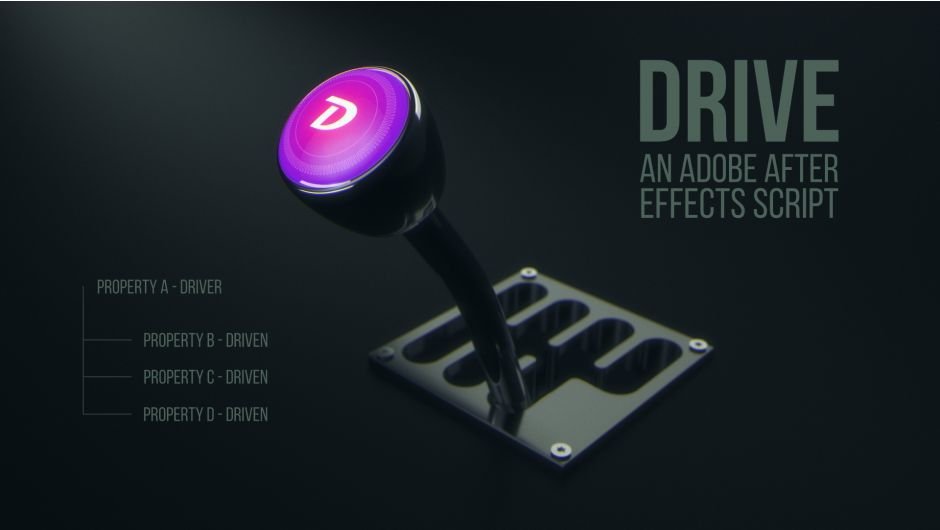
Drive creates relationships where one property becomes the “Driver” connected to one or more “Driven” properties. Each instance supports one Driver and up to three Driven properties, with values automatically calculated based on the Driver’s min and max keyframes . Perfect for creating sophisticated animations where multiple elements respond to a single animated control.
Key Features of Drive v1.01:
- Intelligent Property Linking: Connect any numerical property across layers—rotate a layer based on another’s X position, change particle emitter rate based on scale, or adjust hue based on opacity
- Multiple Driver Options: Choose from Layer Position (X/Y/Z), Scale (X/Y), Opacity, Rotation (X/Y/Z), or any Custom numeric property as your Driver
- Flexible Driven Properties: Connect to any layer property with keyframable numeric values, with linear or ease interpolation options
- Marker Override System: Place markers on the Drive control layer to override automatically calculated min/max values
- Minimal Keyframe Workflow: Create complex multi-layer animations by keyframing just one property—all driven layers respond automatically
- Easy Timing Adjustments: Limited keyframes make it convenient to finesse easing curves and make project-wide changes
- v1.01 Fixes (Oct 4, 2022): Fixed install bug with aescripts manager app and updated expressions for improved stability
Perfect For:
- Motion graphics artists creating complex, interconnected animations
- Designers wanting to reduce keyframe clutter in their projects
- Anyone needing to create relationships between layer properties without expression writing
- VFX artists building responsive particle systems and dynamic effects
- Animators seeking efficient ways to control multiple elements with single parameters
System Requirements:
- Adobe After Effects 2025, 2024, 2023, 2022, 2021, 2020, CC 2019
- Windows 10/11 (64-bit) or macOS
- 4GB RAM minimum (8GB+ recommended)
- 25MB available disk space
- Enable “Allow Scripts to Write Files and Access Network” in Preferences

With Drive, one layer property is the Driver and it’s connected to one or more other properties referred to as Driven properties. Drive works with any numerical property that can have an expression applied to it. Each instance of Drive can have one Driver and three Driven properties.

The advantage of using Drive is creating animations with only a few keyframed properties for several animated layers that work together. The limited number of keyframes makes it convenient to make project changes and finesse easing curves.
In the example below, only one property is keyframed. The animation is driven by the rotation value of the white bar, which makes it easier to add dynamic motion to the animation not having to match the timing of several keyframes.

The Driver property can be set to:
• Layer Position (X, Y, or Z)
• Scale (X or Y)
• Opacity
• Rotation (X, Y, or Z)
• Custom Property (Any numeric layer property)
The Driver values mapped to the Driven properties are automatically calculated by the Driver min and max keyframe values. The values can be overridden by placing markers on the Drive control layer.
The Driven property can be set to:
Any layer property with a keyframable numeric value.
Driven properties can be set to linear or ease interpolation.


Additional Examples
BB8 –
Driver = x position
⇢ Driven = z rotation
Driver = z position
⇢ Driven = x rotation
Punching Glove –
Driver = white bar rotation
⇢ Driven = white bar’s own y position
⇢ Driven = bar opposite of white bar mirrored rotation & y position
⇢ Driven = white bar and the bar opposite of white bar x position
UFO –
Driver = UFO y position
⇢ Driven = UFO beam color
⇢ Driven = UFO bean dust
⇢ Driven = UFO rotation speed
⇢ Driven = human y position
⇢ Driven = human bend amount
Tutorial: Getting Started
Tutorial: In-Depth
Elevate your motion graphics workflow with premium collection of After Effects plugins. Whether you are a seasoned professional or just starting your VFX journey, powerful tools designed to streamline complex tasks, unlock creative possibilities, and save you hours of rendering time. From stunning glitch effects and seamless transitions to advanced 3D extrusion and text animation tools, each plugin in our library is rigorously tested for compatibility with the latest versions of Adobe after Effects. Enhance your video production value today and download industry-leading plugins that help you create breathtaking visuals without the technical headaches. Browse our full range and find the perfect extension to supercharge your editing suite now.
➡️ ➡️ For more after effects Plugins 😀 😀
➡️ ➡️ System requirements AE
Reviews
There are no reviews yet.