
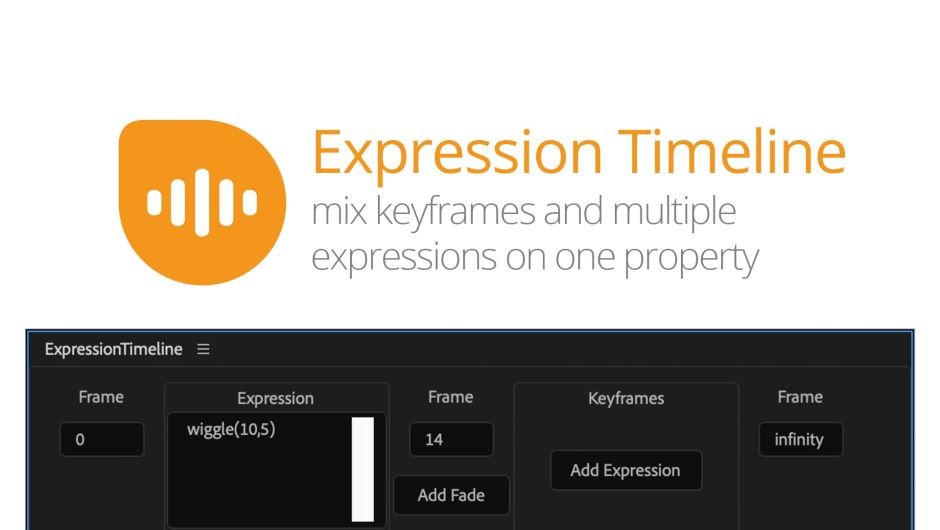
Expression Timeline v2.1.002
Primary Keyphrase: expression timeline script
Description:
Download Expression Timeline v2.1.002, a powerful After Effects script developed by mamoworld that allows you to apply multiple expressions to a single property with timed activation . This innovative tool lets each expression be active only during specific time periods, with smooth transitions between expressions instead of abrupt changes . You can also specify time intervals with no active expression, allowing keyframed motion to take over .
The ExpressionTimeline lets you combine multiple expressions on a single property, each active for a defined time with smooth transitions between them.
Expression Timeline solves the complex challenge of managing multiple expressions on the same property over time. Whether you need different behaviors at different points in your composition or want to seamlessly blend between expression-driven and keyframed animation, this script provides an intuitive GUI interface for precise control .
Key Features of Expression Timeline v2.1.002:
- Multi-Expression Support: Apply several expressions to one property with individual time-based activation
- Smooth Transitions: Blend seamlessly between expressions rather than abrupt cuts for natural animation flow
- Keyframe Integration: Specify time intervals with no active expression to let keyframed motion take priority
- Intuitive GUI: User-friendly interface for managing complex expression timing without manual coding
- Broad Compatibility: Works with After Effects CS4 through 2022 on both Windows and Mac systems
Perfect For:
- Motion graphics artists managing complex expression-driven animations
- Designers needing different expression behaviors at different timeline points
- Anyone wanting to blend between expression control and keyframed animation
- After Effects users seeking cleaner workflow for multi-expression properties
System Requirements:
- Adobe After Effects CS4 through 2022 (CS4, CS5, CS5.5, CS6, CC, CC 2014-2022)
- Windows 10/11 (64-bit) or macOS
- 4GB RAM minimum (8GB+ recommended)
- 25MB available disk space
- Enable “Allow Scripts to Write Files and Access Network” in Preferences (Edit > Preferences > Scripting & Expressions)
Installation:
Copy the .jsxbin file to your After Effects ScriptUI Panels folder:
- Windows:
C:\Program Files\Adobe\Adobe After Effects [version]\Support Files\Scripts\ScriptUI Panels\ - Mac:
Master HD/Applications/Adobe After Effects [version]/Scripts/ScriptUI Panels/
Note: Expression Timeline has been featured in tutorials demonstrating its use with popular plugins like Plexus for creating dynamic, time-based effects . The script was created by Mathias Möhl of mamoworld, known for developing professional After Effects tools .
The ExpressionTimeline lets you apply multiple expressions to a property, with each expression active only for a specified time period. You can create smooth transitions between expressions for a seamless effect, and even define intervals where no expression is applied, allowing keyframed motion to take over.
Key Features
- Set custom start and end times for each expression
- Smoothly fade expressions in and out
- Transition seamlessly between expressions
- Compatible with any expression
- Combine multiple expressions with ease
New in Version 2
Version 2 of ExpressionTimeline has an improved interface where the width of the timeline automatically adjusts to the width of the panel, so there’s no need to adjust the size manually.
Example 1

From the beginning until frame 50 use the keyframed values and after frame 50 use a wiggle expression.
Example 2

Smoothly transition from one expression to another. So, if the first expression is active from frame 0 to 50 and the second from frame 50 until the end, the smooth transition between the two expressions will be 10 frames long and thus last from frame 45 to frame 54. With the expressions in this example, the layer first follows another layer (expression 1) until frame 45. Then until frame 54 it smoothly transitions back to its own position while simultaneously beginning to wiggle (expression 2).
Tutorials
Elevate your motion graphics workflow with premium collection of After Effects plugins. Whether you are a seasoned professional or just starting your VFX journey, powerful tools designed to streamline complex tasks, unlock creative possibilities, and save you hours of rendering time. From stunning glitch effects and seamless transitions to advanced 3D extrusion and text animation tools, each plugin in our library is rigorously tested for compatibility with the latest versions of Adobe after Effects. Enhance your video production value today and download industry-leading plugins that help you create breathtaking visuals without the technical headaches. Browse our full range and find the perfect extension to supercharge your editing suite now.
➡️ ➡️ For more after effects Plugins 😀 😀
➡️ ➡️ System requirements AE
Reviews
There are no reviews yet.