
Expressionist v1.5.6
Primary Keyphrase: expression editor script
Description:
Download Expressionist v1.5.6, a professional expression editor for Adobe After Effects that brings basic IDE features directly into your workflow . This powerful tool saves hours of development time by providing syntax highlighting, line numbers, multiple cursors, and inline error handling—transforming how you write and manage expressions .
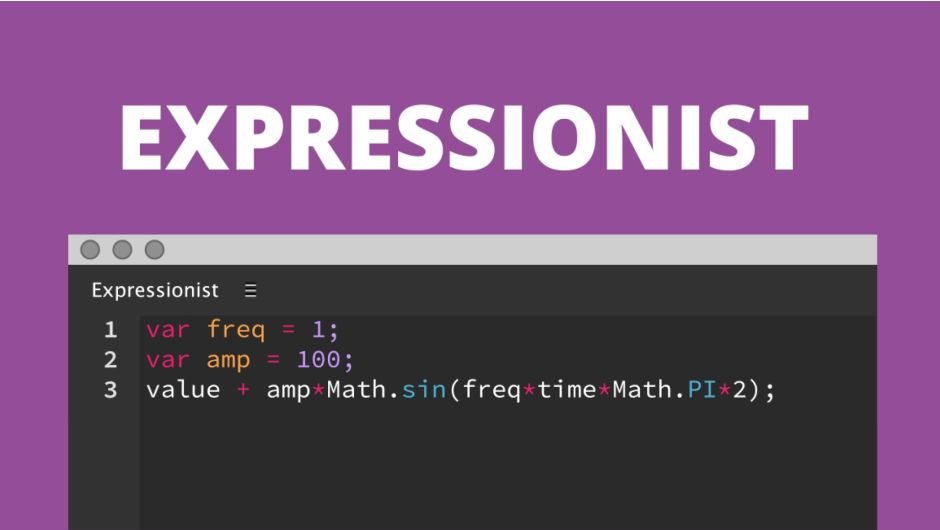
Expressionist improves the expression workflow by giving you basic IDE features such as syntax highlighting, line numbers and multiple cursors. It allows you to quickly add an expression to multiple properties and gives you inline error handling.
Expressionist improves the expression workflow by giving you essential coding features that After Effects natively lacks. Add expressions to multiple properties at once, load existing expressions for editing, toggle expressions on/off, and clear multiple expressions with ease . The inline error system shows any errors directly on the line that causes them, making debugging significantly faster .
Key Features of Expressionist v1.5.6:
- Syntax Highlighting: Color-coded display makes complex expressions easier to read and modify
- Multiple Selections: Make multiple selections and block selections for efficient editing
- Inline Error Handling: Errors appear directly on the problematic line for quick debugging
- Pick Whip Support: Use the pick whip on properties, layers, comps, and project items
- Scripting Mode: Write and execute scripts without leaving After Effects
- Sublime Text Shortcuts: Use familiar shortcuts from the popular Sublime Text editor
- Expression Language Menu: Insert references directly from the panel
- Adjustable Font Size: Customize your editing experience
- Automatic Bracket Closing & Smart Indentation: Coding assistance for faster writing
- Word Wrap & Line Numbers: Essential IDE features for comfortable editing
- v1.5.6 Fix: Resolves editor display issues
Perfect For:
- Motion graphics artists who frequently work with complex expressions
- Designers wanting to write and debug expressions more efficiently
- Anyone tired of After Effects’ limited native expression editing
- Technical directors managing expression-heavy projects
- Users who want IDE-like features inside After Effects
System Requirements:
- Adobe After Effects 2025, 2024, 2023, 2022, 2021, 2020, CC 2019, CC 2018, CC 2017, CC 2015.3
- Windows 10/11 (64-bit) or macOS
- 4GB RAM minimum (8GB+ recommended)
- 50MB available disk space
- Requires After Effects CC2015.1 (13.6) or newer
Note: Expressionist has been featured and praised by Motionographer, lesterbanks, and industry professionals who call it “the greatest addition to AE of all time” and note that “this is what Adobe should have done years ago” .
Features
- Monospaced font
- Syntax highlighting
- Line numbers
- Word wrap
- Active line highlighting
- A whole bunch of shortcuts for faster editing
- Adjustable font size
- Automatic bracket closing
- Smart indentation
Expressions
Add an expression to multiple properties at once, load an existing expression for editing, toggle your expressions on/off and clear multiple expressions.
Selections
Make multiple selections and block selections.
Inline Errors
Any error that occurs will be shown on the line that causes it.
Pick Whip
Use the pick whip on all the usual suspects; properties, layers, comps and of course items from the project panel.
Scripting Mode
Use the editor to quickly write and execute a script without leaving After Effects.
Expression Language Menu
Use directly from the panel to insert your references.
Shortcuts
You can use a selection of shortcuts from the popular Sublime Text editor, right in Expressionist.
Compatibility
In order to do its cutting edge magic, Expressionist requires After Effects CC2015.1 (13.6). It will not be possible to make it work with previous versions.
Documentation
You can read the Expressionist documentation for detailed info.
Elevate your motion graphics workflow with premium collection of After Effects plugins. Whether you are a seasoned professional or just starting your VFX journey, powerful tools designed to streamline complex tasks, unlock creative possibilities, and save you hours of rendering time. From stunning glitch effects and seamless transitions to advanced 3D extrusion and text animation tools, each plugin in our library is rigorously tested for compatibility with the latest versions of Adobe after Effects. Enhance your video production value today and download industry-leading plugins that help you create breathtaking visuals without the technical headaches. Browse our full range and find the perfect extension to supercharge your editing suite now.
➡️ ➡️ For more after effects Plugins 😀 😀
➡️ ➡️ System requirements AE
Reviews
There are no reviews yet.