
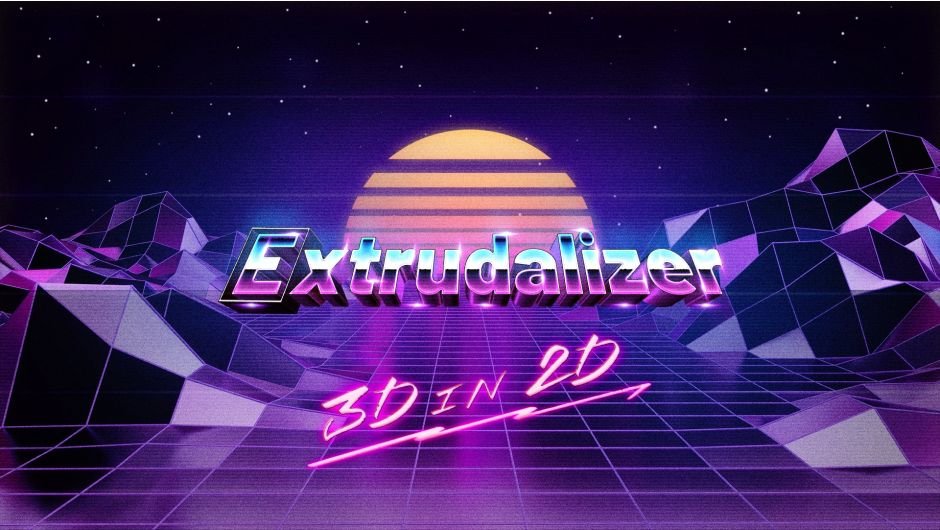
Extrudalizer for After Effects
Primary Keyphrase: 3d extrusion script
Description:
Download Extrudalizer V1.2.1, a powerful After Effects script that extrudes any 2D shape layer into virtual 3D space with complete control over depth, position, rotation, and scale . This innovative tool lets you work with familiar 2D shape layers while adding enhanced 3D capabilities—bypassing the limitations of After Effects’ native 3D tools and using Adobe’s Javascript Expression Engine to calculate and draw 3D transformations directly in 2D path properties .
Extrudalizer allows you to extrude any 2D shape layer into virtual 3D space, control its depth, position, rotation, and scale. You can set up appearance, animation, and even manipulate the original 2D path with the Extrudalized shape repeating this manipulation. The script is 100% Lottie compatible for web use (bake expressions to keyframes for mobile app use) and can be exported using the Bodymovin plugin.
Extrudalizer lets you set up appearance, animation, and even manipulate the original 2D path while the extruded shape repeats these modifications automatically . The script is 100% Lottie compatible for web use—simply bake expressions to keyframes for mobile app integration and export using the Bodymovin plugin .
Version 1.2.1 Key Features:
- 2D to 3D Extrusion: Transform any 2D shape layer into dimensional 3D objects with adjustable depth controls
- Complete 3D Control: Full manipulation of depth, position, rotation, and scale for extruded shapes
- Path Manipulation: Edit original 2D paths and watch extruded shapes update automatically
- Lottie Compatible: 100% compatible with Bodymovin exports for web and mobile applications
- Expression Baking: Bake expressions to keyframes for optimized mobile app performance
- v1.2.1 Fix: Resolves unexplained errors that occurred when shape layers had paths but no shape groups, plus adds descriptive alerts for troubleshooting
Perfect For:
- Motion graphics artists creating 3D elements from 2D shape layers
- Designers wanting 3D capabilities while staying in familiar 2D workflows
- Web and mobile developers needing Lottie-compatible 3D animations
- Anyone looking to add depth to shape layers without complex 3D software
System Requirements:
- Adobe After Effects 2023, 2022, 2021
- Windows 10/11 (64-bit) or macOS
- 4GB RAM minimum (8GB+ recommended)
- 100MB available disk space
- Works with all standard shape layers and paths
Extrudalizer – Bring Your 2D Shapes to Life in 3D!
The Extrudalizer’s innovative approach allows its users to continue using the 2D shape layers they know and love, while at the same time bringing the benefits of enhanced 3D manipulation. After Effects has far more first party tools and effects to manipulate 2D layers compared to the toolset available for 3D layers. Extrudalizer circumvents these limitations, computing the required 3D transformations and drawing them inside 2D path properties using Adobe Javascript Expression Engine.
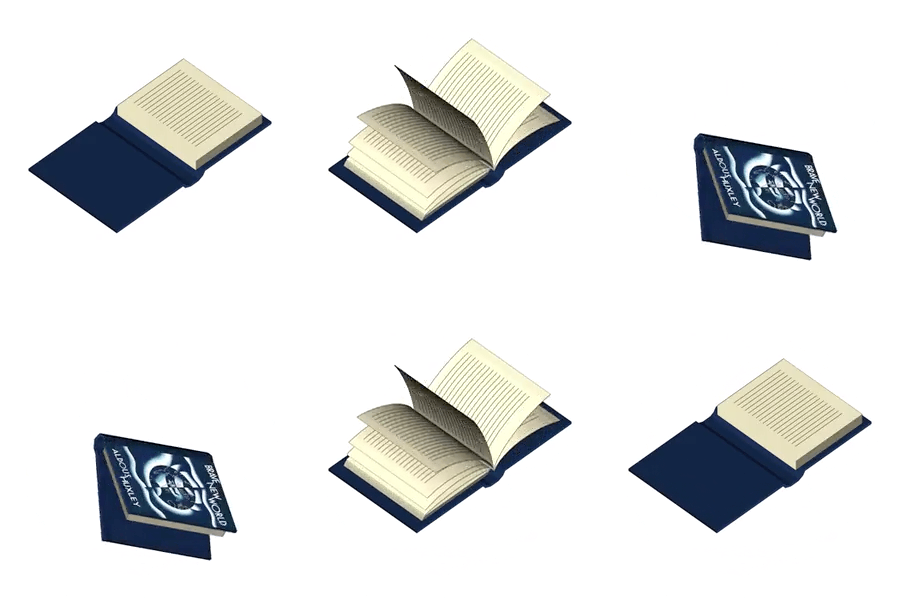
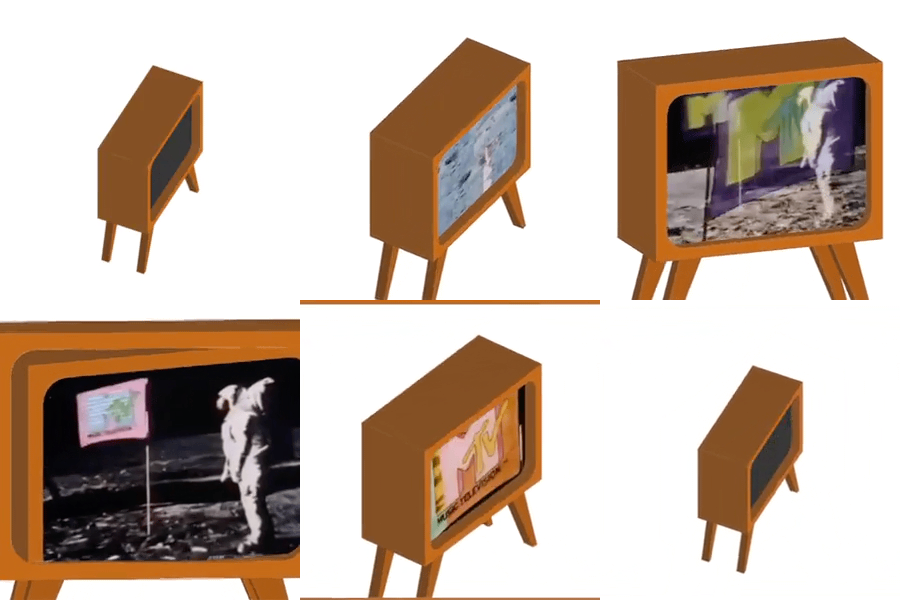
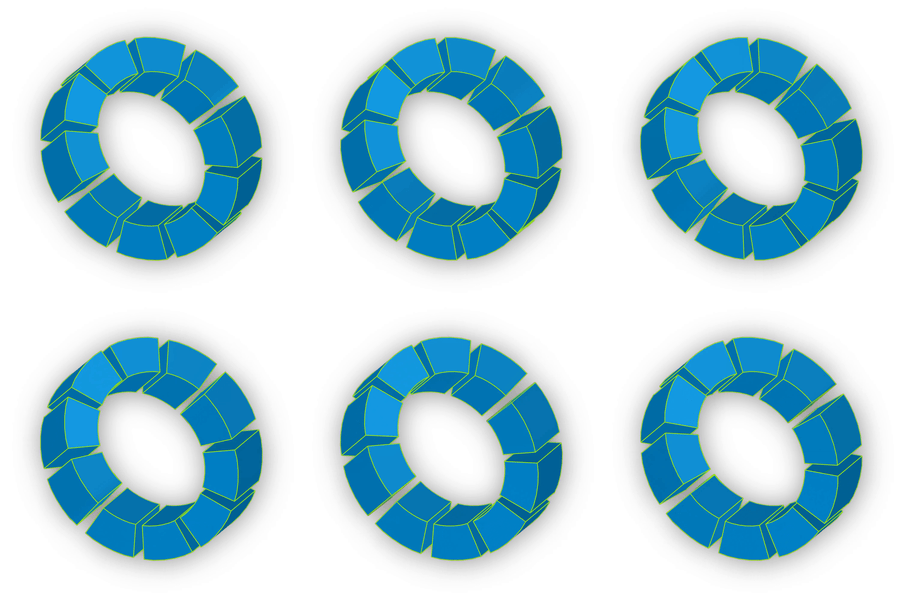
Key features
- 3D in 2D shape layers
- Artwork wrapping to shape’s surfaces
- 2D path animation translates into 3D animation
- Optimized unused properties removal
- 100% Lottie compatible export for web sans baking
- Baking for Lottie on iOS and Android
Get Started with Extrudalizer
- Create a 2D shape layer in After Effects
- Launch the Extrudalizer script
- Configure Pre-Extrudalize options
- Adjust and animate appearance and 3D transformations
- Map artwork to any face(s) of the Extrudalized shape
- Export to Lottie
Extrudalizer User Interface
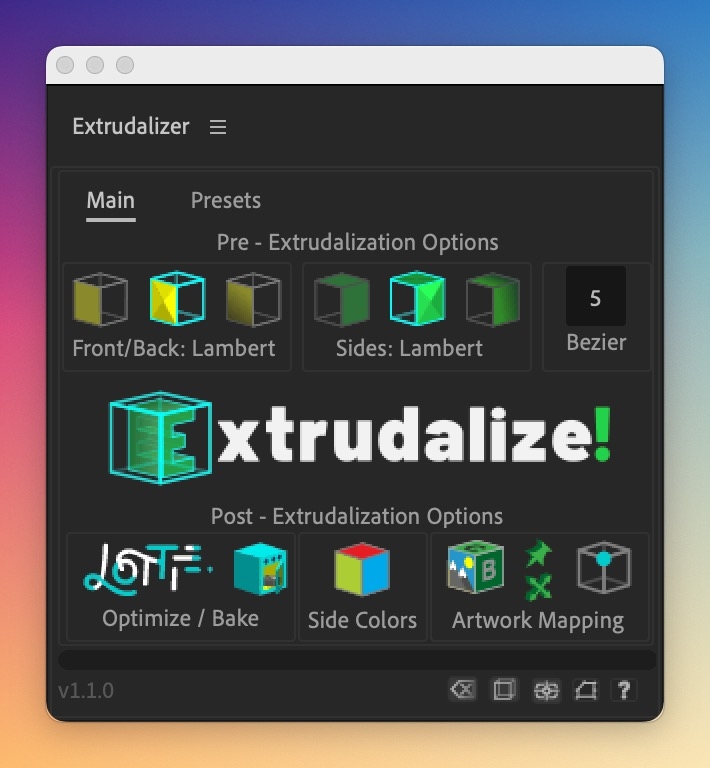
The Main tab allows for creating and animating Extrudalized shapes. It has three sections:
- Pre-Extrudalization Options:
- Choose appearance parameters for front/back faces and shading for sides
- Control the number of sections for each curved segment
- Extrudalize
- Press the ‘Extrudalize!’ button to extrudalize a shape
- Post-Extrudalization Options:
- Transform extrudalized shape: center it, animate original shape, add null to vertices, reposition anchor in 3d space (new in 1.2.0)
- Map Artwork to any face, convert artwork precompositions to either Corner Pin effect or Transform Effect, Re-color each face individually
- Optimize for Lottie Export or Bake animation
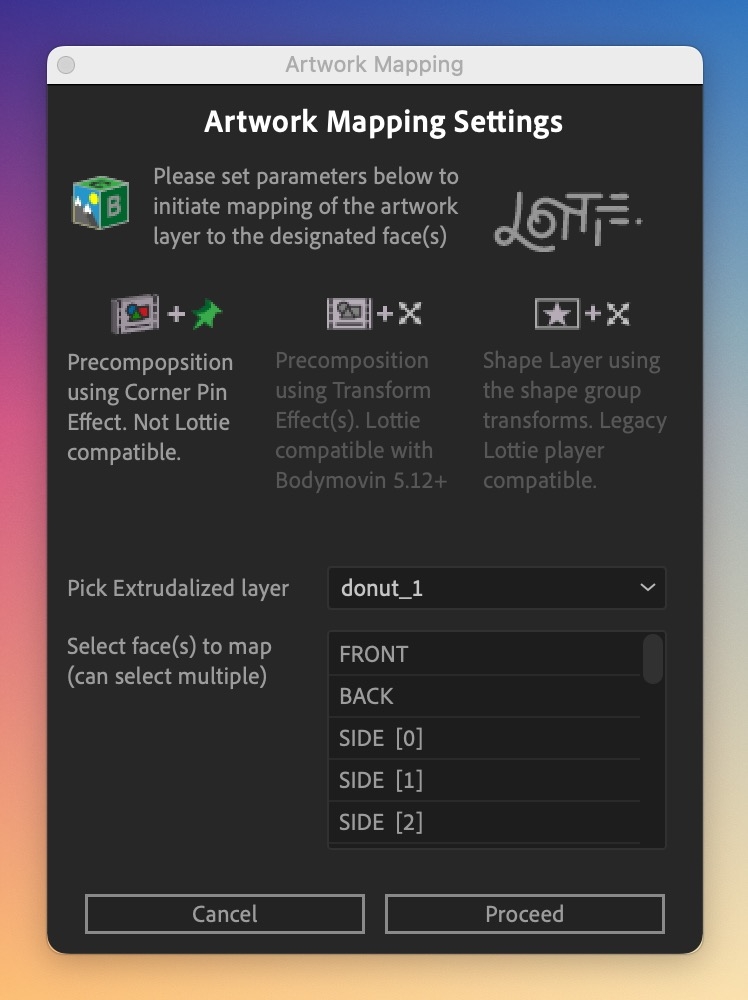
The Artwork Mapping Dialog enables you to map artwork to any face of the Extrudalized shape:
- Corner Pin Mapping: Creates a precomposition for each selected face and adds a Corner Pin effect to map artwork
- Pros: Least resource intensive, works with Front/Back Scale
- Cons: Not Lottie compatible
- Transform Effect Mapping: Creates a precomposition for each selected face and adds a Transform effect to map artwork
- Pros: Lottie Compatible (Bodymovin 5.12+), use Raster assets for art mapping
- Cons: in After Effects, Front/Back scale does not accurately distort mapped sides, skew angles limited to 70 degrees however, after Lottie export, browser is not limited and displays everything correctly
- Shape Layer Mapping: Creates artwork shape layer and then uses shape layer transform properties to map artwork
- Pros: compatible with older version Lottie players
- Cons: Currently limited to Front/Back mapping, limited to vector assets that must be contained inside one shape layer
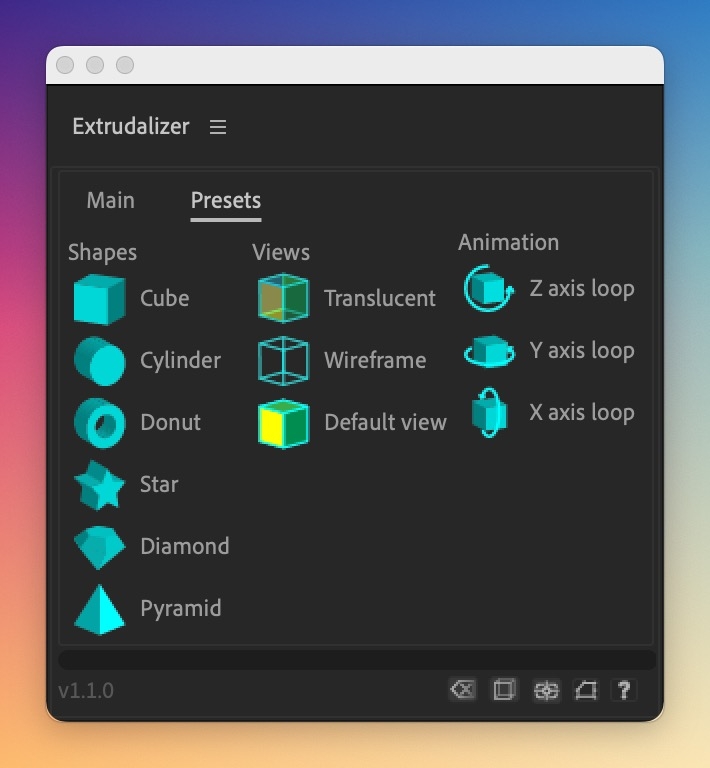
The Presets tab offers Primitives, Views, and Animation options for creating and modifying Extrudalized shapes:
- Primitives:
- Demonstrates basic and more complicated Extrudalized shape creation, such as cube, cylinder, star, diamond etc.
- Views:
- Applies a ‘look’ preset to Extrudalized layer, such as Translucency or Wireframe mode. Default returns the original look
- Animation:
- Adds animated loops on the indicated orbit axis of Extrudalized shape. This can create spinning, rotating, or oscillating effects on the shape and adds an extra dimension to the animation
Extrudalizer Shape Layer Controller
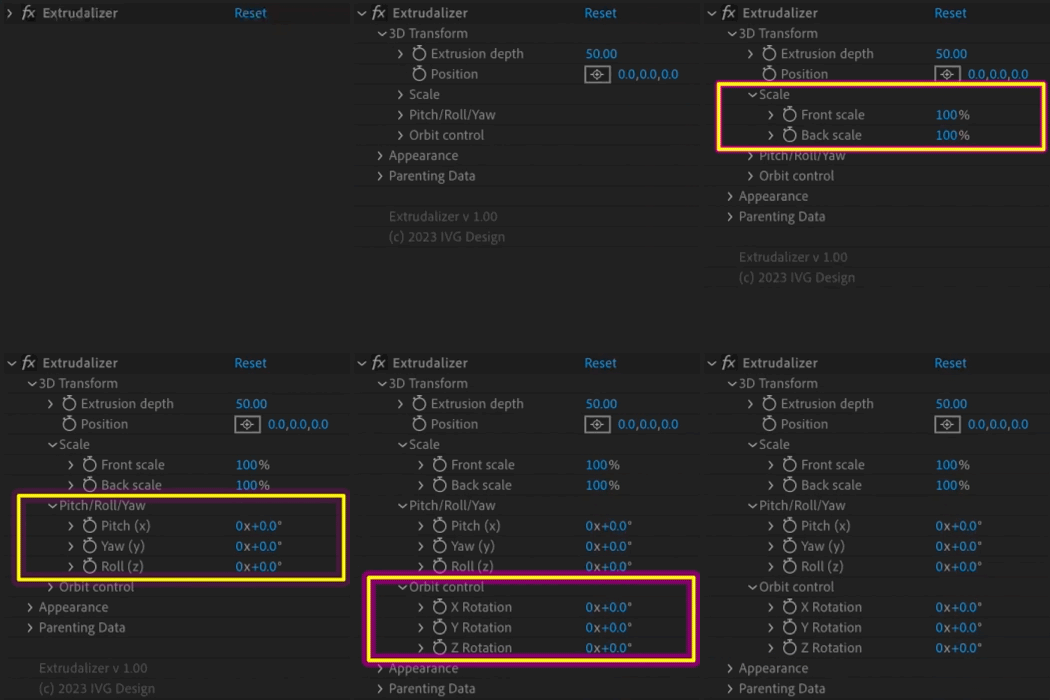
3D Transform Section of the Controller
- Extrusion depth: controls the depth of the Extrudalized shape.
- Position: controls the distance of the Extrudalized shape’s origin from the anchor point.
- Scale: controls the scale the front and back of the Extrudalized shape from 1% to 200% of shape.
- Pitch: controls the rotation of the Extrudalized shape around its own center on the X, Y, and Z axis.
- Orbit Control: controls the rotation of the Extrudalized shape around the anchor point on the X, Y, and Z axis.
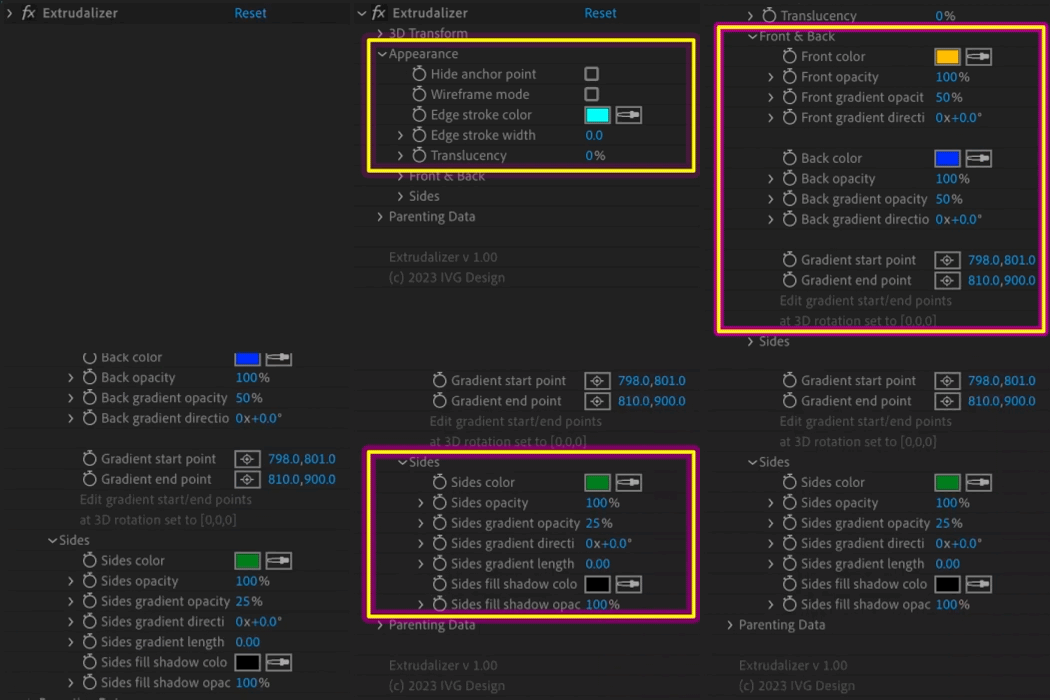
Appearance
- Hide anchor point: toggles the anchor point.
- Wireframe mode: toggles wireframe mode for the Extrudalized shape.
- Edge stroke: controls the color and width of the stroke outlining every edge of the Extrudalized shape.
- Translucency: controls the level of semi-transparency of the Extrudalized shape.
- Front and Back: controls the color, opacity, gradient opacity and direction, gradient start and end points of the Extrudalized shape’s front and back faces.
- Sides: controls the color, opacity, gradient opacity and direction, gradient length, fill shadow color and opacity of the Extrudalized shape’s sides.
Quickstart and walkthrough
Latest Update feature walkthrough
Elevate your motion graphics workflow with premium collection of After Effects plugins. Whether you are a seasoned professional or just starting your VFX journey, powerful tools designed to streamline complex tasks, unlock creative possibilities, and save you hours of rendering time. From stunning glitch effects and seamless transitions to advanced 3D extrusion and text animation tools, each plugin in our library is rigorously tested for compatibility with the latest versions of Adobe after Effects. Enhance your video production value today and download industry-leading plugins that help you create breathtaking visuals without the technical headaches. Browse our full range and find the perfect extension to supercharge your editing suite now.
➡️ ➡️ For more after effects Plugins 😀 😀
➡️ ➡️ System requirements AE
Reviews
There are no reviews yet.