
FilmConvert Hazy 1.01
Primary Keyphrase: diffusion filter plugin
Description:
Download FilmConvert Hazy 1.01 for Windows, a powerful diffusion plugin for After Effects and Premiere Pro that recreates the soft, dreamy look of physical mist and diffusion filters in post-production . Hazy softens harsh highlights, smooths uneven skin tones, and adds a beautiful bloom effect to strong light sources—giving your digital footage the texture, warmth, and atmosphere of classic film without the need for on-set filtration .
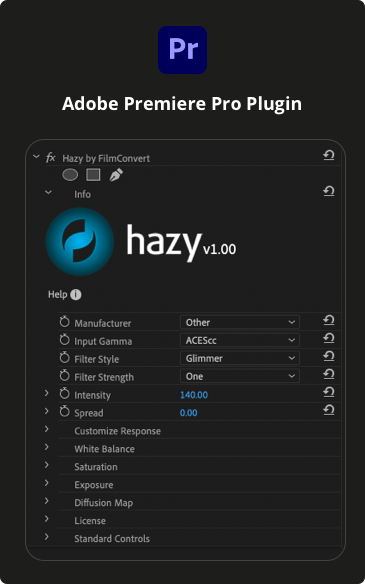
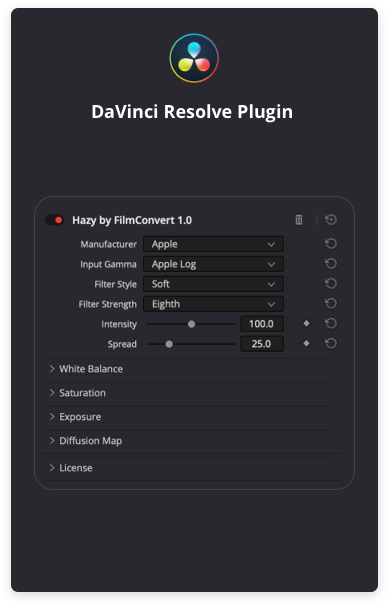
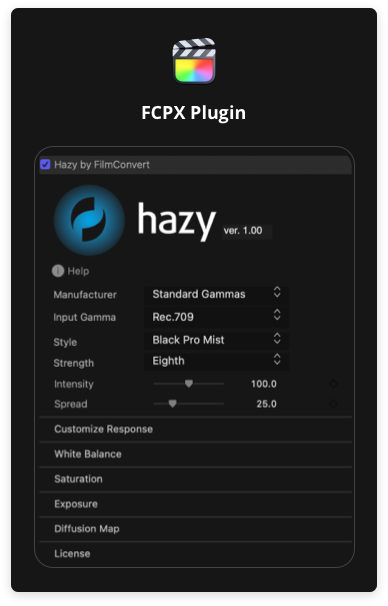
Hazy replaces your collection of physical Pro Mist, Bloom, Glimmer, and Smoke filters with a flexible, customizable plugin that integrates seamlessly into your color grading workflow . Choose from a range of presets based on favorite filter styles, then fine-tune the intensity, spread, and color response to achieve your exact desired look .
Version 1.01 Key Features:
- Filter Style Presets: Select from multiple diffusion styles including Bloom (for strong light sources) and Smooth (for evening out skin tones)
- Adjustable Filter Strength: Control the size and spread of the diffusion effect—smaller sizes create tight blooms around highlights, larger sizes spread soft mist across the entire image
- Custom Response Curves: Visual graph controls let you precisely carve the shape of your diffusion roll-off, adjusting the size and intensity of the mist effect with pinpoint accuracy
- Diffusion Map Visualization: See exactly where the effect is being applied across your image for complete creative control
- Full Color Controls: Adjust Temperature, Tint, Saturation, and Exposure with per-channel RGB controls for precise color manipulation
- Comprehensive Gamma Support: Works with standard Rec.709, camera-specific log profiles, HDR (HLG/PQ), and ACES/linear workflows—no camera packs required
- Professional Results: Softens the overly sharp, contrasty appearance common in digital footage while preserving image detail
- Fast Performance: Quick edit, playback, and render speeds even with diffusion enabled
Perfect For:
- Colorists and filmmakers adding dreamy, atmospheric looks to their footage
- Music video and commercial producers seeking romantic, soft aesthetics
- Portrait and beauty work needing smooth, flattering skin tones
- Any editor wanting to reduce digital harshness and add filmic warmth
System Requirements:
- Adobe After Effects CC 2018 through 2025
- Adobe Premiere Pro CC 2018 through 2025
- Windows 10 or 11 (64-bit)
- OpenCL 1.1+ or CUDA 10.1+ compatible graphics card
- 4GB RAM minimum (8GB+ recommended)
- Internet connection required for license activation
Note: Hazy is available as a standalone plugin or as part of the FilmConvert suite. It works alongside FilmConvert Nitrate and Halation for a complete film-look workflow .

Make it Dreamy

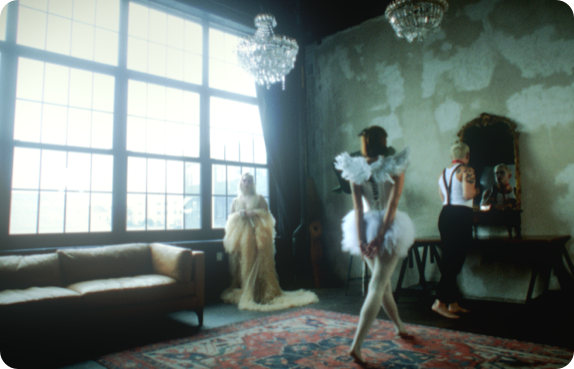
Filters are an important part of any filmmaker’s toolkit, and now, you can get all the benefits of shooting with diffusion filters in post using Hazy. Soften any bright areas of your image, smooth any uneven skin tones, and add a nice bloom effect to strong light sources using our filter presets.
Get the Vintage Look with Hazy
Hazy adds a subtle glow to your footage that can help reduce the sharpness and contrast that comes with shooting digitally. This glow gives your footage a softer and dreamier look, akin to the days of shooting on film. Choosing a smaller filter size will result in a bloom effect that’s more tightly concentrated around bright light sources. Choosing a larger filter size will result in a softer glow across your whole image.
Soften and Smooth Skintones
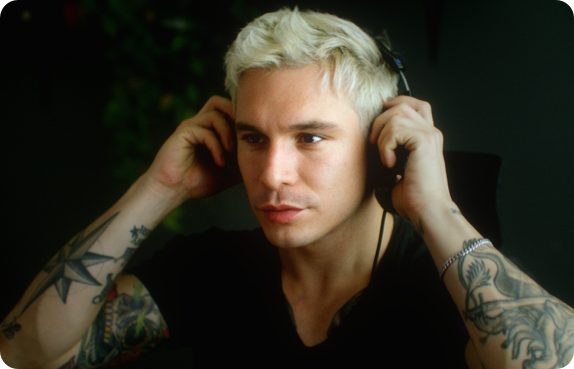
Adding Hazy to your footage helps soften and smooth uneven skin tones. It can help reduce the appearance of redness or blemishes on the face by softening the image slightly and adding a brightening glow. Any shiny areas will be reduced as the highlights are diffused into the surrounding areas, reducing overall contrast.
Customizable Controls
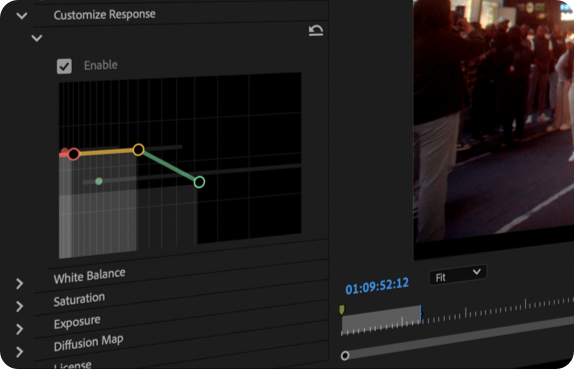
Take your grade to the next level with Hazy’s custom response controls, which determine the rolloff of your effect. The custom response graph changes to adapt to your chosen filter style, with each point adapting to the shape of your diffusion filter. This allows you to carve out where your effect is the most prominent, so you can get exactly the look you’re after.
How Hazy by FilmConvert works.
Hazy is our new diffusion plugin that helps diffuse strong light in your images, creating a soft and dreamy look for your footage. Select from a range of presets based on our favorite filter styles, along with different strengths to control the spread and intensity of the effect. Take your look to the next level with our custom controls and dial in the distribution and intensity of the effect to your liking.
Elevate your motion graphics workflow with premium collection of After Effects plugins. Whether you are a seasoned professional or just starting your VFX journey, powerful tools designed to streamline complex tasks, unlock creative possibilities, and save you hours of rendering time. From stunning glitch effects and seamless transitions to advanced 3D extrusion and text animation tools, each plugin in our library is rigorously tested for compatibility with the latest versions of Adobe after Effects. Enhance your video production value today and download industry-leading plugins that help you create breathtaking visuals without the technical headaches. Browse our full range and find the perfect extension to supercharge your editing suite now.
➡️ ➡️ For more after effects Plugins 😀 😀
➡️ ➡️ System requirements AE
Reviews
There are no reviews yet.