

Fog for After Effects
Primary Keyphrase: fog plugin
Description:
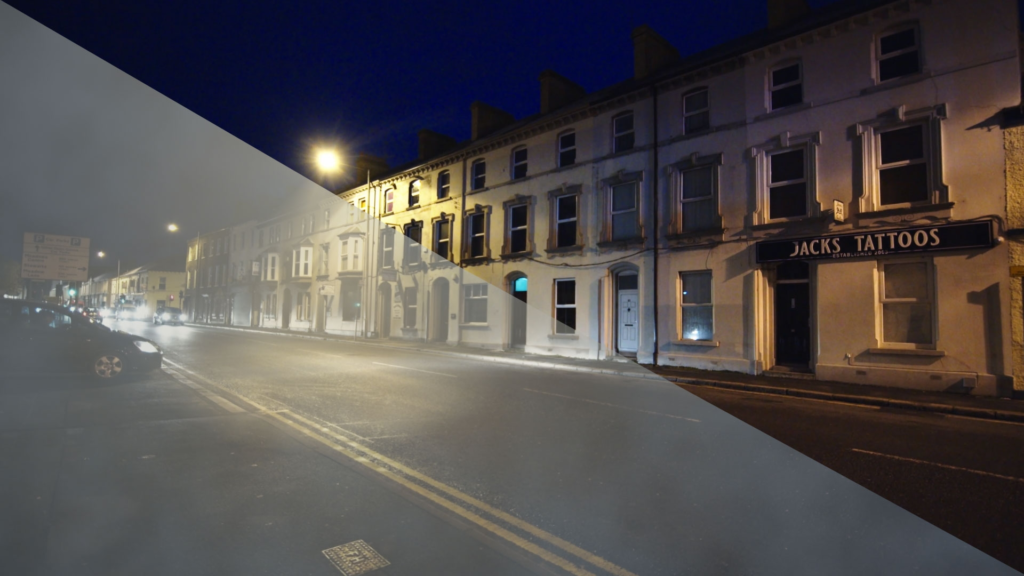
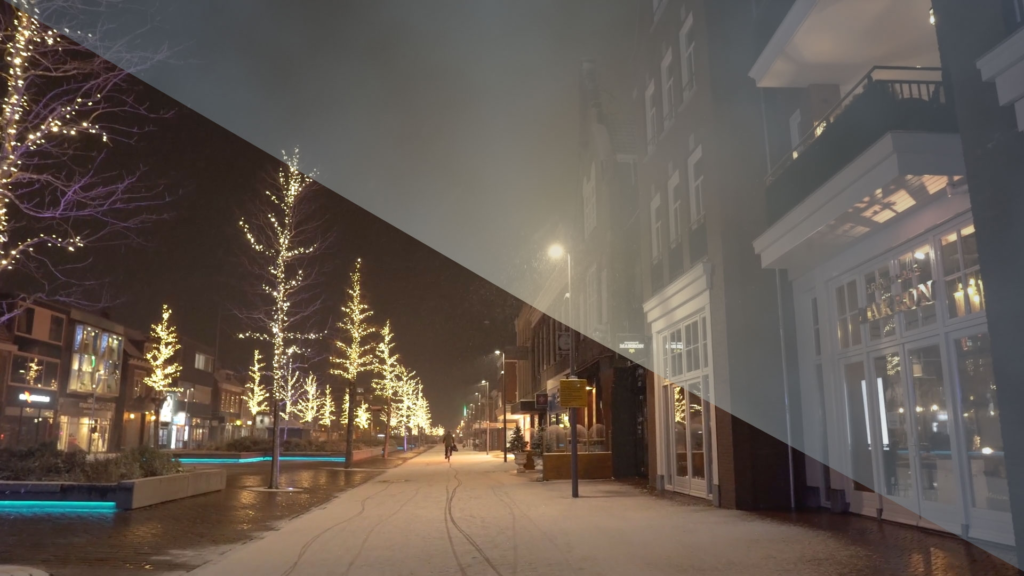
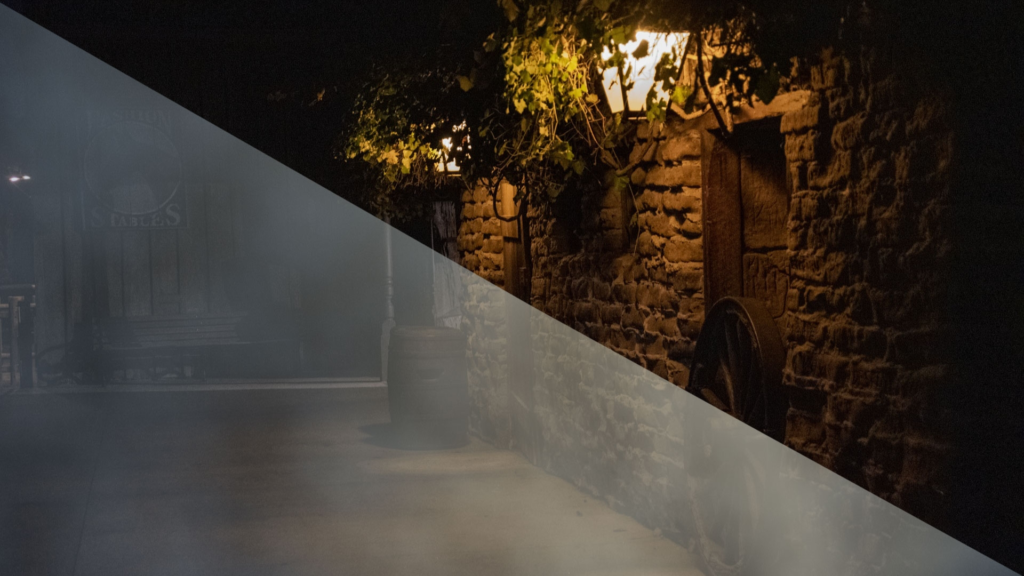
Download Fog v1.6.2 for After Effects and Premiere Pro, a powerful plugin by Prosya that creates stunning atmospheric fog, god rays, and diffusion effects with photorealistic quality . This essential tool adds depth, mood, and cinematic atmosphere to any 2D video or photo—perfect for VFX artists, colorists, and motion designers seeking to transform flat footage into immersive, atmospheric scenes.
Fog goes beyond simple noise generators by providing complete control over multiple atmospheric components simultaneously. The plugin generates noise-based fog shapes, realistic diffusion (reduction in object clarity), scattering (different fog colors for light and shadow regions), light dispersion (color variation based on view vector to light source), mist (reduction of chromaticity in obscured areas), and variable density controls for different landscape regions . It works with any 2D素材 without requiring a 3D comp, but will react to cameras in 3D comps for seamless integration .
Version 1.6.2 Updates (Nov 19, 2021):
- Improved X,Y response to AE camera for better 3D integration
Version History Highlights:
- 1.6.1 (Nov 2021): Added God Rays functionality
- 1.5 (Nov 2021): Improved volumetrics for richer atmospheric effects
- 1.4.2 (Nov 2021): Added fog animation parameters and UI improvements
- 1.4 (Nov 2021): Added depth map support and 5-step scene view
- 1.2 (Oct 2021): Added 3D camera support and flare effects
Perfect For:
- VFX artists relighting flat footage to create moody, cinematic atmospheres
- Colorists adding depth and diffusion for creative grading
- Motion designers animating photos with realistic atmospheric effects
- Anyone needing to add fog, mist, or god rays to their projects without complex 3D setups
System Requirements:
- Adobe After Effects CC 2015 through 2021
- Adobe Premiere Pro CC 2015 through 2021
- Windows 7+ or macOS 10.12+
- Multi-core CPU support for fast performance
- 4GB RAM minimum (8GB+ recommended)
- 50MB available disk space
Create fog, god rays and diffusion.
Target Audience
This plug-in is meant for power users who need to relight scenes, animate photos and create mood and particle VFX via fog, diffusion and god rays.
Fog is the visual element that gives distance cues in an image. Adding fog, god rays and diffusion instantly is a time saver for vfx and creative color grading.
Depth can be faked for a 2D layer using a depth map. For most 2D images, and especially for video, it is not trivial to create a depth map. Noise generators can create the shape of a fog, with some tweaking.They do not create diffusion, scattering, dispersion, mist.
Prosya Fog does not require a 3D comp – but it will react to a camera in a 3D comp and simulate changes in fog and diffusion.
In summary, noise generator plugins can provide the shape of the fog. Prosya Fog provides the fog shape, diffusion, god rays, scattering, dispersion, mist. Also, Prosya Fog will work with any 2D video and photo. As a result it is released on both Premiere Pro and After Effects.

Fog has multiple components – a noise-based shape, diffusion (the reduction in clarity of objects), scattering (for example different fog color of light and shadow regions), light dispersion (different color fog based on view vector to the light source), mist (the reduction of chromaticity in obscured regions), variable density (different areas in landscape can have different fog density).
Value Proposition
Add an adjustment layer above the layers you want rendered, add the Fog plugin and generate an instant fog.
- Very fast (uses all cores) and easy to use.
- Easily add procedural god rays.
- Options for fog variability to allow for creative animation and fog shapes.
Qualifying Questions
- Do you wish you could relight a flat, boring video to make it moody?
- Do you want to add greater depth to your scene?
- Do you require options for animation of photos?
- Do you need creative options for your vfx and color grading?
Compatibility
After Effects and Premiere Pro Creative Cloud. Tested with CC 2017, CC 2018, CC 2019, 2020, 2021. macOS 10.12 and above or Windows 7 and above.
Installation
After Effects plug-ins will have a plug-in .aex file or .plugin bundle and a pdf for documentation. The installer will extract .aex file or .plugin bundle to the mediacore directory – $mediacoreplug-ins\Prosya\<Plugin Name> and the pdf to $userhomefolder/Documents/Prosya/<Plugin Name>
In windows – $mediacoreplug-ins can be C:\Program Files\Adobe\Common\Plug-ins\7.0\MediaCore and $userhomefolder/ looks like C:\Users\<User Name> On a Mac, $mediacore can be /Library/Application Support/Adobe/Common/Plug-ins/7.0/MediaCore/
After successful install, Prosya plug-ins will appear under the Prosya folder inside the ‘Effects’ menu or under the ‘Effect & Presets’ tab in After Effects. If automated install does not work, try the manual installation. Manual installation also works if the plug-in is distributed as a .zip file.
Install 7-zip or any similar unzip utility. Right Click on the .zxp and click 7-zip->Open Archive.
a. Windows Install
Double-click on Win/ directory to view the .aex file. Extract .aex to the mediacore directory – C:\Program Files\Adobe\Common\Plug-ins\7.0\MediaCore
The “7.0” in the file path may differ on your setup; the steps are the same regardless. Double-click on Docs/ directory to view the .pdf file. Extract .pdf file to the Documents directory
b. Mac install
Double-click on Mac/ directory to view the .plugin bundle Extract .aex to the mediacore directory – /Library/Application Support/Adobe/Common/Plug-ins/7.0/MediaCore/
You can copy/paste that file path into the Go > Go to Folder… menu of Finder. The “7.0” in the file path may differ on your setup; the steps are the same regardless. Double-click on Docs/ directory to view the .pdf file. Extract .pdf file to the Documents directory
Elevate your motion graphics workflow with premium collection of After Effects plugins. Whether you are a seasoned professional or just starting your VFX journey, powerful tools designed to streamline complex tasks, unlock creative possibilities, and save you hours of rendering time. From stunning glitch effects and seamless transitions to advanced 3D extrusion and text animation tools, each plugin in our library is rigorously tested for compatibility with the latest versions of Adobe after Effects. Enhance your video production value today and download industry-leading plugins that help you create breathtaking visuals without the technical headaches. Browse our full range and find the perfect extension to supercharge your editing suite now.
➡️ ➡️ For more after effects Plugins 😀 😀
➡️ ➡️ System requirements AE
Reviews
There are no reviews yet.