

foxRetimer V1.3
Primary Keyphrase: time remapping script
Description:
Download foxRetimer V1.3, a powerful After Effects script that applies time remapping to nested compositions with unprecedented ease and control . Finally apply time remapping to your comps without the frustration of manually moving layers, adjusting keyframes, and retiming nested compositions . This essential tool leverages AE’s built-in time remapping feature to give you complete creative control over your animation timing.
foxRetimer allows you to reverse your entire animation or mirror it as an out animation—automatically adjusting every layer, moving keyframes, and flipping your animation curves with precision . Perfect for creating seamless loops, foxRetimer automatically duplicates layers and keyframes when needed, making looped animations fit your exact requirements .
Version 1.3 Key Features:
- Time Remapping for Nested Comps: Apply time remapping directly to compositions containing nested precomps and footage layers—each layer is accurately retimed with a specially generated retiming curve
- Animation Reversal: Reverse whole animations or mirror them as out animations with automatic adjustment of all layers, keyframes, and bezier curves
- Looping Automation: Duplicate layers and keyframes automatically when looping animations using time remap—perfect for creating perfectly timed looped sequences
- Adjustable Parameters: Choose exactly what to modify with three key options—Adjust In and Out (layer start times and in/out points), Adjust Keyframes (move existing keyframes and curves), and Add Inbetween Keys (insert additional keyframes at retiming points for better curve representation)
- Retime Nested Layers: Special handling for nested precomps and footage layers ensures accurate retiming with generated retiming curves per layer
- Cross-Platform Compatibility: Works seamlessly on both Windows and Mac systems with support for After Effects 2026, 2025, 2024, 2023, 2022, 2021, 2020, CC 2019, CC 2018, CC 2017, CC 2015.3, CC 2015, CC 2014, CC, and CS6
- V1.3 Update (August 25, 2025): Speed enhancements and compatibility with macOS Tahoe 26 and Adobe After Effects 2025
Perfect For:
- Motion graphics artists working with complex nested compositions that need time remapping
- Animators creating reversed animations and mirrored out animations
- Anyone needing to loop animations using time remap without manual layer duplication
- Designers frustrated by the complexity of manually retiming nested comps
System Requirements:
- Adobe After Effects 2026, 2025, 2024, 2023, 2022, 2021, 2020, CC 2019, CC 2018, CC 2017, CC 2015.3, CC 2015, CC 2014, CC, CS6
- Windows 10/11 (64-bit) or macOS (including Tahoe 26 support)
- 4GB RAM minimum (8GB+ recommended)
- 50MB available disk space
- Enable “Allow Scripts to Write Files and Access Network” in Preferences > Scripting & Expressions
Note: Due to bezier math limitations, some time remapped curves may not be recreated exactly—minor differences may appear . The script is priced at $39.99 with special upgrade pricing available for existing users .
Retime nested comps with power and ease!
Finally apply time remapping!
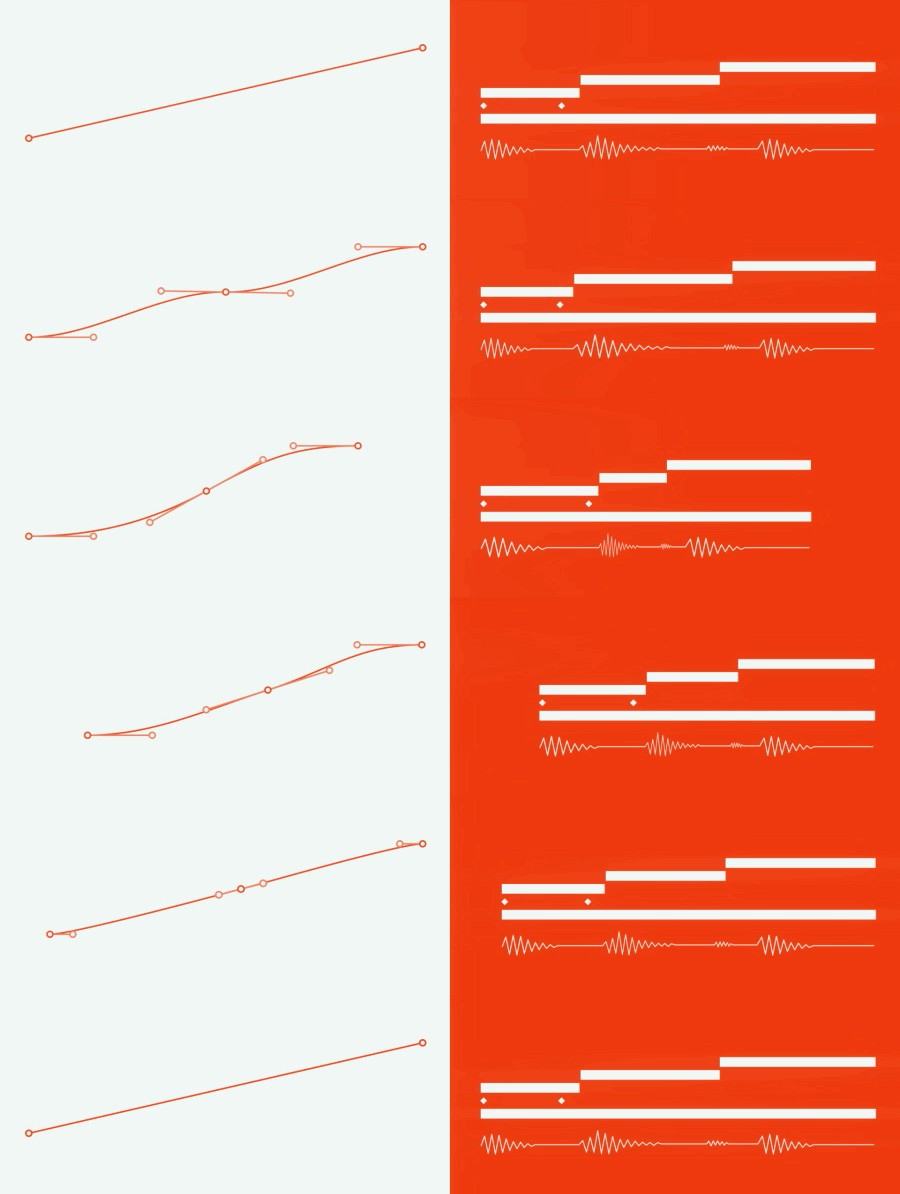
You have worked with time remapping before? Now you can apply it to your comps! FoxRetimer utilizes AE’s build in time remapping feature instead of manually move layers, adjust keyframes & retime nested comps! Never get frustrated with time remapping anymore!
Reverse it!

foxRetimer also allows you to reverse your whole animation or mirror it as an out animation! When reversing your animation, foxRetimer adjusts every layer, moves keyframes and also flips curves you drew for your animation.
Duplicate & loop your animations!
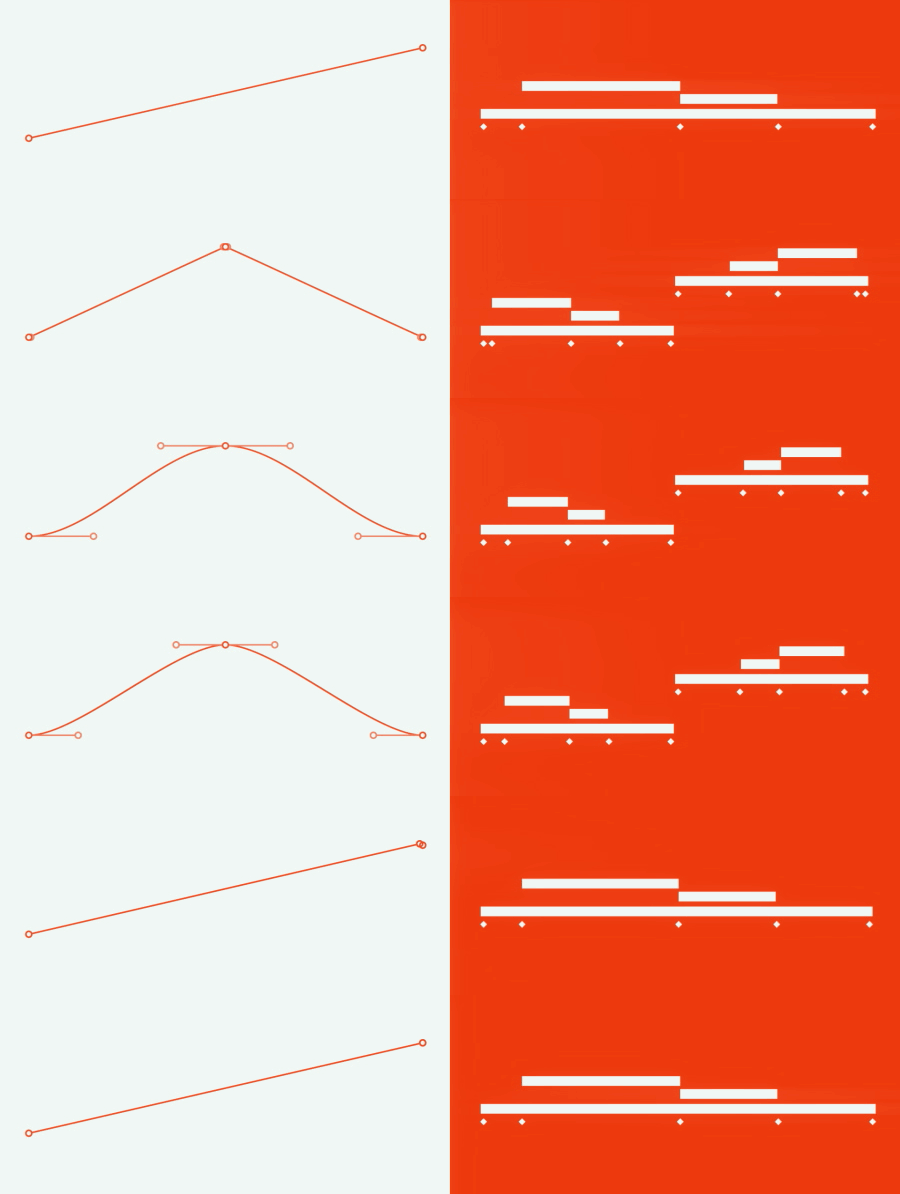
If you love to loop your animations using time remap, foxRetimer does as well. It will automatically duplicate layers and keyframes if necessary! Perfectly for adjusting looped animations to fit your exact needs!
Important: We can’t always recreate time remapped curves exactly because of some bezier math limitations. Minor differences may appear.
Your options are:
Adjust In and Out
If you check this, each of your layer’s starttime, as well as in- / out-points are adjusted. If you are looping or mirroring your animation using your curve, layers are also automatically duplicated with this option checked.
Adjust Keyframes
All of your preciously set keyframes and curves may be moved by foxRetimer if you check this option. If you are looping or mirroring inside your curve, keyframes or part of the curves are being mirrored or duplicated as well.
Retime Nested Layers
If your comp contains a nested precomp or another footage-layer and you check this option, all the layers will be accurately retimed to fit the original retiming. A special retiming curve is generated per layer.
Add inbetween keys
If foxRetimer applies your time remapping it just moves your existing keyframes to recreate the time remapped curve. If you check this option, foxRetimer will add inbetween keyframes on retiming points to recreate a better representation of your retimed curve.
Elevate your motion graphics workflow with premium collection of After Effects plugins. Whether you are a seasoned professional or just starting your VFX journey, powerful tools designed to streamline complex tasks, unlock creative possibilities, and save you hours of rendering time. From stunning glitch effects and seamless transitions to advanced 3D extrusion and text animation tools, each plugin in our library is rigorously tested for compatibility with the latest versions of Adobe after Effects. Enhance your video production value today and download industry-leading plugins that help you create breathtaking visuals without the technical headaches. Browse our full range and find the perfect extension to supercharge your editing suite now.
➡️ ➡️ For more after effects Plugins 😀 😀
➡️ ➡️ System requirements AE
Reviews
There are no reviews yet.