
Frankenstein for After Effects
frankenstein script
Frankenstein v1.2.42 for After Effects – Advanced Layer & Composition Assembly Toolkit
Download Frankenstein v1.2.42 for After Effects on Windows and Mac, a powerful script that assembles layers and compositions from multiple sources into a single, unified project. Perfect for building complex scenes from pre-existing assets, merging different animation elements, and creating modular motion graphics systems .
Key Features of Frankenstein v1.2.42:
- Multi-Source Assembly: Combine layers, precomps, and assets from multiple projects into a single, organized composition
- Smart Merging: Automatically resolves naming conflicts, preserves expressions and keyframes, and maintains layer relationships during assembly
- Template System: Create reusable templates from your best work and quickly assemble new projects from your library of assets
- Batch Import: Import multiple files simultaneously with intelligent sorting and organization options
- Layer Management: Organize assembled layers with automatic naming, color coding, and folder structure
- Expression Preservation: Maintains all expressions, pickwhips, and parent-child relationships when merging projects
- Asset Consolidation: Collect and organize all assets from source projects into a clean, manageable structure
- Version Control: Track different iterations of assembled projects with built-in version management
- Cross-Platform Support: Works on both Windows and Mac systems
Perfect For:
- Motion graphics artists building complex scenes from existing asset libraries
- Studios assembling modular projects from standardized elements
- Designers creating templates for recurring project types
- Anyone who needs to combine elements from multiple projects efficiently
- Teams working with shared asset libraries and standardized components
System Requirements:
- Adobe After Effects 2025, 2024, 2023, 2022
- Windows 10/11 (64-bit) or macOS
- 4GB RAM minimum (8GB+ recommended)
- 25MB available disk space
- Enable “Allow Scripts to Write Files and Access Network” in Preferences > Scripting & Expressions
Installation:
Copy the script file to your After Effects ScriptUI Panels folder:
- Windows:
C:\Program Files\Adobe\Adobe After Effects [version]\Support Files\Scripts\ScriptUI Panels\ - Mac:
/Applications/Adobe After Effects [version]/Scripts/ScriptUI Panels/
Access via Window menu > Frankenstein
Note: Version 1.2.42 includes performance improvements and enhanced compatibility with recent After Effects versions . The script’s ability to assemble complex projects from multiple sources makes it invaluable for studios working with standardized asset libraries .
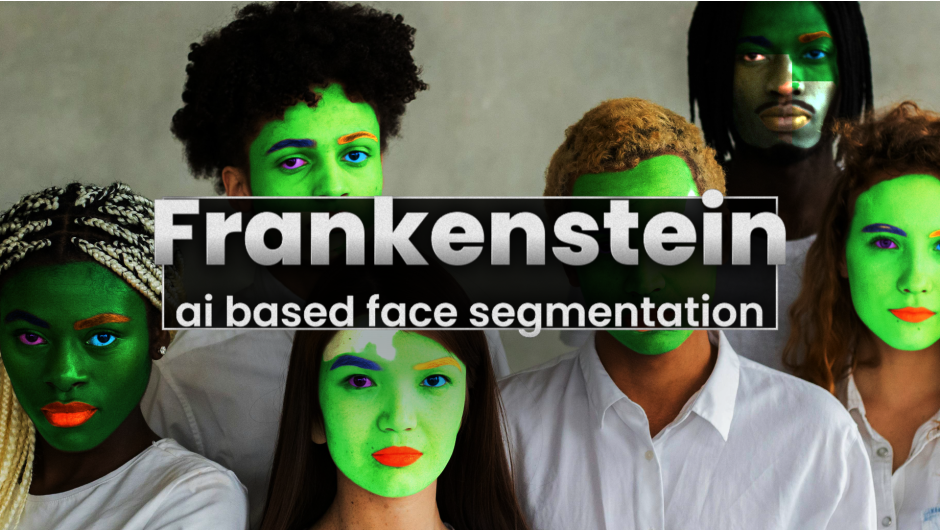
AI-based face segmentation
Frankenstein for After Effects and Premiere Pro
Features
Overview
Frankenstein lets you generate precise mattes for individual facial features — including skin, eyes, mouth, and teeth — giving you full creative control for downstream compositing and stylized effects.
Beauty work made simple…
Easily enhance portraits by highlighting or adjusting the colors of individual facial features for quick beauty touch-ups.
Teeth Whitening
Get instant teeth whitening without a toothbrush!
Halloween 🎃 is all the year…
Use Frankenstein’s mattes to turn innocent faces into something dark, eerie, and devilish…
… or to drain the life from someone’s very soul.
Easy selection
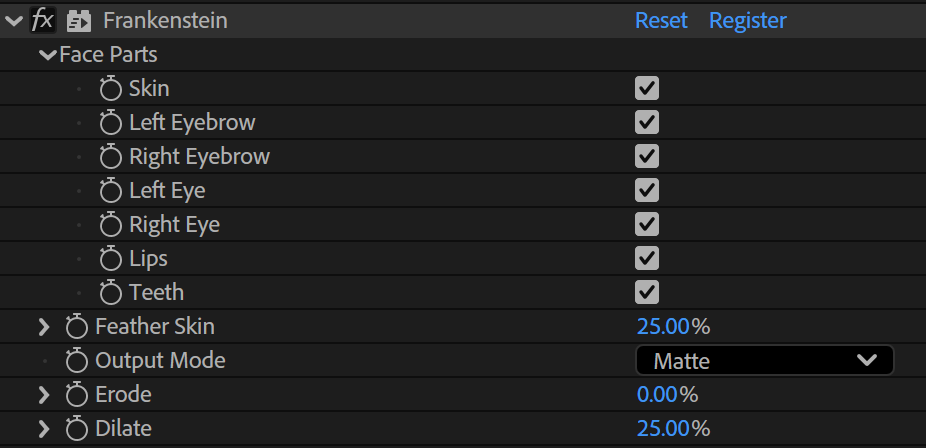
A simple UI allows you to select and combine individual face parts – all powered by our local-running AI engine, giving you fast and responsive results.
System Requirements
| Windows with NVIDIA GPU >= 8GB | Other Windows | Apple Silicon with MacOS Sequoia or newer and >= 16GB RAM | Other MacOS |
|---|---|---|---|
| ✅ | very slow | ✅ | ❌ |
Documentation

Compatibility
After Effects
2026, 2025, 2024
Elevate your motion graphics workflow with premium collection of After Effects plugins. Whether you are a seasoned professional or just starting your VFX journey, powerful tools designed to streamline complex tasks, unlock creative possibilities, and save you hours of rendering time. From stunning glitch effects and seamless transitions to advanced 3D extrusion and text animation tools, each plugin in our library is rigorously tested for compatibility with the latest versions of Adobe after Effects. Enhance your video production value today and download industry-leading plugins that help you create breathtaking visuals without the technical headaches. Browse our full range and find the perfect extension to supercharge your editing suite now.
➡️ ➡️ For more after effects Plugins 😀 😀
➡️ ➡️ System requirements AE
Reviews
There are no reviews yet.