
Furikake for After Effects
Primary Keyphrase: particle effects plugin
Description:
Download Furikake 1.0.0 for After Effects, a lightweight, high-performance particle generation plugin that delivers exceptional speed and visual quality . Powered by a multi-core optimized rendering engine and intuitive graphical user interface, Furikake smoothly handles massive numbers of particles while supporting Multi-Frame Rendering (MFR), Depth of Field (DOF), and 32-bit color for professional-grade results .
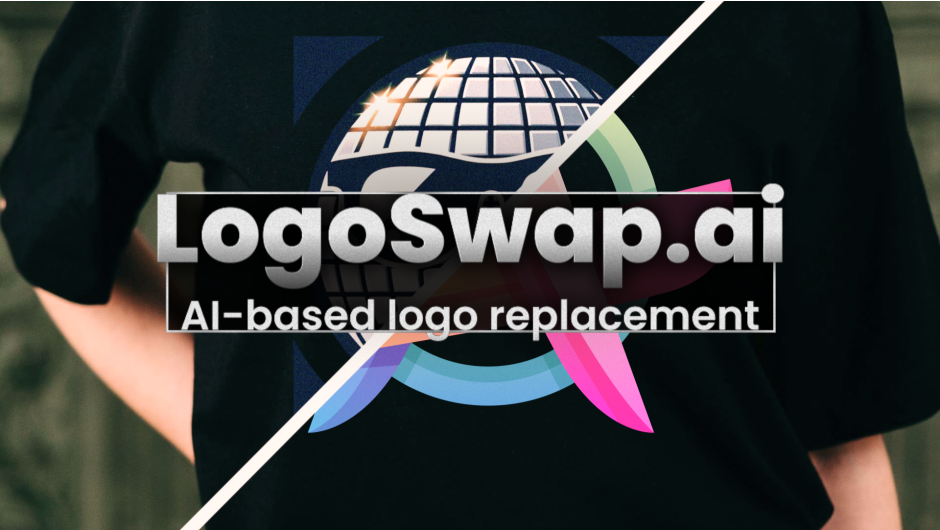
LogoSwap enables AI-based logo removal and replacement for easy content branding.
Whether you’re creating game effects, VFX, dynamic motion graphics backgrounds, explosions, smoke, or atmospheric elements, Furikake provides a powerful yet accessible solution . Its parameter interface is familiar to users of Red Giant’s Particular, making it easy to adopt while delivering nearly 10x better performance .
Core Features of Furikake 1.0.0:
Emitter
- Generate particles from various emitter shapes including point, box, sphere, and grid
- Precisely control emission direction, speed, and behavior
Particle
- Support for basic sphere particles plus 2D textures (static or animated sequences) and 3D textures
- Freely control size, opacity, and color changes over each particle’s lifetime
Physics & Deform
- Add physical behaviors such as gravity, wind, bounce, and turbulence
- Create natural and dynamic particle motion with realistic physics
Outstanding Performance
- High-speed rendering engine optimized for modern processors
- Smoothly and stably handles massive numbers of particles
- Supports Multi-Frame Rendering (MFR) for accelerated export performance
Versatile Particle Expressions
- Supports double-sided textures and normal maps for advanced lighting effects
- Expand creativity with secondary particles generated by the Child Particle System
High-Quality Rendering
- Lighting and shadows driven by After Effects’ native lights
- Natural depth of field rendering
- 32-bit color support for rich gradation and high-definition video
Intuitive Interface
- Turn ideas into motion instantly with an intuitive, graphical UI
- Full support for 3D camera integration for dimensional, immersive animations
Perfect For:
- Motion graphics artists creating dynamic particle backgrounds and effects
- VFX professionals needing high-performance particle systems
- Game effect designers requiring massive particle counts
- Anyone seeking a faster, more efficient alternative to traditional particle plugins
System Requirements:
- Adobe After Effects 2026, 2025, 2024, 2023, 2022, 2021, 2020, CC 2019, CC 2018
- Windows 10/11 (64-bit) or macOS
- 4GB RAM minimum (8GB+ recommended)
- 100MB available disk space
- Supports Multi-Frame Rendering (MFR) for accelerated exports
Note: Version 1.0.5 (Jan 2026) fixed motion blur issues, texture problems in Child Particle System, and shadow behavior with spotlights . Version 1.0.4 (Dec 2025) improved motion blur behavior and stability .
LogoSwap for After Effects and Premiere Pro
Features
Overview
LogoSwap lets you remove and replace logos in your footage, without manual tracking. The pretrained AI-model (.swp / swap file) automatically detects all instances of the logo(s) it was trained on and replaces them.
All surfaces
The replacement AI will work with moving surfaces very well.
Easily apply animation
Replace static logos with animated footage or compositions with a single click…
Quickly create multiple brand versions
Create multiple versions of your branded footage easily.
For Content creators
Create new sponsorship opportunities by having an easy workflow for content personalization.
For Broadcast and Sports Production
With LogoSwap you can create region-specific versions of the same broadcast.
Use your own logos

System Requirements
| Windows with NVIDIA GPU >= 8GB | Other Windows | Apple Silicon with MacOS Sequoia or newer and >= 16GB RAM | Other MacOS |
|---|---|---|---|
| ✅ | very slow | ✅ | ❌ |
Documentation & Sample Project
Elevate your motion graphics workflow with premium collection of After Effects plugins. Whether you are a seasoned professional or just starting your VFX journey, powerful tools designed to streamline complex tasks, unlock creative possibilities, and save you hours of rendering time. From stunning glitch effects and seamless transitions to advanced 3D extrusion and text animation tools, each plugin in our library is rigorously tested for compatibility with the latest versions of Adobe after Effects. Enhance your video production value today and download industry-leading plugins that help you create breathtaking visuals without the technical headaches. Browse our full range and find the perfect extension to supercharge your editing suite now.
➡️ ➡️ For more after effects Plugins 😀 😀
➡️ ➡️ System requirements AE
Reviews
There are no reviews yet.