
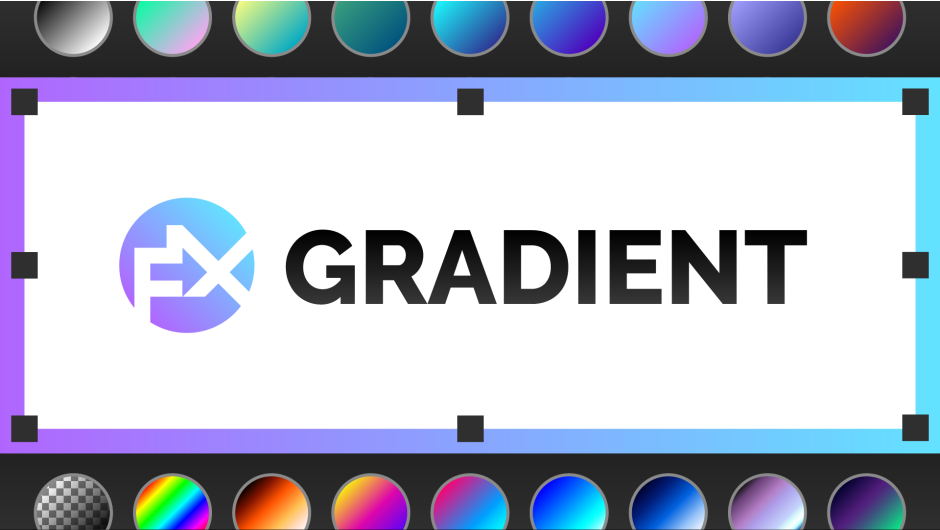
FX Gradient v1.0
Primary Keyphrase: gradient generator script
Description:
Download FX Gradient v1.0 for After Effects, the most user-friendly way to create advanced gradient ramps with just a click. This intuitive toolset lets you generate linear, radial, angular, and reflected gradients using 30 carefully handcrafted color presets—plus add special effects like tiling, grain, and turbulence for unique, stylized looks .
The most user-friendly way to create advanced gradient ramps in After Effects! Easily create and edit linear, radial, angular and reflected ramps with the click of a button, and colorize them with one of the 30 trendy and useful color presets. Even add some special FX options like tiling, grain and turbulence !
FX Gradient streamlines a surprisingly tedious part of After Effects. Unlike the native gradient ramp (which only offers basic linear/radial options and requires manual recentering), this tool gives you one-click access to multiple gradient types with intelligent shortcuts. Shift+Click rotates gradients by 90°, Alt+Click swaps colors instantly, and the preset dropdown lets you test different color schemes on the fly using your keyboard’s up/down arrows .
Key Features of FX Gradient v1.0:
- 4 Gradient Types: Create linear, radial, angular, and reflected ramps with dedicated icon buttons
- 30 Color Presets: 21 basic two-color combinations plus 9 Colorama-based presets for multi-color gradients with individual transparency control
- Smart Shortcuts: Shift+Click rotates gradients 90°, Alt+Click inverts colors—no more manual point tweaking
- Real-Time Preview: Change color presets while your layer is selected and see results immediately; use keyboard arrows to cycle through options
- Special FX Options: Add tiling (with adjustable angle and seamless cycling), artistic grain diffusion, and turbulence effects (amplitude, scale, complexity, evolution) for organic, natural-looking results
- Compatible with YY Ramp+: Works even better with the free YY Ramp+ plugin (also Name Your Own Price) for faster performance and smoother angular/reflected gradients; without it, FX Gradient “mimics” shapes using native effects and expressions
- Lightweight Workflow: Apply gradients without digging through menus—ideal for creating skies, water, wood textures, retro looks, or radar-style angular designs
- Broad Compatibility: Works with After Effects CS6 through 2025
Note for CS6 Users: Color presets appear as text names rather than round icons due to scripting limitations; the effect may show as “missing” but functions perfectly .
Perfect For:
- Motion graphics artists needing quick, flexible gradient generation
- Designers creating backgrounds, textures, and stylized effects
- Anyone frustrated by After Effects’ limited native gradient controls
- Users wanting to experiment with color schemes without manual adjustments
System Requirements:
- Adobe After Effects 2025, 2024, 2023, 2022, 2021, 2020, CC 2019, CC 2018, CC 2017, CC 2015.3, CC 2015, CC 2014, CC, CS6
- Windows 10/11 (64-bit) or macOS
- 4GB RAM minimum (8GB+ recommended)
- 25MB available disk space
Version 1.0 Release (October 10, 2019): Initial launch with all core features .
Most of the Adobe applications come with some small icons that allow you to choose a gradient type among presets (for both shape and color) before applying it.
But, curiously, After Effects doesn’t offer such some gradient options ! AE’s gradient ramp just come as a rather limited effect, that you have to apply manually onto your layer. It only offers 2 basic modes – linear and radial (that you have to re-center each time manually), plus it always begins with black and white and doesn’t offer any angle, tiling nor special FX option…
A really nice other plugin called YY Ramp+, available here on aescripts also as a Name Your Own Price product, allows you to choose from additional shapes, like angular, reflected or diamond (and does offer some useful other options like midpoint, opacity per color, blending mode…), but you still have to apply this effect again and again on each layer, and to tweak the colors and options afterwards, in order to achieve the desired result.
Being able to just create horizontal linear ramps, simple centered radial gradients or angular ramps that you can turn with an angle parameter (useful for creating “radar” like designs for example) shouldn’t be that frustrating, so… I decided to create my own toolset !
Introducing …

A simple toolset that allows you to create your desired gradient type in a really fast and convenient way, by clicking the corresponding icon button, just like you would do within other Adobe Programs.
The 4 gradient type buttons react differently depending on the shortcut you use while pressing them :
- with SHIFT (+ click), you can rotate the gradient shape by 90° (way more convenient than tweaking both the start and end point of the native gradient effect !)
- with ALT (+ click), you can invert the 2 colors of the gradient ramps (does the same as if you had clicked on the “Swap colors” button in the native effect).

Before clicking on the gradient type button (but you can do it afterwards as well, as long as you respect a few conditions, as explained in the next paragraph), you can choose a color scheme among 30 carefully hand crafted presets :

The 21 first ones (shown on the left) are simply a combination of 2 colors, while the 9 last ones in the dropdown list (shown on the right in the image above, and containing a (C) letter in their name) work a bit differently. Indeed, these 9 specific color presets will apply a Colorama effect, that allow you to add more than 2 colors in the color wheel, and to adjust their transparency individually (the Alpha (C) preset is a bit more specific ; you’ll have to colorize it with a fill effect on top of it since it comes in black color only).
Keep in mind that you will be able to change the colors of your gradient afterwards by changing the preset selection in the dropdown list while your layer with FX gradient applied to it is selected, BUT, if you have begun by applying one of the 21 first “basic 2 colors ramps” presets, you won’t be able to apply a (C)olorama based preset. Conversely, if you had begun to apply one the 9 last (C)olorama based presets, you won’t be able to change the colors by just selecting one of the 21 first “basic 2 colors ramps” presets afterwards.
Another nice addition is that, just by changing the selected preset in the color dropdown list, it will automatically apply these 2 colors scheme to any “Gradient ramp” or even “Tint” effect already applied to your selected layer. This is a neat way to test different colors to tint some footage with the keyboard’s UP and DOWN arrows !
Fully compatible with the YYramp+ plugin

The SFX option
The FX gradient toolset has been packed with a bunch of tilling options and “Special FX” features, available by default whether you have installed the YYramp+ plugin or not.
 You can play with some tiles options inside the You can play with some tiles options inside theFX gradient’s “Tilling options” (Number of Tiles, Tiles Angle, Cycle and Seamless) in order to create interesting complex gradients (the “Tiles Angle” option alows you to rotate the “Angular Ramp” around its center Point too). |  You can use the “Arty grain” options You can use the “Arty grain” options(Grain diffusion, Clamp Colors and Grain Evolution) to achieve this really trendy “retro” look that everybody loves nowadays. The “Clamp Colors” option’s effect won’t be visible unless you use a multi-color gradient. |  And you can use the “Turbulence” options And you can use the “Turbulence” options(Amplitude, Scale, Complexity and Evolution) in order to bring a little bit more chaos and natural look to your gradient skies, water or wood illustrations, just like your would do inside the Cinema4D’s Gradient shader. |
Keep in mind that these are only native AE effects, that are just linked to the main FX gradient pseudo-effect via expressions, so feel free to dive deeper into them by twirling down the renamed effects at the bottom of the stack (the 8th one that creates the Turbulence FX is “called “_______”, if you want to change the Turbulent displacement type to “Vertical only” for example).
| Sometimes, you may not want to end up with the full stack of effects, because you just want a basic, simple gradient.This is why you have the ability, only if you have installed the YYramp+ plugin, to toggle the SFX option off.When SFX is ON, which is the case by default, you’ll see some little stars sparkling on the icon button, while when it is OFF, the SFX is greyed out and doesn’t show these little stars. In this case, each time you’ll create a new gradient on a selected layer, it will just apply the YYramp+ effect to the layer, with the choosen shape and color preset.If you haven’t installed the YYramp+ plugin yet, you will just see a greyed out SFX button without any stars and with a thin cross onto it ; it is just a visual clue that reminds you that you don’t have YYramp+ plugin installed in your current AfterEffects version, and you will be bound to apply the full stack of effects. Note that it doesn’t mean that the toolset won’t be able to create the desired gradients, but it will be “fake” them by stacking native effects linked to the main Pseudo-effect through more expressions, which involves of course, a little bit more computer ressources. There are other small limitations especially while creating an “Angular” type of gradient ramp, onto Shape Layers, Text layers and Masked Layers, because it’s really difficult to mimic this kind of gradient with non plain solid, rectangular or footage layers. So, again, if you want more flexibility and faster performances, I strongly advise you to install the YY Ramp+ plugin in addition to this FX gradient toolset ! |  |
Note to CS6 users :
CS6 users won’t be able to view the color presets as nice round icons ; they will only see their written name instead (due to some AE CS6 scripting UI limitations).
Plus, the FX gradient will appear as “missing effect”, but don’t worry, all the features will work perfectly otherwise !
Elevate your motion graphics workflow with premium collection of After Effects plugins. Whether you are a seasoned professional or just starting your VFX journey, powerful tools designed to streamline complex tasks, unlock creative possibilities, and save you hours of rendering time. From stunning glitch effects and seamless transitions to advanced 3D extrusion and text animation tools, each plugin in our library is rigorously tested for compatibility with the latest versions of Adobe after Effects. Enhance your video production value today and download industry-leading plugins that help you create breathtaking visuals without the technical headaches. Browse our full range and find the perfect extension to supercharge your editing suite now.
➡️ ➡️ For more after effects Plugins 😀 😀
➡️ ➡️ System requirements AE
Reviews
There are no reviews yet.