
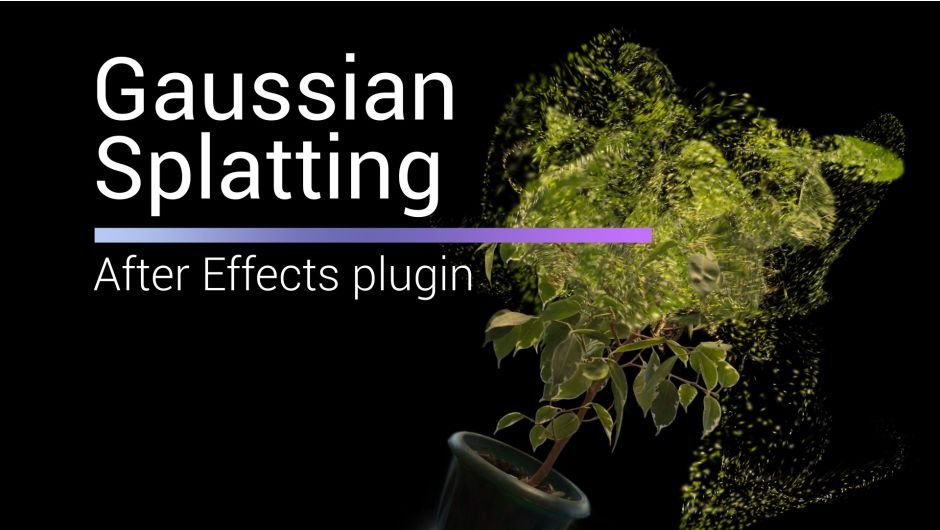
Gaussian Splatting for After Effects
gaussian splatting plugin
Gaussian Splatting for After Effects – Revolutionary 3D Point Cloud Renderer & Neural Radiance Field Viewer
Download Gaussian Splatting for After Effects on Windows and Mac, a groundbreaking plugin that renders and visualizes Gaussian Splatting 3D scene representations directly inside After Effects. Import .ply files generated from photogrammetry, NeRF captures, or 3D scanning workflows and explore fully volumetric scenes with real-time camera movement, lighting, and depth effects .
Key Features of Gaussian Splatting for After Effects:
- Native PLY Import: Directly import Gaussian Splatting .ply files created with popular tools like Postshot, Nerfstudio, Luma AI, and custom capture workflows—no conversion required
- Real-Time 3D Navigation: Explore volumetric scenes with full camera control—pan, orbit, and dolly through your 3D captures with smooth, real-time performance
- Adjustable Splat Scale: Control the size and density of Gaussian splats for different visual effects—from sharp, detailed renders to soft, painterly aesthetics
- Dynamic Lighting: Add and position lights within your 3D scene for enhanced depth and realism, with full compatibility with After Effects’ native lighting system
- Depth Map Output: Generate depth maps from your 3D scenes for advanced compositing, depth of field effects, and integration with other 3D tools
- Camera Tracking Integration: Animate cameras through your 3D scenes with After Effects’ native camera tools for dynamic, cinematic shots
- Color & Opacity Controls: Fine-tune splat colors, opacity, and blending for customized visual results
- Performance Optimized: GPU-accelerated rendering ensures smooth real-time preview even with dense point cloud data
- Cross-Platform Support: Works on both Windows and Mac systems
Perfect For:
- VFX artists integrating photogrammetry and NeRF captures into After Effects workflows
- Motion designers creating immersive 3D environments from real-world scans
- 3D scanning professionals presenting and animating captured scenes
- Filmmakers adding volumetric elements to their compositions
- Anyone working with Gaussian Splatting technology who needs After Effects integration
System Requirements:
- Adobe After Effects 2025, 2024, 2023
- Windows 10/11 (64-bit) or macOS
- GPU with 8GB VRAM minimum recommended for large splat files
- 4GB RAM minimum (16GB+ recommended for complex scenes)
- 100MB available disk space
- .ply file from compatible Gaussian Splatting generation tool
Installation:
Copy the plugin file to your After Effects Plug-ins folder:
- Windows:
C:\Program Files\Adobe\Adobe After Effects [version]\Support Files\Plug-ins\ - Mac:
/Applications/Adobe After Effects [version]/Plug-ins/
Note: Gaussian Splatting technology represents a breakthrough in 3D scene representation, enabling real-time rendering of photorealistic volumetric captures. This plugin brings that power directly into After Effects, opening up new creative possibilities for integrating 3D scans and volumetric environments into motion graphics workflows .
Import, manipulate and render 3D Gaussian Splatting (.ply) files inside After Effects in real-time with GPU.
Gaussian Splatting
Import, manipulate and render 3D Gaussian Splatting (.ply) files inside After Effects in real-time with GPU.
Import Splats (.ply)
trained with any software


Features
- Import .ply files in After Effects.
- Crop with Spherical or Box shape.
- Crop with Y Plane.
- Combine up to 10 models in the scene.
- Colorize with Ramp using Spherical or Box shape.
- Reveal model with Opacity Ramp.
- Animate Splat Scale with Spherical or Box shape.
- Each model can be distorted with Noise.
- Render Depth Pass for 3D compose.
- Real-time with GPU
- Color Grading for each model
- Export Scene to .ply
Align Model
Align the model to the center of the scene, and orient it horizontally.
Crop
Crop scene with Sphere or Box and Y Plane.
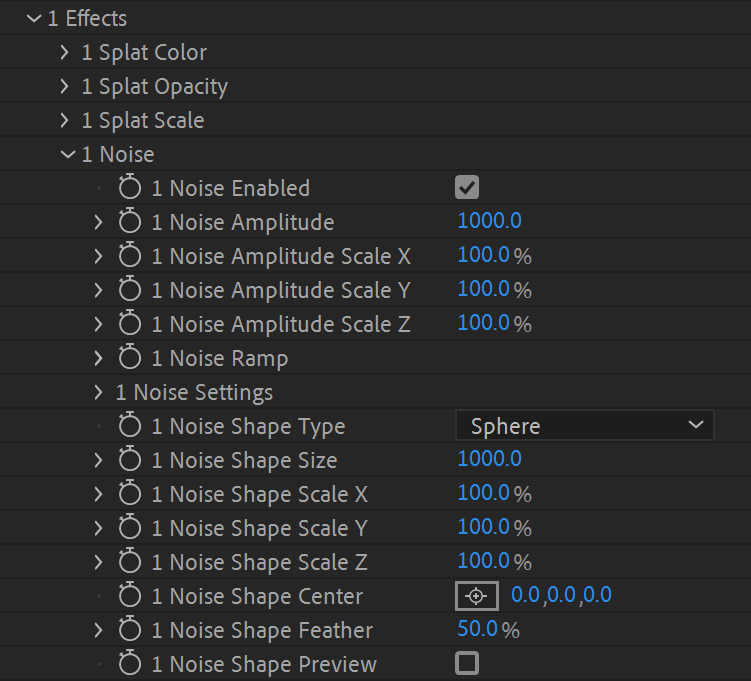
Effects
Animate your scene with built-in tools.

Colorize Splats
Colorise with Ramp over spherical map.
Splats Scale
Animate Splats size with Ramp And Spherical or Box map to make spectacular reveals.


Splats Opacity
Set Opacity to Splats with Ramp.
Splats Displacement
Animate Splats size with Ramp And Spherical or Box map to make spectacular reveals.

Combine multiple ply scans
Use up to 10 models in scene.
How to create and export Splats with LumaAI from desktop
+
You can create Splats from recorded video with your phone or camera. Turn on video recording, walk around the object or scene from different heights and angles.
- Open lumalabs.ai
- Go to Captures and click on create
- Upload your recorded video and wait about 30 minutes until training is done.
- After the training process is over, open your scan and click on the “Download” icon.
- In the dialog menu choose “Gaussian Splat”.

Note:
- You can either upload a normal/fisheye/equirectangular video or a zip of videos
- You can upload images in zip file.
- Maximum the size of the video or zip file can be 5 gigabytes
Version History
1.6.10a – Feb 9, 2026
– add support for AE2026Show All
Compatibility
After Effects
2026, 2025, 2024, 2023, 2022
Elevate your motion graphics workflow with premium collection of After Effects plugins. Whether you are a seasoned professional or just starting your VFX journey, powerful tools designed to streamline complex tasks, unlock creative possibilities, and save you hours of rendering time. From stunning glitch effects and seamless transitions to advanced 3D extrusion and text animation tools, each plugin in our library is rigorously tested for compatibility with the latest versions of Adobe after Effects. Enhance your video production value today and download industry-leading plugins that help you create breathtaking visuals without the technical headaches. Browse our full range and find the perfect extension to supercharge your editing suite now.
➡️ ➡️ For more after effects Plugins 😀 😀
➡️ ➡️ System requirements AE
Reviews
There are no reviews yet.