
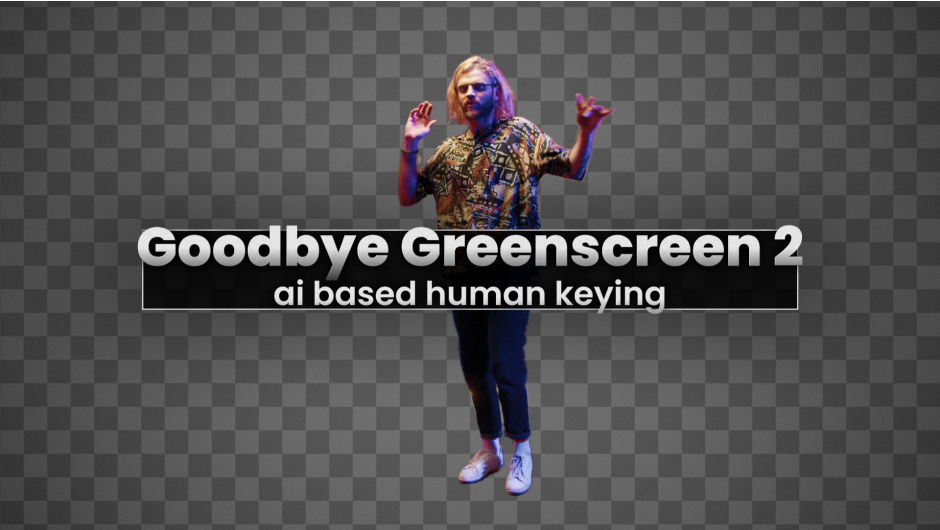
GoodbyeGreenscreen
Primary Keyphrase: ai keying plugin
Description:
Download Goodbye Greenscreen v2.3.31 for Windows, a powerful AI-based keying plugin for Adobe After Effects and Premiere Pro that makes background removal incredibly simple and fast. Leverage the power of artificial intelligence to create masks from video footage and clean backgrounds without any manual rotoscoping or keyframing .
Artificial Intelligence-based plugin for automatic human matting. NEW: integration of BiRefNet (new state-of-the-art model for image segmentation.
Goodbye Greenscreen offers three versatile keying modes to handle any situation. Background Mode lets you provide a clean background plate alongside your footage, and the AI automatically extracts the subject—perfect for complex, non-green screen environments . Color Mode functions as an AI-powered color keyer for uniform backgrounds like greenscreens or bluescreens, requiring only a single color selection . Automask Mode uses specialized AI models fine-tuned for persons and generic objects, with a “Generic (2022)” model for broader applications .
For footage shot handheld, the Match Perspective feature automatically aligns your subject layer with the background plate by detecting visual features, ensuring seamless integration even when the camera moves . Multiple AI engine options (Low to Ultra) let you balance processing speed against output quality, while Refine Amount gives you control over edge detail . GPU hardware acceleration provides massive speedups compared to CPU-only processing .
Version 2.3.31 Update: Compatibility update for the latest Adobe software versions .
Perfect For:
- Video editors and VFX artists needing quick, high-quality extractions from complex footage
- Motion designers integrating people or objects into new backgrounds without green screens
- Anyone tired of manual rotoscoping or complex keying workflows
- Projects requiring clean extractions from handheld footage with perspective matching
System Requirements:
- Adobe After Effects 2022, 2023, 2024, 2025
- Adobe Premiere Pro 2022, 2023, 2024, 2025
- Windows 10/11 (64-bit)
- GPU hardware acceleration recommended for optimal performance
- 4GB RAM minimum (8GB+ recommended)
- 100MB available disk space
Goodbye Greenscreen 2 for After Effects and Premiere Pro
Features
Overview
Goodbye Greenscreen leverages the power of AI to make keying of invidual people or groups as easy and fast as possible. You can create mattes without any manual masking or keyframing, by either using the automatting or clean-plate matting workflow.
Automasking
Automatic matte creation for portrait and full-body shots with several optimizations to give you high-quality mattes. Works well with long hair and challenging backgrounds.
Stable Mattes
We deploy 7 different AI models, so you can always choose the model that gives you the best results out of the box.
Clean Plate Matting
Combine a video and a clean plate of the scene into a matte. This lets you setup a keyable studio scene without a greenscreen! Difference matte on steroids.
Color keying
AI based color keyer, in case you still want to use your greenscreen.

Tutorials
System Requirements
| Windows with NVIDIA GPU >= 8GB | Other Windows | Apple Silicon with MacOS Sequoia or newer and >= 16GB RAM | Other MacOS |
|---|---|---|---|
| ✅ | very slow | ✅ | ❌ |
Documentation
Elevate your motion graphics workflow with premium collection of After Effects plugins. Whether you are a seasoned professional or just starting your VFX journey, powerful tools designed to streamline complex tasks, unlock creative possibilities, and save you hours of rendering time. From stunning glitch effects and seamless transitions to advanced 3D extrusion and text animation tools, each plugin in our library is rigorously tested for compatibility with the latest versions of Adobe after Effects. Enhance your video production value today and download industry-leading plugins that help you create breathtaking visuals without the technical headaches. Browse our full range and find the perfect extension to supercharge your editing suite now.
➡️ ➡️ For more after effects Plugins 😀 😀
➡️ ➡️ System requirements AE
Reviews
There are no reviews yet.