
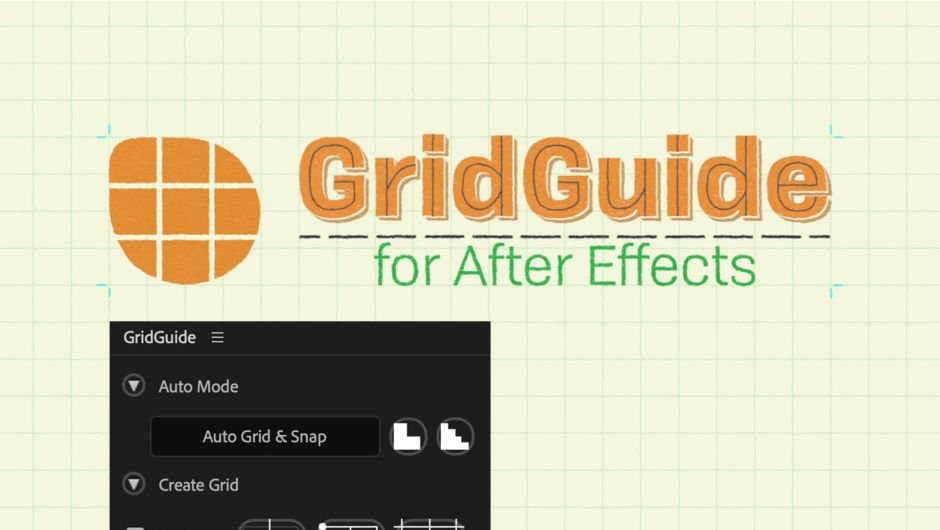
Gridguide
Primary Keyphrase: grid generator script
Description:
Download GridGuide v1.1.00 for After Effects, the ultimate grid generator and alignment tool that brings professional layout capabilities to your motion design workflow. Create automatic layouts, snappable guide grids, and fully modifiable shape layer guides—because motion design isn’t static .
Automatic layouts, snappable guide grids and modifiable shape layer guides – because motion design isn’t static.
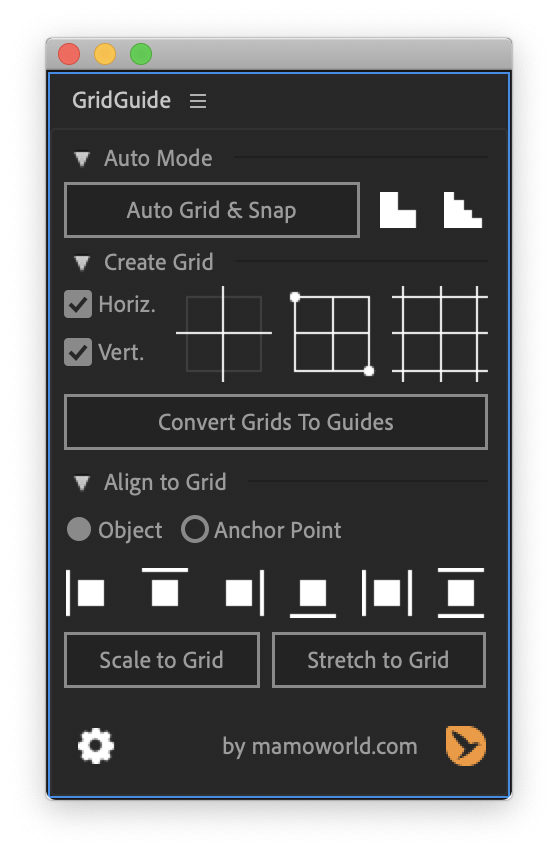
GridGuide revolutionizes how you approach layout in After Effects. Simply place your layers roughly where they should be, select them, and click “Auto Grid & Snap.” GridGuide applies fundamental design rules to improve placement and sizing, determining the grid that best fits your content . Perfect for designers of all skill levels, it transforms rough arrangements into polished, professional layouts with common measurements and balanced proportions .
Version 1.1.00 Key Features:
- Auto Layout Technology: Place layers approximately where you want them, and GridGuide automatically calculates the optimal grid and adjusts all layers to fit perfectly—improving designs even for those without a design background
- Modifiable Shape Layer Guides: Grids are based on shape layers, meaning you can move, rotate, scale, parent, and keyframe them just like any other layer. Let your guides follow your motion instead of limiting yourself to static designs
- Intuitive Alignment Tools: Align, scale, and stretch layers with one click—make layers jump from one grid line to the next, with full support for rotated grids
- Native Snappable Guides: Convert shape layer grids to native After Effects guides that you can snap to interactively—the only automated solution for creating truly snappable guides in AE
- Fully Customizable Grids: Complete control over gutter, margin, stroke color, stroke width, and more. Supports bounded grids, infinite grids, and grids with horizontal or vertical lines only
- Single Lines & Crosshairs: Add even more flexibility with individual lines or crosshairs for custom grid designs
- Grid Refinement: Make grids coarser or finer to switch between different layout variants—finer grids try harder to keep layers close to original positions
- v1.1.00 Update: Uses new AE CC 16.1 scripting features for faster guide creation on newer Ae versions without launching Photoshop
- Bug Fixes: Fixed alignment issues with layers that have expressions on their anchor points; fixed “Convert Grids to Guides” errors in long compositions
Perfect For:
- Motion graphics artists seeking professional layout tools for complex compositions
- Designers wanting to improve their layouts with grid-based design principles
- Anyone tired of manually positioning layers and creating grids in After Effects
- Template creators needing consistent, reusable grid systems
- Users who value precision and efficiency in their design workflow
System Requirements:
- Adobe After Effects 2024, 2023, 2022, 2021, 2020, CC 2019, CC 2018, CC 2017, CC 2015.3, CC 2015, CC 2014, CC, CS6, CS5.5, CS5, CS4
- Windows 10/11 (64-bit) or macOS
- 4GB RAM minimum (8GB+ recommended)
- 50MB available disk space
- Photoshop required for “Convert Grids to Guides” on Ae 16.0 or older (newer versions work without Photoshop)
Note: GridGuide has been praised by industry professionals as “one of those tools that you can integrate into your workflow NOW—no gimmicky fun stuff, it just works. Align Panel on steroids” .
Key Features
- Auto Layout improves your designs – even for people with no design background. Just place your layers roughly where they should be, select them, and click the Auto Grid & Snap button. GridGuide applies fundamental design rules to improve the placement and size of your layers, determining the grid that best fits your content.
- Modifiable Shape Layer Guides – because motion design isn’t static. GridGuide’s grids are based on shape layers, which means that you can move, rotate, scale, parent and keyframe them just as any other layer. Don’t limit yourself to static designs – let your guides follow your motion.
- Intuitive Alignment Tools – allows you to align, scale and stretch layers. Just click them several times to make a layer jump from one grid line to the next. Of course, the alignment tools also work on rotated grids.
- Native, snappable After Effects guides – if you prefer guides that you can snap to interactively, you can convert your shape layer guides to native After Effects guides using the Convert Grids to Guides button. There are many ways to create grids in After Effects, but GridGuide is the only automated solution to create truly snappable guides!
- Fully customizable grids including controls for gutter, margin, stroke color, stroke width, and more. What’s more, GridGuide supports both bounded and infinite grids, as well as grids that consist of horizontal or vertical lines only.
- Single Lines and Crosshairs add even more flexibility to your design. Of course, the alignment tools work with those lines, too – even if there are many of them in the composition.
Tutorials
Photoshop required for old Ae versions
On Ae 16.0 or older, Adobe After Effects doesn’t grant extensions access to its guides – they simply cannot create or modify them. Nevertheless, GridGuide can create these guides for you using a clever workaround: it uses some Photoshop magic in the background since Photoshop extensions can create guides. What does this mean for you?
If you want to use the “Convert Grids to Guides” function on Ae 16.0 or older
- Photoshop must be installed on your system
- GridGuide will launch Photoshop if it is not yet running
- “Convert Grids to Guides” may take a few seconds to take effect
You don’t need to do anything manually in Photoshop – the entire process of creating the guides is automated. Although it may take a few seconds, it is certainly the fastest way to create snappable guide grids in After Effects.
On newer Ae versions, this workaround is not necessary anymore and the creation of guides works instantly.
Elevate your motion graphics workflow with premium collection of After Effects plugins. Whether you are a seasoned professional or just starting your VFX journey, powerful tools designed to streamline complex tasks, unlock creative possibilities, and save you hours of rendering time. From stunning glitch effects and seamless transitions to advanced 3D extrusion and text animation tools, each plugin in our library is rigorously tested for compatibility with the latest versions of Adobe after Effects. Enhance your video production value today and download industry-leading plugins that help you create breathtaking visuals without the technical headaches. Browse our full range and find the perfect extension to supercharge your editing suite now.
➡️ ➡️ For more after effects Plugins 😀 😀
➡️ ➡️ System requirements AE
Reviews
There are no reviews yet.