
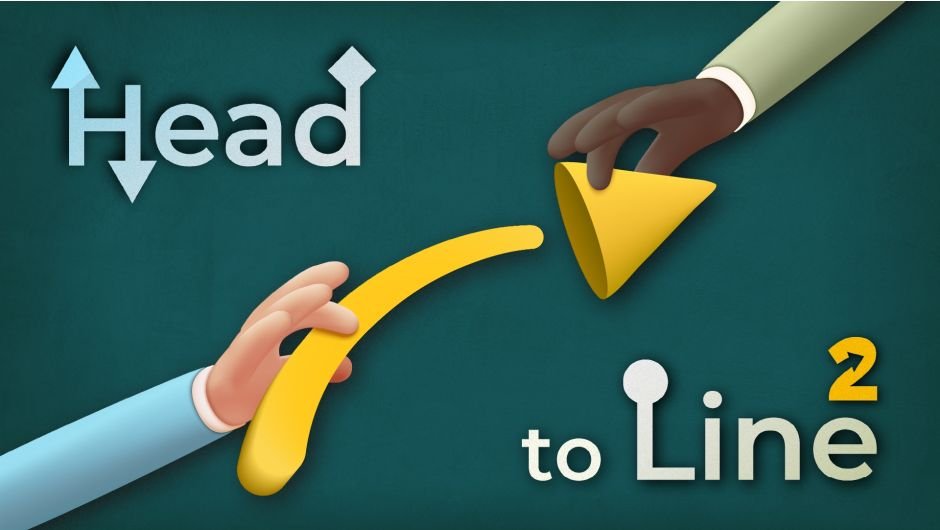
Head to Line
Primary Keyphrase: arrow animation script
Description:
Download Head to Line v2.1 for After Effects on Windows and Mac, a powerful script that instantly adds customizable animated arrows to your path layers with a single click. Say goodbye to the painful process of creating animated arrows in After Effects—especially when dealing with multiple arrows—and let Head to Line handle the heavy lifting for you .
Head to Line is super fast, easy, and time-saving for creating customizable arrows. Simply draw your path layers, click the button, and watch as the script automatically transforms them into fully animated arrows with complete creative control over direction, type, duration, size, and color .
Version 2.1 Key Features:
- One-Click Animation: Instantly convert any path layer into an animated arrow with a single click—no manual keyframing required
- Multiple Arrow Types: Choose from various arrowhead shapes including triangle, star, circle, and rectangle for diverse creative options
- Full Direction Control: Easily reverse animation direction at any time without rebuilding your setup
- Customizable Duration: Set precise animation timing to match your project’s rhythm
- Adjustable Size & Color: Change arrow dimensions and colors effortlessly through intuitive controls
- Real-Time Updates: Modify arrow type or animation settings after creation and see changes instantly
- Massive Time Savings: Eliminate hours of manual work when dealing with multiple animated arrows
- Broad Compatibility: Works with After Effects 2025 down through 2020 on both Windows and Mac systems
Perfect For:
- Motion graphics artists creating flow diagrams, process visualizations, and directional animations
- Explainer video producers needing animated arrows to guide viewer attention
- Anyone tired of manually keyframing arrow movements for path animations
- Designers working with multiple arrow elements who need efficient, consistent results
System Requirements:
- Adobe After Effects 2025, 2024, 2023, 2022, 2021, 2020
- Windows 10/11 (64-bit) or macOS (including Sequoia 15.x support)
- 4GB RAM minimum (8GB+ recommended)
- 25MB available disk space
- Enable “Allow Scripts to Write Files and Access Network” in Preferences > Scripting & Expressions
Installation:
Copy the Head to Line folder to your After Effects ScriptUI Panels directory:
- Windows:
Adobe After Effects [version]\Support Files\Scripts\ScriptUI Panels - Mac:
Applications/Adobe After Effects [version]/Scripts/ScriptUI Panels
Access via Window menu > Head to Line
The ultimate tool for creating animated arrows, yet simple and straightforward!
Introducing Head to Line 2
The ultimate tool for creating animated arrows, yet simple and straightforward!
Packed with a variety of arrowheads like triangle, star, and circle to give you the creative freedom to choose the perfect arrowhead.
Add you own custom head in order to create customized arrows.
Easily reverse the animation direction, swap arrowhead types, or adjust the duration.
Full control over head size, angle and roundness.
And, Create double-sided arrows!
Just pick your settings, click once, and let Head to Line handle the rest.


Key Features
- One-Click Animated Arrowheads
Turn any line into an animated arrow with just one click. - Customizable Arrowhead Styles
Choose from multiple built-in shapes including Triangle, Circle, and Rectangle, or use your customized arrowhead. - Flexible Direction, Duration, & Type
Easily reverse arrow direction, update animation speed, or swap head type at any time. - Double-Sided Arrow
Create double-sided arrows just by tapping a checkbox. - Size, Angle & Roundness Control
Adjust and animate arrowheads using the built-in slider controls for size, angle, and roundness of heads. - Adjustable Animation Duration
Set how long the arrow animation lasts with built-in timing controls.
Hover or Tap to see what Head to Line can do…


… and, these are just a drop in the ocean of possibilities you can unlock with Head to Line!
What’s New?
Full Control over Head
 Double-Sided Arrows
 Custom Arrowhead
 One-Click Delete
Leave no trace of Head to Line with one click.
Key Tips
How to add my custom head?
Answer:
Make sure the name of the head layer starts with the word “head” (case insensitive).
Select both the head layer and the line layer, and run the script.

How can I completely remove Head to Line from a layer?
Answer:
Just click the delete button, named “del”.
How can I make a head with no line?
Answer:
Just turn off the visibility of the shape (which is the line).

Can I apply Head to Line Script to shapes drawn with Rectangle Tool, Ellipse Tool, or …?
Answer:
Yes, but you need to convert the shape path to bezier path by right clicking on the shape path (here, Rectangle Path 1) and select “Convert to Bezier Path”.

Why are the start and end keyframes for trim path set at 0.1% and 99.9% instead of 0% and 100% ?
Answer:
The correct direction of the head often cannot be calculated at the beginning (0%) or the end (100%) of the path.

Elevate your motion graphics workflow with premium collection of After Effects plugins. Whether you are a seasoned professional or just starting your VFX journey, powerful tools designed to streamline complex tasks, unlock creative possibilities, and save you hours of rendering time. From stunning glitch effects and seamless transitions to advanced 3D extrusion and text animation tools, each plugin in our library is rigorously tested for compatibility with the latest versions of Adobe after Effects. Enhance your video production value today and download industry-leading plugins that help you create breathtaking visuals without the technical headaches. Browse our full range and find the perfect extension to supercharge your editing suite now.
➡️ ➡️ For more after effects Plugins 😀 😀
➡️ ➡️ System requirements AE
Reviews
There are no reviews yet.