
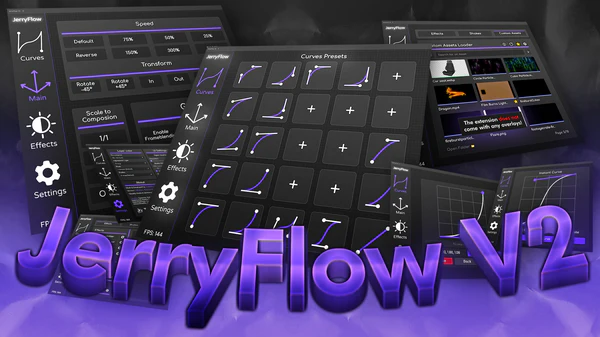
JryMedia JerryFlow
Primary Keyphrase: workflow extension
Description:
Download JryMedia JerryFlow V2.3.1 for After Effects on Windows and Mac, the ultimate workflow extension that simplifies and accelerates your entire animation process. Building upon the original JerryFlow script, this version introduces a dynamic, fully customizable UI designed to streamline your workflow and enhance creative possibilities .
JerryFlow V2 is a complete toolkit featuring instant curve adjustments, preset curve management, comprehensive layer controls, pre-built effects, customizable shakes, and an intuitive asset loader—all accessible through a personalized interface that adapts to your unique workflow preferences .
Version 2.3.1 Key Features:
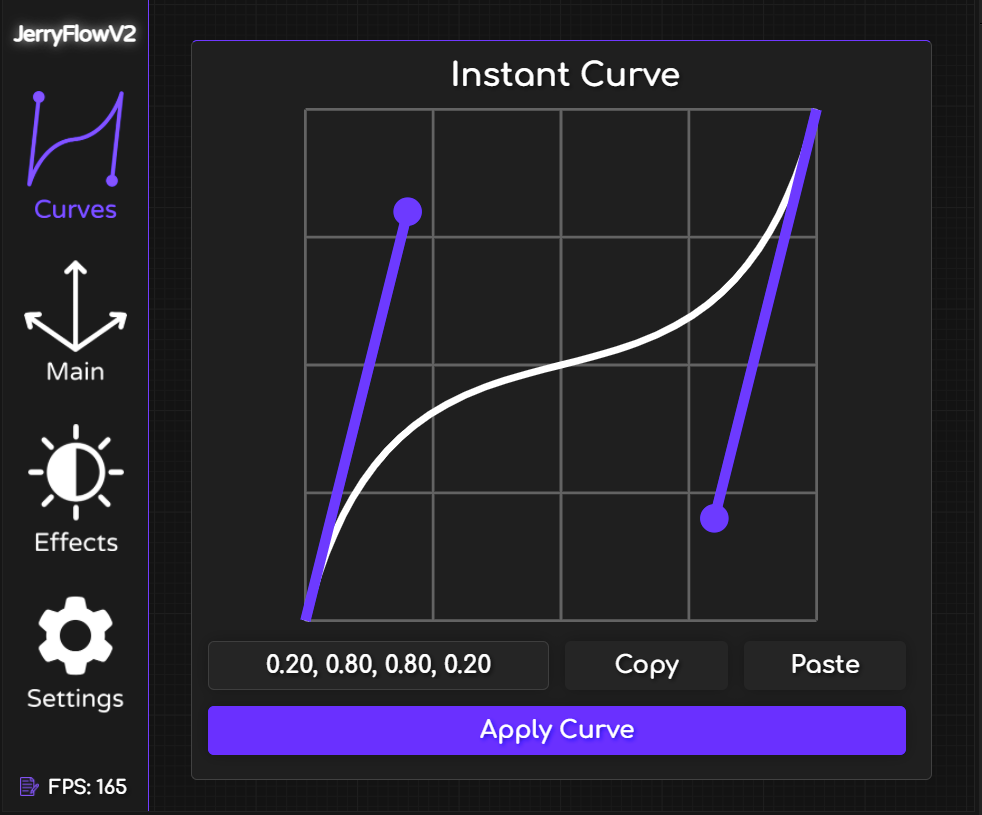
Instant Curve: Unleash the Power of Precision
- Apply curve adjustments directly to keyframes for immediate control and flexibility
- Experiment and fine-tune animations in real-time using the interactive curve graph
- Ensure your creative vision is realized accurately and effortlessly with dynamic adjustments
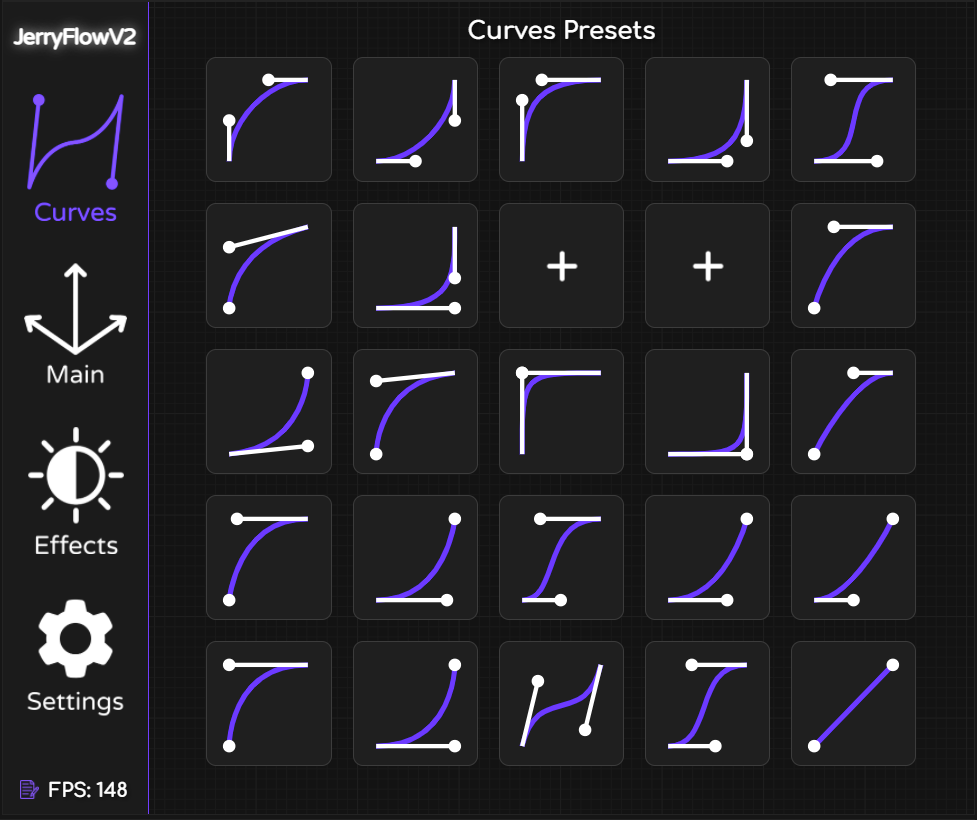
Preset Curves: Customization and Convenience
- Create up to 20 custom presets plus 5 pre-made “JryMedia” presets
- Save favorite curve adjustments for rapid application to future projects
- Build a powerful toolset for creating consistent, high-quality animations across all your work
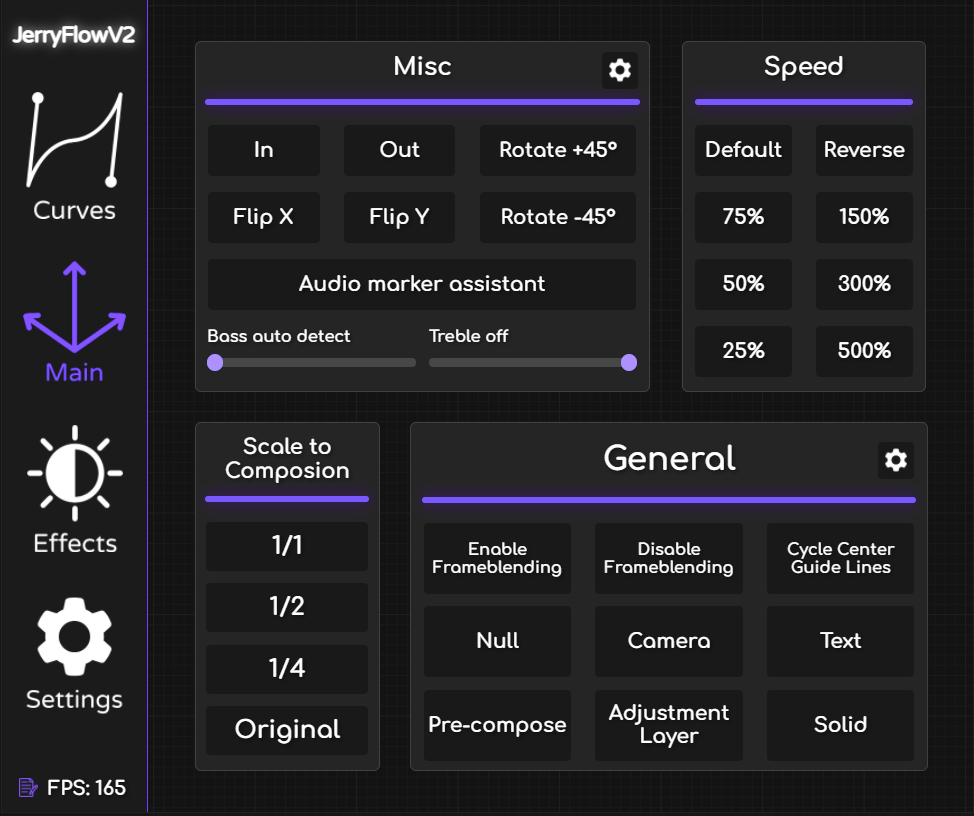
Main Tab: Comprehensive Control and Versatility
- Pre-compose Layers: Easily organize and simplify complex compositions
- Frame Mixing: Enable/disable with one click for smoother motion
- Speed Adjustment: Effortlessly accelerate or decelerate layers
- Scale to Composition: Perfectly fit layers to your composition dimensions
- Flip X/Y Axis: Horizontally or vertically flip layers instantly
- Center Guide Line: Display guides for perfect alignment
- Rotation Control: Rotate video with adjustable angles from 0 to 360°
Effects: Pre-built and Customizable
Add pre-built effects for seamless video transitions with adjustable parameters:
- Warp Stabilizer: Fine-tune stabilization to meet your specific needs
- 3D Camera Tracker: Track and integrate 3D elements into your scenes
- Force Motion Blur: Apply and customize motion blur for dynamic visuals
- All effects are fully customizable in settings for professional-quality results with minimal effort
Shakes: Enhanced and Customizable
Access a variety of pre-made shakes from previous JerryShakes products, now improved and expanded:
- Wave Shake: Create smooth, wave-like motion effects
- Fast Shake: Add quick, dynamic motion to your footage
- Customize duration, intensity, and add optional “flash” effects for extra impact
Asset Loader: Efficient and Intuitive
Streamline your workflow with the custom asset loader:
- Drag & Drop: Easily drag assets into designated folders for quick access
- One-Click Apply: Apply assets to your composition instantly
- Asset Preview: Visual previews for quick identification
- Favorites Feature: Mark favorite assets for faster access
Settings Tab: Personalize Your Workflow
- RGB Mode: Enable RGB mode for the UI and adjust color transition speed
- UI Animation: Enable/disable UI animations and modify refresh rates
- Hidden Mini-Game: Access “Flappy Jerry” for a fun break
- Additional options to customize JerryFlow V2 to your unique preferences
Perfect For:
- Motion graphics artists seeking to accelerate their animation workflow
- Designers wanting consistent, high-quality easing presets
- Anyone looking to streamline layer management and asset organization
- Creators who value a personalized, efficient After Effects experience
System Requirements:
- Adobe After Effects 2025, 2024, 2023, 2022
- Windows 10/11 (64-bit) or macOS
- 4GB RAM minimum (8GB+ recommended)
- 500MB available disk space
- No pre-installed assets included—use your own resources with the Asset Loader
Installation: Available via the aescripts manager app or manual installation to your After Effects ScriptUI Panels folder .
Feature list
Instant Curves: Unleash the Power of Precision
Instant Curves allow you to apply curve adjustments directly to your keyframes, giving you immediate control and flexibility. Use the curve graph to experiment and fine-tune your animations in real-time, ensuring your creative vision is achieved with precision and ease. Instant Curves provide a straightforward way to enhance your keyframe animations, offering dynamic adjustments that can be applied instantly for maximum efficiency.
Preset Curves: Customization and Convenience
With Preset Curves, you can create up to 20 custom presets, in addition to the 5 pre-made “JryMedia” presets. This feature allows you to save your favorite curve adjustments and apply them quickly to future projects. The curve graph enables you to experiment and refine your presets, providing a robust toolset for creating consistent, high-quality animations. Whether you’re using the pre-made options or developing your own, Preset Curves offer unparalleled convenience and customization for your workflow.
ENHANCEMENT IN JERRYFLOW UPDATE 2.2.0
Main Tab: Comprehensive Control and Versatility
Pre-compose Layers: Easily organize and streamline your compositions.
Frame Blending: Enable or disable with a single click for smoother motion.
Speed Adjustments: Accelerate or decelerate your layers effortlessly.
Scale to Composition: Fit layers perfectly within your composition.
Flip X/Y Axis: Flip your layers horizontally or vertically.
Center Guide Lines: Display center guides to ensure perfect alignment.
Rotation Control: Rotate your videos with adjustable degrees from 0 to 360°.
Audio marker assistant: Introducing a new feature that simplifies syncing your video to the beat of a song! This tool automatically analyzes a track’s bass and treble to detect key highlights and places markers directly on the song. These markers indicate the most impactful moments, making it easier than ever to align your edits with the rhythm and create seamless, beat-perfect cuts.
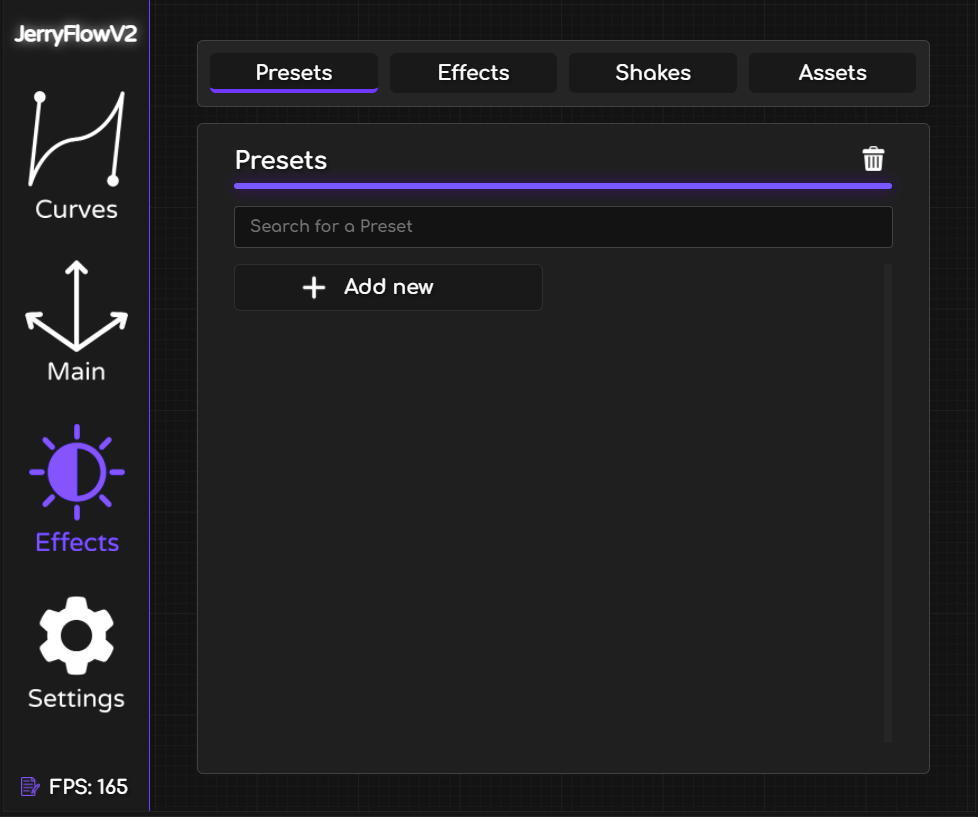
NEW IN JERRYFLOW UPDATE 2.2.0
Effects: Presets and User Presets
Boost your workflow with the powerful “Presets and User Presets” feature:
Preset Effects: Save frequently used effects as presets and apply them instantly with just one click.
User Presets Integration: After creating your own custom presets in Adobe After Effects, you can now add them to the User Presets section in JerryFlow. This allows you to access your personalized effects instantly, with just a single click.
By organizing your favorite presets in JerryFlow, you can streamline your editing process and focus on creativity!
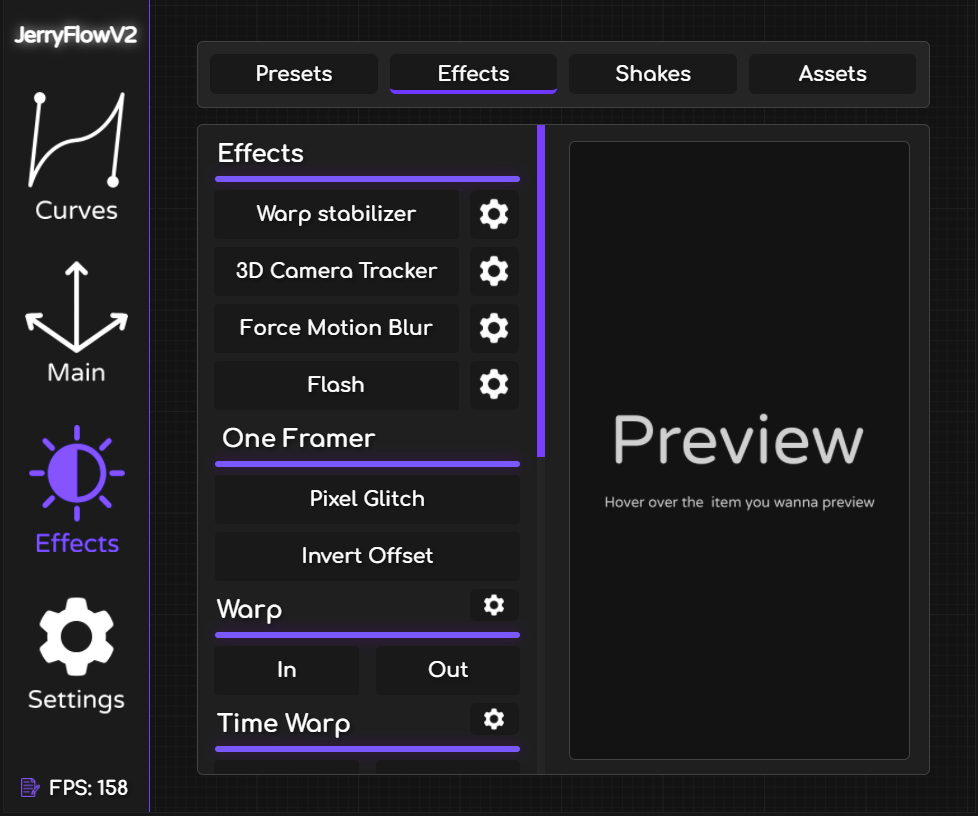
Effects: Pre-Built and Customizable
Add pre-built effects for seamless video transitions, including adjustable parameters for customization. Enhance your projects with a variety of advanced tools:
Warp Stabilizer: Fine-tune to meet your stabilization needs.
3D Camera Tracker: Track and integrate 3D elements into your scenes.
Force Motion Blur: Apply and customize motion blur effects for dynamic visuals.
These effects can all be further customized in the settings to fit the specific requirements of your project. Designed to provide professional-quality results with minimal effort, they allow you to focus on your creative vision while the technical details are handled effortlessly.
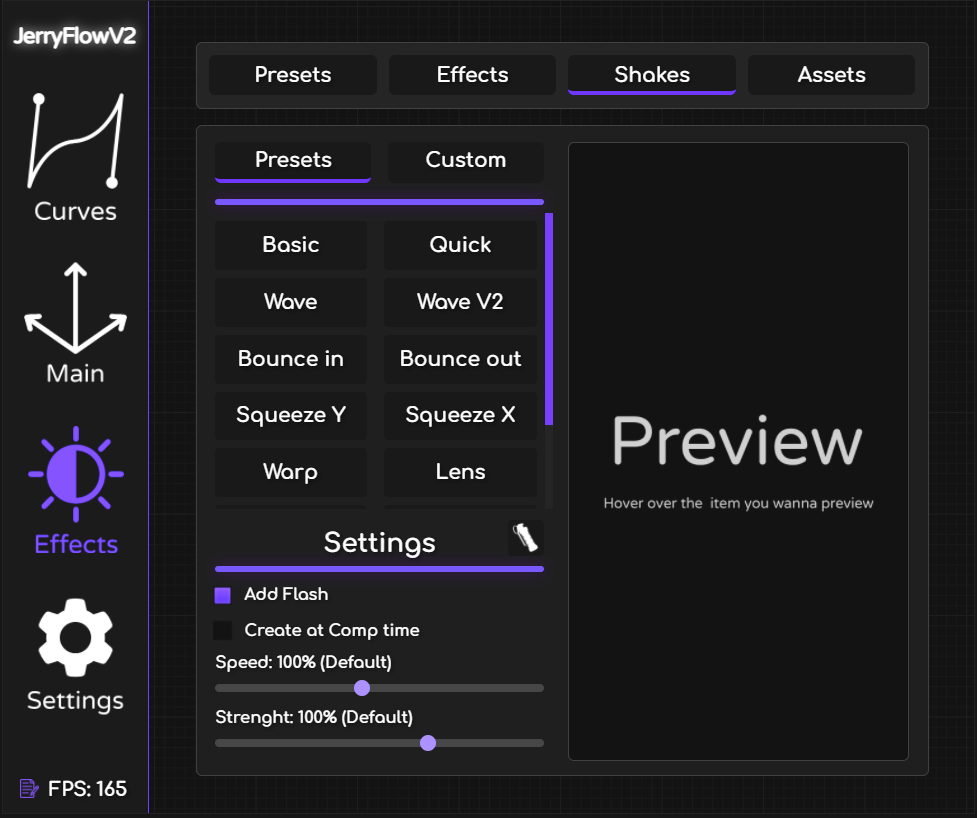
Shakes: Enhanced and Customizable
Access a variety of pre-made shakes from the previous JerryShakes product, now improved and expanded. These shakes are customizable in terms of duration and strength, with an option to add a “Flash” effect for extra impact. Some of the popular shakes included are:
Wave Shake: Create smooth, wave-like motion effects.
Quick Shake: Add rapid, dynamic movements to your footage.
These shakes are designed to bring professional-quality motion effects to your projects with ease. In the coming weeks, we will introduce the Custom Shake Builder, allowing you to create your own unique shakes with complete control over every aspect, from duration to intensity. This upcoming feature will offer unparalleled flexibility and creativity in crafting your shake effects.
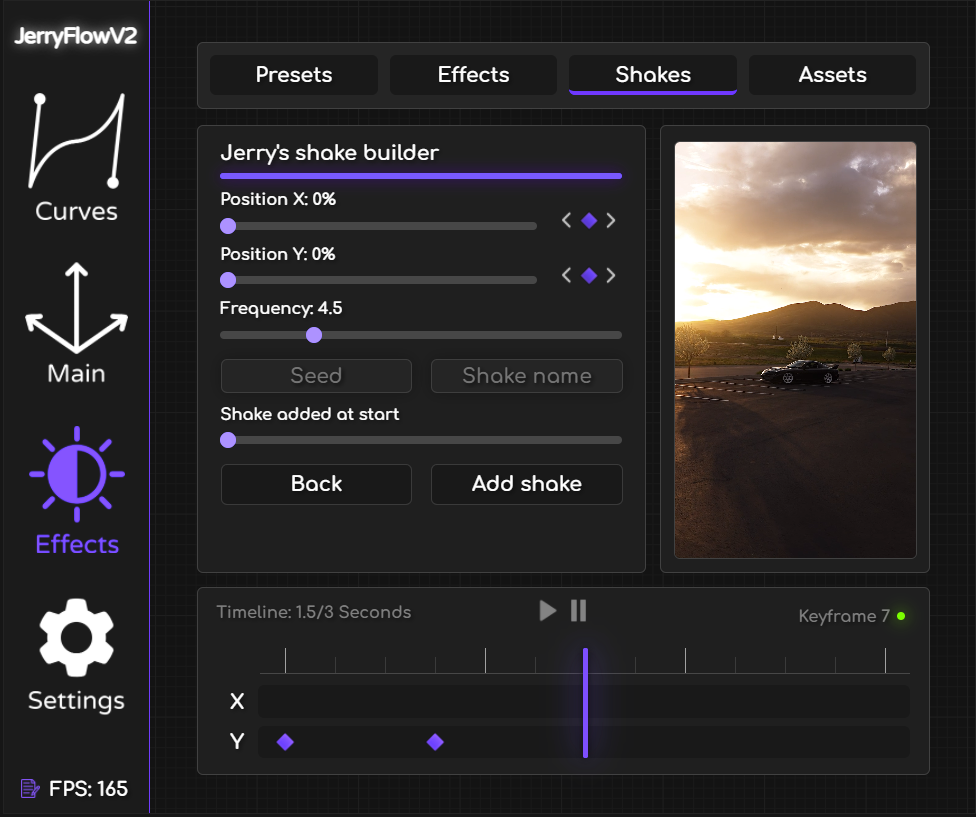
NEW IN JERRYFLOW UPDATE 2.2.0
Shakes: Custom Shake Builder
Take full control of your motion effects with the brand-new Custom Shake Builder. This innovative tool allows you to craft personalized shake effects with precision and flexibility:
KeyFrame Timeline: Design custom shake patterns by setting keyframes for the X and Y positions, and simultaneously adjust the frequency of the shakes. This gives you complete control over both the direction and intensity of the motion.
Shake Preview: For the first time ever in any extension, you can instantly preview your shakes in real-time before applying them — ensuring your adjustments are perfect every time.
With the Custom Shake Builder, your creativity is limitless. Take advantage of these advanced tools to bring your motion effects to life in a way never before possible!
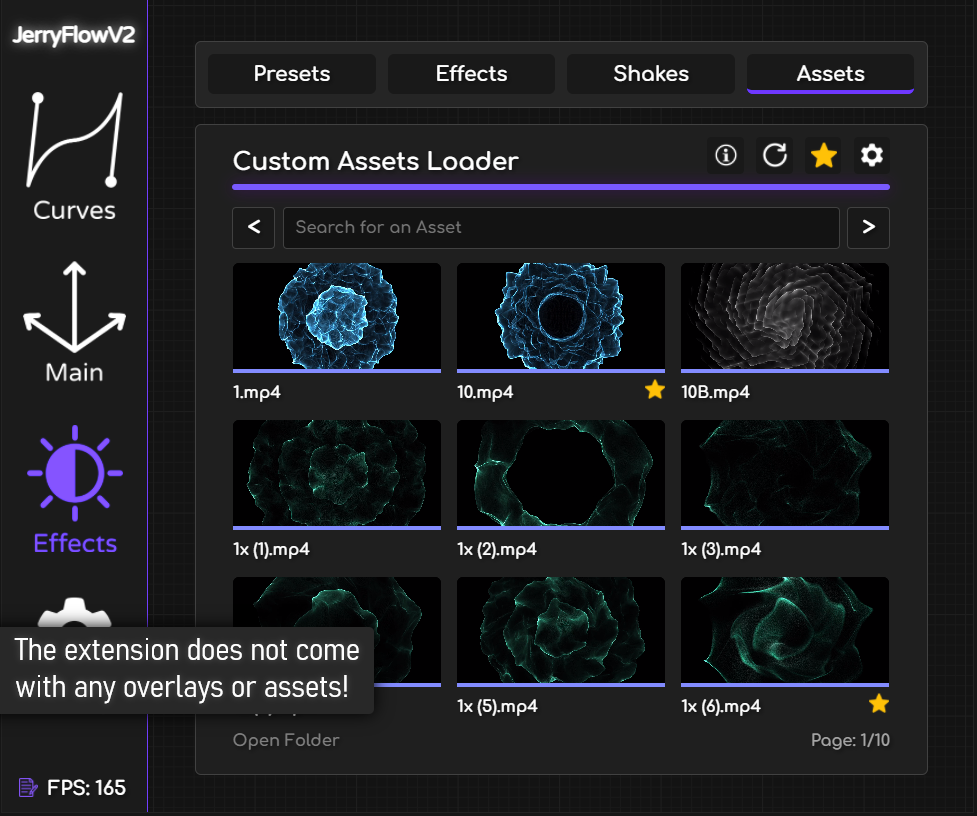
Asset Loader: Efficient and Intuitive
A standout feature in JerryFlow V2, the Custom Asset Loader allows you to streamline your workflow by providing an easy way to manage and apply your assets. Here are the key features:
Drag and Drop: Easily drag and drop your assets into a designated folder for quick access.
One-Click Application: Apply assets to your composition with a single click, saving you time and effort.
Asset Preview: Each asset includes a preview for quick identification, ensuring you always know what you’re adding to your project.
Favorites Function: Mark your favorite assets for even faster access, allowing you to quickly find and use the assets you rely on most frequently.
Please note that JerryFlow V2 does not come with pre-included assets. You will need to source your own assets to use with the Asset Loader. This feature is designed to enhance efficiency and ensure you have all your essential assets readily available, tailored to your specific needs and preferences.
ENHANCEMENT IN JERRYFLOW UPDATE 2.2.0
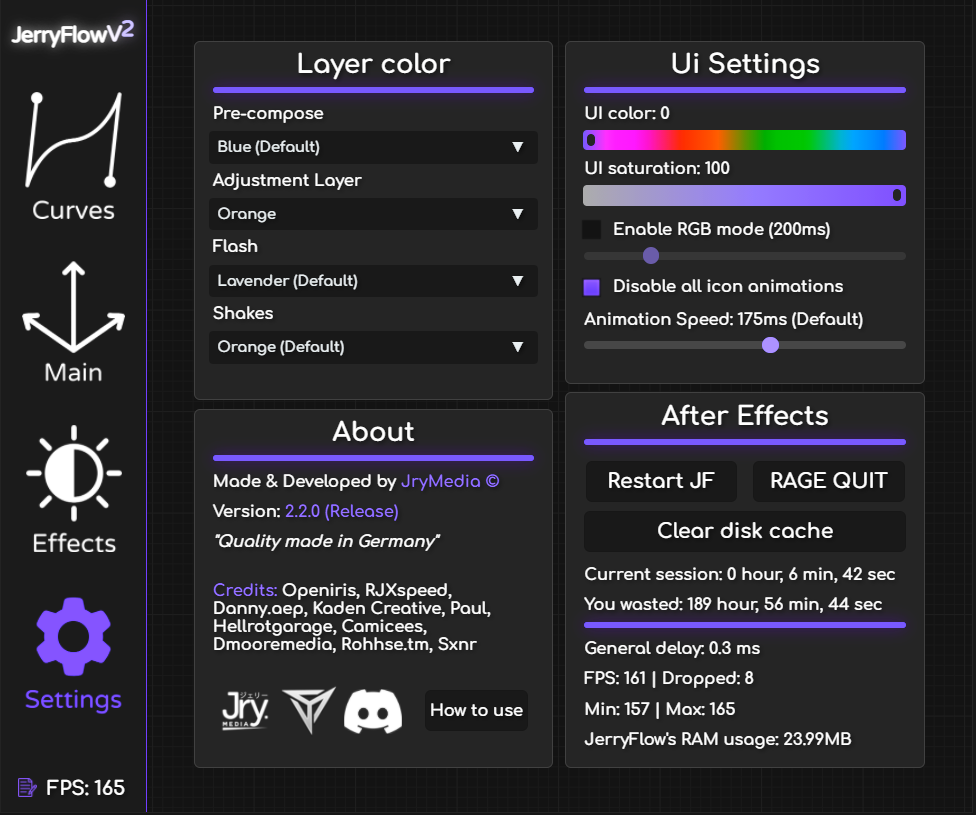
Settings Tab: Personalize Your Workflow
The Settings tab offers additional customization options to enhance your user experience:
Activate RGB Mode: Enable RGB mode for the UI and adjust the color transition speed.
UI Animations: Enable or disable UI animations and modify their refresh rate.
Hidden Mini-Game: Access a hidden mini-game, “Flappy Jerry,” for a fun break.
Additional Features: Explore many more settings to tailor JerryFlow V2 to your preferences.
This tab provides the tools to customize the extension to fit your unique workflow and preferences, making JerryFlow V2 not just powerful but also personal.
Ready to create incredible edits?
JerryFlow V2 is more than just an extension; it’s a complete toolkit designed to simplify your workflow and unleash your creative potential. Transform your After Effects experience today with JerryFlow V2.
Elevate your motion graphics workflow with premium collection of After Effects plugins. Whether you are a seasoned professional or just starting your VFX journey, powerful tools designed to streamline complex tasks, unlock creative possibilities, and save you hours of rendering time. From stunning glitch effects and seamless transitions to advanced 3D extrusion and text animation tools, each plugin in our library is rigorously tested for compatibility with the latest versions of Adobe after Effects. Enhance your video production value today and download industry-leading plugins that help you create breathtaking visuals without the technical headaches. Browse our full range and find the perfect extension to supercharge your editing suite now.
➡️ ➡️ For more after effects Plugins 😀 😀
➡️ ➡️ System requirements AE
Reviews
There are no reviews yet.