

Karton
Primary Keyphrase: pixel sorting plugin
Description:
Download Karton 2.0.3 for After Effects and Premiere Pro, the ultimate pixel sorting plugin for creating stunning glitch aesthetics and abstract digital artifacts. With six distinct sorting modes—Chaos, Horizontal, Vertical, Angular, Concentric, and Fill—Karton gives you complete control over how pixels are rearranged to produce everything from subtle data-moshing effects to dramatic, psychedelic transformations .
Create dynamic text boxes and make them into presets! NEW: Preset Library, Smaller dynamic UI and Typewriter effect.
Karton works by analyzing and reorganizing pixels based on configurable criteria like brightness or color channels. The six sorting modes offer unique visual characteristics: Chaos creates random, organic pixel scattering; Horizontal and Vertical sort along specific axes; Angular and Concentric generate radial patterns; and Fill performs region-based sorting . Additional controls include mask input for precision area selection, blend modes for compositing, and full 16/32-bit color support .
Version 2.0.3 Key Features:
- Six Sorting Modes: Chaos, Horizontal, Vertical, Angular, Concentric, and Fill for unlimited creative variety
- Threshold Controls: Fine-tune sorting intensity and behavior with precise threshold adjustments
- Mask Input Support: Apply effects to specific areas using mask layers for targeted pixel manipulation
- Full Blend Mode Integration: Composite sorted results using any blend mode for complex layered effects
- Multi-Frame Rendering (MFR): Optimized for modern After Effects rendering pipelines for faster exports
- High Bit-Depth Support: Full compatibility with 16-bit and 32-bit color projects
- Cross-Platform Compatibility: Works on both Windows and Mac systems
- GPU Acceleration: Hardware-accelerated performance for smooth previews and fast rendering
Perfect For:
- Motion graphics artists creating glitch aesthetics and digital distortion
- VFX designers seeking abstract, data-mosh visual effects
- Music video producers wanting psychedelic pixel manipulations
- Experimental filmmakers exploring generative art techniques
- Anyone wanting to push pixels beyond conventional boundaries
System Requirements:
- Adobe After Effects 2025, 2024, 2023, 2022, 2021, 2020
- Adobe Premiere Pro 2025, 2024, 2023, 2022, 2021, 2020
- Windows 10/11 (64-bit) or macOS
- 4GB RAM minimum (8GB+ recommended)
- 50MB available disk space
- Supports Multi-Frame Rendering (MFR) for accelerated exports
Version 2.0.3 Updates: Based on 2.0.2 which added Concentric sorting and mask input; includes stability improvements .
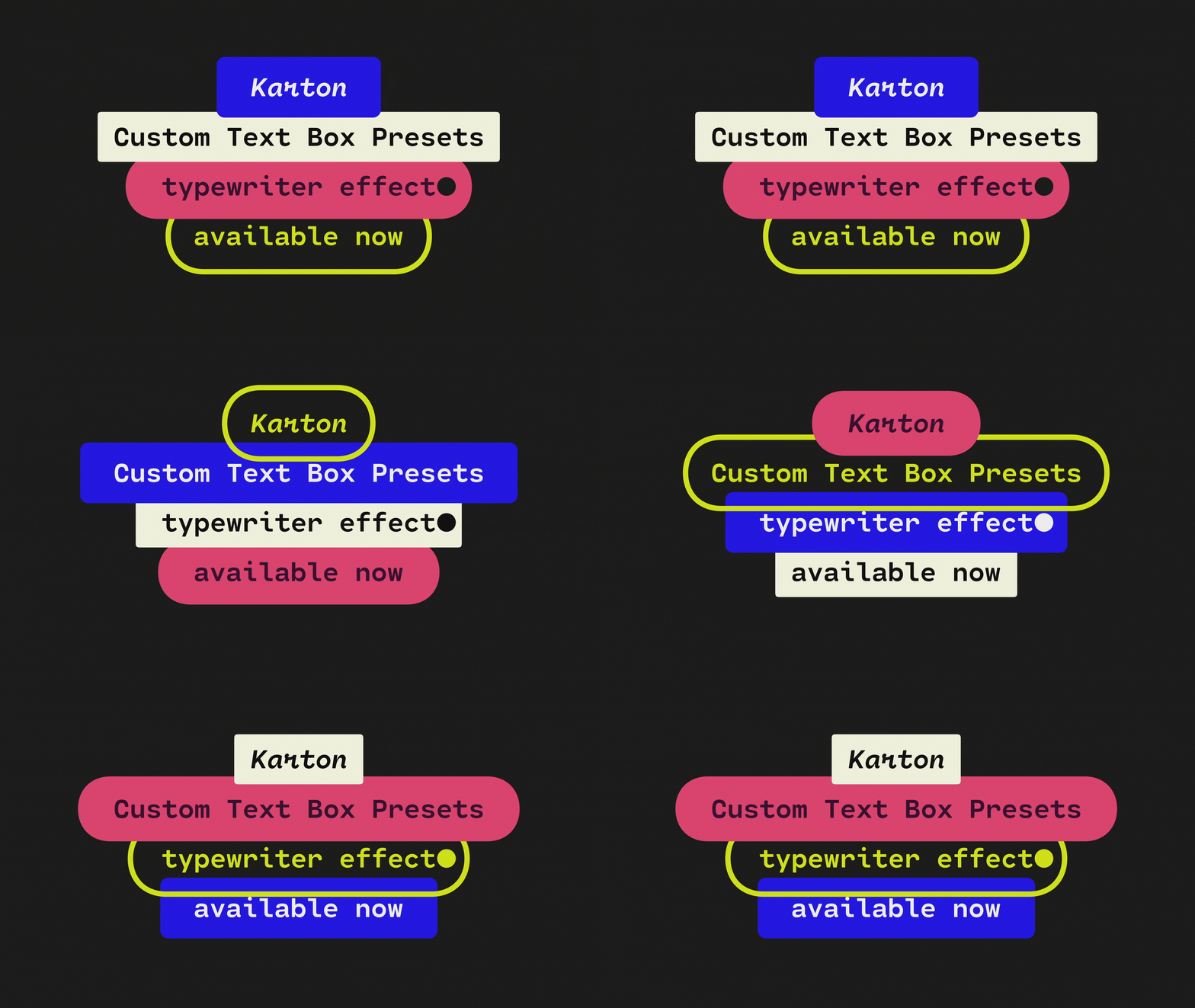
Create dynamic text boxes
Easy to use
Highly versatile
Looks great
✔ Clients and collaborators won’t need to install Karton
✔ Works as a MOGRT for Premiere Pro
✔ Works with text layers, shape layers, compositions, images and videos
✔ Right-to-left support
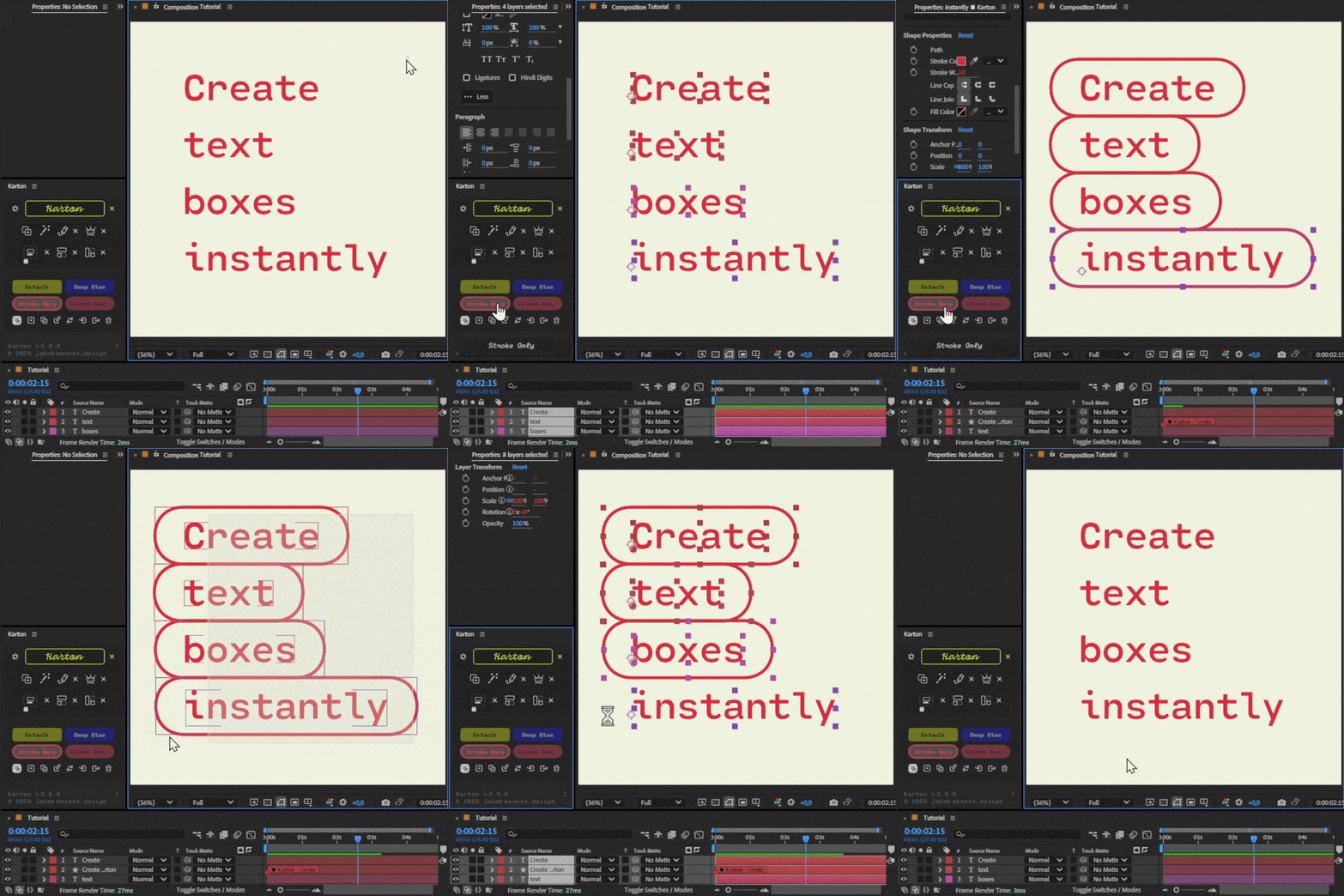
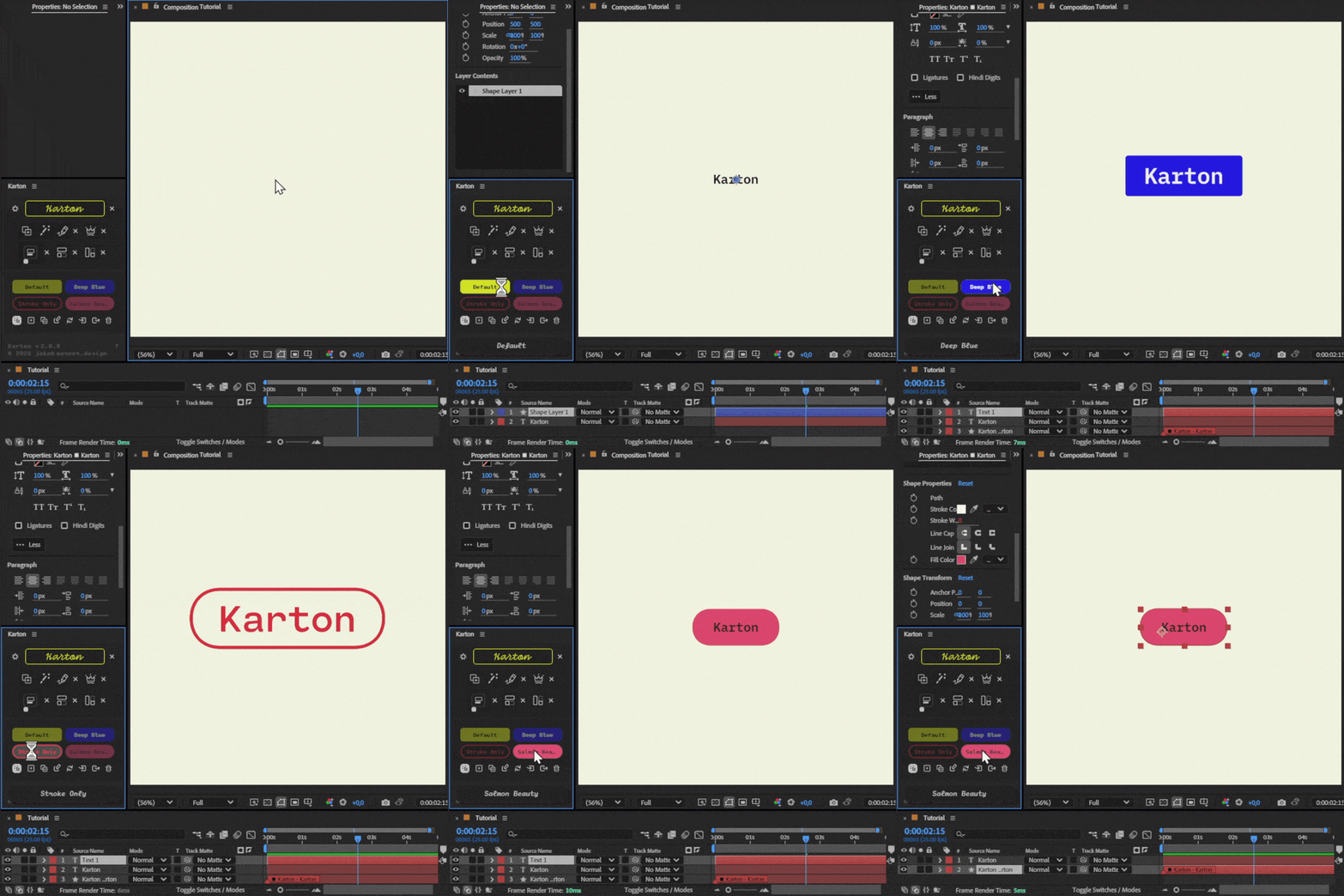
ONE CLICK
Create a ready-to-use text box with a single click.
Use custom Presets
Create custom presets, store them and share them with your team.
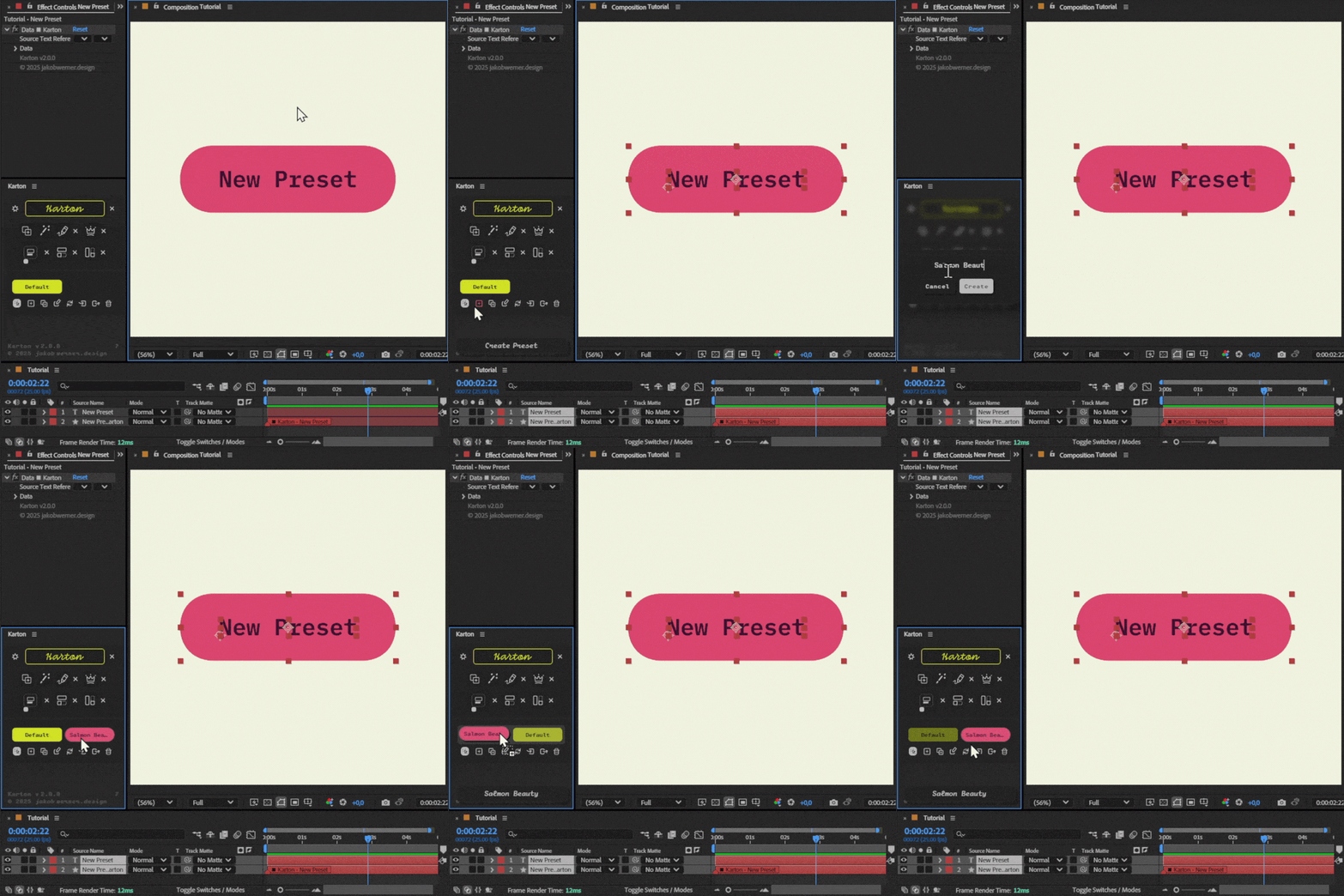
Easily Create Presets
Style your Karton and save it as a preset.
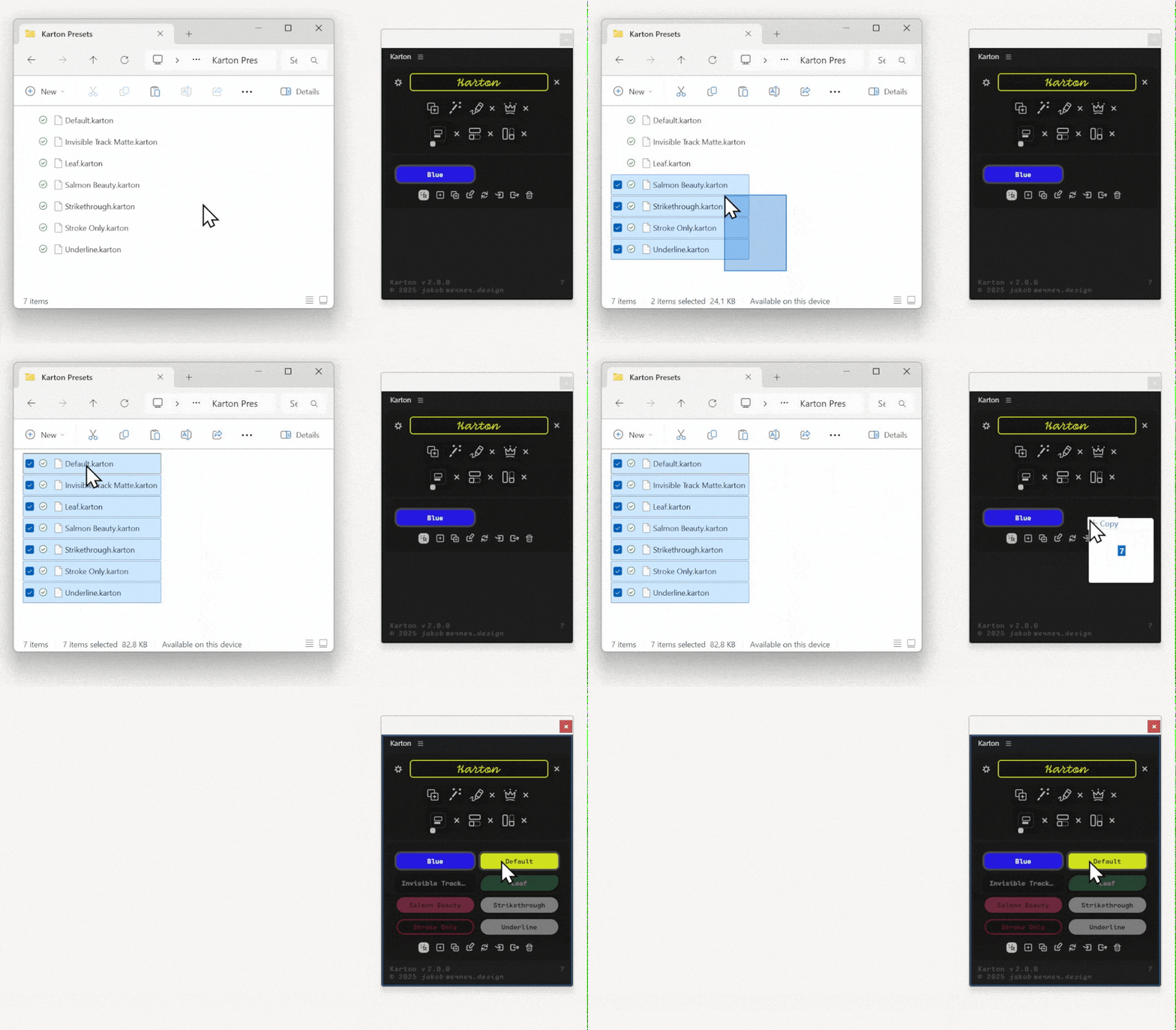
Import Presets
With the import feature, you can easily share presets with anyone.
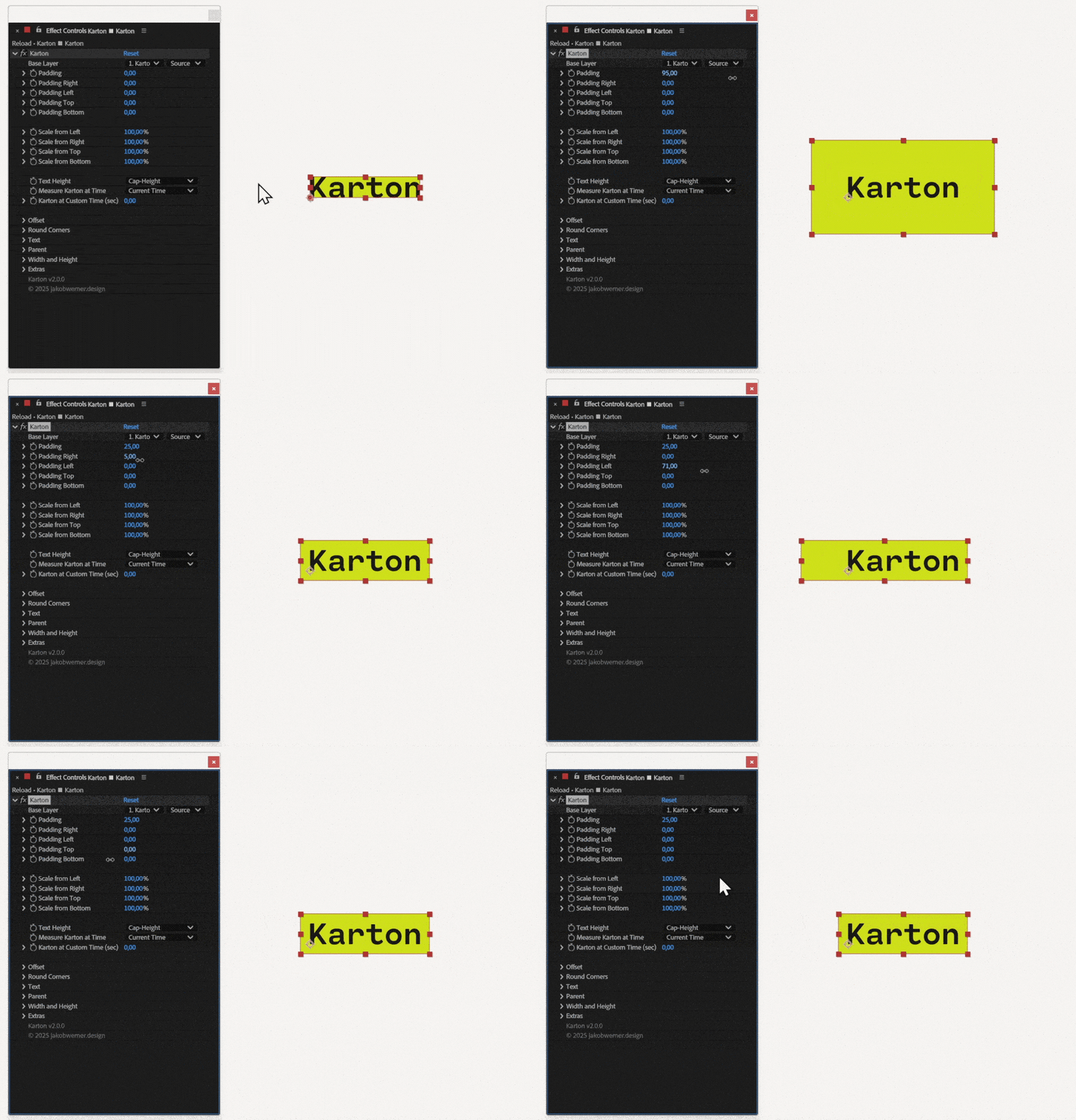
Customize your text box
Change the padding, scale, rounded corners, stroke, fill and much more.
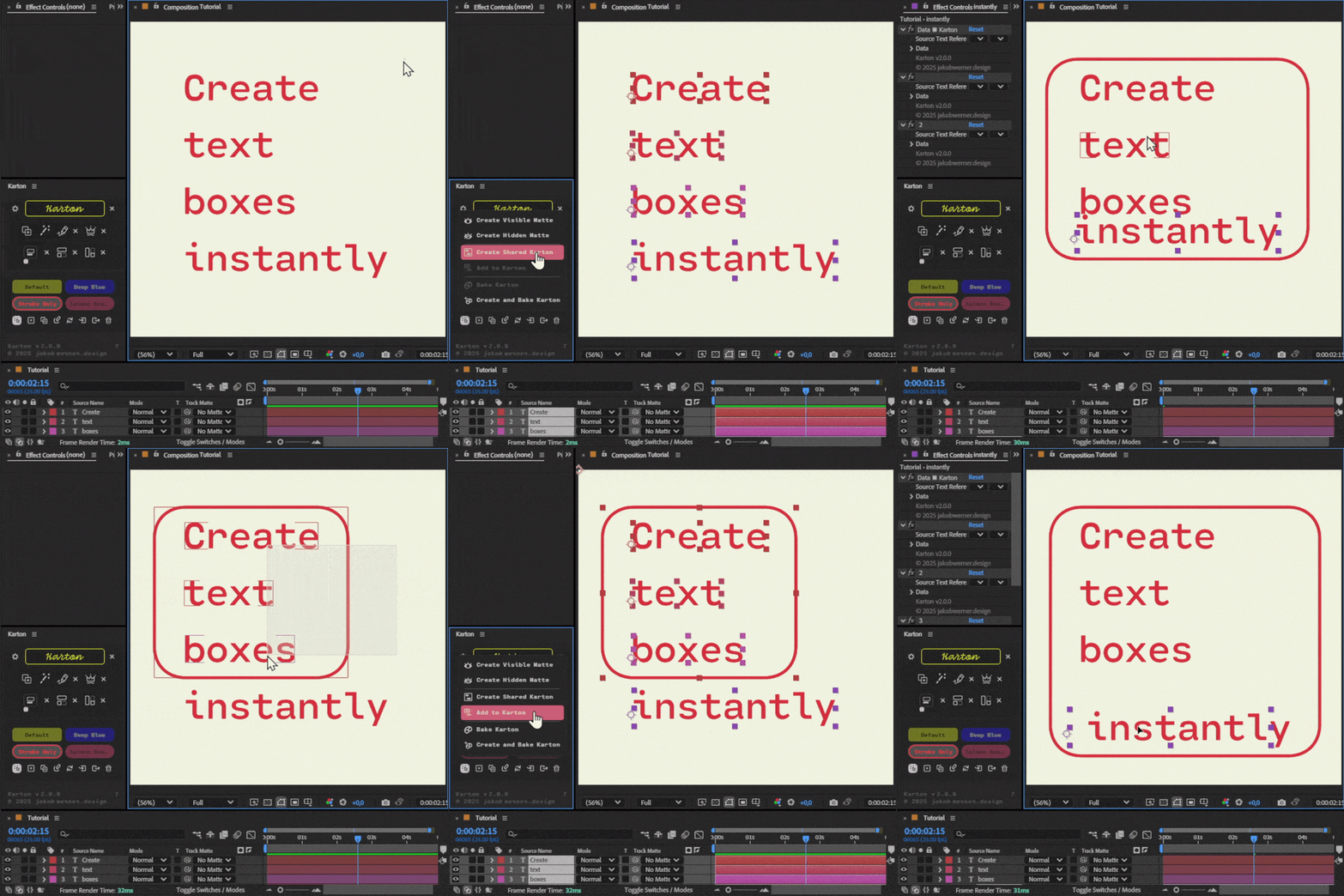
Create a shared Karton
Just select a logo, icon, image or any other object and select Add to Karton.
Karton will include the new layer into the existing Karton.
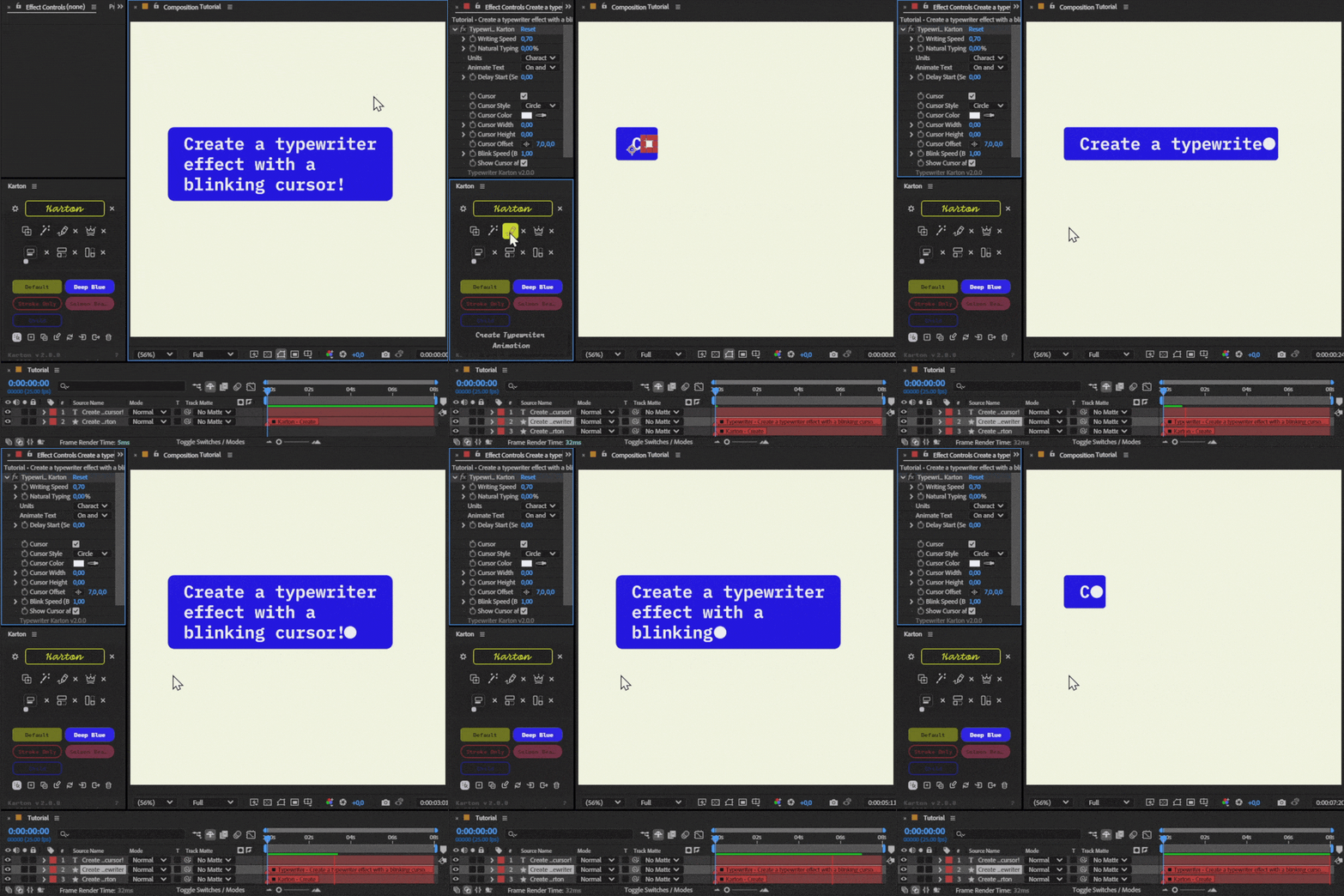
Typewriter Effect
Create a typewriter animation instantly.
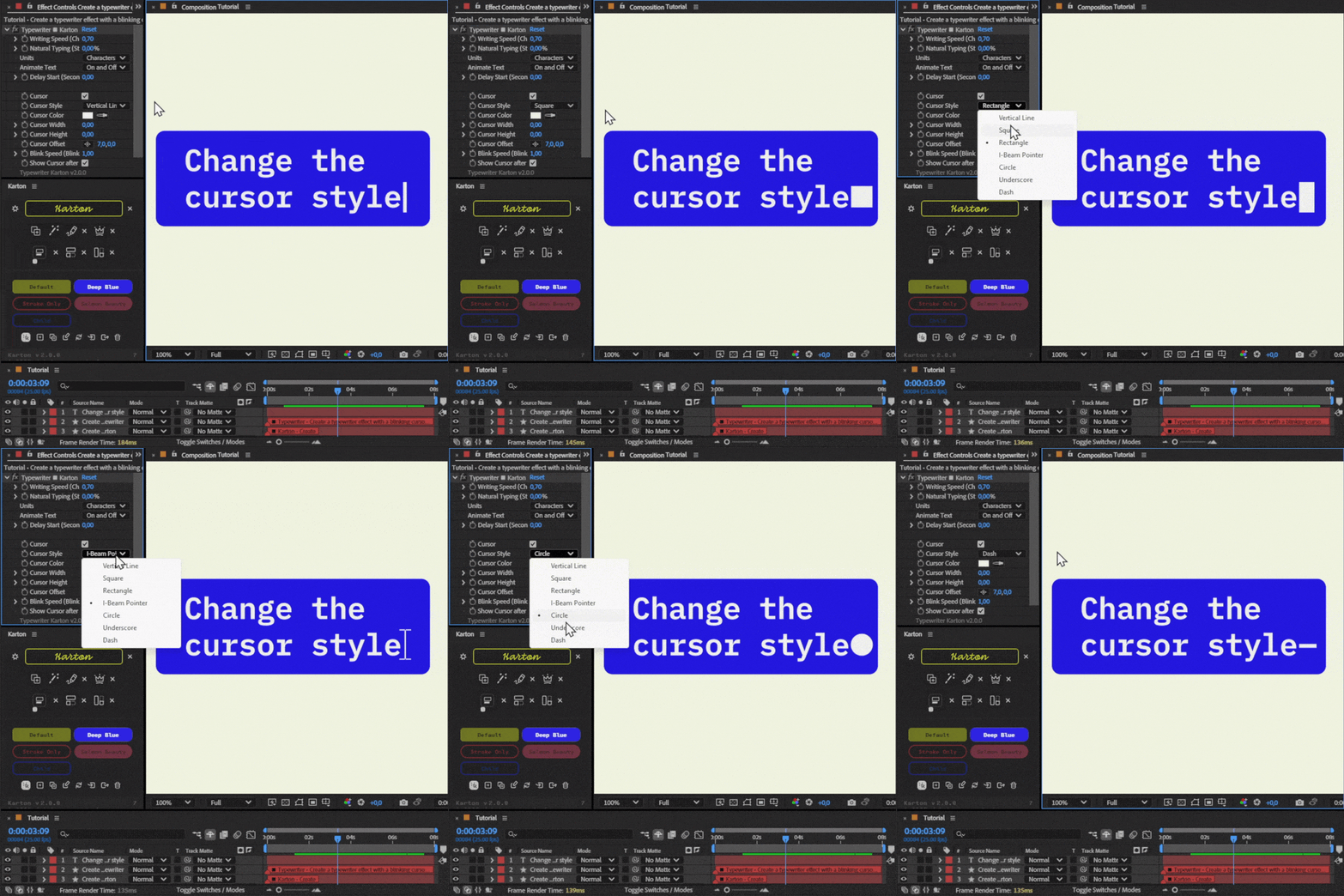
Cursor Styles
Choose from a variety of cursor styles and adjust the cursor’s look with different styles, colors, speeds, blink effects, and more.
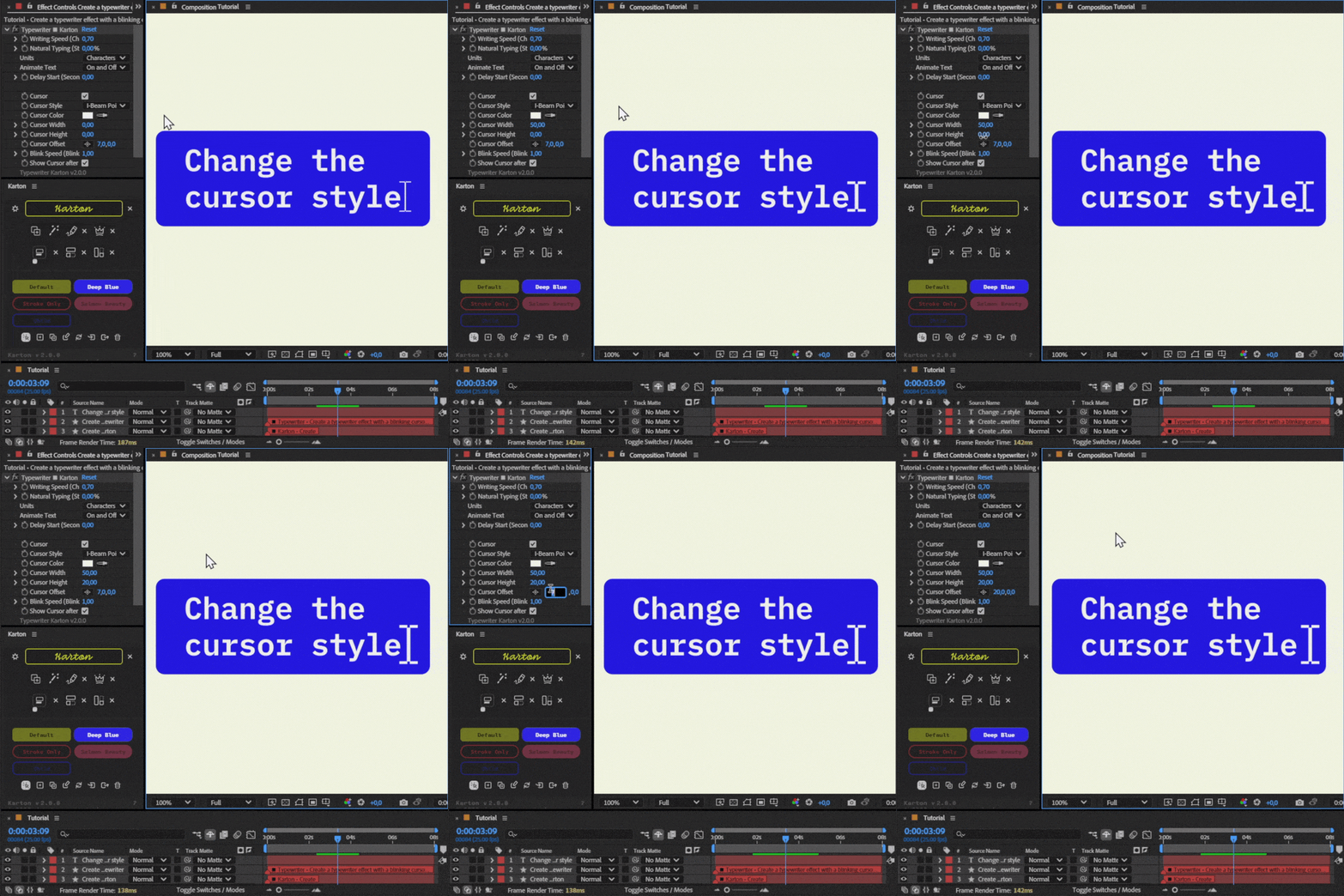
Customize Cursor
Change the width, height and offset of your cursor.
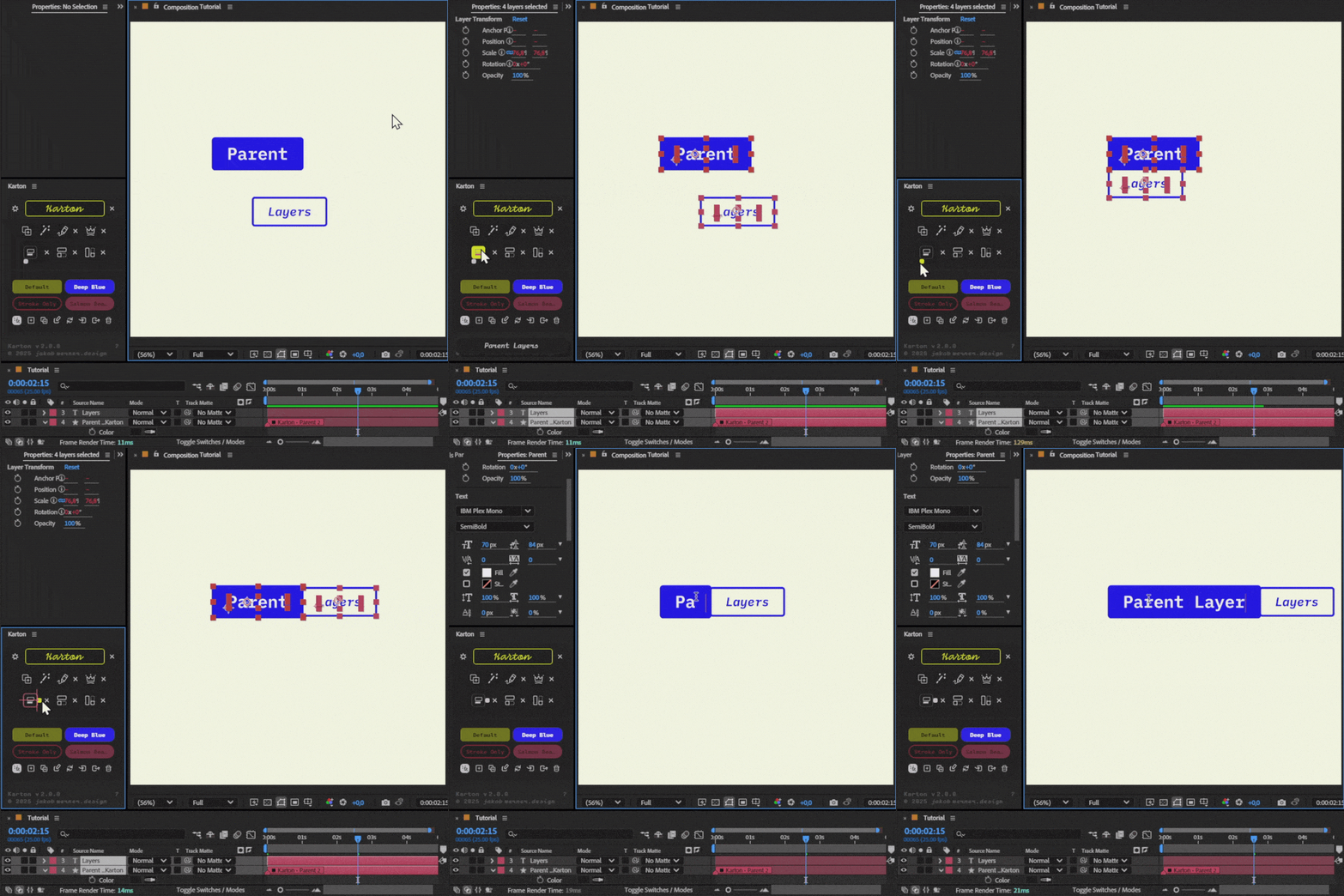
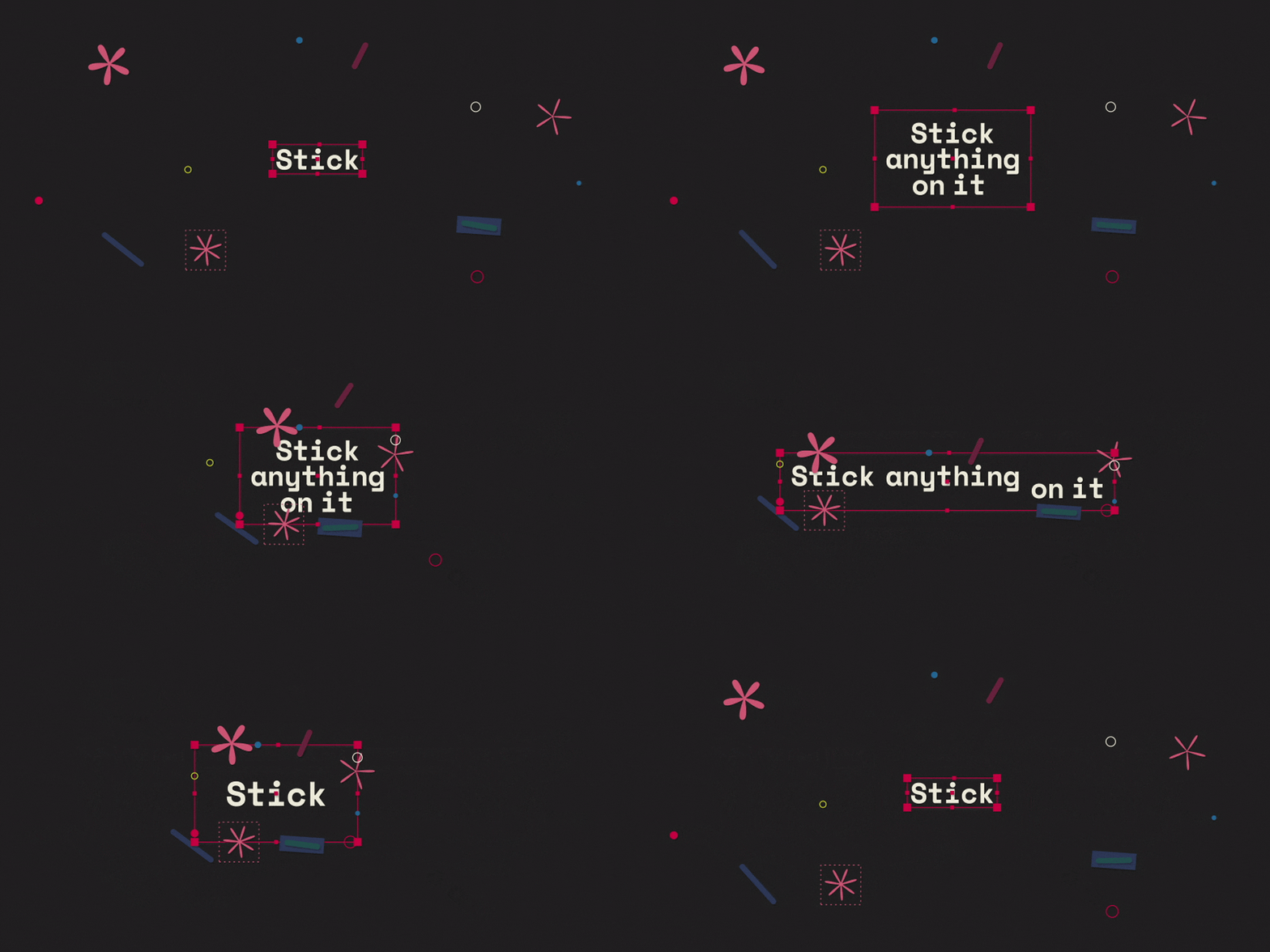
Parent Kartons
Create a child Karton and stick it onto your main Karton.
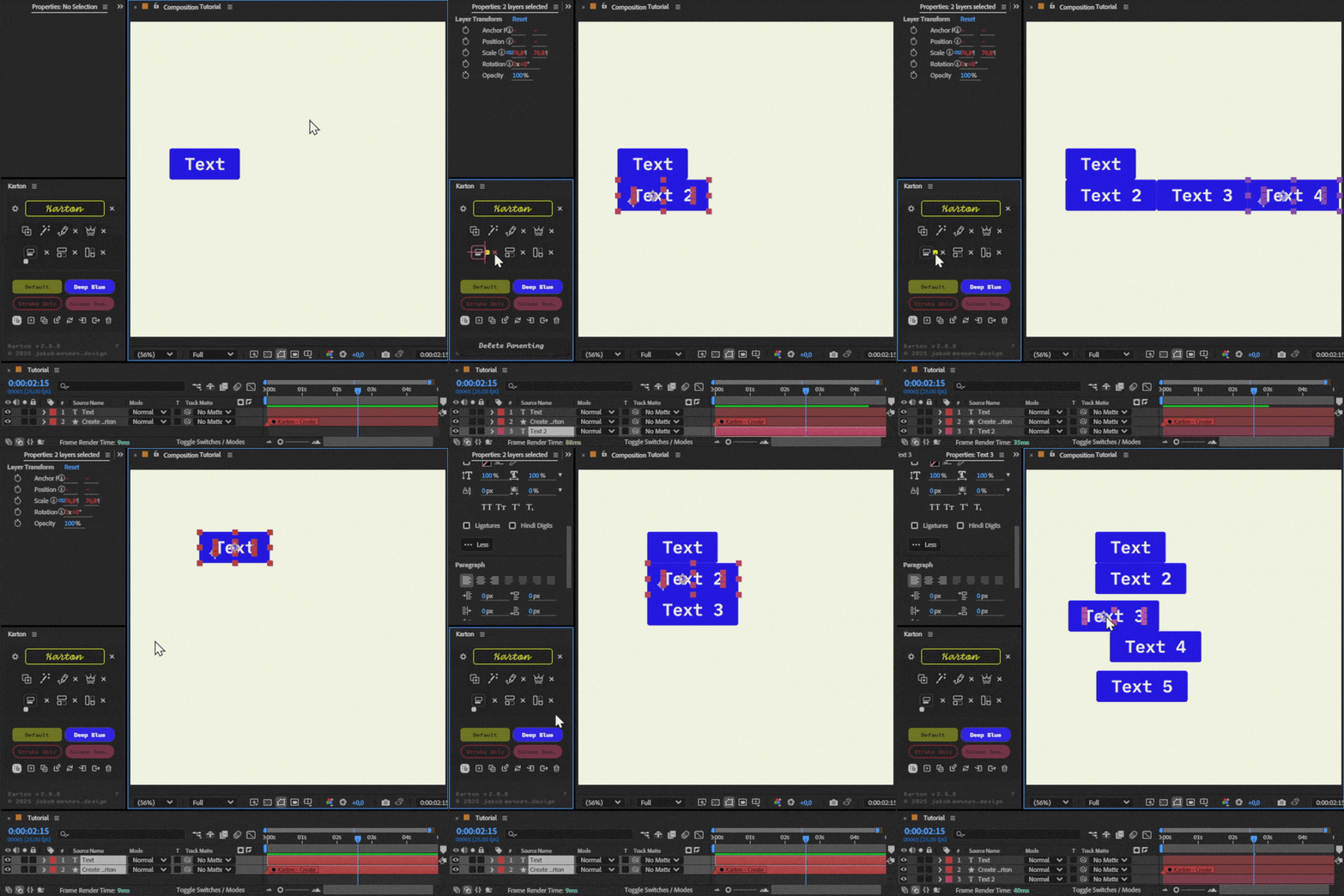
Duplicate Kartons
Duplicate Kartons and control their position and create multiple lines of text.
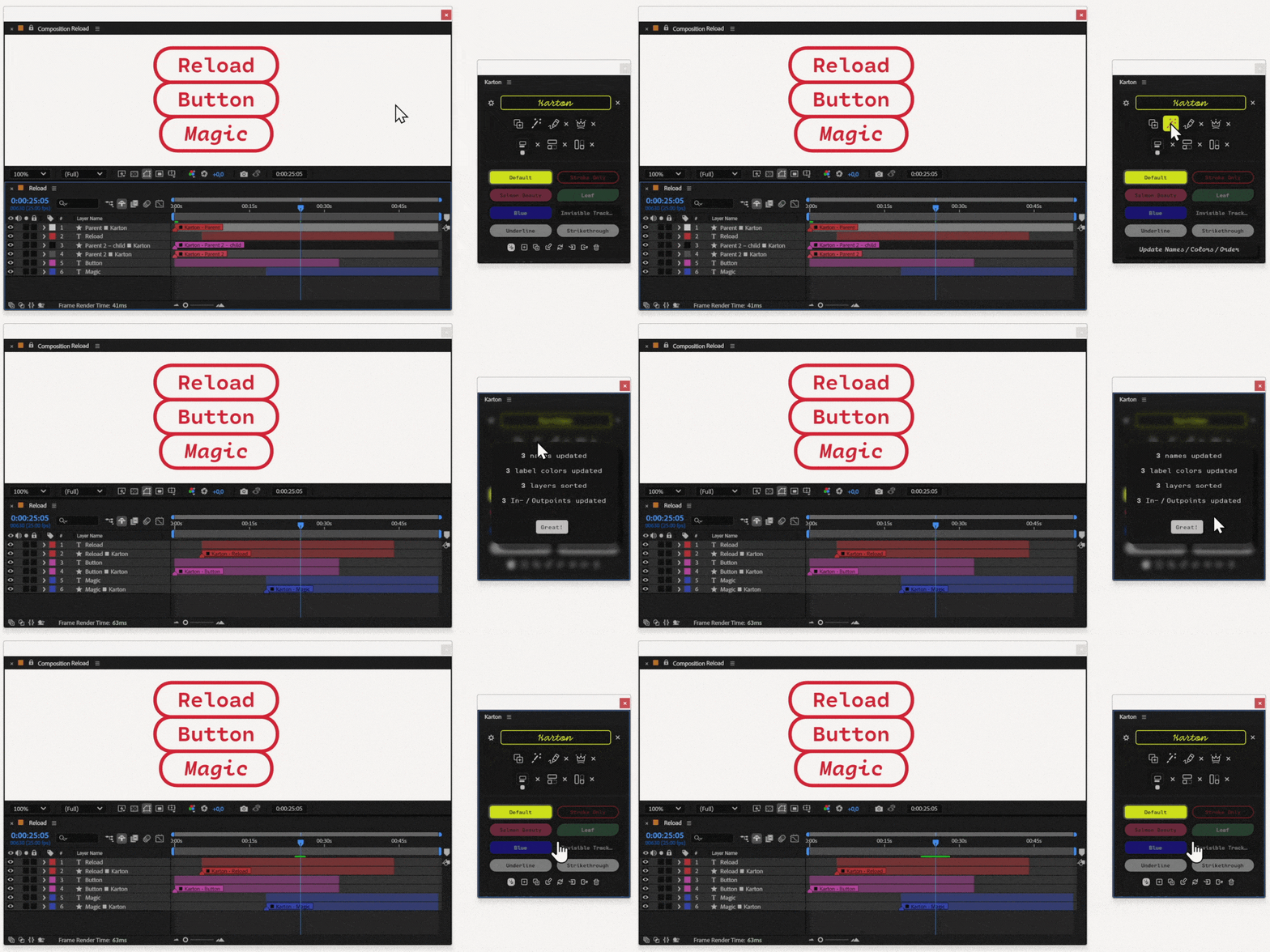
Keep your timeline clean
Updates a Karton to match the names, label colors, order, and in/out points of the text layers or objects.
Chat Messages
Create custom and responsive chat bubbles.
Lower Thirds
These designs are responsive, making them perfect for lower thirds, titles, and subtitles.
Works with Premiere Pro!



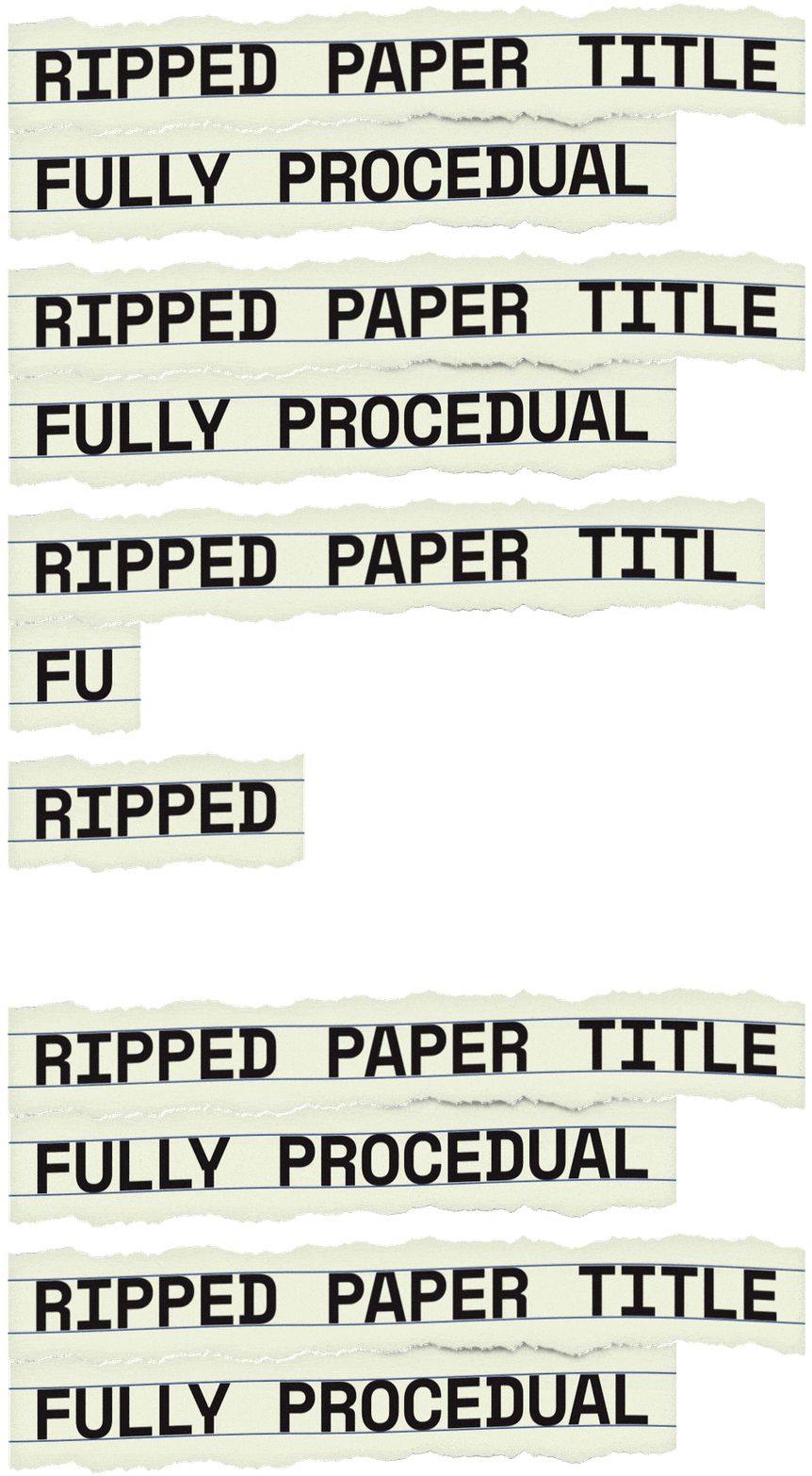
Interested to learn how this is done?
Check out the tutorial

Essential Graphics
Karton is compatible with Essential Graphics.
You can design a custom Essential Graphics template and modify the text outside the composition.
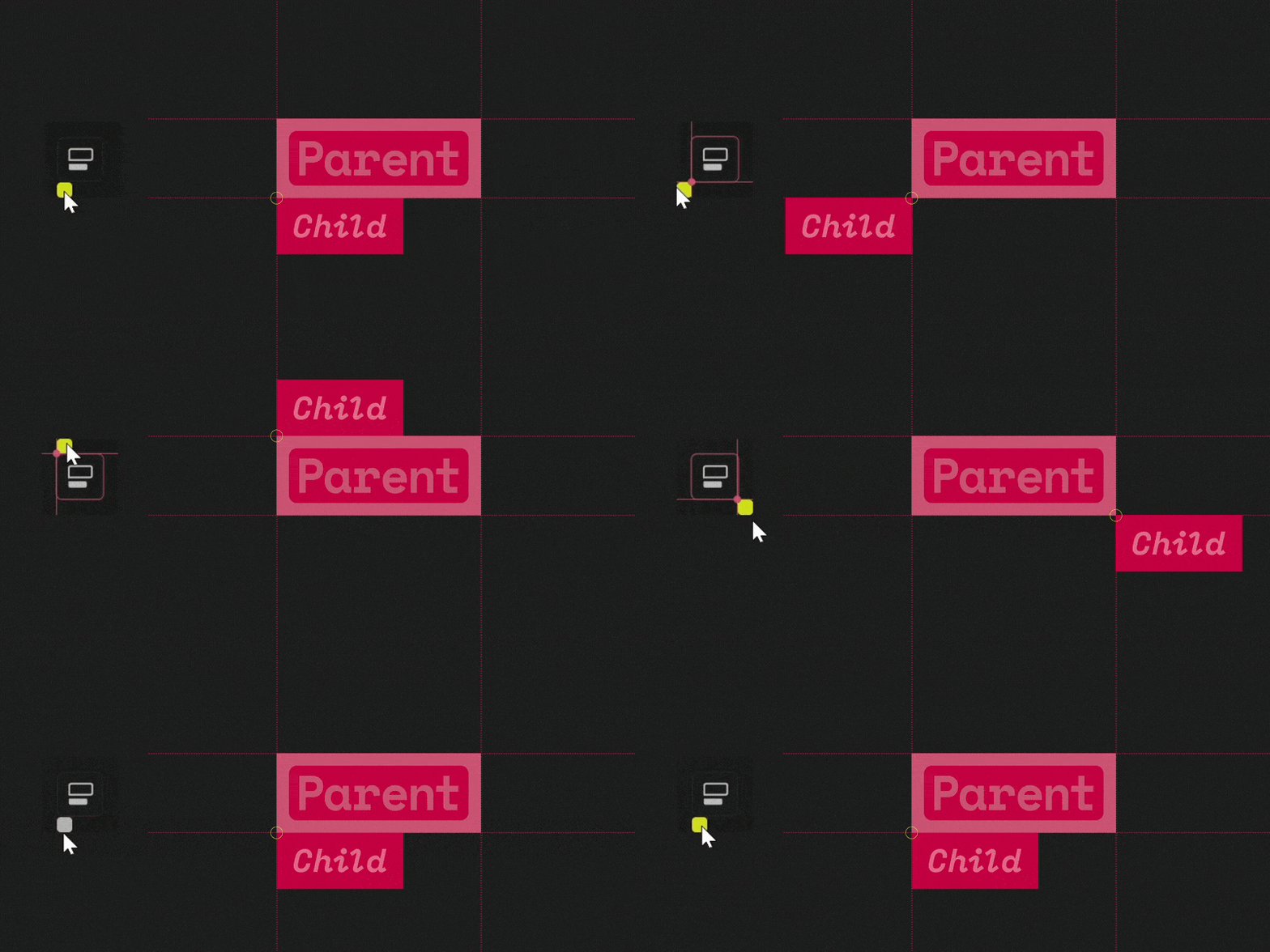
Like parenting, but responsive
Use the intuitive UI handle to change your child’s position.
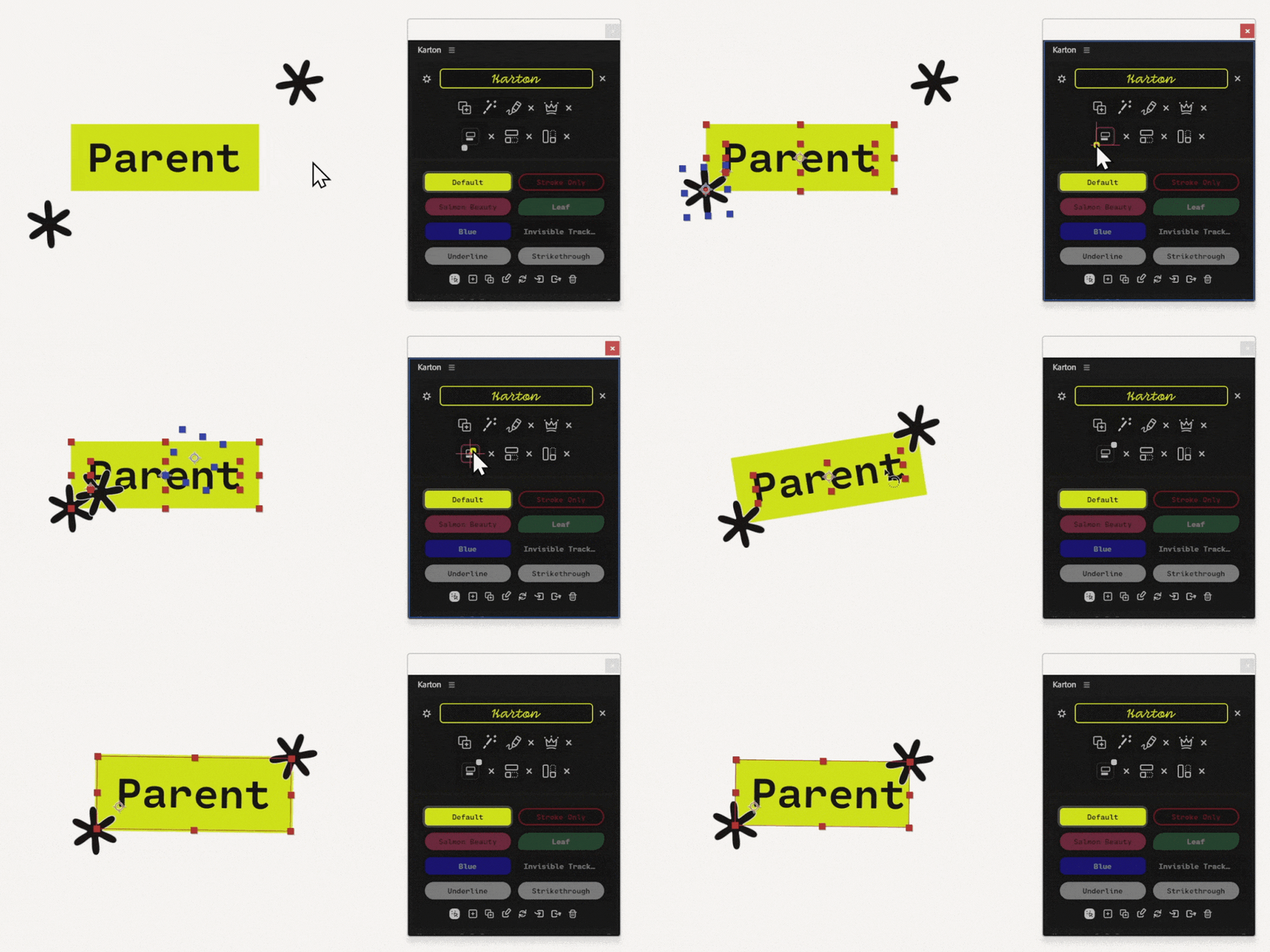
Parent Shapes
Works with shape layers too!
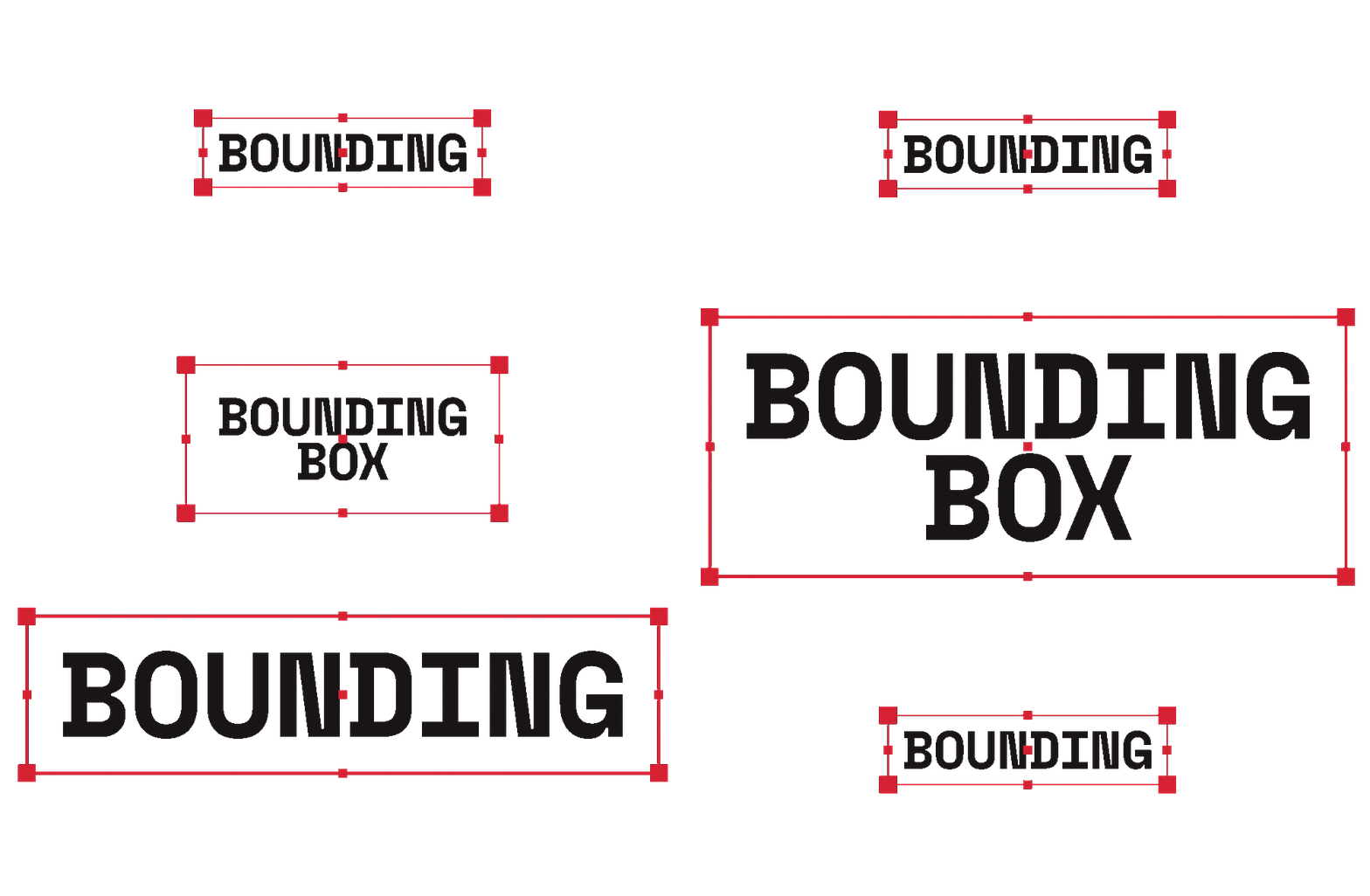
Interested to learn how this is done?
Check out the tutorial
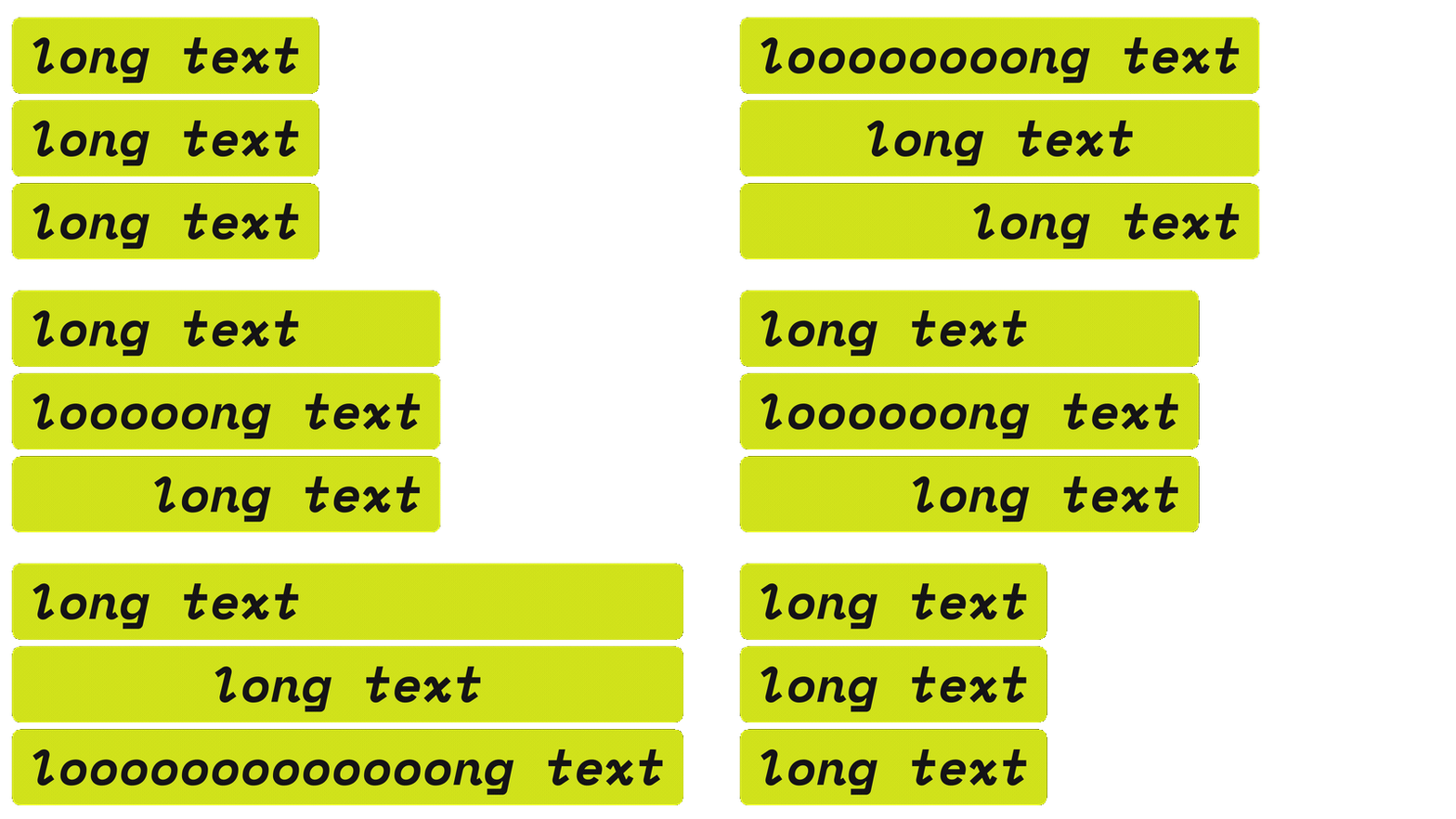
Share the width and height with your Kartons.
Text alignment matters!
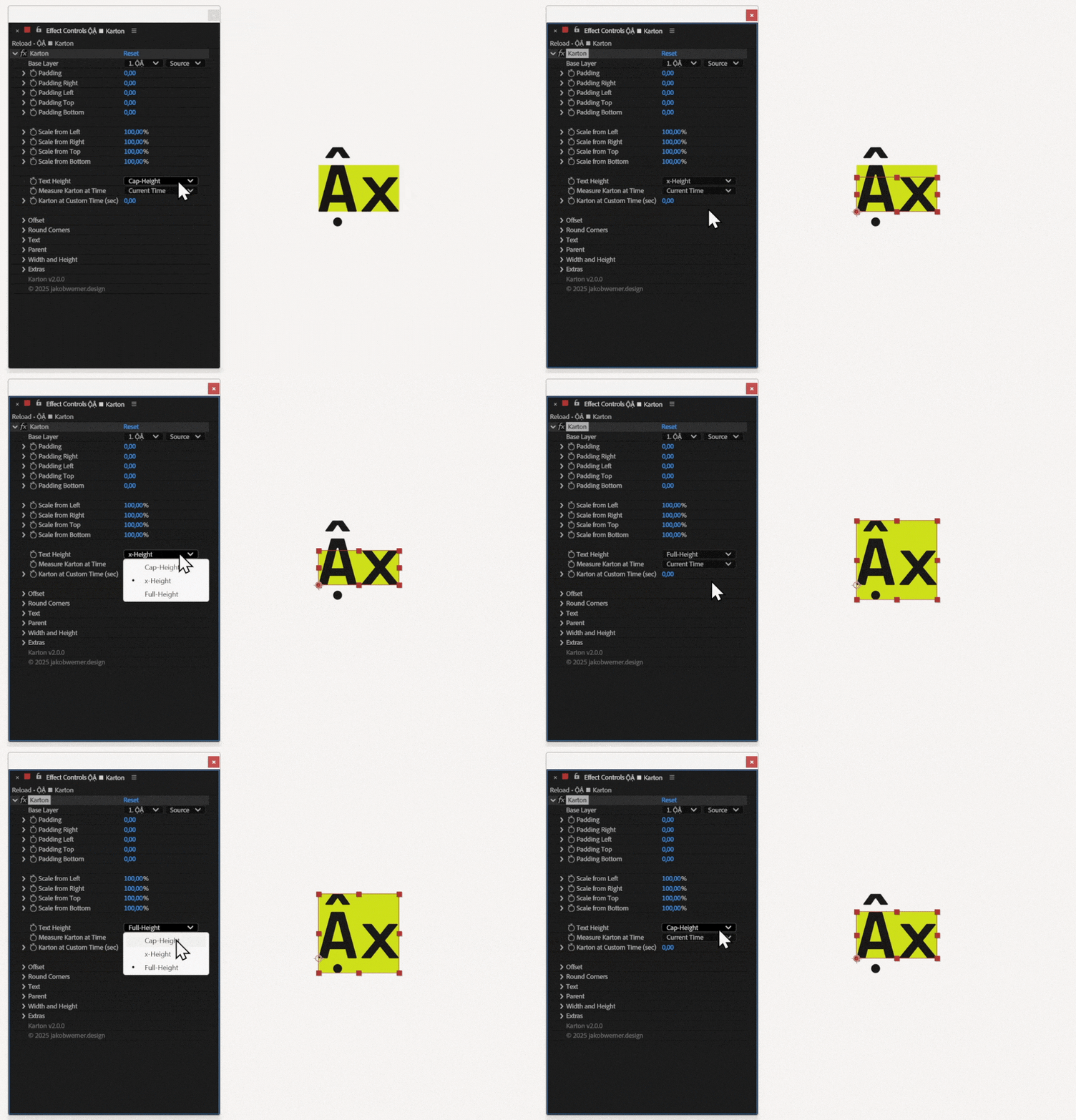
Choose from three different height calculations to fit your Karton perfectly to your text.
want to learn Karton?
Visit the documentation

Reviews
There are no reviews yet.