
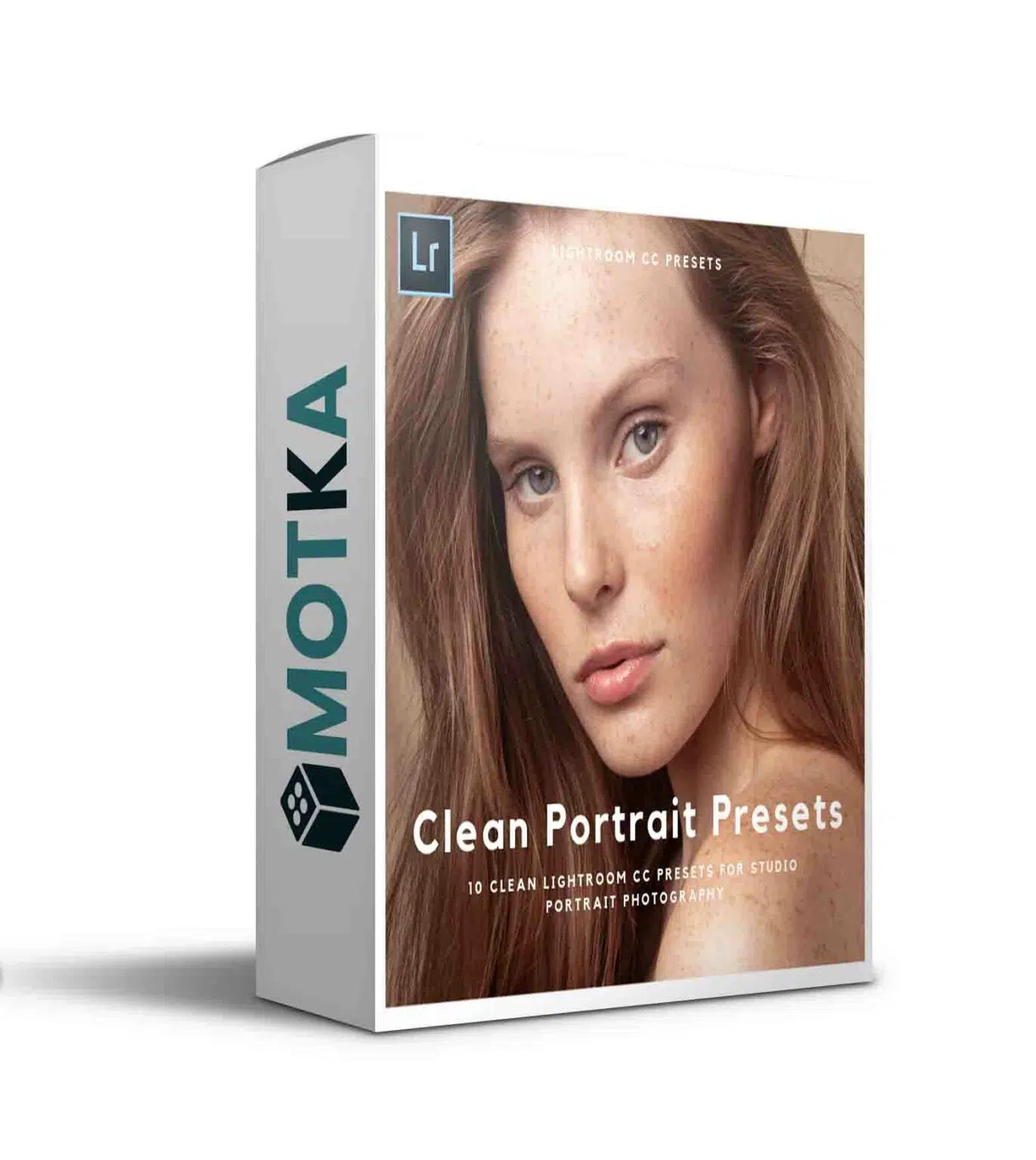
Kayleigh June Clean Portrait Tones
10 Priest Lightroom Skin Color Correction | 0.219 MB | Comes with Preview | XMP & JPG Format
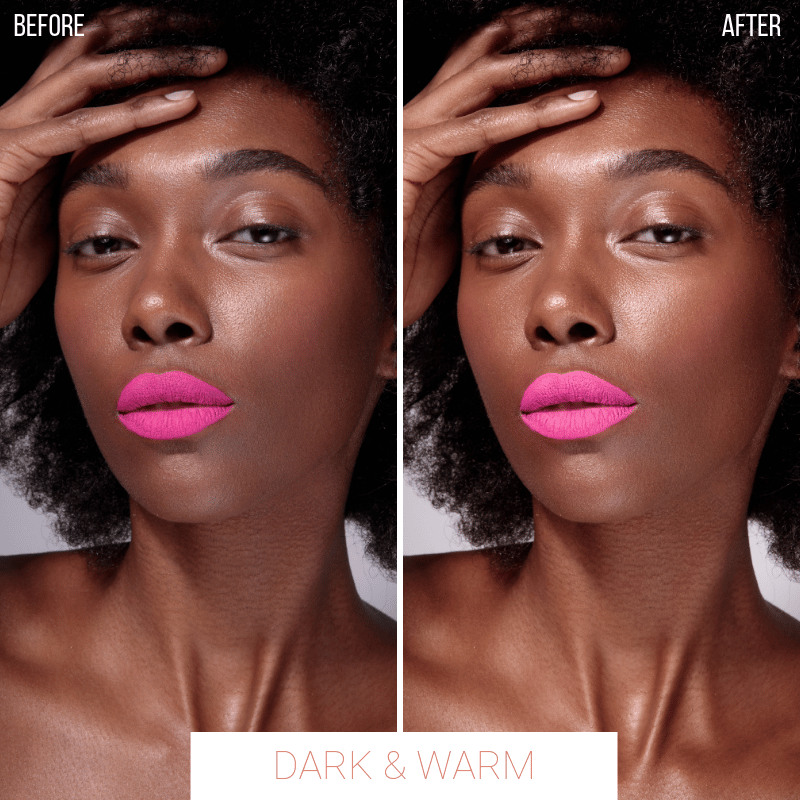
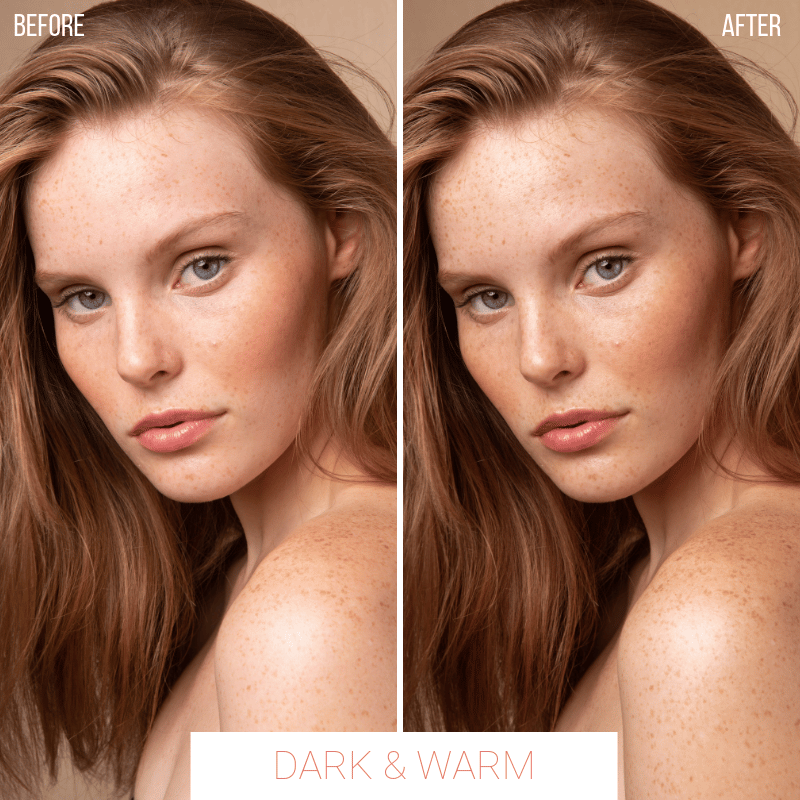
This set includes 10 lightroom presets, the main use of which is to correct skin tone with a color designed in a low-impact way and suitable for simple images. These presets have 10 different tones: light and neutral, light and cold, light and low saturated, light and warm, cold, dark and low saturated, dark and cold, dark and warm, neutral and warm. Using these presets allows you to easily and efficiently optimize the skin tones of your images and change your simple images to your liking. This collection is ideal for portraits, selfies, family photos, and any type of image that needs more beauty and reality. These ready-made prints in XMP and JPG formats are available for download on the site.
This set includes 10 Lightroom Presets, they have been primarily created for skin colour grading with a subtle tint and are great to use for simple styled images.
They come in 10 tones; Bright & neutral, bright & cool, bright & desaturated, bright & warm, cool, dark & desaturated, dark & cool, dark & warm, neutral, warm.
These presets were created to use on studio portrait photography, the tones are quite subtle and include a subtle colour tint. They have been made to enhance the detail in skintones without altering skintones to a very unnatural colour.
My presets will work on the Lightroom desktop version on both Windows & Mac OS.
After purchase you will automatically receive a download link within 24 hours.
DISCLAIMER: Please keep in mind that all of my images will include different lighting and tones to your own, so these presets can look different from image to image. I have created these presets to be customised, so please have a look at my tutorial video here where I explain how you can alter them for your own images and how to install them.
HOW TO INSTALL & USE PRESETS:
https://youtu.be/vpllzkbUrDE
TO INSTALL PRESETS (WINDOWS & MAC):
- Right-click the file and unzip (extract all).
- Open Lightroom and find the Presets box in the sidebar.
- Click on the plus (+) icon and choose ‘Import presets’ on the dropdown menu.
- Select the downloaded xmp preset files and choose ‘import.’
- Done!If you are still having trouble installing presets, you can watch the video tutorial listed above.IMPORTANT: Presets have been tested and used in Lightroom CC 8.3.1
These Lightroom Presets will most likely not work in earlier versions as the old Lightroom Preset files are no longer available. These files will be an xmp file, and have to be installed in a different way in comparison to previous versions of Lightroom.THESE ACTIONS ARE NON-REFUNDABLE, SO PLEASE CHOOSE CAREFULLY.
A Photoshop action is an incredible feature tool that allows you to record a series of steps
To achieve remarkable effects, and then play the sequence back to apply those effects on any image.
Because these actions are reusable you can improve your workflow by chopping countless hours off your design process.
you can transform your images into polished works of art while saving a lot of time and money.
Designed to save you time in the editing process for actions that you do repeatedly and create lots more elements that can be edited manually.
Exclusively designed for graphic designers & photographers .
we’ve cut out the hard work for you by putting the best collection of excellent Premium Photoshop actions!
Photoshop actions are perfect for both beginners and advanced Photoshop users
➡️ ➡️ For More Acions Photoshop 😀 😀
Reviews
There are no reviews yet.