
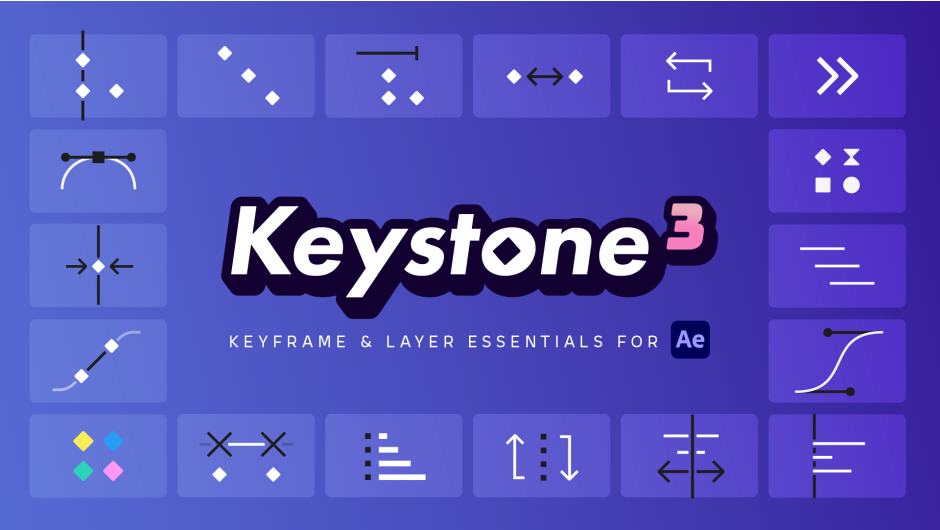
Keystone 3 for After Effects
keystone 3 script
Keystone 3 V3.0.7 for After Effects – Professional Keyframe & Animation Control Toolkit
Download Keystone 3 V3.0.7 for After Effects on Windows and Mac, a powerful keyframe animation script that revolutionizes how you work with keyframes and layers in your timeline. With a completely customizable icon-based interface, Keystone 3 makes basic tasks like aligning, stretching, staggering, and color labeling faster and more intuitive than ever before .
Key Features of Keystone 3 V3.0.7:
- Keyframe Value Operations: Perform addition, multiplication, rounding, and other mathematical operations on keyframe values with precise dimensional controls
- Layer Order Management: Dedicated section with multiple sorting methods to keep your layers perfectly organized
- Advanced Stagger Controls: Bezier controllers for creating sophisticated offset animations; three calculation methods for stagger effects; Cumulative mode for progressive offsets
- Link/Unlink Options: Greater flexibility with options to link and unlink keyframes and layers independently
- Favorite System: Star your most-used functions and switch between showing all features or only your favorites to save valuable screen space
- Responsive Interface: Automatically adapts to any screen size from laptops to 4K displays
- KBar Support: Integration with KBar for streamlined toolbar access
- Color Labeling: Quickly color-code and group keyframes and layers without navigating After Effects’ complex menus
- Preserves Animation Curves: Move keyframes without losing your carefully crafted animation curves
- v3.0.7 Updates: Performance improvements, bug fixes, and enhanced compatibility with After Effects 2025
Perfect For:
- Motion graphics artists managing complex keyframe animations
- Animators needing to align, stretch, stagger, or mirror multiple keyframes efficiently
- Anyone tired of manually manipulating keyframes in the timeline
- Studios wanting to standardize and speed up their keyframe workflow
- Designers who value intuitive, icon-based interfaces for common tasks
System Requirements:
- Adobe After Effects 2025, 2024, 2023, 2022
- Windows 10/11 (64-bit) or macOS
- 4GB RAM minimum (8GB+ recommended)
- 50MB available disk space
- Enable “Allow Scripts to Write Files and Access Network” in Preferences > Scripting & Expressions
Installation:
Copy the script file to your After Effects ScriptUI Panels folder:
- Windows:
C:\Program Files\Adobe\Adobe After Effects [version]\Support Files\Scripts\ScriptUI Panels\ - Mac:
/Applications/Adobe After Effects [version]/Scripts/ScriptUI Panels/
Access via Window menu > Keystone 3
Note: Version 3.0.7 includes performance enhancements and expanded compatibility with After Effects 2025 . Keystone 3 is the most advanced keyframe management tool available for After Effects, dramatically speeding up common animation tasks while preserving creative control . Available for $49.99 with special upgrade pricing for eligible users .
Align, stagger, order, stretch, color labels and more! Professional tools for serious animators in After Effects. NEW: Keyframe Values and Layer Order sections, Section shortcuts, New Bezier controllers for Stagger, 3 New methods for calculating Stagger, Cumulative mode for Stagger
The ultimate toolbox for the After Effects timeline
Dozens of features, no gimmicks
Animation in After Effects is all about keyframes and layers, and handling them manually is tedious. Keystone has been carefully designed to tackle all the most common challenges in the After Effects timeline and save you countless hours!

What’s new in Keystone 3?
Already familiar with Keystone?
Here’s a summary of what’s new in this major release.
Keyframe Values
Add, multiply, round… Works on all selected keyframes.

Layer Order
Keep your layers organized with a wide range of sorting methods.

Section shortcuts
Toggle sections on and off only when you need them.
💡 CTRL/⌘ + click to close them all

New Stagger options
A Bezier controller to bring life to your staggers, along with three options for even easier use.
💡 ALT + click to activate the cumulative mode

Simple. Clear. Customizable.
Keystone’s interface is built for speed and simplicity, with most actions just one click away. The new section shortcuts let you show or hide sections instantly, so you can keep your screen uncluttered and focused on your work.

Save a LOT of time
Manipulating keyframes and layers takes a lot of time when done natively in After Effects. By using Keystone just a few times a day, you will easily save several minutes per day, an hour per week, and several hours per month.
The more keyframes and layers you use, the more time Keystone saves you!

Complete overhaul of the Stagger and Distribute functions
Staggering is one of the most widely used techniques in motion design.
With the new Bezier controllers of Keystone 3, say goodbye to boring linear staggers and distributions and take your animations to the next level. On top of that, 3 new modes make it more intuitive than ever.

Other tools can’t. Keystone can.
After Effects is notoriously known for breaking easings when you move keyframes, and other third-party tools on the market don’t do any better.
Keystone is the only tool that performs the necessary calculations to preserve your carefully crafted motion curves.

Align your tangents and keep them aligned effortlessly
A user favorite since Keystone 1, the “Constant Speed” feature takes away the struggle of aligning tangents by hand. Best of all, these constant speeds are preserved when using any other Keystone 3 function.

Link / unlink keyframes and layers
The “Link” options are arguably the most underrated feature of Keystone 3! They unlock a whole new level of keyframe and layer manipulation, enabling you to link or unlink them in ways that are impossible natively in After Effects.

Up to 3 modes per function
Easily accessible with shared hotkeys, modes let you control how keyframes or layers are grouped together.
Below is an example using the “Align to CTI” function:

Tutorial & online documentation
Learn everything about Keystone 3 in this complete tutorial.
Elevate your motion graphics workflow with premium collection of After Effects plugins. Whether you are a seasoned professional or just starting your VFX journey, powerful tools designed to streamline complex tasks, unlock creative possibilities, and save you hours of rendering time. From stunning glitch effects and seamless transitions to advanced 3D extrusion and text animation tools, each plugin in our library is rigorously tested for compatibility with the latest versions of Adobe after Effects. Enhance your video production value today and download industry-leading plugins that help you create breathtaking visuals without the technical headaches. Browse our full range and find the perfect extension to supercharge your editing suite now.
➡️ ➡️ For more after effects Plugins 😀 😀
➡️ ➡️ System requirements AE
Reviews
There are no reviews yet.