
Layout V1.0.3 for After Effects
layout script
Layout V1.0.3 for After Effects – Professional Grid & Composition Layout Tool
Download Layout V1.0.3 for After Effects on Windows and Mac, a powerful script that helps you create perfect layouts for your compositions with intuitive grid systems and alignment tools. Arrange layers precisely, create responsive layouts, and maintain consistent spacing across your entire project—all with a simple, user-friendly interface .
Key Features of Layout V1.0.3:
- Smart Grid Systems: Create custom grids with adjustable rows, columns, gutters, and margins for perfect layout structures
- One-Click Alignment: Instantly align selected layers to grid lines, composition edges, or relative positions with precision controls
- Responsive Layout Tools: Build layouts that automatically adjust when composition dimensions change—perfect for templates and client work
- Spacing Controls: Distribute layers evenly with customizable spacing between elements, with options for margins and padding
- Layer Arrangement: Quickly arrange layers in rows, columns, or custom patterns with intelligent ordering options
- Visual Guides: Generate non-rendering guide layers to help visualize your layout structure
- Preset System: Save and load favorite layout configurations for consistent project structures
- Real-Time Preview: See layout adjustments update instantly as you modify parameters
- Cross-Platform Support: Works on both Windows and Mac systems
Perfect For:
- Motion graphics artists creating complex, multi-layer layouts
- UI/UX designers building responsive interface animations
- Title sequence creators needing precise text and element placement
- Anyone tired of manually positioning layers and guessing spacing
- Studios wanting to maintain consistent layout structures across projects
System Requirements:
- Adobe After Effects 2025, 2024, 2023, 2022
- Windows 10/11 (64-bit) or macOS
- 4GB RAM minimum (8GB+ recommended)
- 25MB available disk space
- Enable “Allow Scripts to Write Files and Access Network” in Preferences > Scripting & Expressions
Installation:
Copy the script file to your After Effects ScriptUI Panels folder:
- Windows:
C:\Program Files\Adobe\Adobe After Effects [version]\Support Files\Scripts\ScriptUI Panels\ - Mac:
/Applications/Adobe After Effects [version]/Scripts/ScriptUI Panels/
Access via Window menu > Layout
Note: Version 1.0.3 includes performance improvements and enhanced grid controls . The script’s professional layout tools make it essential for creating polished, precisely arranged compositions .
The ultimate tool for handling layouts in AE. Align, distribute, adjust anchor points, create grids and outlines.
Welcome to Layout
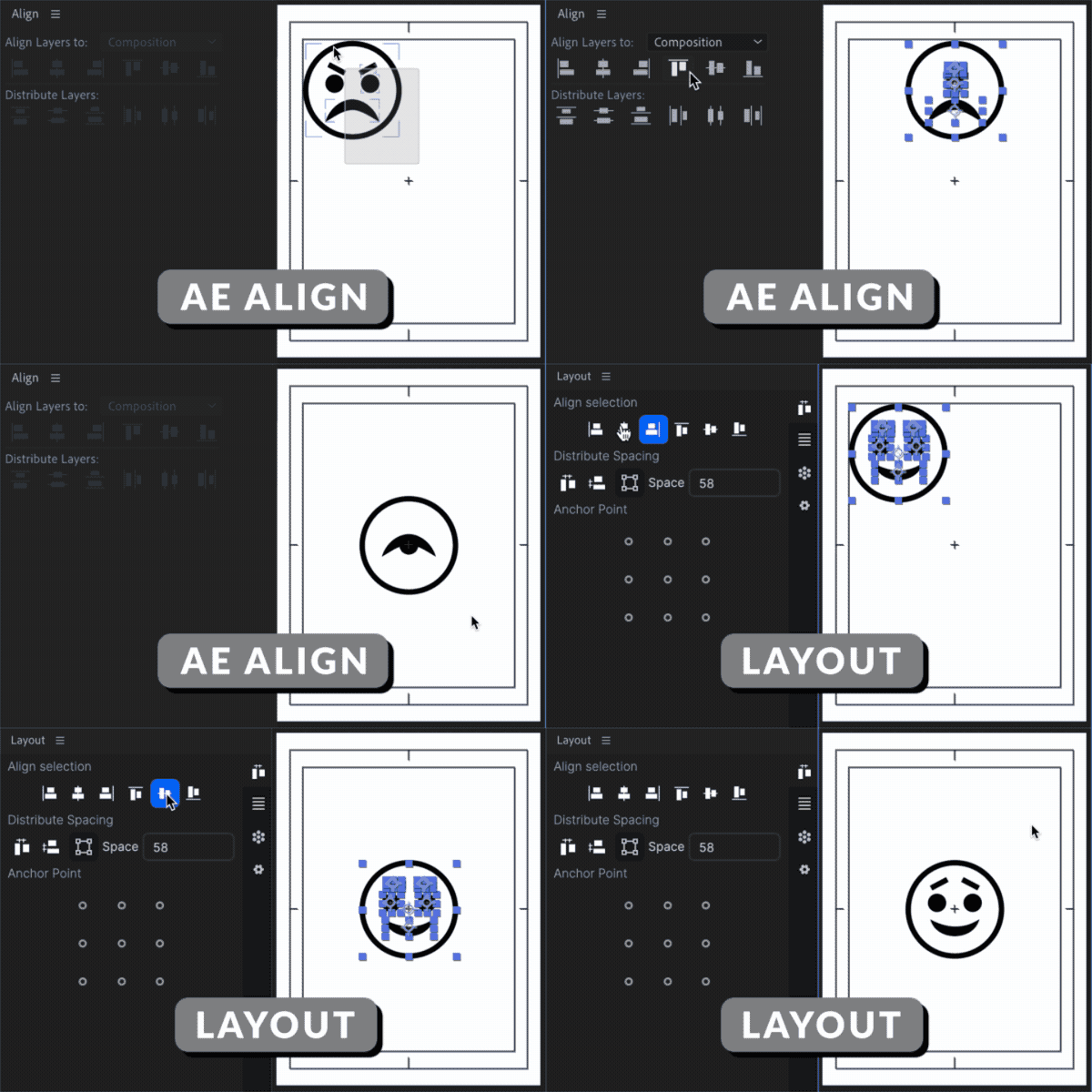
We took the native align panel and gave it super powers. Say goodbye to tedious manual adjustments and hello to the future of layer arrangement.
A Better Align Tool
Align entire layer selections to your composition with ease. No matter the size or shape, Layout will align it and keep your selection intact!
Align selections to the top, bottom, left, right, center, or middle. Works with offset anchor points, parented layers, and more.
Distribute Spacing
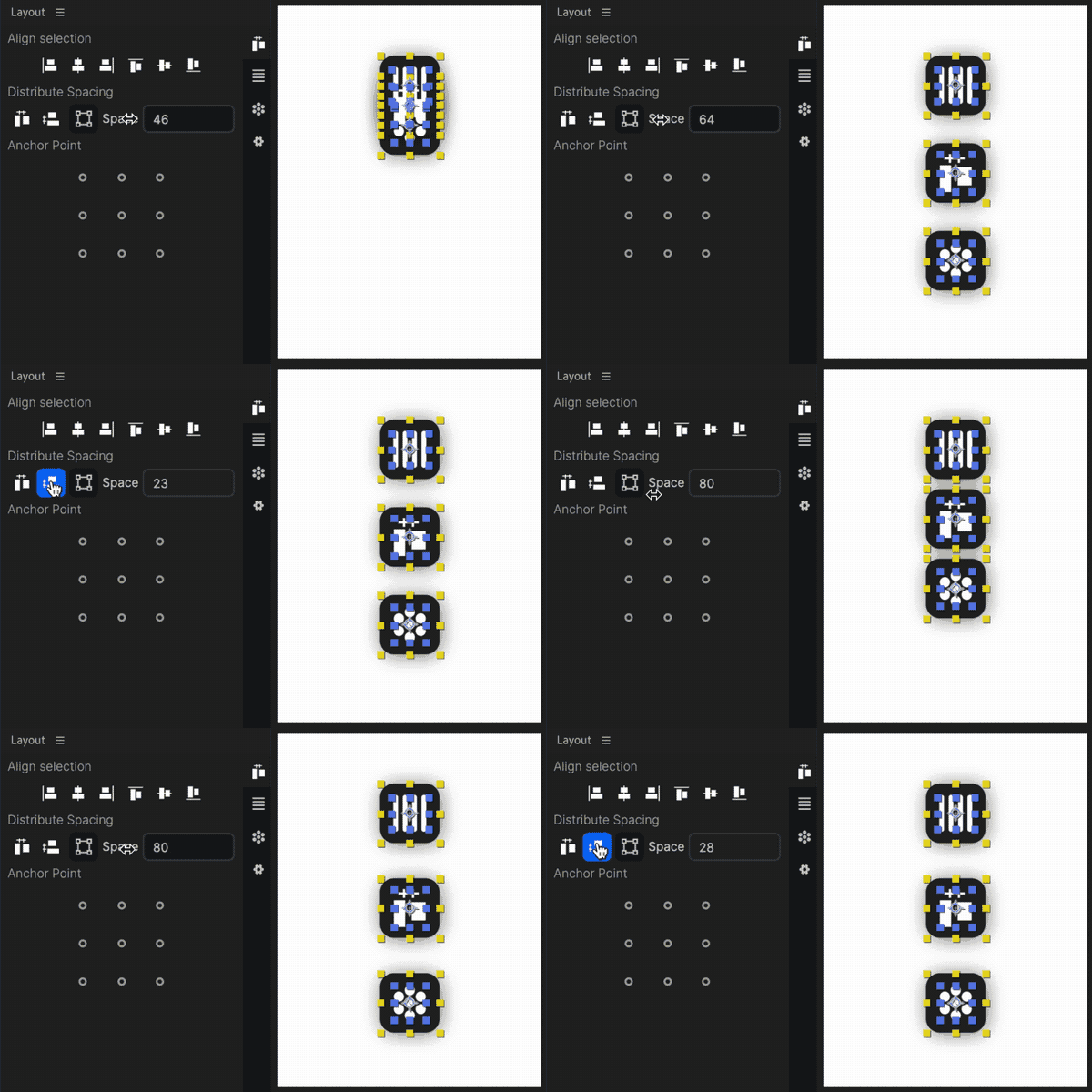
Distribute the vertical or horizontal spacing between your layers with a single click. Super easy to create evenly spaced elements in your comp. Align from each layers” bounds or anchor point.
Align Anchor points
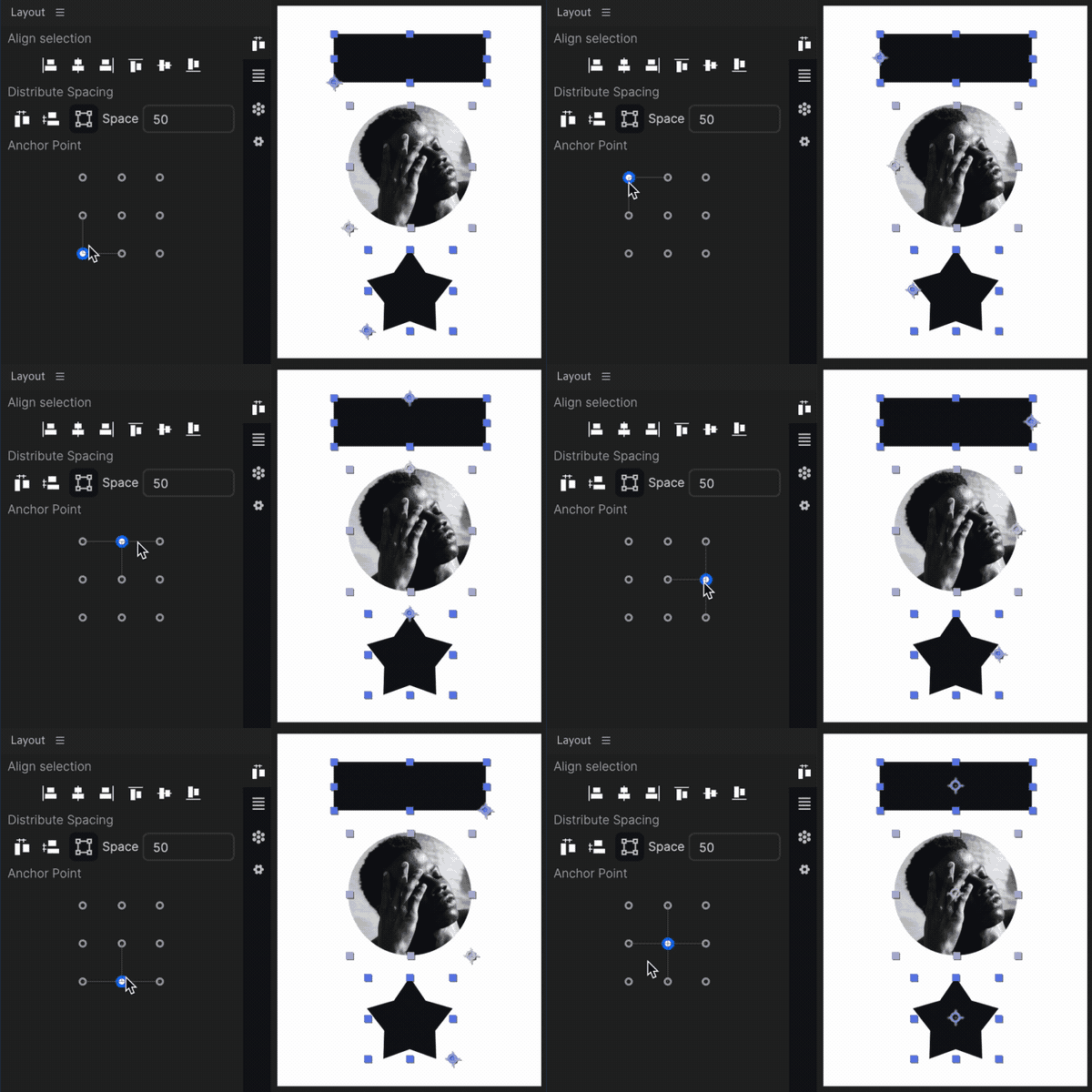
We all need an anchor point align tool and Layout has you covered. Easily change layers” anchor points to the layer bounds. Plus the UI is super sexy.
2 powerful layout tools
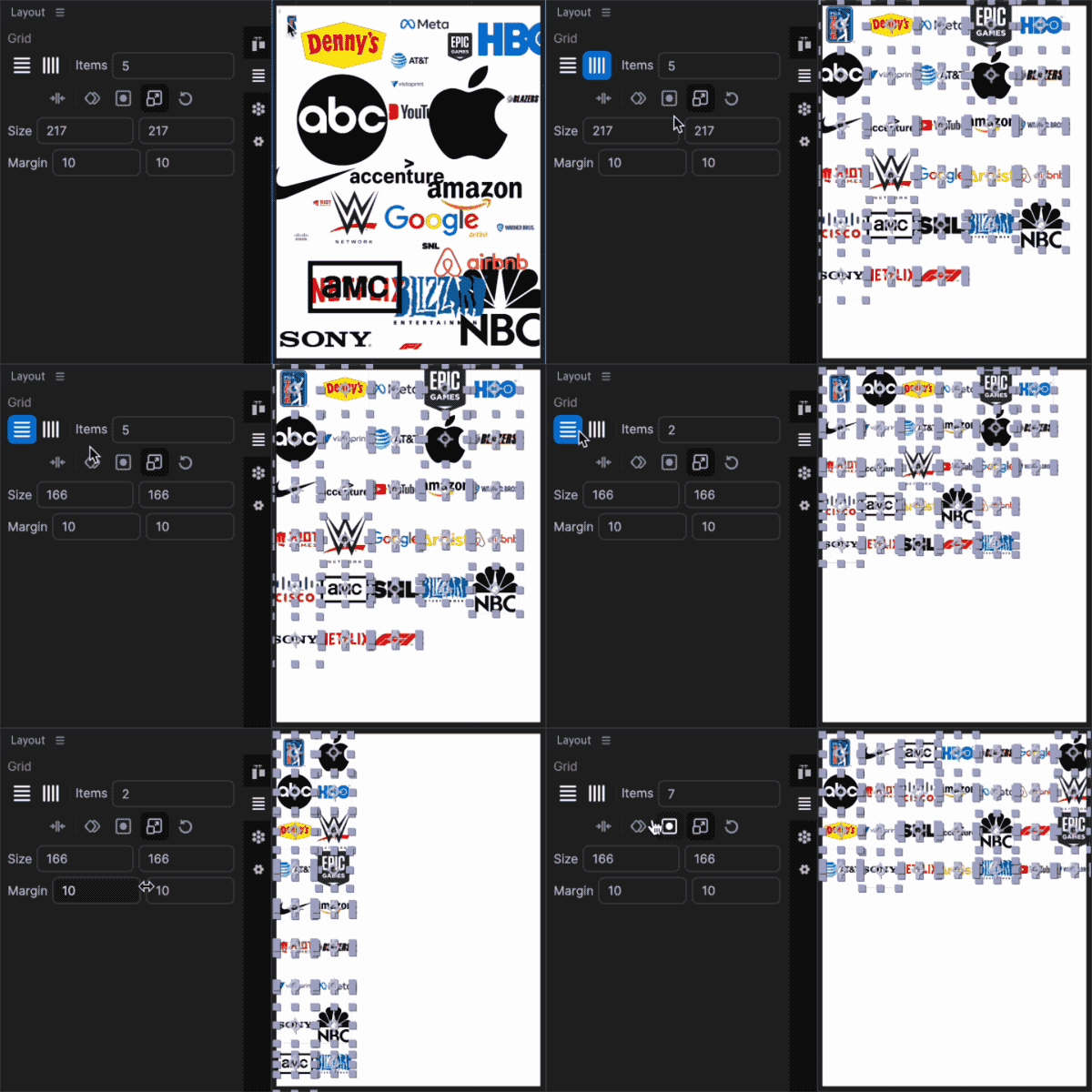
Grid Panel
Arrange your layers effortlessly with the Grid Panel. Create vertical or horizontal grids in truly one click. Just set how many items per and then dial it in with mattes, fill type, sizing, keyframes, spacing and more.
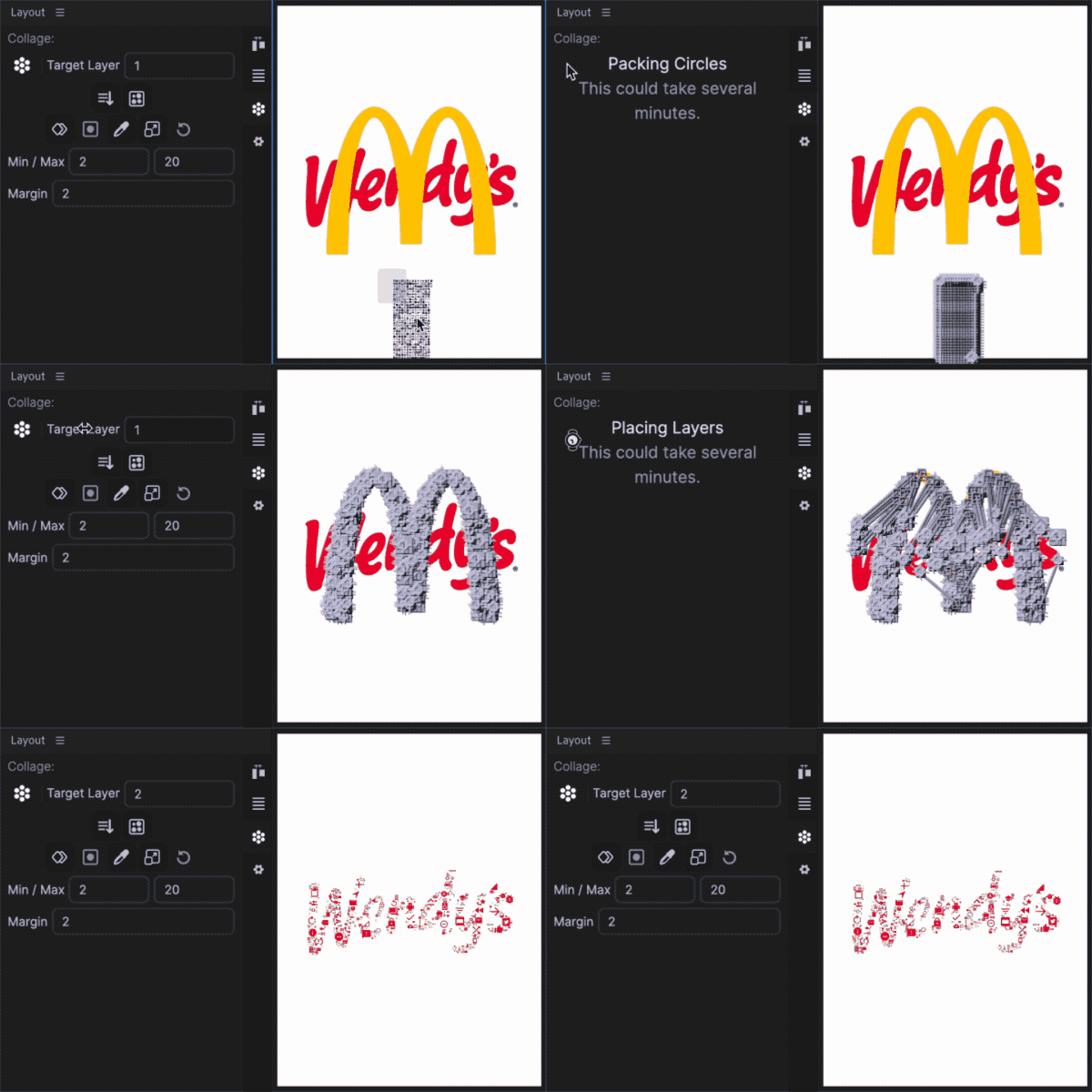
Collage Panel
Get crafty with the Collage Panel. Transform a collection of images into intricate collages, all inspired by a target layer. Many customization options such as Min/Max size, margin, color, scale, and more.
Ready to Enhance Your Workflow?
Dive into the world of Layout and explore the endless possibilities. Join the revolution of After Effects tools today!
Elevate your motion graphics workflow with premium collection of After Effects plugins. Whether you are a seasoned professional or just starting your VFX journey, powerful tools designed to streamline complex tasks, unlock creative possibilities, and save you hours of rendering time. From stunning glitch effects and seamless transitions to advanced 3D extrusion and text animation tools, each plugin in our library is rigorously tested for compatibility with the latest versions of Adobe after Effects. Enhance your video production value today and download industry-leading plugins that help you create breathtaking visuals without the technical headaches. Browse our full range and find the perfect extension to supercharge your editing suite now.
➡️ ➡️ For more after effects Plugins 😀 😀
➡️ ➡️ System requirements AE
Reviews
There are no reviews yet.