
LOOPRAN for After Effects
loop random animation script
Download LOOPRAN v1.0.107 for After Effects on Windows and Mac, a powerful script that creates endless physical random animations with a single click. Featuring 8 physics-based animations that generate infinite, ever-changing patterns, LOOPRAN also includes a launcher function with 35 different tasks and over 40 customizable settings for maximum workflow efficiency .
Create endless physical random animations. It also features a launcher function that allows you to execute 35 different tasks, such as composition creation, with a single click. Additionally, you can customize its behavior flexibly with over 40 settings, allowing for more efficient workflow.
Key Features of LOOPRAN v1.0.107:
- 8 Physics-Based Animations: Bounce, Bounce Collide, Fall, Throw, Side Throw, Side Throw Collide, Wave, and Zero Gravity—all with infinite loop capability
- Endless Random Patterns: Each animation run produces unique, ever-changing sequences that never repeat
- 40+ Customizable Settings: Fine-tune gravity, velocity, loop counts, random ranges, and dozens of advanced parameters
- One-Click Launcher: Execute 35 different tasks instantly, including composition creation and workflow automation
- Complex Physics Simulation: Creates sophisticated motion that would be extremely tedious to keyframe manually
- v1.0.107 Update: Updated UI text in settings screen for improved clarity
The 8 Animation Types:
- Bounce: Objects bounce naturally with adjustable elasticity
- Bounce Collide: Multiple objects bounce and interact with realistic collisions
- Fall: Gravity-based falling animations with customizable acceleration
- Throw: Objects arc through the air with realistic trajectories
- Side Throw: Horizontal throwing motion for dynamic side-to-side action
- Side Throw Collide: Multiple objects interact while in side-throw motion
- Wave: Undulating, wave-like motion for organic effects
- Zero Gravity: Objects float and drift in weightless environments
Perfect For:
- Motion graphics artists creating dynamic, physics-driven backgrounds
- VFX designers needing random, organic particle behaviors
- Title sequence creators wanting unique, non-repeating animations
- Anyone looking to add realistic physics motion without manual keyframing
- Studios seeking efficient, automated animation workflows
System Requirements:
- Adobe After Effects 2025, 2024
- Windows 10/11 (64-bit) or macOS
- 4GB RAM minimum (8GB+ recommended)
- 50MB available disk space
- Enable “Allow Scripts to Write Files and Access Network” in Preferences > Scripting & Expressions
Create endless physical random animations. It also features a launcher function that allows you to execute 35 different tasks, such as composition creation, with a single click. Additionally, you can customize its behavior flexibly with over 40 settings, allowing for more efficient workflow.
Why Choose LOOPRAN ?
Endless Physical Random Animation
- Apply 8 types of high-quality, complex physics-based animations with a single click
- Animations continue infinitely, with patterns that randomly change each time
- Customize gravity, speed, loop count, random range, and around 20 other advanced settings








Simple Yet Multi-functional
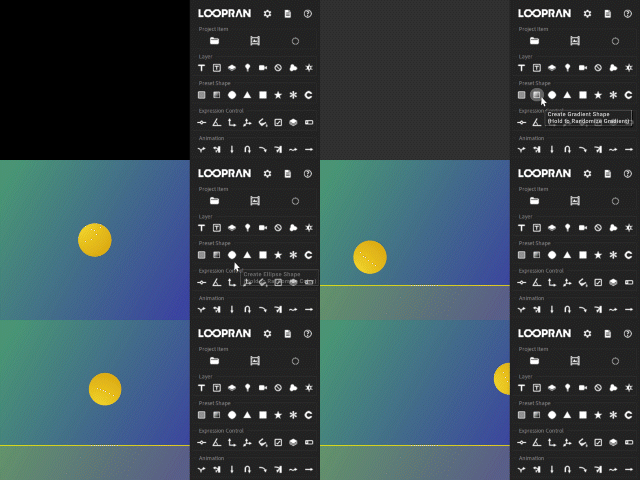
- Equipped with a launcher that executes 35 features, including composition creation, with a single click
- Create bounce animations with backgrounds in just four clicks
- Over 40 settings allow for flexible customization to maximize work efficiency
Rich in Original Features
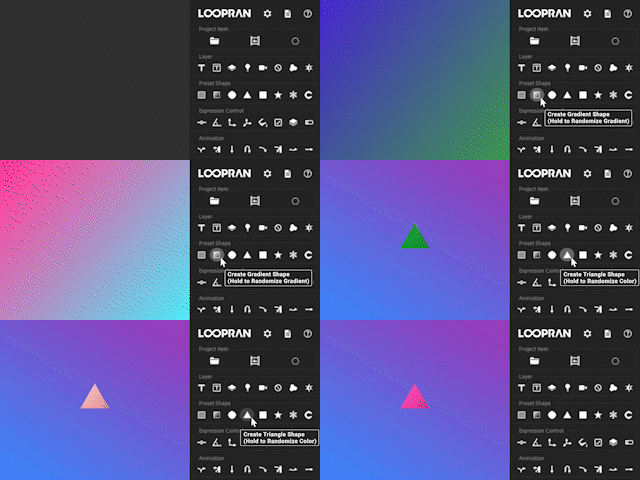
- Generate over 281 trillion gradient patterns with a single click or a long press using the random gradient generator.”
- Includes a feature to center the anchor point of text layers
- Create various shapes with a single click using preset shapes, and change their colors randomly
Explore LOOPRAN’s Features
Tutorial
You can understand the overview of LOOPRAN by doing the tutorial.
- Create a Bounce Animation
- Edit the Animation Target
- Customize the Animation
- Freely Create Animation Target
- Adjust the Animation Guide
- This tutorial uses Apple.png and Sphere.jpg . To use it, select “Save link as” from the right-click menu.
- Click here for the Japanese version of the tutorial.
Animation Settings
The following YouTube videos summarize around 20 adjustable settings, such as gravity and speed.
LOOPRAN’s Features
Project Item
Create a project item.
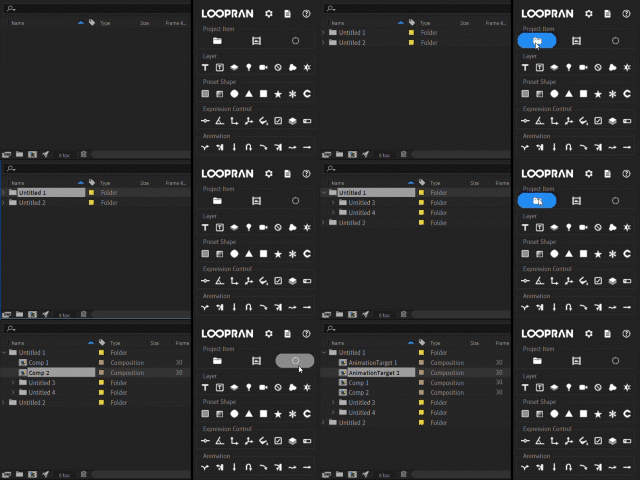
- Create Folder
- Create Composition
- Create Animation Target Long PressAuto-Calculate Animation Target Size
Layer
Create a layer at the selected position.
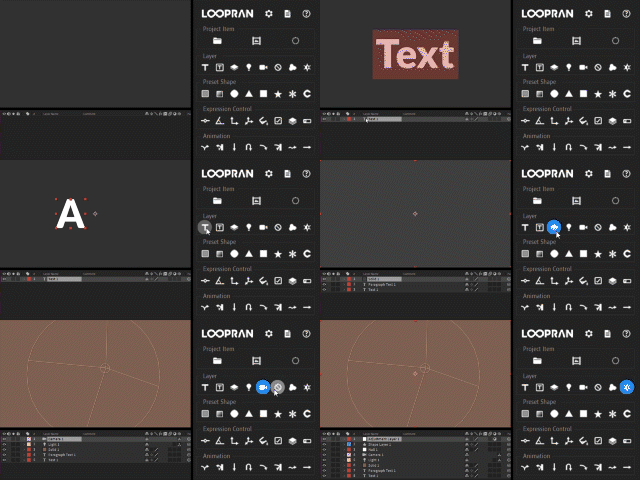
- Create Text Layer Long PressCenter Anchor Point on Text
- Create Paragraph Text Layer Long PressCenter Anchor Point on Text
- Create Solid Layer Long PressRandomize Color
- Create Light Layer
- Create Camera Layer
- Create Null Object Layer
- Create Shape Layer
- Create Adjustment Layer
Preset Shape
Create a preset shape at the selected position.
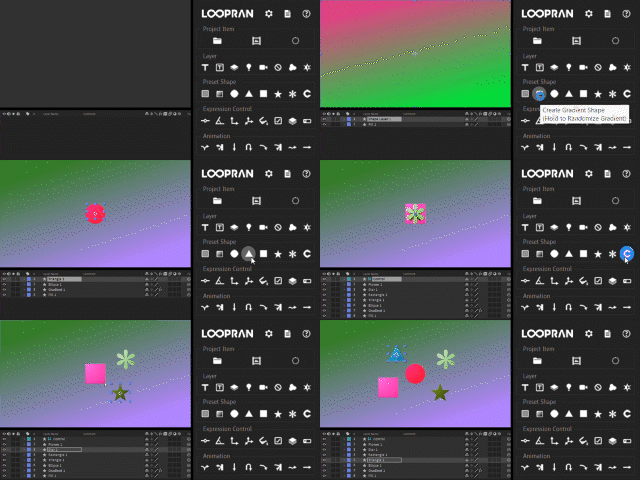
- Create Fill Shape Long PressRandomize Color
- Create Gradient Shape Long PressRandomize Gradient
- Create Ellipse Shape Long PressRandomize Color
- Create Triangle Shape Long PressRandomize Color
- Create Rectangle Shape Long PressRandomize Color
- Create Star Shape Long PressRandomize Color
- Create Flower Shape Long PressRandomize Color
- Create Control Layer … Layer for adding expression control effects and centrally managing properties
Expression Control
Add an expression control effect at the selected position.
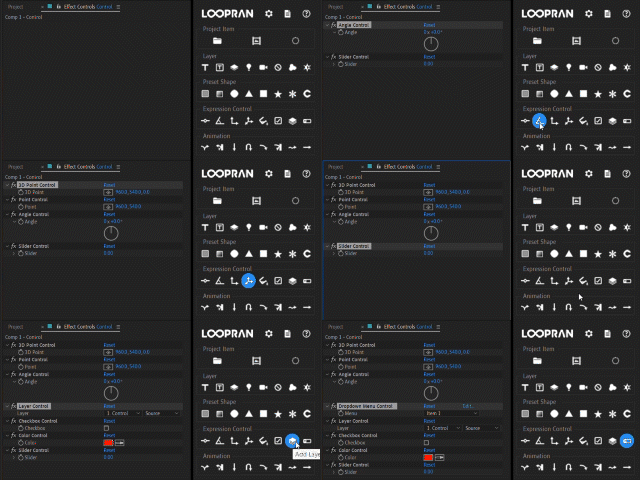
- Add Slider Control Effect
- Add Angle Control Effect
- Add Point Control Effect
- Add 3D Point Control Effect
- Add Color Control Effect
- Add Checkbox Control Effect
- Add Layer Control Effect
- Add Dropdown Control Effect
Animation
Apply an animation.
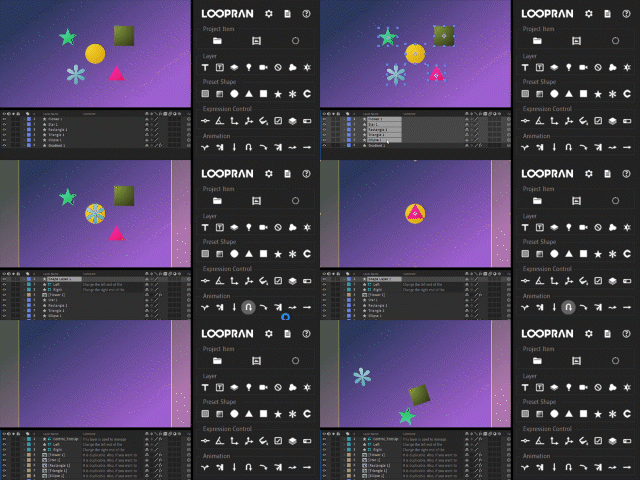
- Apply Bounce Animation
- Apply Bounce Reflect Animation
- Apply Fall Animation
- Apply Toss Up Animation
- Apply Side Toss Animation
- Apply Side Toss Reflect Animation
- Apply Wave Animation
- Apply Zero Gravity Animation
Option
Open the options window.
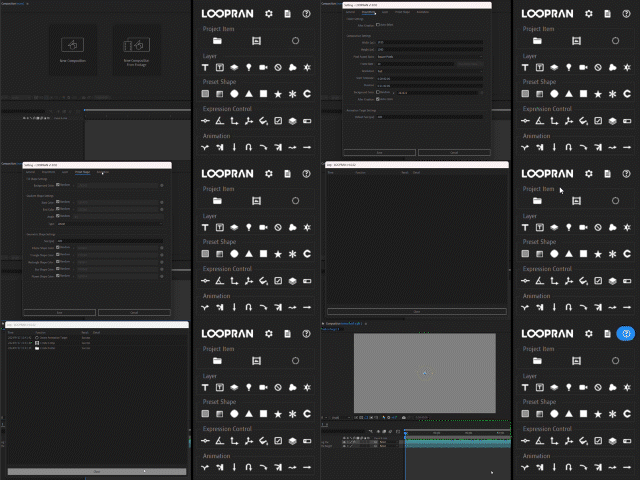
- Open Settings Window
- Open Log Window
- Open Help Window
LOOPRAN’s Settings
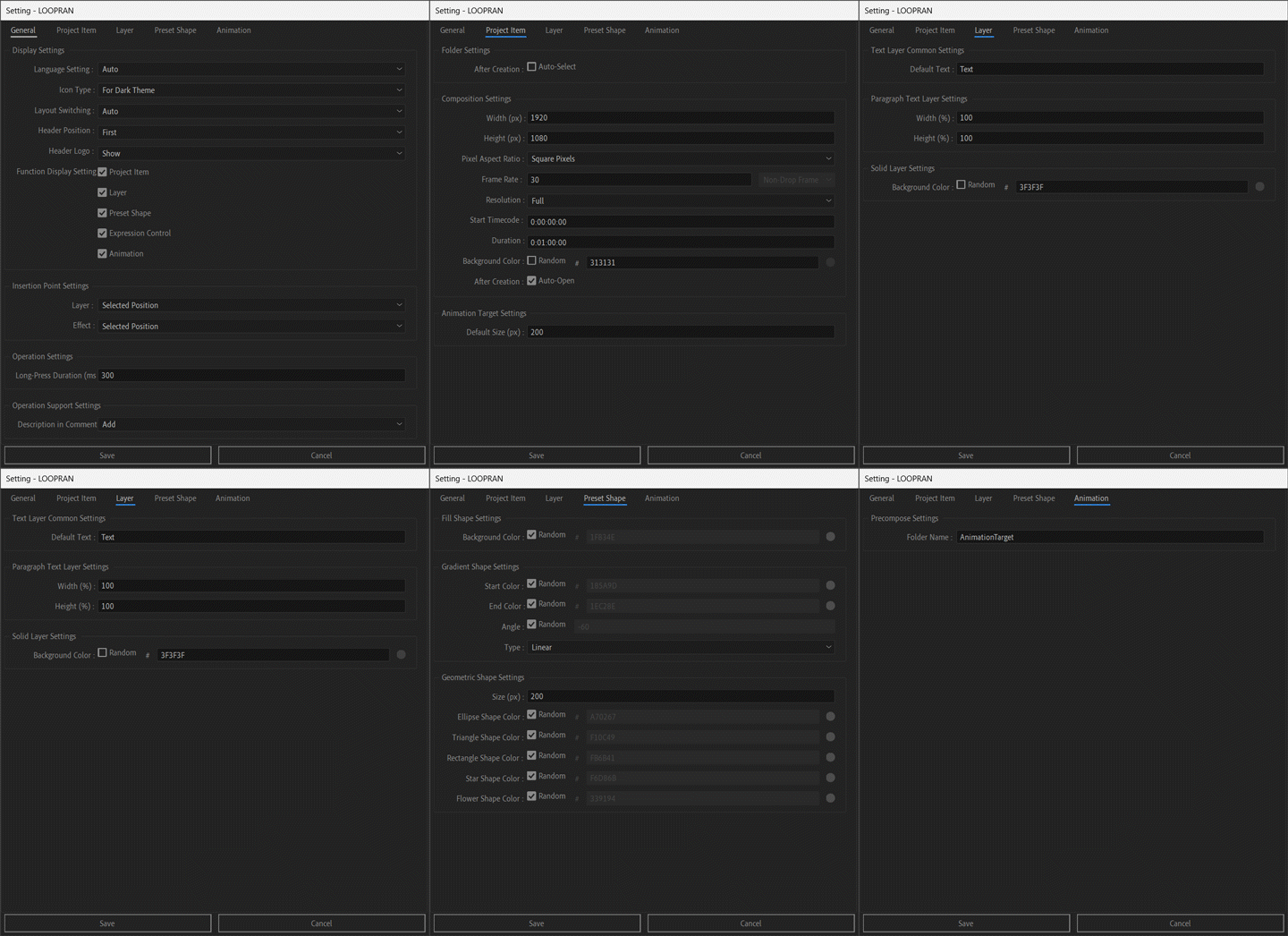
General Tab
- Display Settings … Language Setting(en/ja) / Icon Type / Layout Switching / Header Position / Header Logo / Function Display Settings
- Insertion Point Settings … Layer / Effect
- Operation Settings … Long-Press Duration (ms)
- Operation Support Settings … Description in Comments
Project Item Tab
- Folder Settings … After Creation
- Composition Settings … Width (px) / Height (px) / Pixel Aspect Ratio / Frame Rate / Drop Frame / Resolution / Start Timecode / Duration / Background Color / After Creation
- Animation Target Settings … Default Size (px)
Layer Tab
- Text Layer Common Settings … Default Text
- Paragraph Text Layer Settings … Width (%) / Height (%)
- Solid Layer Settings … Background Color
Preset Shape Tab
- Fill Shape Settings … Background Color
- Gradient Shape Settings … Start Color / End Color / Angle / Type
- Geometric Shape Settings … Size (px) / Ellipse Shape Color / Triangle Shape Color / Rectangle Shape Color / Star Shape Color / Flower Shape Color
Animation Tab
- Precompose Settings … Folder Name
LOOPRAN Web Manual
For detailed instructions and specifications on how to use LOOPRAN, please refer to the LOOPRAN Web Manual .
LOOPRAN FAQ
System Requirements
QWhat versions of After Effects does LOOPRAN support?
AIt supports CC2024 and CC2025.
QIs LOOPRAN compatible with both Windows and Mac?
AYes, it has been tested on both platforms.
General
Q
Can I switch the language in LOOPRAN?
AIt supports both English and Japanese.
Q
Does LOOPRAN support Light Mode?
AYes, you can switch to the Light Mode display by changing the Icon Type setting.
Troubleshooting
Q”LOOPRAN.jsxbin” does not appear in the Window menu.
APlease check if LOOPRAN.jsxbin is located in the ScriptUI Panels folder.
Elevate your motion graphics workflow with premium collection of After Effects plugins. Whether you are a seasoned professional or just starting your VFX journey, powerful tools designed to streamline complex tasks, unlock creative possibilities, and save you hours of rendering time. From stunning glitch effects and seamless transitions to advanced 3D extrusion and text animation tools, each plugin in our library is rigorously tested for compatibility with the latest versions of Adobe after Effects. Enhance your video production value today and download industry-leading plugins that help you create breathtaking visuals without the technical headaches. Browse our full range and find the perfect extension to supercharge your editing suite now.
➡️ ➡️ For more after effects Plugins 😀 😀
➡️ ➡️ System requirements AE
Reviews
There are no reviews yet.