
Marker Remap v1.2 For After Effect
Retime compositions using split layer markers + Marker manager
Optimized for After Effects 2022
Marker Remap lets you retime compositions using split layer markers in two easy steps!
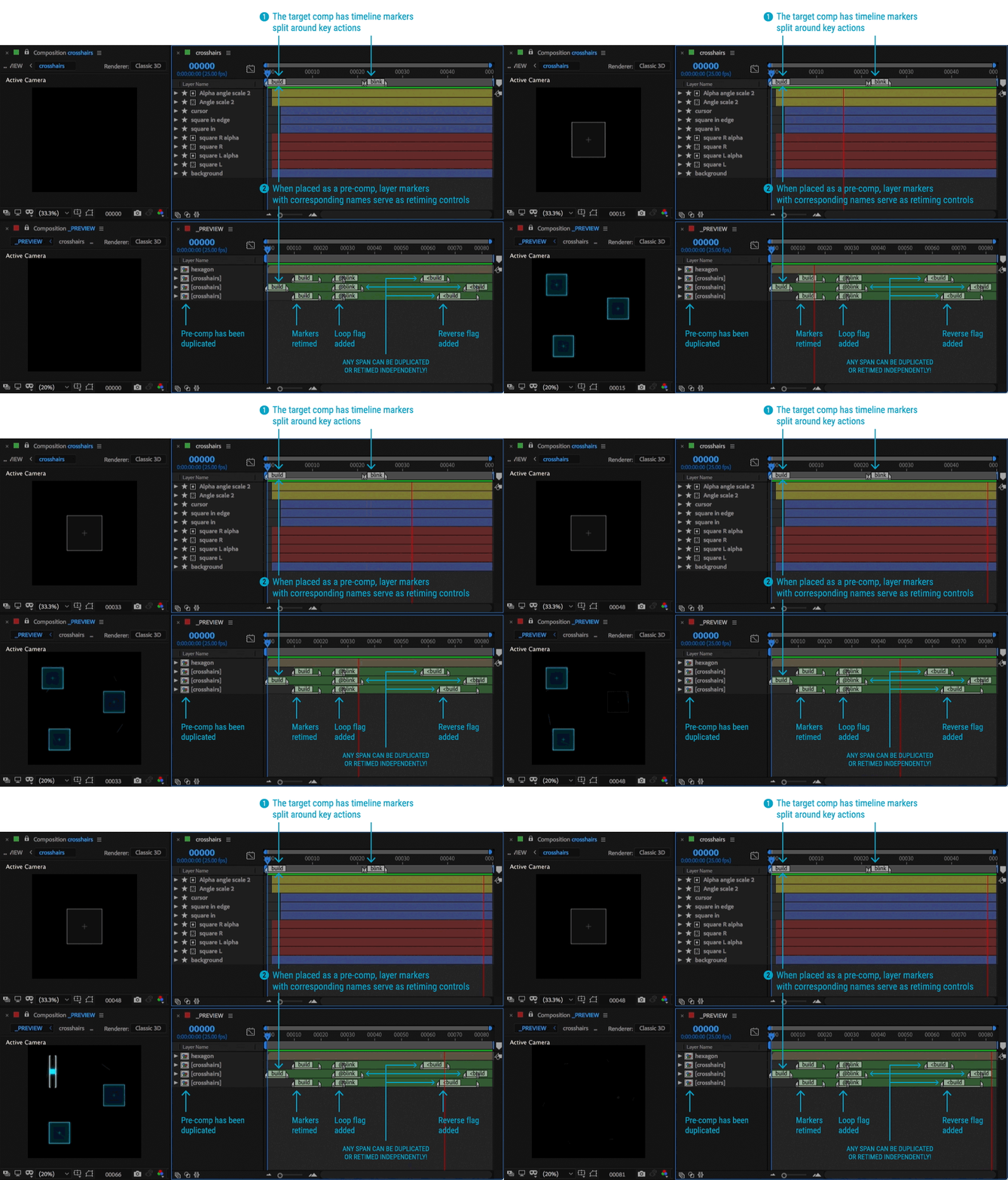
First, add timeline markers, split around key actions in the composition you’d like to retime.
Once placed into a parent comp and selected, simply click and… that’s it!
Adjust, delete, rearrange or retime correspondingly-named layer markers.
Here’s what a Marker Remap setup looks like:
It’s two tools in one: Time Remapper and Marker Manager
- Extract all or some comp markers
- Copy and paste entire marker sets across layers and comps
- Shift markers for easy timing edits
- Cut, paste or delete select markers or entire marker ranges to other parts of a layer
Marker Remap will change the way you work:
- Reuse pre-comps at entirely different timings
- Easily frame-hold pre-comp segments
- Trigger pre-comp sequences in any order
- Add flags to marker names to time reverse or loop marker segments
- Retime complex sequences that would take hours to retime manually
or that are confusing to keep track of with native time remapping keyframes
or time stretching workflows - Hand your files off to clients even if they don’t have the Marker Remap panel.
Once set up, everything is self-contained.
3D Plugins are a way to extend the functionality of your video editing software. They can be used for anything from color correction to 3D animation and compositing…
3D Plugins are a set of utilities for after effects, premiere, cinema 4D.., created specifically for the professional needs of video Editors artists.
➡️ ➡️ For more 3D Pluggins 😀 😀
System Requirement For adobe after effects
Reviews
There are no reviews yet.