
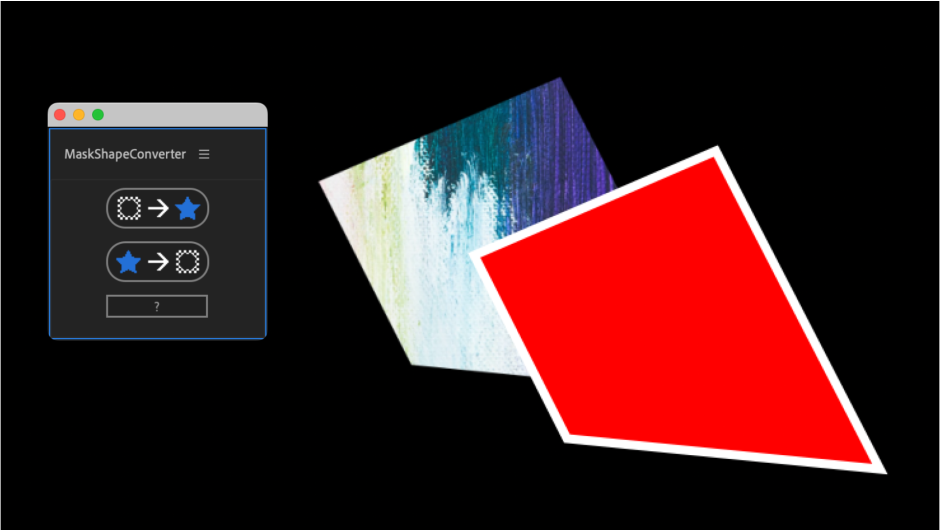
maskshapeconverter for After Effects
mask shape converter script
Download MaskShapeConverter v1.0 for After Effects on Windows and Mac, a powerful script that converts masks to shape layers and shape layers to masks with a single click. This essential tool bridges the gap between two fundamental After Effects workflows, giving you the flexibility to work with masks or shapes whenever it’s most convenient .
Key Features of MaskShapeConverter v1.0:
- Mask to Shape Conversion: Instantly transform any mask path into an editable shape layer with complete vector controls
- Shape to Mask Conversion: Convert shape layers back to masks for compositing and track matte workflows
- Preserves Path Integrity: Maintains the exact path geometry during conversion for seamless workflow integration
- One-Click Operation: Simple interface with just two buttons—convert between formats instantly
- Multi-Layer Support: Convert multiple masks or shapes simultaneously across selected layers
- Broad Compatibility: Works with After Effects 2025, 2024, 2023, 2022, 2021, 2020
Perfect For:
- Motion graphics artists who need shape layer controls on mask-based animations
- Compositors wanting to use track mattes with shape layer paths
- Anyone who’s ever wished they could edit a mask with shape layer tools
- Designers moving between mask-heavy and shape-heavy workflows
- Studios wanting to increase flexibility in their animation pipelines
System Requirements:
- Adobe After Effects 2025, 2024, 2023, 2022, 2021, 2020
- Windows 10/11 (64-bit) or macOS
- 4GB RAM minimum (8GB+ recommended)
- 10MB available disk space
- Enable “Allow Scripts to Write Files and Access Network” in Preferences > Scripting & Expressions
Installation:
Copy MaskShapeConverter.jsxbin to your After Effects ScriptUI Panels folder:
- Windows:
C:\Program Files\Adobe\Adobe After Effects [version]\Support Files\Scripts\ScriptUI Panels\ - Mac:
/Applications/Adobe After Effects [version]/Scripts/ScriptUI Panels/
Access via Window menu > MaskShapeConverter
Note: This is version 1.0, the initial release of the tool. Future updates may add additional conversion options and features .
Convert masks to shapes and shapes to masks in After Effects


Workflow
Mask to Shape
- Select the masked layer
- Run
Shape to Mask
- Select the shape layer
- Run “Convert to Bezier Path”
- Select the layer you want to mask last with the shape layer selected
- Run
Tutorial
roadmap
- Fix problem of misalignment when changing properties such as rotate and scale
Elevate your motion graphics workflow with premium collection of After Effects plugins. Whether you are a seasoned professional or just starting your VFX journey, powerful tools designed to streamline complex tasks, unlock creative possibilities, and save you hours of rendering time. From stunning glitch effects and seamless transitions to advanced 3D extrusion and text animation tools, each plugin in our library is rigorously tested for compatibility with the latest versions of Adobe after Effects. Enhance your video production value today and download industry-leading plugins that help you create breathtaking visuals without the technical headaches. Browse our full range and find the perfect extension to supercharge your editing suite now.
➡️ ➡️ For more after effects Plugins 😀 😀
➡️ ➡️ System requirements AE
Reviews
There are no reviews yet.