

Match v0.0.1
Download Match v0.0.1, a powerful After Effects scripting tool designed to simplify the handling of expressions and complex property paths. This essential utility streamlines your workflow by providing intuitive features for path fetching, error handling, expression formatting, easing functions, and expression baking—all within a responsive, user-friendly interface.
Match simplifies the handling of expressions and scripting, offering features like path fetching, error handling, on-the-fly expression formatting, easing function copying, and expression baking. It supports all After Effects property types and provides an intuitive and responsive UI.
Key Features of Match v0.0.1:
- Intelligent Path Fetching: Replace tedious pick-whip workflows with one-click universal path copying for any property
- Three Path Versions: Get accurate property paths in three formats—two for expressions, one for scripting
- Built-in Easing Functions: Apply smooth easing IN, OUT, or IN & OUT behaviors to any property with customizable code snippets
- Expression Error Handling: Quickly isolate problematic expressions by disabling error-causing expressions with numbered markers to locate source layers
- Dynamic Expression Formatting: Copy expressions from After Effects and paste them directly into scripts without manual reformatting
- Expression Baking: Convert expressions to keyframes for consistent playback and optimized performance (essential for templates and .mogrt files)
- Universal Property Support: Works with all After Effects property types
- Resizable Interface: Adaptable UI that grows with your workflow needs
- Non-Destructive Workflow: Use features without altering your original project
Perfect For:
- Motion designers creating complex expression-driven animations
- Template creators building .mogrt files for public distribution
- Script writers needing accurate property paths for development
- Anyone working with expressions who wants to optimize performance
- After Effects users seeking to streamline their technical workflow
System Requirements:
- Adobe After Effects 2020, 2021, 2022, 2023, or 2024
- Windows 10/11 (64-bit) or macOS (including M1/M2 Macs)
- 4GB RAM minimum (8GB+ recommended)
- 50MB available disk space
Note: Some M2 Mac users have reported installation issues; test with trial/demo before purchasing if using this configuration.
Match is an After Effects extension for expression enthusiasts and script creators.
Match facilitates the complex handling of expressions and property paths, empowering you to work more efficiently. Whether you’re a seasoned scripter or just starting to tweak expressions, Match provides the capabilities to enhance your journey.
Usage example:
Imagine working on an animation, on a template or a .mogrt for public usage, with many layers and expressions. With Match, you can:
- Fetch and Copy Property Paths:
Get the exact and universalized path of any property in a click. - Apply Easing Functions:
Use built-in easing functions to enhance your animations with smooth ease IN, OUT, IN and OUT behaviors on your properties. - Format and Export Expressions:
Fetch all expressions from a layer and format them for easy integration into a script or scriptlet. - Bake Expressions:
Convert expressions into keyframes to ensure consistent playback and optimize performance. - Your Projects remain as they are:There’s no need to have “Match” to use them.
Match is your loyal companion for tweaking After Effects expressions or creating scripts.
Path Fetching:
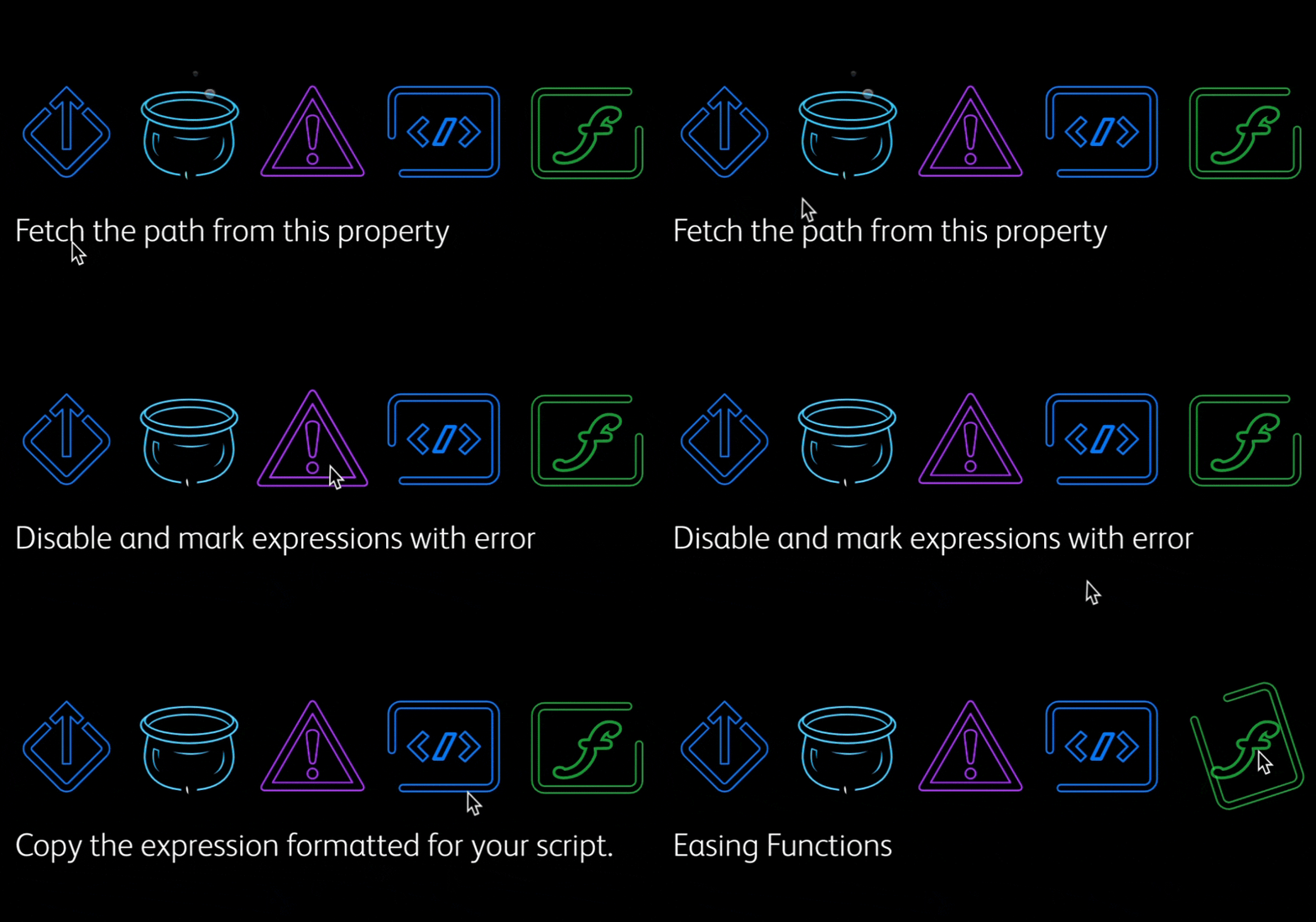
Getting property paths in After Effects can be tedious using the Expressions Pick-Whip. Match simplifies this process. Select the property, click, paste, and voilà—the path is universalized.
Match offers three versions: two for expressions and one for scripts, ensuring accurate property paths.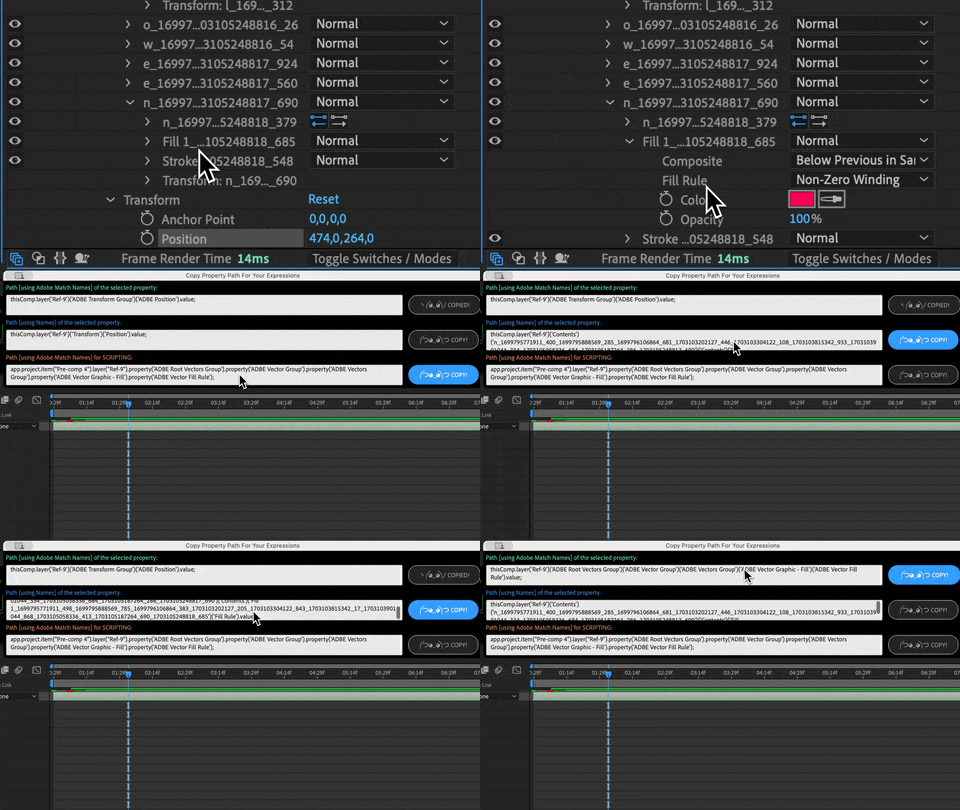
Easing Function Copying:
In Match, you can apply easing IN, OUT, or IN & OUT to any output.
You also have a customizable snippet to refine the expression.
Match offers built-in functions to easily tweak your expressions.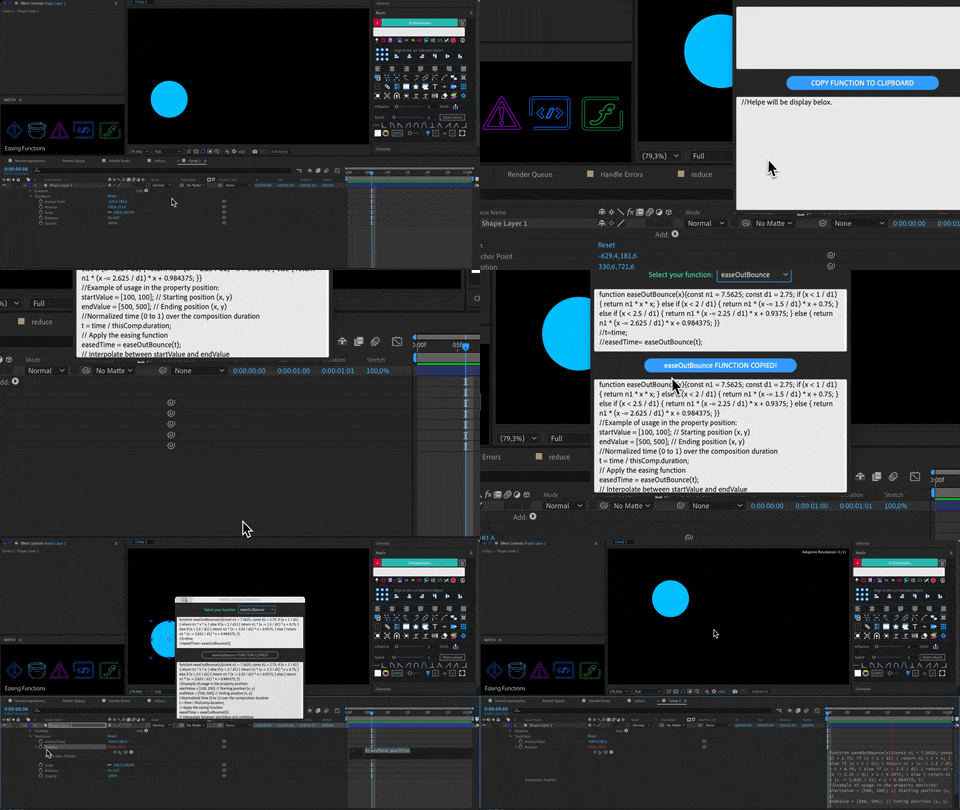
Error Handling:
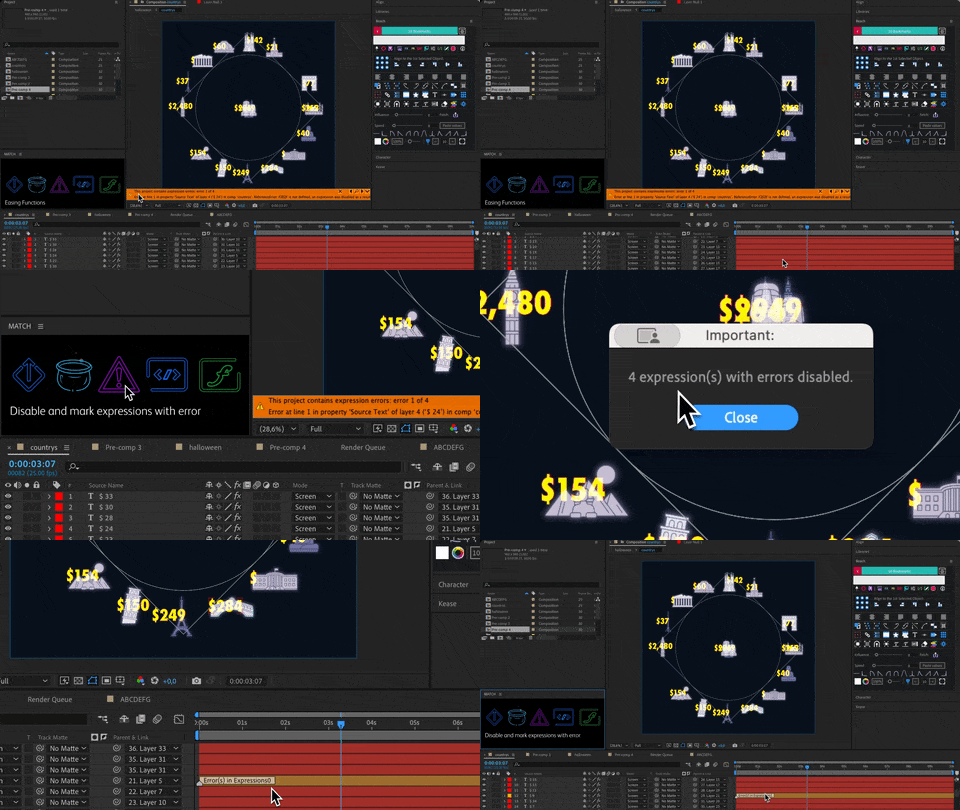
Errors can occur in a project, and you may need to isolate them.
Match can disable expressions that contain errors
and spot their layers with numbered markers.
On-the-Fly Expression Formatting:
Copying and pasting expressions from After Effects means you need to rework them.
Now, you can copy and paste them into your script. Match bridges After Effects and your scripting environment, making it super easy to transfer and use your expressions.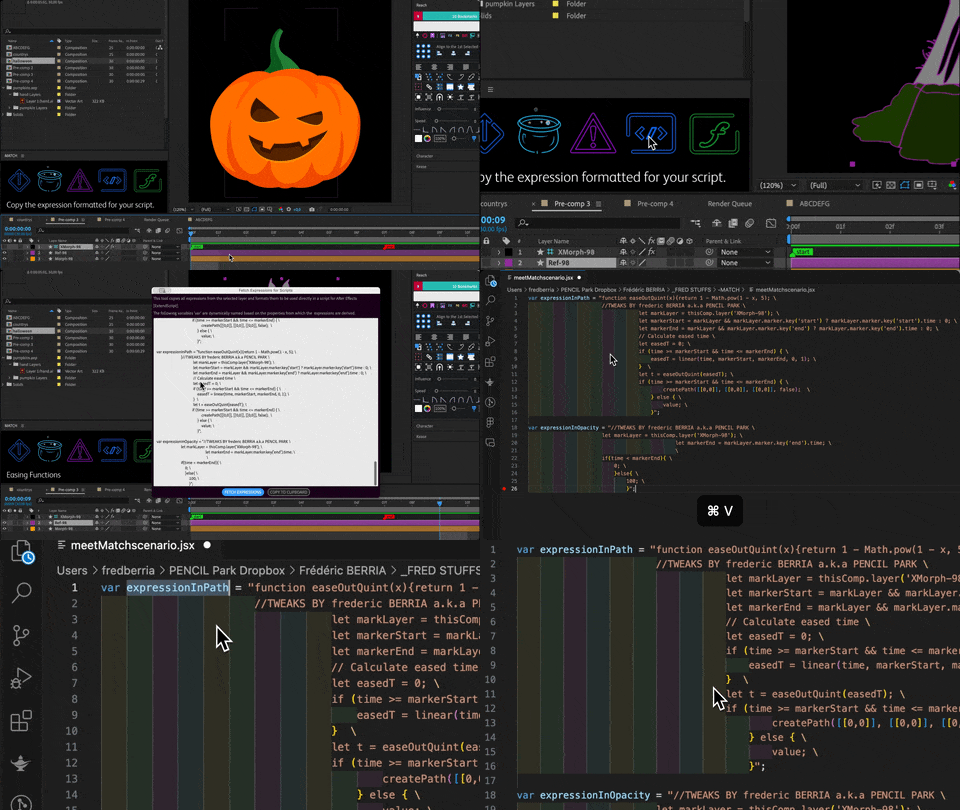
Expression Baking:
Motion design often relies on expressions. But these expressions can slow down performance. So, turn those expressions into keyframes, a process known as baking.
This ensures smoother playback and rendering.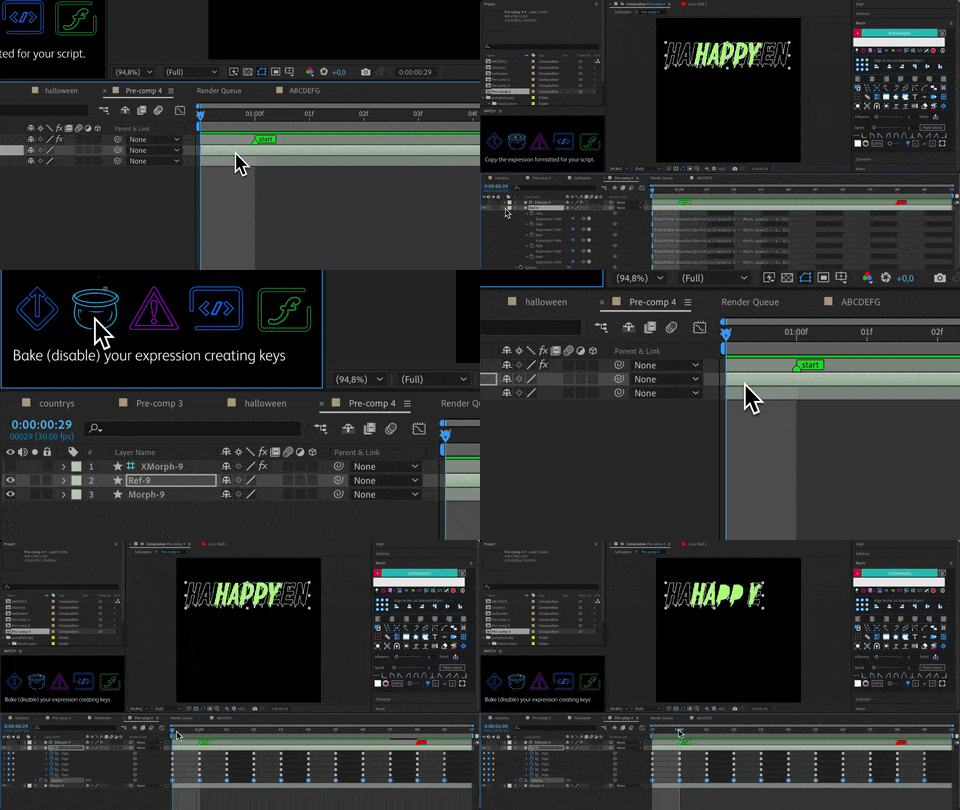
Resizeable:
Cherry on the top of the cake: Match is:
-Evolving
-Animated
-Resizeable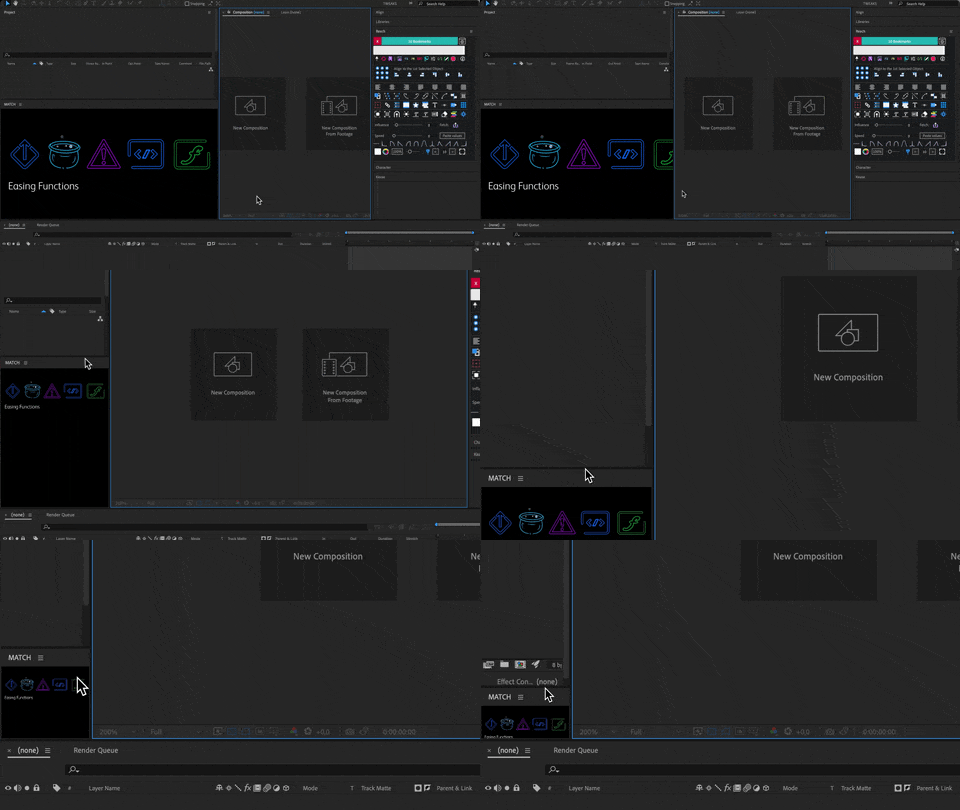
Match offers:
- A Friendly Interface: Intuitive, animated, and responsive UI.
- A Comprehensive Support: Full compatibility with all After Effects property types, leveraging match names for precise property management.
If you are experiencing an issue where the extension won’t open or opens with a blank window, please try this solution:
- Click on the gear icon to open the settings
- Click on the ZXP icon
- Make sure that “Enable Debugging” is checked for CEP 8 to 11.
- Click OK
- Retry the extension (might require restarting the host application)
macOS Apple Silicon
If you are on a macOS system with an Apple Silicon chip you can also try launching the Adobe host (After Effects, Premiere, etc) from the Adobe Creative Cloud app using the Open (Intel) option from the three dot menu next to the Open button:
Elevate your motion graphics workflow with premium collection of After Effects plugins. Whether you are a seasoned professional or just starting your VFX journey, powerful tools designed to streamline complex tasks, unlock creative possibilities, and save you hours of rendering time. From stunning glitch effects and seamless transitions to advanced 3D extrusion and text animation tools, each plugin in our library is rigorously tested for compatibility with the latest versions of Adobe after Effects. Enhance your video production value today and download industry-leading plugins that help you create breathtaking visuals without the technical headaches. Browse our full range and find the perfect extension to supercharge your editing suite now.
➡️ ➡️ For more after effects Plugins 😀 😀
➡️ ➡️ System requirements AE
Reviews
There are no reviews yet.