
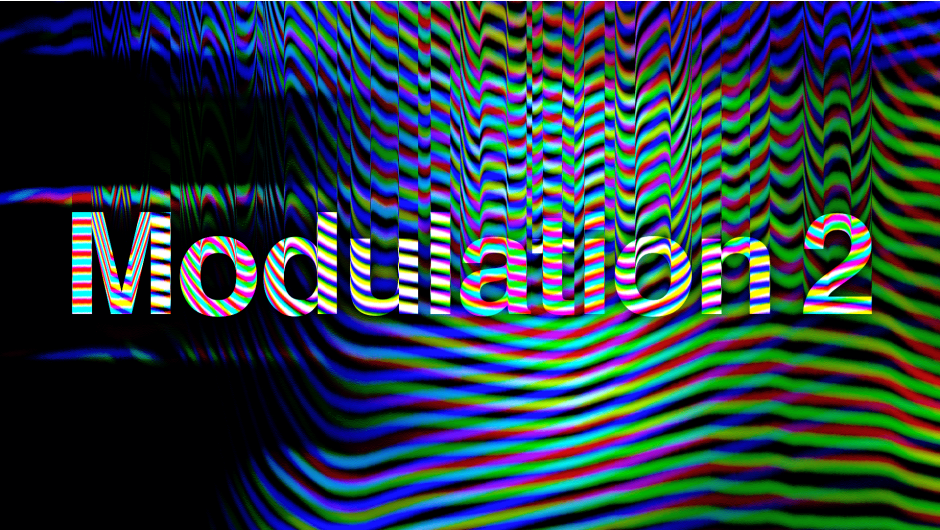
Modulation 2
modulation plugin
Download Modulation 2 v2.1.0 for After Effects and Premiere Pro on Windows and Mac, a powerful signal modulation plugin that creates stunning visual effects by modulating colors, alpha, and displacement based on user-definable control signals . Generate dynamic, evolving visuals with complete control over how different image properties interact and respond to modulation signals .
Modulation 2 works by using one part of your image (or an external source) to control the behavior of another, enabling sophisticated effects like color shifting based on brightness, displacement driven by edge detection, or complex organic animations that respond to your素材’s characteristics .
Key Features of Modulation 2 v2.1.0:
- Multi-Parameter Modulation: Modulate colors, alpha transparency, and displacement based on various control signals
- Flexible Control Sources: Use any layer or internal image properties as modulation sources for unlimited creative combinations
- Precision Controls: Fine-tune modulation behavior with adjustable thresholds, curves, and response characteristics
- Real-Time Preview: See modulation effects update instantly as you adjust parameters
- GPU Accelerated: Hardware-accelerated performance for smooth previews and fast rendering
- Cross-Platform Support: Works on both Windows and Mac systems
- Broad Compatibility: Supports After Effects and Premiere Pro 2025, 2024, 2023, 2022, 2021, 2020
Perfect For:
- Motion graphics artists creating dynamic, reactive visual effects
- VFX designers needing sophisticated color and displacement interactions
- Compositors building complex organic animations driven by source素材
- Experimental filmmakers exploring generative visual techniques
- Anyone wanting to create visuals that respond intelligently to their content
System Requirements:
- Adobe After Effects 2025, 2024, 2023, 2022, 2021, 2020
- Adobe Premiere Pro 2025, 2024, 2023, 2022, 2021, 2020
- Windows 10/11 (64-bit) or macOS
- GPU recommended for optimal acceleration
- 4GB RAM minimum (8GB+ recommended)
- 50MB available disk space
Installation:
Copy the plugin file to your Adobe Common Plug-ins folder:
- Windows:
C:\Program Files\Adobe\Common\Plug-ins\7.0\MediaCore\ - Mac:
/Library/Application Support/Adobe/Common/Plug-ins/7.0/MediaCore/
Note: Version 2.1.0 includes performance improvements and enhanced compatibility with recent Adobe applications .
Easy way to create a modulation effect in your video without any coding skills! NEW: 4 new color modes and adjustable lowpass filter.
Modulation

Zaebects

We use modulation and demodulation algorithms on images to create an analog distortion look. We change the frequency of a signal based on the brightness of the video. Higher brightness means a higher frequency, and lower brightness means a lower frequency. This method, called modulation, sends brightness information through radio waves. We recreated this process digitally, allowing us to easily manipulate different settings and color channels.
Try adjusting the plugin parameters to achieve various interesting results. We recommend paying attention to the plugin’s color modes, which allow you to use all the color channels of your video. Note that the CMY and CMYK modes are similar but not identical. In the CMY mode, the Key color is obtained at the intersection of the three channels, while in the CMYK mode, the Key color is modulated separately. It’s better to try it yourself than to read the description!
Features:
- Uses a true physical modulation and demodulation algorithm
- Omega, phase and distortion controls
 Three lowpass filters checkboxes and one adjustable lowpass filter
- Five color modes (Greyscale, RGB, CMY, CMYK and HSV)
- Switchable channels
- Forward and backward directions
- Vertical and horizontal orientations
Parameters:
- Omega, Phase and DistortionAnimate moving of “waves” with this 3 parameters. Omega is like scale of waves, Phase is how much waves react to colors and Distortion is for number of waves.

- Lowpass filtersLow pass filter also called “blurring” filter. But in modulation algorithm it works in a different way, just try it to understand the difference.Tip: When you use 4th Lowpass filter in very low value (about 0,0040 and lower) you will achieve interesting “blurry” results. Set Distortion parameter to 1000 to make this “blurriness” higher quality.

- Direction and OrientationThis parameters determine direction of waves movement and orientation of waves position.

- Color schemes and channelsWe added different color schemes, so you can choose which you like. You can also turn on and off each channel, that gives you more editing options.

Elevate your motion graphics workflow with premium collection of After Effects plugins. Whether you are a seasoned professional or just starting your VFX journey, powerful tools designed to streamline complex tasks, unlock creative possibilities, and save you hours of rendering time. From stunning glitch effects and seamless transitions to advanced 3D extrusion and text animation tools, each plugin in our library is rigorously tested for compatibility with the latest versions of Adobe after Effects. Enhance your video production value today and download industry-leading plugins that help you create breathtaking visuals without the technical headaches. Browse our full range and find the perfect extension to supercharge your editing suite now.
➡️ ➡️ For more after effects Plugins 😀 😀
➡️ ➡️ System requirements AE
Reviews
There are no reviews yet.