
Newton for After Effects
Download Newton 4.0.77, the ultimate 2D physics engine plugin for Adobe After Effects that transforms your compositions into dynamic, interactive physical worlds. This powerful tool interprets layers as rigid bodies that naturally collide, slide, bounce, and respond to gravity—bringing authentic real-world physics to your motion graphics with unprecedented control and realism .
Unleash realistic physics in After Effects with Newton 4, transforming 2D layers into authentic simulations of real-world objects.
Key Features of Newton 4.0.77:
- Realistic Physics Simulation: Convert any 2D layer (text, shapes, masks, solids) into rigid bodies with adjustable density, friction, bounce, and velocity for true-to-life movement
- Comprehensive Joint System: Connect layers using seven joint types—Distance, Pivot, Piston, Spring, Wheel, Blob, and new Weld Joint—for building complex mechanical assemblies and character rigs
- Waterlike Buoyancy: Simulate objects floating and interacting with liquid media, complete with drag effects and resistance for authentic fluid dynamics
- Triggermatic System: Create interactive simulations where object collisions trigger animations, with multiple loop options including Cycle, Ping Pong, Offset, and Continue
- Teleportation Mechanism: Objects can pass through portals and reappear at specified points; composition edges can function as looping teleporters for infinite animation possibilities
- Grenade Dynamics: Introduce explosive forces with fully adjustable timing and intensity—perfect for destruction sequences and dramatic impacts
- Comp Walls: Transform composition boundaries into interactive walls or teleportation portals, adding creative constraints to your physical simulations
- Enhanced Preview Controls: New samples browser for exploring demo scenes, mouse middle-button pan support, improved SVG icons, and real-time preview with object highlighting
- Body Type System: Choose from Static, Dynamic, Kinematic, AEmatic, Dormant, and Dead body types for complete control over object behavior
- Post-Simulation Keyframes: Export simulations as editable keyframes for fine-tuning after physics generation
Perfect For:
- Motion graphics artists creating dynamic logo reveals and explainer animations
- Character animators building complex rigs with realistic secondary motion
- VFX artists simulating particle interactions and destruction sequences
- Title sequence designers needing organic, physics-driven text animations
- Any After Effects user wanting to add authentic physical behavior to their compositions
System Requirements:
- Adobe After Effects 2020 through 2025 (Windows and macOS)
- Windows 10/11 (64-bit) or macOS 10.14+
- Apple Silicon native support from v3.4.10+
- 4GB RAM minimum (8GB+ recommended)
- 100MB available disk space
Note: Newton is not a standard effect plugin—access it via the top menu: Composition > Newton 4 after selecting a solid layer . For optimal performance with complex shapes, adjust the “Mesh Precision” parameter and consider using “Convex Hull” settings .
THE 2D PHYSICS PLUGIN FOR ADOBE AFTER EFFECTS
Unleash realistic physics in After Effects with Newton 4, transforming 2D layers into authentic simulations of real-world objects. Fine-tune object dynamics—density, friction, bounce, and more—and adjust global forces like gravity for comprehensive control.
Featuring an extensive suite of systems including customizable joints, Waterlike buoyancy, Triggermatic interactions, Teleportation, and more. Newton 4 enables you to construct intricate rigs that respond with lifelike accuracy, all while maintaining the flexibility of editable keyframes for post-simulation tweaks.
Newton only creates keyframes!
Key Features
Transform 2D layers into solid objects with comprehensive physics properties
7 object types + 7 joint types for rigging creative, precise and complex simulations
Simulate advanced scenes with built-in support for buoyancy, magnetism, triggered animations, teleportation, and more.
Compatible with any type of 2D footage & layers (image, video, vector, pre-composition,) with masks, text, and shape layers for versatile application
Browse and preview over multiple sample projects to get started
A dedicated interface specific to physics-based animation, for designing scenes with dozens or even hundreds of objects.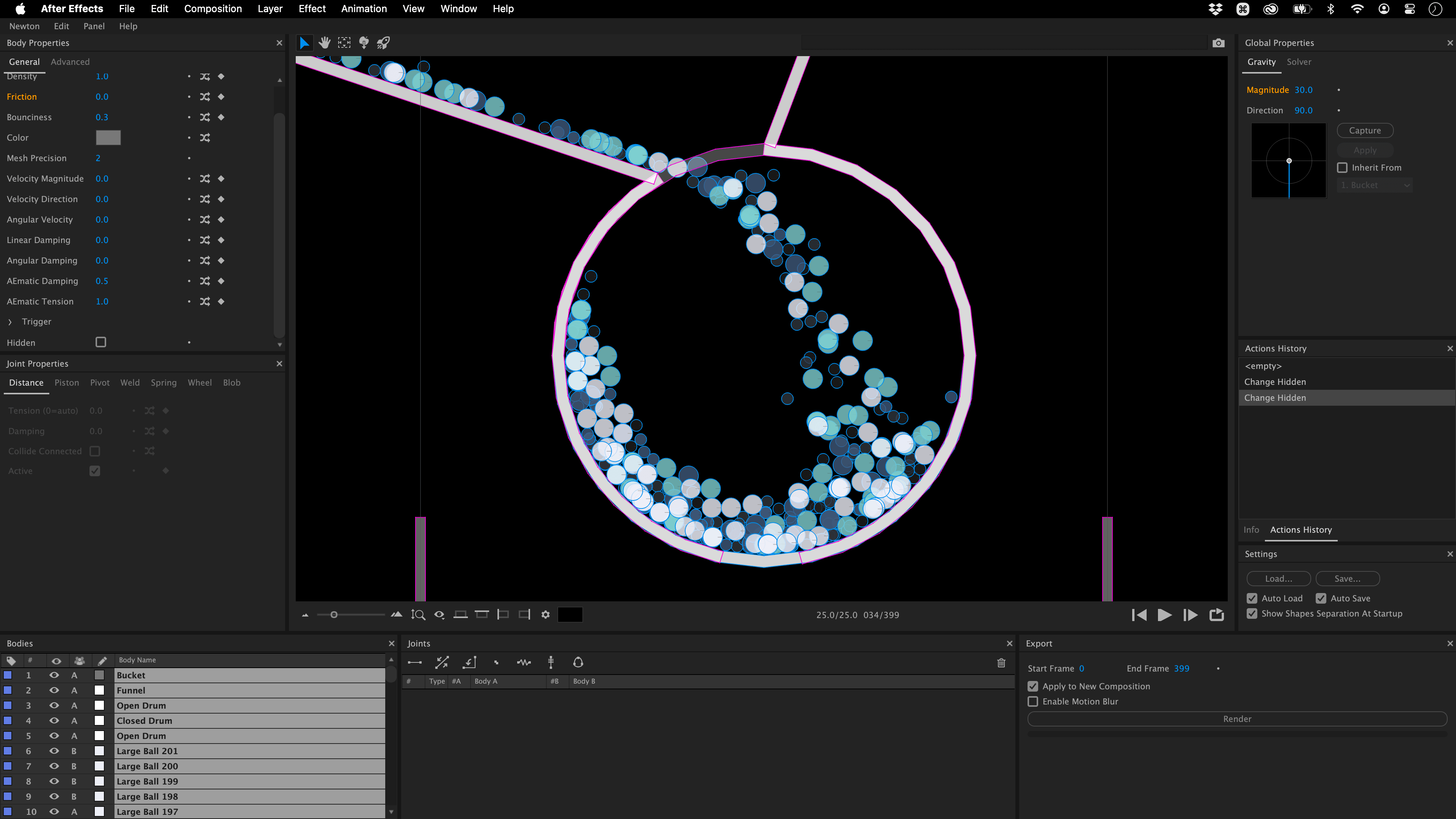
Samples Browser new!
The Samples Browser provides a gateway to test scenes showcasing Newton’s incredible features.
Unlock the full potential of Newton 4 with the Samples Browser, offering a curated selection of demo scenes. These ready-to-use templates are perfect for learning advanced techniques or jumpstarting your project with pre-configured effects.
Joints
Connect your layers using joints. Newton 4 simplifies the process, making it straightforward. There are various joint types like Distance, Pivot, Piston, Spring, Wheel, Blob and Weld new, each serving a specific purpose. Use these joints to connect two or more layers, or get creative by combining different joint types for advanced setups and simulations.
Weld Joint new! : Bonds two bodies together with an option for controlled flexibility, acting on relative rotation.
Distance Joint: Maintains a fixed distance between two points on different layers, adjustable for elasticity.
Piston Joint: Enables relative translation along a specified axis, restricting rotation. Motor-driven for controlled motion.
Pivot Joint: Forces two bodies to share a common anchor point, regulating relative rotation within a defined range.
Spring Joint: Constrains two layers as if connected by a spring, influencing their movement.
Wheel Joint: Combines features of piston and pivot joints, suitable for attaching wheels to vehicles. Includes suspension and a motor.
Blob Joint: Enforces a constant volume (or area in 2D) within a group of layers, utilizing internal soft distance joints.TUTORIAL: Everything you need to know about Weld joints
Animate
The Keyframes panel lets you animate physical properties in a playful way.
Animate with Precision: Control nearly any physical property for dynamic effects, from gravity-driven movements to intricate collisions.
Interpolation Styles: Choose from five unique keyframe interpolation styles to craft the exact motion you envision.
Looping Animations new! : Keep your animations flowing with new looping capabilities for continuous action.
Graph Preview: Utilize the graph preview for meticulous adjustments, ensuring your animations move exactly as planned.
Waterlike new!
Make your objects float and groove!
Unlock new dimensions in animation with the Waterlike feature, simulating the effect of objects interacting with a liquid medium. Use it to create drag effects, where objects slow down as if moving through water, or to craft invisible, interactive barriers that objects can detect and respond to.TUTORIAL: Everything you need to know about WATERLIKENewton 4 for free with full functionality,
limited only by a 25-frame export restriction.
Download and discover its capabilities today!Download Trial
Triggers new!
Elevate your animations to the next level with the power of Triggermatic.
Enhance your animations with ‘Triggermatic’—a dynamic feature where objects activate animations upon collision. Any object can serve as a trigger, even the animated object itself, offering creative ways to start motion sequences. Plus, with versatile looping options like cycle, pingpong, offset, and continue, you can maintain the animation’s flow seamlessly.TUTORIAL: Everything you need to know about triggermatics
Teleportation new!
Where magic meets physics!
Create captivating animations with teleportation effects where objects pass through portals and emerge at designated points. With the ability to transform any element into a portal and the option to loop through composition boundaries, you can craft animations that playfully bend spatial rules.TUTORIAL: Everything you need to know about teleportation
Comp Walls new!
Easily turn composition boundaries into static walls or teleportation portals within a click.
Turn the edges of your composition into interactive boundaries that act as static walls or teleportation portals. Customize their behavior and destinations to add a layer of excitement and creativity to your projects.
Grenade new!
Get ready to shake up your animations.
Introduce explosive dynamics to your projects with the new grenade feature! Easily craft detonations that send objects flying, with full control over timing and intensity for diverse effects. Preview the impact zone directly, ensuring precise and dramatic results.
Experience even more possibilities with Newton
Null Layer Support new! : Integrate invisible control layers for complex animations.
Property Highlighting new! : Quickly identify changes with visually marked property adjustments.
Auto-Save new! : Secure your work with the new auto-save feature, ensuring you never lose progress.
Randomizer: Introduce variability with controlled randomness for more natural simulations.
Export Contacts: Automatically transform interactions into keyframes for precise event synchronization.
Scene Snapshots: Compare different scenes instantly without reloading setups.
Actions History: Navigate your creative process with an intuitive undo/redo system.
Elevate Your Workflow with Our Free Scripts provided with Newton 4.
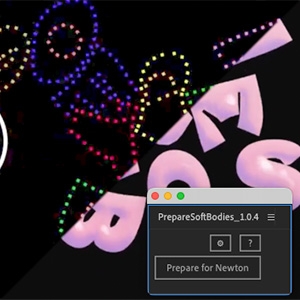
Simplify soft body simulations by prepping shape layers with small solids that follow your animation.
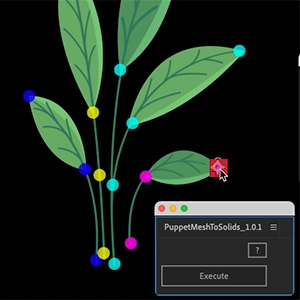
Turn puppet mesh pins into solids, simplifying position control, very helpful when using Weld Joints and AE’s puppet tool.
COMPATIBILITY
Windows / macOS with Native support on Apple Silicon (M1 and above) macOS 10.14 Mojave minimum required
NOTE FOR OLDER NEWTON USERS
We’ll still provide support for Newton3, but we’ll no longer be doing bug fixes, new features or improvements to this version.
UPGRADE NOTICE
If you purchased Newton3 you can upgrade for $99.99. Floating licenses additional. There is no upgrade discount for Newton1. To get the upgrade price simply login to the same account you made the original purchase with. If you need assistance please open a support request
Learn➔ Link to Newton 4 the tutorials on our Youtube channel
➔ Link to all the tutorials on our Youtube channel
Compatibility
After Effects
2026, 2025, 2024, 2023, 2022, 2021, 2020
Elevate your motion graphics workflow with premium collection of After Effects plugins. Whether you are a seasoned professional or just starting your VFX journey, powerful tools designed to streamline complex tasks, unlock creative possibilities, and save you hours of rendering time. From stunning glitch effects and seamless transitions to advanced 3D extrusion and text animation tools, each plugin in our library is rigorously tested for compatibility with the latest versions of Adobe after Effects. Enhance your video production value today and download industry-leading plugins that help you create breathtaking visuals without the technical headaches. Browse our full range and find the perfect extension to supercharge your editing suite now.
➡️ ➡️ For more after effects Plugins 😀 😀
➡️ ➡️ System requirements AE
Reviews
There are no reviews yet.