

one click center for After Effects
one click center script
Download One Click Center v1.1 for After Effects on Windows and Mac, a simple yet powerful script that instantly centers the anchor point of any selected layer with a single click. This essential tool eliminates the tedious process of manually dragging anchor points or using multiple steps to achieve perfect centering—saving you time on every project.
Key Features of One Click Center v1.1:
- One-Click Operation: Select any layer and click once to instantly center its anchor point—no more manual adjustments or multiple-step processes
- Multi-Layer Support: Center anchor points on multiple selected layers simultaneously for efficient workflow
- Universal Compatibility: Works with all layer types including shapes, text, solids, footage, and precomps
- Preserves Layer Position: Only the anchor point moves; layer position in the composition remains unchanged
- Time-Saving Tool: Eliminates countless small adjustments that add up over the course of a project
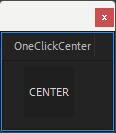
- Simple Interface: Clean, focused design with just one button for maximum efficiency
- Broad Compatibility: Works with After Effects 2025, 2024, 2023, 2022
Perfect For:
- Motion graphics artists who frequently need to center anchor points
- Animators tired of manually adjusting anchor points for every layer
- Anyone who’s ever struggled with After Effects’ anchor point tool
- Designers working with multiple layers that all need centered anchors
- Studios looking to streamline everyday animation tasks
System Requirements:
- Adobe After Effects 2025, 2024, 2023, 2022
- Windows 10/11 (64-bit) or macOS
- 4GB RAM minimum (8GB+ recommended)
- 10MB available disk space
- Enable “Allow Scripts to Write Files and Access Network” in Preferences > Scripting & Expressions
Installation:
Copy the script file to your After Effects ScriptUI Panels folder:
- Windows:
C:\Program Files\Adobe\Adobe After Effects [version]\Support Files\Scripts\ScriptUI Panels\ - Mac:
/Applications/Adobe After Effects [version]/Scripts/ScriptUI Panels/
Access via Window menu > One Click Center
Note: Version 1.1 includes performance improvements and broader compatibility with recent After Effects versions . This simple tool pays for itself in time saved within the first few uses .
A simple tool that allows you to move a layer to the center with one click.
One Click Center
Effortlessly Center Layers in After Effects
What is One Click Center?
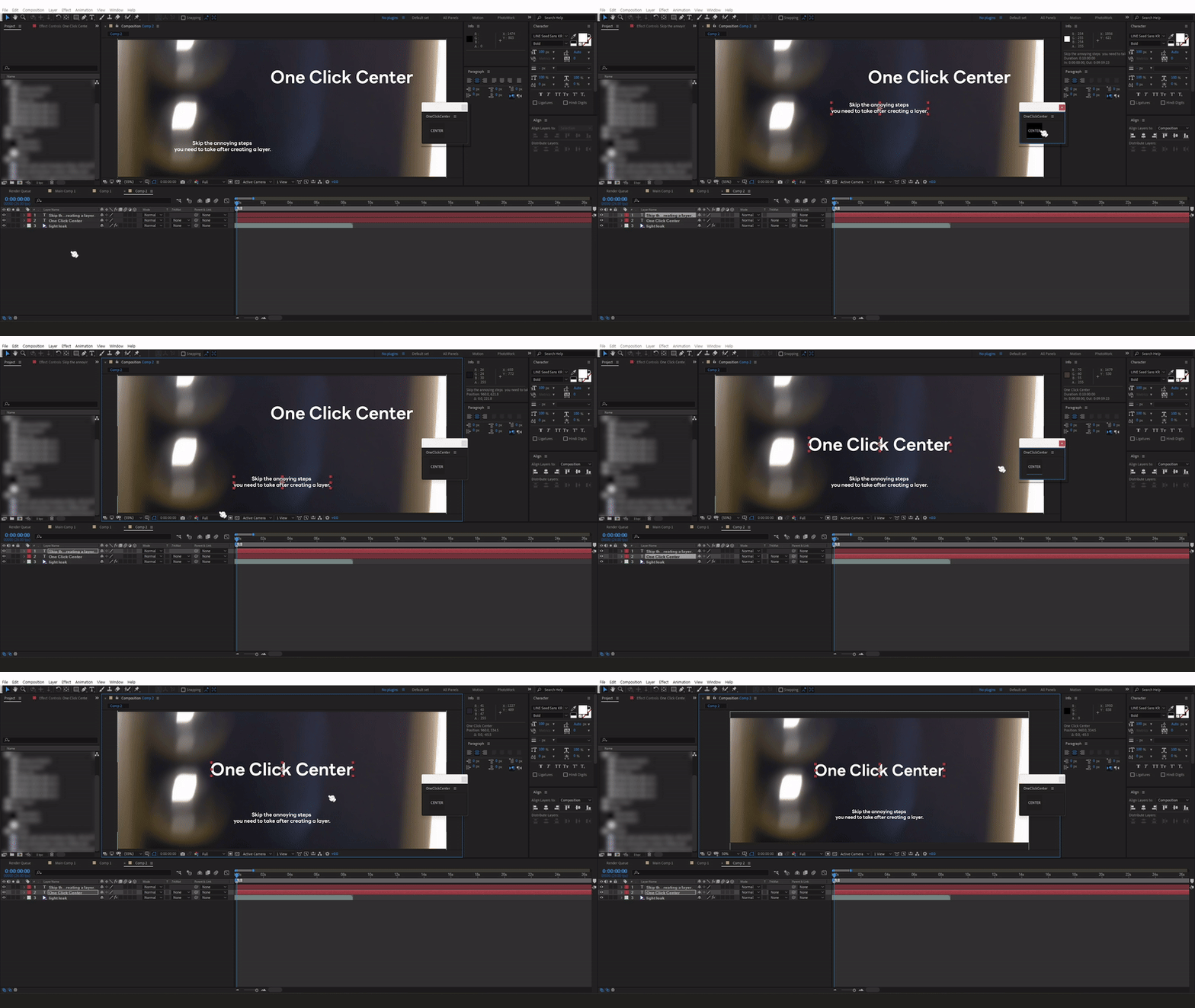
One Click Center is an After Effects script that simplifies a common workflow step for motion designers and animators. With just a single click, you can center the anchor point and position of all selected layers within the composition. No more manual adjustments!
Why Use One Click Center?
- Save time by avoiding repetitive manual adjustments.
- Works with multiple selected layers at once!
- Suitable for motion graphics and PV projects that require the creation of multiple shape layers and text layers.
How It Works
Using One Click Center is incredibly simple. After you’ve created your layers, just select the layers you want to center, and with one click, their anchor points and positions will snap to the center of the composition. It’s that easy!
Get Started Today
Download One Click Center now and streamline your After Effects workflow. Spend less time on tedious tasks and more time being creative!
*This script does not work properly with layers that are connected to a Null object.
Elevate your motion graphics workflow with premium collection of After Effects plugins. Whether you are a seasoned professional or just starting your VFX journey, powerful tools designed to streamline complex tasks, unlock creative possibilities, and save you hours of rendering time. From stunning glitch effects and seamless transitions to advanced 3D extrusion and text animation tools, each plugin in our library is rigorously tested for compatibility with the latest versions of Adobe after Effects. Enhance your video production value today and download industry-leading plugins that help you create breathtaking visuals without the technical headaches. Browse our full range and find the perfect extension to supercharge your editing suite now.
➡️ ➡️ For more after effects Plugins 😀 😀
➡️ ➡️ System requirements AE
Reviews
There are no reviews yet.