

Origami v1.4.0-2
origami script
Download Origami v1.4.0-2 for After Effects on Windows and Mac, a powerful script that subdivides layers into customizable meshes for fluid, organic animations. Create sophisticated deformations, bendable surfaces, and dynamic morphing effects that would be nearly impossible to achieve with traditional keyframing techniques .
Key Features of Origami v1.4.0-2:
- Two Workflow Modes: BASIC tab for quick mesh generation with preset configurations; ADVANCED tab for separate mesh creation and animation steps with detailed control
- Automatic Null Generation: After animation, null objects are automatically created for precise fine-tuning of mesh motion, bounce effects, and smooth transitions
- Ease and Wizz Compatible: Seamlessly integrate with Ease and Wizz for enhanced animation curve control
- Customizable Mesh Parameters: Define mesh shape, format, and point density to match your specific deformation needs
- Broad Compatibility: Supports After Effects CS6 through CC2015 with version 1.4.0-2 extending to later releases
- Cross-Platform Support: Works on both Windows and Mac systems
Perfect For:
- Motion graphics artists creating fluid, organic shape deformations
- VFX designers needing bendable surfaces and morphing effects
- Character animators adding secondary motion to layered artwork
- Anyone wanting to explore mesh-based animation techniques in After Effects
System Requirements:
- Adobe After Effects CS6, CC, CC2014, CC2015 and newer
- Windows 10/11 (64-bit) or macOS
- 4GB RAM minimum (8GB+ recommended)
- 50MB available disk space
- Enable “Allow Scripts to Write Files and Access Network” in Preferences > Scripting & Expressions
Installation:
Copy the script file to your After Effects ScriptUI Panels folder:
- Windows:
C:\Program Files\Adobe\Adobe After Effects [version]\Support Files\Scripts\ScriptUI Panels\ - Mac:
/Applications/Adobe After Effects [version]/Scripts/ScriptUI Panels/
Access via Window menu > Origami
Note: Version 1.4.0-2 is an update to the original 1.0.3 release , offering enhanced compatibility and refined mesh controls for modern After Effects workflows.
Origami is the procedural mesh generation and animation tool for After Effects. Create stunning effects like unfold and organic growth in a few clicks!
Hexagons Pack for Origami
The video is made with Origami (making of is on its way)
Origami creates mesh from After Effects layers and animates it automatically in various ways.
MESH GENERATION
The mesh can be generated from virtually anything: Shape Layer path / Layer Mask / Layer borders.




Use mesh fragments any way you want. But the real magic of Origami is within its powerful animation engine.
ANIMATION
Animation is easy – select starting fragments, choose animation properties and click this fat ANIMATE button.
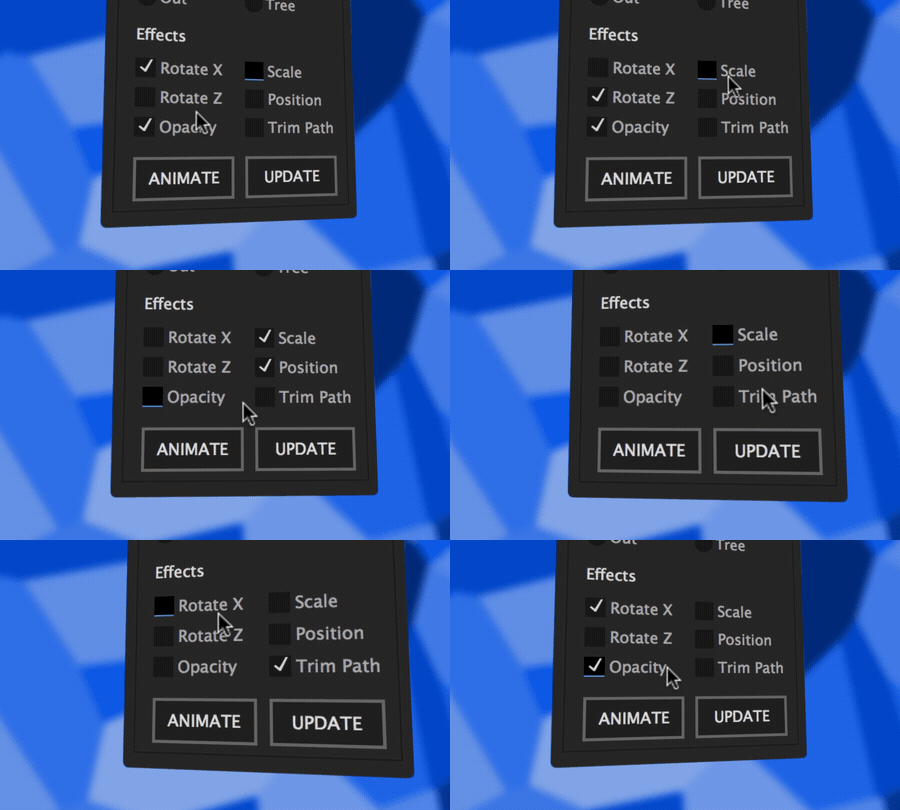
Origami engine will automatically build animation graph from the mesh and apply all transformations and expression.






Experiment! This is the best way to get unexpectedly cool results.
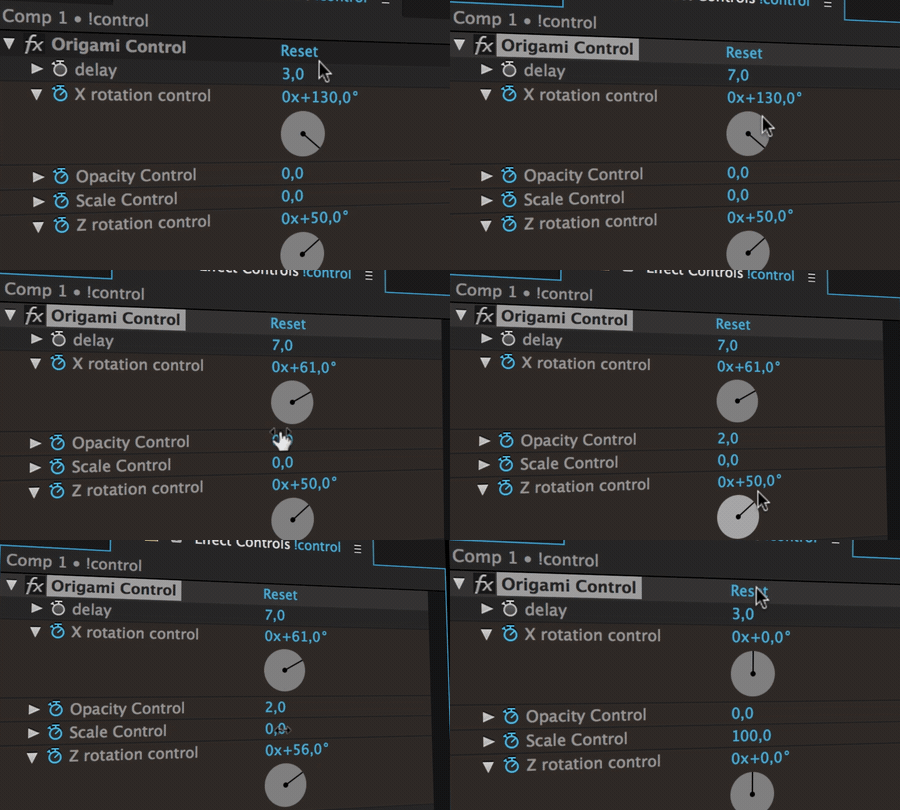
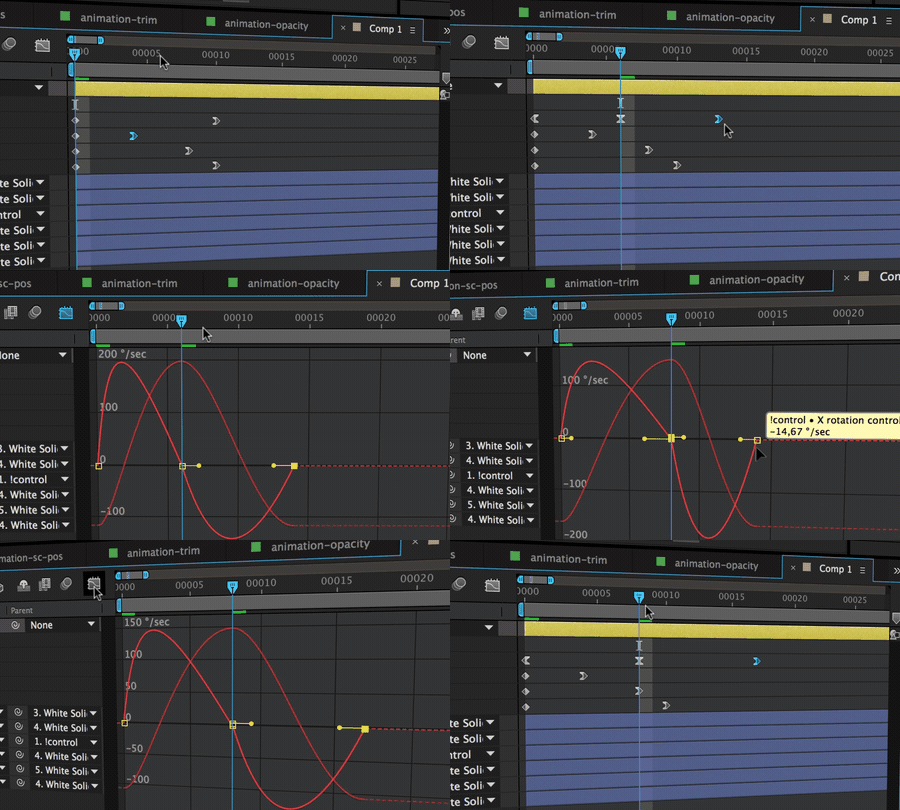
Control animation with custom effect and keyframes
It’s easy to add bounce and smooth motion to animation with a couple of keyframes.
TUTORIALS
Origami workflow is a simple two step process. Though it’s never a bad idea to have a couple of handy tutorials.
These two tutorial will get you onboard in 15 minutes.
Tutorials
IMPORTANT NOTES
- Origami creates fragments as separate After Effects layers, so it is extremely important to know that AE engine is not very fast when working with hundreds of layers. Experiment with the number of points for mesh generation to see the difference between 10 and 100. We’ve been working on Origami optimization for over a year and now we are mostly limited by After Effects’ own processing time, which we can’t influence.
- Origami doesn’t work with bezier shapes yet. We are working on a polygon clipping algorithm to slice beziers. For now Origami will just use shape or mask vertices.
Elevate your motion graphics workflow with premium collection of After Effects plugins. Whether you are a seasoned professional or just starting your VFX journey, powerful tools designed to streamline complex tasks, unlock creative possibilities, and save you hours of rendering time. From stunning glitch effects and seamless transitions to advanced 3D extrusion and text animation tools, each plugin in our library is rigorously tested for compatibility with the latest versions of Adobe after Effects. Enhance your video production value today and download industry-leading plugins that help you create breathtaking visuals without the technical headaches. Browse our full range and find the perfect extension to supercharge your editing suite now.
➡️ ➡️ For more after effects Plugins 😀 😀
➡️ ➡️ System requirements AE
Reviews
There are no reviews yet.