

Penpal
penpal vector editor
Download Penpal 2 v2.0.1 for After Effects on Windows and Mac, the powerful vector path editor that brings dedicated path manipulation tools directly inside your AE workflow. With over 40 bezier-editing functions missing from After Effects, Penpal gives you the precision of dedicated vector software without ever leaving the application .
Key Features of Penpal 2 v2.0.1:
- Comprehensive Path Tools: Flip paths horizontally or vertically, break a path into two separate paths, align and distribute points within a shape, snap points to pixels, reverse path direction, delete unwanted tangent handles, and simplify paths with too many points
- Local Space Editing: View and edit your paths as they actually are by switching to Local Space mode—see paths in their original state without all the nested transforms affecting how they look in the comp
- Simplify Path Slider: Paths with too many points? Use the simplify tool with an interactive slider to control exactly how many points to keep—automatically adjusts the shape to match your original as closely as possible
- Toggle Selected Path Open/Close: Quickly close open paths or reopen closed ones with a single button—perfect for fixing unfilled shape layers or creating complex stroke animations
- Separate Point & Tangent Control: Align and customize points and tangents independently, then apply different alignment options to each—create complex shapes and curves without wrestling with each element individually
- Intuitive Visual UI: Interface closely based on After Effects’ native controls—drag marquees, click to select, hold Shift to constrain axes, and Option-drag to smooth or break tangents with familiar interactions
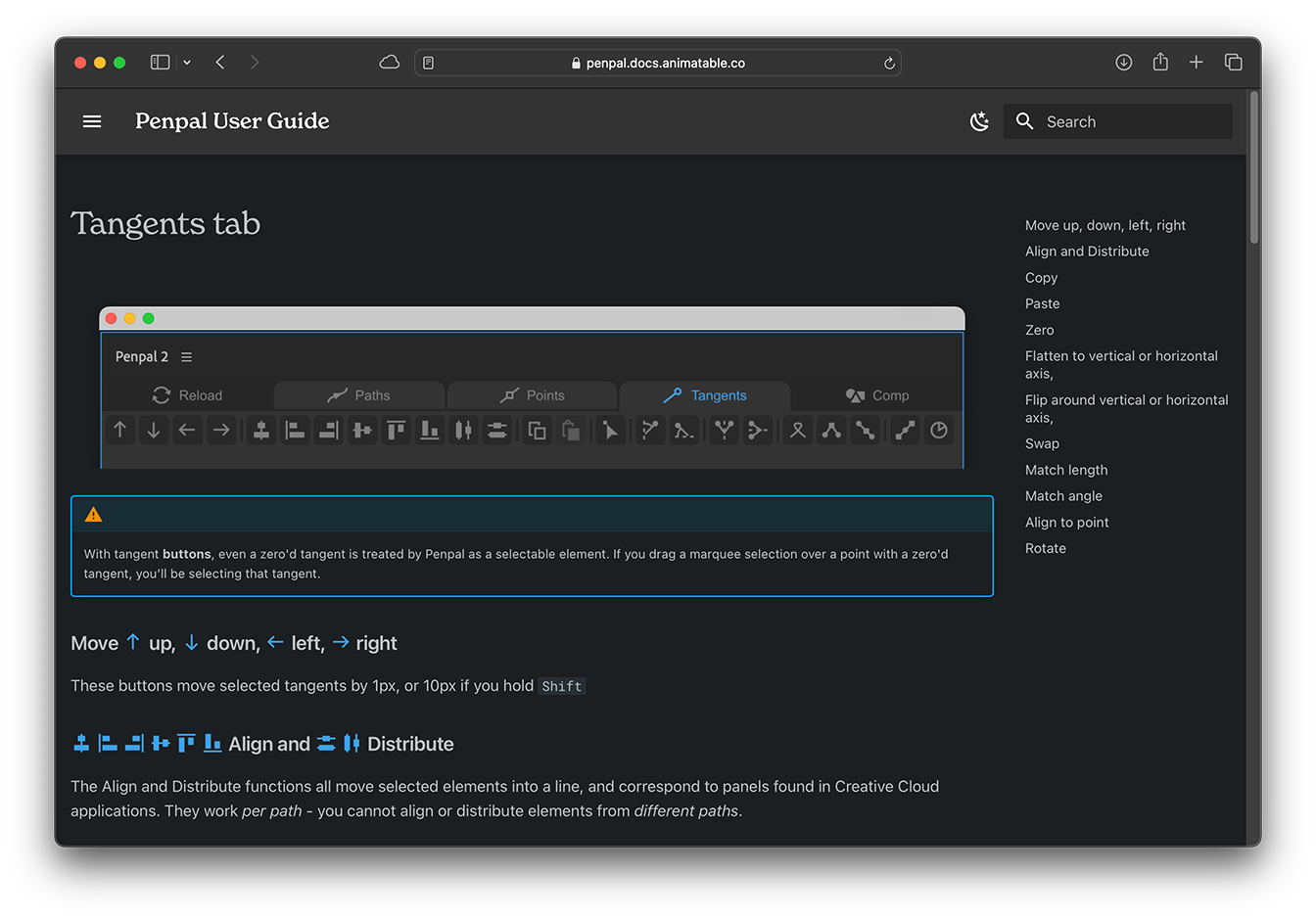
- Precision Transformations: Rotate tangents by set amounts like 45° or 90°, match tangent angles or lengths, align points to pixels, and perform exacting path manipulations with surgical precision
- Path Joining & Splitting: Split paths into two separate paths or join two paths together seamlessly—perfect for complex shape construction
- Version 2.0.1 Fix (June 2023): Resolves blank panel issues in some older versions of After Effects
- Broad Compatibility: Works with After Effects 2026, 2025, 2024, 2023, 2022, 2021, 2020, CC 2019, CC 2018
- Multi-Language Support: Localized for English, Chinese, German, Italian, Japanese, Portuguese, Russian, and Spanish
Perfect For:
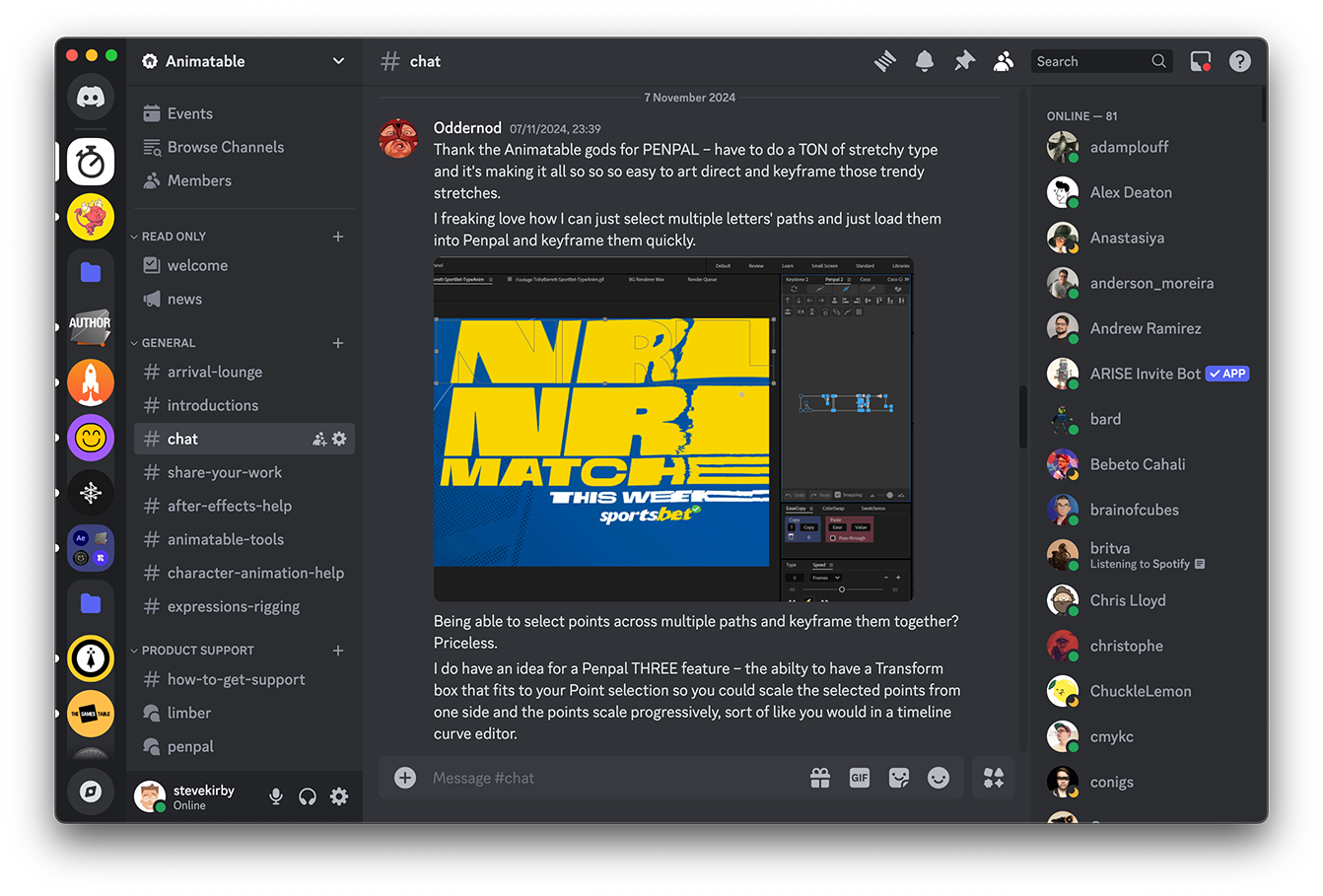
- Motion graphics artists who frequently work with shape layers and mask paths
- Anyone frustrated by After Effects’ limited native path editing tools
- Designers needing precise control over bezier curves and tangent handles
- Character animators rigging complex shapes and limbs
- Studios looking to streamline vector animation workflows without switching to Illustrator
System Requirements:
- Adobe After Effects CC 2018 through 2026
- Windows 10/11 (64-bit) or macOS
- 4GB RAM minimum (8GB+ recommended)
- 50MB available disk space
- Enable “Allow Scripts to Write Files and Access Network” in Preferences > Scripting & Expressions
Installation:
Download and install via ZXP Installer from aescripts.com. Close After Effects, install the Penpal.zxp file, then open AE and access via Window > Extensions > Penpal .
Free Trial: Feature-limited 10-day trial available that loads paths with 10 points or less, allowing you to test functionality before purchase .
The vector editor missing from After Effects.
Powerful Path editing
Penpal gives you the power and precision of dedicated vector editing software, inside After Effects so you can do more, without leaving the app.
Flip paths horizontally or vertically, break a path into two separate paths, align and distribute points within a shape, snap points to pixels, reverse path direction, delete unwanted tangent handles, simplify paths with too many points… and much more, with over 40 path-editing functions.
“Penpal needs more love in the mograph community, it’s up there with Flow and Overlord in terms of everyday usefulness.” – Ryan Summers
You already know how to use it
Penpal’s visual UI is closely based on the one you already know from After Effects, so you can start using it without learning anything new.
Drag a marquee or just click to select elements. Click and drag points around in the canvas. Hold Shift to constrain to axes. Option-drag to smooth or break tangents.
Shapes as they really are
After Effects is great for nesting shapes inside groups and layers that have their own animatable transforms, like rotation. But it’s not so good at displaying and editing those paths in their original state.
You can find yourself struggling to un-pick all of the transforms that are affecting how a shape looks in the comp.
With Penpal, you can see and edit your paths as they actually are, by switching to Local Space mode.
➡️ ➡️ For more after effects Plugins 😀 😀
➡️ ➡️ System requirements AE
Reviews
There are no reviews yet.